
This word has appeared in 123 articles on NYTimes.com in the past year. Can you use it in a sentence?
Alison Publisher Spotlight: Gerard O’Driscoll
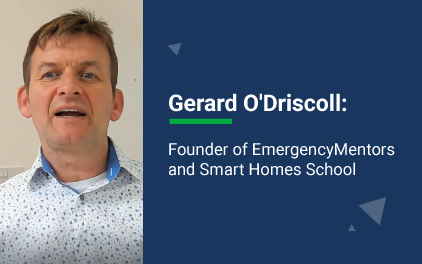
No one ever wants to think of the worst case scenario. It’s scary, unpleasant, and we don’t want to live in a state of panic or fear. But the truth is, knowing what to do and who to call in an emergency is a matter of life and death. Your calm and measured response can add life-saving minutes on a call to emergency responders.
And when you’re at home, you want the security that your loved ones and belongings are safe and secure. This means having a smart home system that’s equipped with vital information to safeguard your home contents. To learn more about smart homes and emergency responses, we spoke to Alison publisher, Gerard O’Driscoll.
INTRODUCTION AND BACKGROUND
Please share with our learners a bit about your background.
Over the past 30 years, I have served in a variety of management, ICT, and commercial positions in both the public and private sectors. In addition to my enthusiasm for the smart home space, I am an active investor in property and emerging Web 3.0 projects.
You have a background as an ICT professional. What made you decide to create courses on Alison?
Since the late nineties, I’ve been creating online courses that several thousand students from around the world have studied. Furthermore, I have authored a number of technology-focused books. The Alison course platform provides an ideal platform to share this content globally.
For those just learning about you, please tell us more about EmergencyMentors and Smart Homes School:
a) emergencymentors.com is a blog I created to help people correctly make an emergency call.
b) smarthomesschool.com is my website which people visit to learn about setting up smart home devices to improve family safety and security levels.
You’ve been a self-publisher with Alison for several years. What do you enjoy most about publishing on this platform?
The course creation tools, and technical support provided by Alison.com are excellent.
What is a smart home?
A smart home is a property that uses internet-connected devices to enable the remote control and automation of appliances and systems, such as lighting, heating, and security. This can make daily tasks more convenient and efficient and can enhance the overall security and safety of the home.
Is it costly to turn your home into a smart home?
The addition of a smart home system to your home is surprisingly affordable and relatively easy to install. There is a perception amongst the public that smart home automation systems are very expensive. Although this perception exists, the current reality is that the price point for introductory smart home kits in Europe is between €400 and €1,000, whereas in the USA price points are slightly lower.
For instance, a $399 kit will provide you with a basic smartphone and smart speaker control of your lighting and heating system. If the smart home system is used proactively to manage electricity usage, then these types of systems often pay for themselves over a two- or three-year period.
Why should people invest in smart homes?
There is a perception out there that ‘fancy’ automation systems cost a fortune, whereas these systems are very affordable and can save you some money. Once installed and configured a next-generation smart home system helps you to save on your monthly electricity, gas, and water bills.
Can smart home products reduce the risks of fire and flood damage?
Smart Homes are synonymous with entertainment and increasing your security levels, but they can also make life safer at home. They can not only reduce risks to you or your family’s health but can also prevent costly damage to your house caused by fire and leaking water.
How does smart home automation enhance your lifestyle?
It is true to say that many smart home automation products released in the early years were buggy, technically complex, and required an IT-savvy person to run daily. The truth nowadays is that most, if not all smart home automation products provide easy control of all your lights, heating, security, and entertainment systems via a tablet, phone, smart speaker, or PC.
What are the benefits of having a smart home?
Although the benefits of adding smart automation to your home will vary from person to person, there are some general ones that most people can enjoy as a result of adding smart home systems to a property. My three favorites are:
- Smart home devices are simple to use.
- A properly implemented smart home can improve your comfort and convenience.
- Enhanced security and safety levels.
One misconception about smart homes is that they are only for the wealthy or those with big houses. How true is this?
It is embellished in most people’s minds that smart house automation is not affordable and only available to ‘rich’ people in our society. The truth is that major service providers are reselling affordable smart house control and alarm subscription products to their existing base of customers.
So smart home automation is in fact becoming a mainstream solution and no longer is home automation confined to the privileged in society!
Please share with us about your website emergencymentors.com and how that came to be.
For a number of years, I managed the day-to-day operations of a 999/112 emergency call-taking organisation and decided to release a blog that provided people with relevant information related to this important industry sector.
What should people know about emergencies?
Emergencies do not happen very often, but when they do, you want to be ready. Know what to do ahead of time and try to stay in control.
What’s the most common mistake people make in an emergency?
When you find yourself in the middle of a 911 emergency, you might be on the verge of panic. No matter how dire the situation, you need to do your best to be calm and collected when making 911 calls.
How does one plan for an emergency call?
Before you pick up the phone to make a 911, 112, or 999 call for the emergency services, it’s best to be prepared. Some tips include:
- Post emergency numbers by your phone or in a highly visible place where everyone can refer to it
- Know the proper emergency number
- Know about any pre-existing medical conditions
If I have any safety concerns, whom should I call?
In the event of a 112 emergency, it is imperative to ensure that emergency services will arrive on the scene as quickly as possible. The number you dial will be geographically specific and it is important that you know this number. For instance, in the USA, 911 is the number you would use for safety concerns.
MORE ABOUT YOUR COURSES
Who should take your courses?
My courses are structured to fit a wide variety of students. If you feel that you might benefit from the increased safety and security offered by smart home systems, then consideration should be given to taking my ‘Home Automation: How to Make a Smart Home’.
Due to the importance of the ‘Learn How to Use The 911, 999 & 112 Emergency Services Correctly’ course, my goal is to enrol all Alison users and indeed full populations to avail of this course that has the potential to save lives. I also encourage readers to share this information with their friends and family, it is lifesaving. Learning how to call emergency services is worth knowing!
What feedback have you received from learners about your course? What do people enjoy most about your courses?
The general feedback from both the smart home and emergency services courses is very positive, over the years and encouraging from a personal perspective to continue creating content for both of these vertical industries.
How will your courses help enrich the lives of those who take them?
Many people don’t realize the impact that smart home devices can have on their daily lives. ‘Home Automation: How to Make a Smart Home’ provides a roadmap to change your life for the better. Most people will call the emergency services (911, 112, 999) only once or twice during their lifetimes. Knowing how to obtain emergency services can make the difference between life and death. The ‘Learn How to Use The 911, 999 and 112 Emergency Services Correctly’ course will prepare you and your family by learning all about emergency services at home and abroad.
For individuals interested in taking one of your courses, what can they expect to get from it?
With most smart home products these days, there are a lot of choices available. With my course you will be provided with an easy to follow, hands-on online course designed to take you from idea of a fully integrated smart home! With my emergency services course, I give you the exact formula to correctly make an emergency call.
What career paths are available for someone interested in pursuing your courses?
The ‘Home Automation: How to Make a Smart Home’ course acts as a primer for electricians and IT professionals to earn a side hustle business installing smart home devices. The Certified Next-Generation Smart Home Installer (NGSHI) professional program is available to help grow your pipeline of smart home installations. Some students enroll in the ‘Learn How to Use The 911, 999 and 112 Emergency Services Correctly’ to commence a career in emergency services.
PUBLISHING ON ALISON
What lessons or takeaways have you learned as a self-publisher on Alison?
I participated in a few courses on Alison.com before publishing my content on the platform. Furthermore, the onboarding experience was excellent.
How has being a self-publisher on Alison changed or impacted your life?
The ability to expand my brand to thousands of learners worldwide has provided a boost to my content creation capabilities.
What words of advice would you give someone who would like to become a publisher on Alison?
Applying to be a content creator on Alison is very straightforward and support during the course publishing phase and ongoing account management is of a high standard.
What can Alison and its learners look forward to from you in the coming year or two?
I am continuing to develop new courses and as time goes on, these courses will be made available to the Alison students.
Any last words, advice, or wisdom you’d like to share with our learners?
Understanding smart homes and the mechanics of an emergency call can add a range of lifestyle-enhancing benefits.
Whether you’re staying at home or going away over this holiday season, you know who to call. Arm yourself with the best knowledge and protection for your home and enrol on Alison today!
Have You and Others Been More Sick Than Usual Lately?
A “tripledemic” of Covid, the flu and a respiratory virus is sweeping through the United States. How has it affected your community?
What Are the Most Popular Dishes in Your House?
The Cooking section recently published its most popular recipes of 2022. What dishes were most loved in your house this year?
2022 in Pictures
Which of the images in this Times collection stand out for you? Why?
Word of the Day: concede
This word has appeared in 232 articles on NYTimes.com in the past year. Can you use it in a sentence?
Comment on Top 4 Easy-to-Start Hobbies by daing

Have you ever wanted to start something new, but just don’t know what it should be? Or maybe you tried something but it was too complicated, or you needed some help with it?
Don’t worry, it happens to all of us. Getting started is often the hardest part, but it’s important to try new things sometimes. It keeps life interesting, and once something starts, you never know where it might lead!
Sometimes a small bit of guidance and a helpful nudge can be all someone needs to get things moving. So, here’s a little list of hobbies that are easy to start. Check them out, one of them just might bring a lift to your day!
1. Yoga
What do you need to start Yoga? About 2 metres of floor space, and maybe a mat. Really, that’s it. Don’t worry if you can’t do all those twisty bends at the beginning! With a little time, you’ll be amazed at the difference Yoga can make to your fitness and flexibility. More importantly, doing Yoga as one of your hobbies can really help your stress level and sense of calm.
2. Photography
Do you have a phone? Congratulations, you have all you need to start learning about photography! It doesn’t have to be the most powerful camera or the latest technology. Important photography techniques such as framing and colour complementing depend just on where you point your camera. It can show you the basics and move you towards really professional skills!
3. Artwork
Did you know that you can make almost every colour by mixing just three colours together? With as little as a basic paint kit available online, you can put anything at all on your canvas. You don’t even have to be very imaginative, just start throwing colour on the page and see what happens! Maybe with time, you’ll turn those three colours into your personal masterpiece.
4. Meditation
Can you sit down and close your eyes? Well then, you have the equipment you need to bring a little meditation into your day. Meditation is probably one of the easiest hobbies you can start that has huge benefits for your mental health and stress levels. Who knows, it might be that little change that makes all the difference.
For more tailored course suggestions for hobbies and self-development, check out Alison’s Personal Improvement homepage.
By Philip S.
Comment on Rebecca Melone: “Not only is Alison free but you can study from anywhere at anytime.” by Francis Amukoa

Rebecca Melone is an Alison graduate from South Africa. She shares her story of loss and lifelong learning with the Alison Blog.
“My name is Rebecca Melone. I am a South African, born and bred. After high school, I had no direction and I wasted a lot of time. Eventually, I took a job with a cosmetics company for five years as a consultant. In the meantime, I enrolled in business college and gained a Diploma in Marketing. I then changed my career and was offered a position as an office administrator with an employment agency.
After two years, I felt unfulfilled and I resigned. I decided to take some time off to travel, and was traveling in the United States when I met my husband. We set up home in the US. Ten years later, he took ill and never recovered. He passed away three years later. I was so badly affected by his passing that I had to go for professional help. After some time, I decided to reinvent myself.
So, I searched for an online college on the internet. I came across Alison and I enrolled. People are my passion and I enjoy helping them. That’s why I chose a course in Health Care. However, I didn’t pursue it. Looking back at that time, I don’t think I was mentally or even emotionally ready.
Then in September 2020, I took a Persuasion Strategies – Ultimate Influence Tools & Skills course and obtained my certificate. At present, I am studying for a Diploma in Mental Health. I would encourage anyone to enroll with Alison. Not only is it free education but you can study from anywhere at anytime. The lessons are easy to follow. You study at your own pace and you can obtain a certificate or diploma if you choose to.”
Comment on Alison Learner Spotlight: Nwachukwu Chibuike by CHIBUIKE
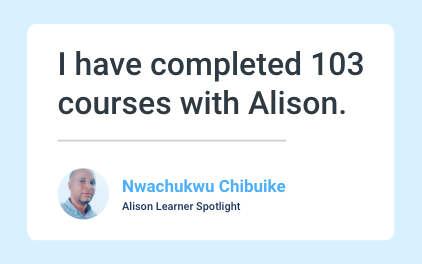
Online learning has quickly been adopted as the preferred method of learning for many individuals. A wide range of courses, flexibility, opportunities to advance your career, and discover new hobbies or subjects. These are just a few of the reasons why online learning is gaining popularity. This month, we’re shining our Alison Learner Spotlight on Nwachukwu Chibuike from Nigeria, who has completed over 100 courses on Alison. This is his story.
What is your current role?
I do multiple jobs. First, I am a writer, public speaker, peer educators trainer and finally a pharmacy technician through Alison’s super platform.
How did you find out about Alison?
I found out about Alison through a Google search by surfing the internet to find free online courses.
What made you choose to study with Alison?
Alison’s courses are rich in content and free.
What courses did you do?
I did a lot of courses in Alison. To date, I have done 103 diploma and certificate courses with Alison.
Actually, one of the first courses I took was a certificate course in Advanced Analytical Chemistry, Diploma in High School Chemistry, Diploma in Applied Chemistry, Advanced Cardiac Life Support, CPR, Diploma in Biology, Diploma in Mathematics, Diploma in International Convention and Maritime Law, Diploma in Modern Human Resources Management etc.
How much time per week did you spend studying?
Three hours. Sometimes four hours.
How did the courses you completed prepare and help you in your career?
It equipped me to be multifunctional and to better adapt to changing times. I feel confident to face the future.
What skills or knowledge did you learn throughout the programme that you found most helpful in your career?
I learnt how to dispense drugs, how to avoid medical and medication errors. I also learnt the processes of how to compound drugs.
Did you experience any challenges while completing the course?
Yes. The challenges are internet failures, low data bundles, and power outages. Other times, the challenges are making time to read after work and other family challenges such as doing chores. It’s not really easy, it is just determination and consistency. Again knowing what you want in life and being self-motivated.
Are there any other courses you’d like to study through Alison?
Yes. Principles of Epidemiology and the Diploma in Dental Assistants.
What advice can you give to prospective Alison learners?
Alison provides support to those who lack funds to further their education through the traditional system. My advice to them is to take Alison’s courses seriously as the courses they get here are rich in information and current.
How do you stay motivated during studying?
Alison’s courses are highly engaging and very easy to access.
Studying for one degree, diploma or course is an achievement. Completing 103, with a desire to complete more is nothing short of inspirational. Nwachukwu’s fierce determination, hunger for knowledge, and passion for learning are something that we can all draw from. What better time to sign up for a few courses and add them to your profile? With over 4000 courses available on Alison’s platform, you won’t run out of choices.
If you’d like to share your Alison success story with other students, comment below and who knows, we could shine our learner spotlight on you next.
Comment on Alison Learner Spotlight: Nwachukwu Chibuike by Friday Ojonimi Ameh
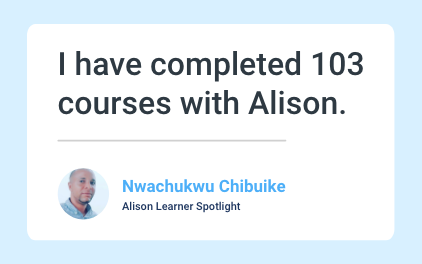
Online learning has quickly been adopted as the preferred method of learning for many individuals. A wide range of courses, flexibility, opportunities to advance your career, and discover new hobbies or subjects. These are just a few of the reasons why online learning is gaining popularity. This month, we’re shining our Alison Learner Spotlight on Nwachukwu Chibuike from Nigeria, who has completed over 100 courses on Alison. This is his story.
What is your current role?
I do multiple jobs. First, I am a writer, public speaker, peer educators trainer and finally a pharmacy technician through Alison’s super platform.
How did you find out about Alison?
I found out about Alison through a Google search by surfing the internet to find free online courses.
What made you choose to study with Alison?
Alison’s courses are rich in content and free.
What courses did you do?
I did a lot of courses in Alison. To date, I have done 103 diploma and certificate courses with Alison.
Actually, one of the first courses I took was a certificate course in Advanced Analytical Chemistry, Diploma in High School Chemistry, Diploma in Applied Chemistry, Advanced Cardiac Life Support, CPR, Diploma in Biology, Diploma in Mathematics, Diploma in International Convention and Maritime Law, Diploma in Modern Human Resources Management etc.
How much time per week did you spend studying?
Three hours. Sometimes four hours.
How did the courses you completed prepare and help you in your career?
It equipped me to be multifunctional and to better adapt to changing times. I feel confident to face the future.
What skills or knowledge did you learn throughout the programme that you found most helpful in your career?
I learnt how to dispense drugs, how to avoid medical and medication errors. I also learnt the processes of how to compound drugs.
Did you experience any challenges while completing the course?
Yes. The challenges are internet failures, low data bundles, and power outages. Other times, the challenges are making time to read after work and other family challenges such as doing chores. It’s not really easy, it is just determination and consistency. Again knowing what you want in life and being self-motivated.
Are there any other courses you’d like to study through Alison?
Yes. Principles of Epidemiology and the Diploma in Dental Assistants.
What advice can you give to prospective Alison learners?
Alison provides support to those who lack funds to further their education through the traditional system. My advice to them is to take Alison’s courses seriously as the courses they get here are rich in information and current.
How do you stay motivated during studying?
Alison’s courses are highly engaging and very easy to access.
Studying for one degree, diploma or course is an achievement. Completing 103, with a desire to complete more is nothing short of inspirational. Nwachukwu’s fierce determination, hunger for knowledge, and passion for learning are something that we can all draw from. What better time to sign up for a few courses and add them to your profile? With over 4000 courses available on Alison’s platform, you won’t run out of choices.
If you’d like to share your Alison success story with other students, comment below and who knows, we could shine our learner spotlight on you next.
