After enjoying each word, students may take on another challenge: Choose one of them and try it out in a sentence, then post your sentence to our comments section. Better yet, try using it in your next conversation.
Winner
Rohana Khattak, Islamabad, Pakistan
oblivionaire (noun)
A billionaire who chooses to be blind to the disparity and inequality that his or her wealth is creating. Gen Z’s furor over the so-called oblivionaires ignoring global crises is blowing up on social media, in a campaign being noticed by many global and political figures.
“Oblivionaire” was the Word of the Day on April 1, otherwise known as April Fools’ Day.
Runners-Up
Milana, Russia
heartdown (noun)
A period when, after being hurt or betrayed, your heart is recovering and you are reluctant to let others get close to you. More and more people go into heartdown after parting with a loved one.
Muhtasim Sadat, Bangladesh
mondize (verb)
To take away fun after a brief spell of freedom, or give a task after a break, the way Monday ends the freedom of the weekend. The teacher mondized his students by giving homework through online platforms just after the first week of summer break.
Jennifer, New York
mnemonty (noun)
The feeling of knowing, while you are still in the moment, that something occurring will be remembered forever. As I was standing on the dock, looking out at the lake for the last time, a feeling of mnemonty washed over me like a soothing breeze.
Paul Norberg,Cupertino, Calif.
tacine (adjective)
A serene, unblemished scene in nature that feels untouched by humanity. As Wendy gazed upon the tacine vistas of the Yukon, she felt an overwhelming sense of awe.
Lindsey, Huntersville, N.C.
trendaissance (noun)
The rebirth, or renaissance, of a cultural trend or meme after a period of unpopularity or dormancy. The grunge aesthetic is enjoying a trendaissance on social media right now.
Honorable Mentions
anivert (noun) byKhalid, Massachusetts
A person who loves anime and relies on it for self-expression. Hey, Zoey! I heard you’re obsessed with anime. HA! You’re an anivert. … It’s OK, I’m one too.
briskkip (noun) bySaba, Austin
A sleeplike state that lasts only a moment before you jerk fully awake again. I kept taking briskkips in the car since I was tired, but all the turns kept me from falling asleep.
Covidloop (noun) by Pablo
The act of involuntarily staying home or isolating for long periods of time, while continuing normal activities. Yeah, man, I haven’t been sick for like a week, but I’m in a Covidloop and I swear I have to get out.
daybe (noun) by Logan Cederlof, Murray, Utah
The day before yesterday. The Super Bowl was daybe, and people are still talking about the advertisements.
eustricity (noun) by Charly, Albuquerque
A euphoric feeling of passion and serotonin that occurs when listening to a pleasant music piece that gives you goose bumps; similar to the feeling of electricity going through your body. I get such eustricity listening to guitar solos that I just want to run up to the rooftop and dance and sing my heart out.
faux-star (verb) by Caitlin Cherenfant, Miami
To put oneself into an imagined scenario as a character of a movie, show or book; to daydream about oneself as a character. My sisterMarie often pauses shows to imagine the smarter decisions she would make as the main character — a common way to faux-star.
fick (verb) by Charlie, Wilmington, N.C.
To fake being sick out of a strong desire to stay home. Since Tommy stayed up all last night watching the game, he decided to fick the next morning because the thought of school was unbearable.
fsh (noun) byNeel Chellapilla, Cupertino, Calif.
A joke that has been overused and therefore is not funny to anyone who has heard it before — like this one: What do you call a fish with no eyes (i’s)? A fsh. He proceeded to tell a fsh, which nobody laughed at.
gubble (noun) by Theo Masella, Beverly, Mass.
The space in between one’s toes, including webbed skin. The Olympic swimmer’s wide, webbed gubbles propelled him to first place.
inflobia (noun) bySergio, Freehold, N.J.
Fear of price inflation. More people are getting inflobia as prices go up.
lightcrisp (adjective) by Amelia D., Austin
Feeling a burning, sizzling sensation after being in overhead lighting for an extended period of time. I just feel so lightcrisp after that double-period class.
nonexiwort(noun) by Hetvi Thakker, Monroe Township, N.J.
The words left unsaid; thoughts that exist in our minds but are never developed into words said out loud. Even long after their conversation, she still dwelled on the nonexiwort, wishing she had the courage to voice her opinion — and wondering what would have happened if she had.
noscipate (verb) byOlivia Liu, San Jose, Calif.
To anticipate nostalgia, as in when one feels nostalgic for something that hasn’t passed yet. My basketball season is quickly coming to an end, so I am currently noscipating about it.
seath (noun) by Blake Lewis, Vernon, Conn.
The health of the sea. Pollution is decreasing our world seath rapidly.
skocean (noun) by Miia Backstrom, Wilmington, N.C.
1. When you cannot distinguish where the sky separates from the ocean because the shades of blue are so alike. 2. Used figuratively: When you can no longer see the difference between two things or people. I was alarmed to realize a skocean had occurred between me and my worst enemy and I was becoming what I thought I hated most.
solumidnox (noun) by Kaitie Wihbey and Becca Schneider, Glastonbury, Conn.
When you are awake in the middle of the night and feel lost and invisible, as though you are the only person who exists. As I lay in my bed and solumidnox took over, I asked myself, Why is this world the way it is? Who really am I? What is the purpose of life?
To express oneself with trending dance or body movements while involved in otherwise unrelated conversation. It’s so distracting to try to have a serious discussion with that girl since she is always TikTalking.
tilent (noun) by Winn Godier, Wilmington, N.C.
The state of being so tired you are silent; being quiet not out of rudeness but because of exhaustion. Because I stayed up all night studying, I was tilent this morning and didn’t acknowledge my parents.
Use your imagination to write the opening of a short story or poem inspired by this illustration — or, tell us about a memory from your own life that this image makes you think of.
Tell us in the comments, then read the related A to learn more.
Want more Picture Prompts? Find them all in this column.
Students 13 and older in the United States and Britain, and 16 and older elsewhere, are invited to comment. All comments are moderated by the Learning Network staff, but please keep in mind that once your comment is accepted, it will be made public.
With war looming, W.H. Auden stood in a museum and was inspired to write. The resulting poem, “Musée des Beaux Arts,” is one of the most famous ever written about a work of art. More than 80 years later, with war raging in Europe once again, human suffering is forcing us to confront many of the same issues.
In this lesson, you will experience a passionate and poetic close reading of “Musée des Beaux Arts” by the poet and essayist Elisa Gabbert, embedded in an interactive that can help you “zoom in” on specific details of both the poem and the painting that inspired it.
Then, via a menu of Going Further activities, we invite you to write your own analysis and interpretation of a poem or painting using the featured article as a mentor text; write your own ekphrastic poem; or learn more about W.H. Auden.
Warm-Up
Part 1: Look closely at the painting “Landscape With the Fall of Icarus” by Pieter Bruegel the Elder, circa 1560.
Before reading the poem that is at the center of today’s lesson, take several minutes to look closely at the painting that inspired it.
Then, respond in writing or through a class discussion, or conversation with a partner or small group, to the following prompts. The first three are borrowed from our weekly What’s Going On in This Picture? feature:
Share your thoughts with a group or the whole class: What ideas do you have in common with others? Where do you differ in your analysis or interpretations? What questions do you have?
Finally, discuss the title of the painting, “Landscape With the Fall of Icarus.” Icarus was the character in Greek mythology who flew too close to the sun on wax wings and fell into the sea and drowned. Why do you think Icarus — the drowning man in the lower right corner of the painting — is not the center of the painting?
Part 2: Read and respond to the poem “Musée des Beaux Arts” by W.H. Auden, 1938.
Now you’ll repeat the same set of activities with the poem. First, read it at least three times, both aloud and to yourself. Mark up a copy of it (PDF) with observations as you go. You can listen to W.H. Auden, the poet, read the poem here.
Return to the same partner, group or full class you joined to discuss the painting, and respond to the prompts again:
What’s going on in this poem?
What do you see, read or hear that makes you say that?
What more can you find?
Share your thoughts with a group or the whole class: What ideas do you have in common with others? Where do you differ in your analysis or interpretations? What questions do you have?
Finally, discuss the point of view of the poem’s speaker. What is this speaker saying about the Bruegel painting? About human suffering in general? How does this perspective resonate with your own understanding of suffering?
Questions for Writing and Discussion
Note to teachers: The interactive article is longer than our typical featured pieces. If your time is limited, you might ask your students to read up to the lines “Ignoring them is the most natural thing in the world. It is also a moral error.,” which is about a third of the way through the piece. They can still address the questions below.
1. Which images, themes, details, words or lines did Ms. Gabbert identify? Which aspects of the Bruegel painting and the Auden poem stood out for her? What personal connections did she make?
2. How did your observations from the warm-up activity compare with those of Ms. Gabbert? Does her analysis make you see the painting or the poem differently?
3. Ms. Gabbert says of the painting, “As you can see, it’s not about the fall of Icarus, exactly.” What does she mean by that statement? What, in her eyes, is the painting about?
4. Ms. Gabbert writes of the poem:
Something’s only a disaster if we notice it.
The message seems simple enough, but the poem is full of riches, hidden details that you might miss if, like a farmer with his head down — or a distracted museumgoer — you weren’t looking at the edges.
The edges, as Auden keeps reminding us, are part of the picture.
Ignoring them is the most natural thing in the world. It is also a moral error.
What do you think of this interpretation? Is ignoring disaster both the “most natural thing” and a “moral error”? Explain your thinking.
5. Of the poem’s final lines, Ms. Gabbert writes:
There’s a feeling of reluctant acceptance in the poem’s final lines, a surrender to forces beyond one’s control, which may be the engines of commerce, or something like God, a God who either punishes us for our failings or has simply set the clockwork world into motion, and let it go.
On some reads Auden may seem to be offering a pass — this is the way of the world, after all.
At other times it strikes me as implicating Icarus, Daedalus, the ploughman and shepherd, and God or the gods all equally … as well as us — you, me and Auden — strolling the museum or reading the poem in comfort.
Do we spare a thought for the suffering, or sail calmly on?
How does Ms. Gabbert’s interpretation of the poem and its final lines compare with yours? What does it mean for a poem to “implicate” the author and the reader? What do you think is Auden’s moral stance on the seeming indifference of humans to the suffering of others? Do you think the poem “excuses” humanity for its indifference to suffering? Or “implicates” us? Provide evidence to justify your claim.
6. Why do you think Auden titled the poem “Musée des Beaux Arts”? If you had to give the poem or the painting an alternative title, what would it be and why?
7. What big “takeaways” are you left with after this experience of both closely observing yourself and following someone else’s close observation. What qualities of the poem do you find most meaningful, moving or memorable in the end? Would you recommend it to others? Why or why not?
Going Further
1. Create your own “zoomed in” analysis of a poem or a painting.
Ms. Gabbert’s interactive essay is a kind of instructive how-to for learning to read a poem, or a painting, closely. What lessons did you learn, if any, about appreciating poetry from her commentary?
Now it’s your turn: Write your own analysis using the featured article as a mentor text. Consider how you can draw on Ms. Gabberts’s vivid, sensory language and ability to zoom in on many aspects of a single poem or artwork in order to draw conclusions about context and meaning for your own piece.
You can choose a poem or a painting, and for inspiration you might view the other works that are part of this New York Times series, Close Read. For example, you might look at Elizabeth Bishop’s poem “One Art,” discussed in the interactive “19 Lines That Turn Anguish Into Art.”
You can write your analysis and interpretation as an essay, or consider a creative presentation application like Google Slides or Prezi to help you focus your audience on the details of the artwork you find most significant.
Use the questions from the warm-up activity to begin:
You might also think about questions like these:
What do you notice about the various elements of this work? (If it is a poem, think about aspects like the imagery, structure, punctuation and word choice. If it is a painting, think about things like the use of space, line, color and texture.)
Why does this work stand out to you? What do you find interesting or moving about it?
What connections can you make between the work and your own life or experience? Does it remind you of anything else you’ve read or seen?
What do you think is the purpose of this artwork? What do you think the artist wanted to communicate?
What questions would you ask the artist about this work?
2. Learn more about Auden’s life and his poetry.
Some of Ms. Gabbert’s analysis of the poem focuses on W.H. Auden the poet and the times he lived in. For example, she writes that “the preoccupations of his work during this period were social and political — the rising threat of totalitarianism, the evils of capitalism.” How does having this historical context help to illuminate the themes and meaning of the poem?
You can learn more about Auden’s life and work by visiting some of these free online resources below, including poems, recordings, criticism, timelines and photos. You can also read his Times obituary from 1973 here.
After exploring one or more of these resources, discuss: What are two new things you learned about Auden — his life and work? How does it affect the way you understand his poetry? What new question do you have about him or poetry in general?
3. Write your own poem based on a work of art.
Ms. Gabbert notes that “Musée des Beaux Arts” is one of the most famous examples of ekphrasis, a poem based on another artwork. Have you ever been inspired by a painting or work of art? What emotions and thoughts did it evoke? What about it made the experience memorable?
Now it’s your turn: Write a poem about a visual work of art, whether a painting, sculpture, photograph or drawing. Your poem can be long or short, rhymed or unrhymed, in prose or in verse — as long as it is related to your chosen work of art.
Want more Lessons of the Day? You can find them all here.
How much do you have in common with the adults who raised you?
Maybe you share a parent’s sense of humor, an aunt’s perfectionism, a guardian’s extroversion or a sibling’s determination — or maybe you feel like your personality is unique among your family members.
For me, lately, the hardest part of parenting is raising a kid whose personality reflects my own like a mirror. One of my children is a perfectionist and incredibly hard on herself, just like me. My discomfort comes from watching her struggle with the same things I continue to struggle with at 40, and knowing in my heart that these issues may plague her all her life and that there may not be much I can do about it.
Here’s a small example of how it plays out for us: She brought a library book with her on our family vacation a few weeks ago and accidentally left it on the plane to Florida. First, she was worried that her school’s librarian would be mad at her. No matter how much we tried to reassure her that she wasn’t the first kid to misplace a library book and that the librarian wouldn’t take it personally, she was still anxious about it for the whole trip, to the point of not sleeping one night.
Then, without any prompting from me or my husband, she took money from her allowance and put it in her backpack, preparing herself to pay for the lost book on the Monday she returned to school. (I was proud that she wanted to take ownership but dismayed by her obsession with such a forgivable mistake.) Even though the librarian didn’t really chastise her, and she did pay for the book, my daughter still occasionally mentions the incident, donning the discomfort of that moment just to feel it bristle against her skin.
I’m intimately familiar with these feelings, as they’re also what I feel when I make any kind of mistake, and watching my kid experience them is even worse than feeling them myself. It’s not even just knowing that I can’t shield her from that anxiety; it’s also feeling guilty that she inherited my neuroses.
The whole episode made me flash back to taking calculus in my senior year of high school, getting a pop quiz I was totally unprepared for and bursting into extremely public and uncontrollable tears. In addition to my embarrassment, I bombed that quiz and remember losing sleep over whether that would mean that I would fail the class, then not get into any colleges, and end up permanently unemployable. It was a fully ridiculous set of catastrophic fears that caused me an unnecessary amount of upset. It’s an avalanche of feelings I would love my daughter not to get buried under.
Yet she isn’t going to stop being who she is — nor would I want her to — so the goal for me is to figure out how to support her and also get to a place where my own feelings about her feelings are less overwhelming.
How much do you have in common with the adults who raised you? Are there personality traits you see in yourself that you also see in them? Which ones?
How do you feel about the similarities between yourself and your parents, guardians or other family members? Do they ever cause you distress, as Ms. Grose experienced? Or do you feel differently?
Are there traits you see in the people who take care of you that you do not see in yourself? Which ones? Why do you think that is?
How do you think parents like Ms. Grose should talk to their children about what they have in common? How have your parents addressed the similarities they share with you?
Want more writing prompts? You can find all of our questions in our Student Opinion column. Teachers, check out this guide to learn how you can incorporate them into your classroom.
Students 13 and older in the United States and Britain, and 16 and older elsewhere, are invited to comment. All comments are moderated by the Learning Network staff, but please keep in mind that once your comment is accepted, it will be made public.
Let me tell you a little story, it is about this kid named LRS, okay, it’s a nickname. The real name? Learning Record Store.
I’m sure you have heard of this kid, LRS. LRS is seen in a lot of places, various learning systems, heck even standalone. The funny thing about LRS though, is that what it was designed to do (wait, you didn’t know I wasn’t talking about a real child?) isn’t what it is being used for today.
When LRS rolled out – the original premise
An LRS can capture everything that the end-user does in the system. Chat – yes. Taking courses and content? Yes. Looking around on various pieces or various places within the system? Yes. Assessment results? Yes. A robust capture of data.
That is a key piece, okay, the key piece that is used today – the data – that is the differentiator that an LRS can bring to the table – and if a vendor is using i.e. it is active in their system – can show all this wonderful data based on the learner’s actions.
However, going back to the original premise – it is best to explain it as a scenario
Scenario A – Corporate
Diego works at your company. Loves it, but hey, you pay rotten. Diego gets hired at another company, that happens to have a learning system (doesn’t have to be the same brand). This Learning System has an LRS. All that data that is part of your LRS in your learning system is pushed over to this new LRS (pushed isn’t the right word, in essence, the data is downloaded and then uploaded, or it is moved in some approach). Now, the new company, where Diego is going, is plugged in with all his actions from the previous system known as a learning record.
Scenario B – Corporate with a Twist
It’s Diego again, however, after bolting to your competitor – seriously, your benefits stink (former company) – the competitor’s learning system doesn’t have an LRS. Where does that learning record go? Well, it has to be stored somewhere, because it won’t be staying on his previous company’s system. Diego or the new company has to find a place to store the data, in something similar to learning storage until said time that the new company’s learning system has an LRS. This opens up a whole new bag of worms, gummies! – Kidding, just worms.
Scenario C – EdTech (K-12 and HigherEd)
Cali is six years old. Her learning system, the one the school uses, has an LRS. When Cali goes to middle school or junior high (same premise, different terms), that school has an LRS – her learning record is moved over to that new LRS. Cali then goes to high school. That school has a learning system, and it has an LRS. Here learning record is moved over to there – it is built on with more data of actions to each system she has been before, thru her schooling. Cali is now off to college. And that college has a learning system with an LRS. Her learning record is moved over to the new LRS. Cali graduates! She lands a gig at the company, Diego, left, and to her amazement, the company has a learning system with an LRS. Her learning record from the time she was in elementary, to the time she was in middle school, thru high school and college – all that data is now in the company’s LRS. Let’s say she goes to a company or a school that doesn’t have a learning system, let alone one with an LRS – that data – learning record has to be stored, if it is to be used at a later date – a learning locker seems to be an ideal spot.
All the above scenarios could play out when the LRS was initially presented. I know because I was at an event after the Learning Record was being promoted and asked enough questions, including ones around security and privacy. It was concerning.
Vendors clearly weren’t enthralled either was my take, especially clients who didn’t want a competitor to be able to see all those learning actions, especially if Wallenda was espousing inside information in a chat room, which now the competitor could see as part of the learning record. Laugh if you will, as though that wouldn’t happen – but it could because everything is captured.
However, it changed over time. Gone was the record to one to another, and it was the data around learning actions, whatever they are – nowadays it is all about engagement in some form, and additional actions, and I haven’t found a vendor pushing out to their clients an extensive amount of data – which is a whole other discussion. I mean, if you are using an LRS – when was the last time you were seeing what Diggy was saying about you (the boss) in the chat room? Besides your pay stinks and you are a rotten human.
LXP
In trying to find an example that fits best to what is happening today with the LXPs, I realized the LRS was similar, in that, what something was initially designed to do, is now being used in a different manner and seen by the clients in a different manner.
Misunderstanding of what is really an LXP, in terms of UI/UX, and functionality plays a huge role in this, not just with buyers of a system, but also with vendors who are adding an LXP or say they have an LXP in their system.
On top of all that, what an LXP is really all about – is totally not even in play here – well, the wordage exists, but the buyer, the vendor is not seeing it – they say it – but see it is different.
Chart Time
The Original LXP
LXP
Playlists (trending, Most Popular, Recommended, Suggest – based on skill or other content
Modern Aesthetic – many have Netflix aka Grid look
Select “Skill(s)”, some you could select “Interests” – then content/courses based on those specific skills appear – i.e. available ; Skill Ratings
Learner-Centric, Self-Directed
Informal only, not compliance focus
Curation capabilities
Multiple 3rd party course/content publishers (fee – majority, and free)
Can view publishers and purchase immediately (client does this)
Lacked the majority of LMS features – inc. classroom mgt, rules-based, various admin functionality, e-commerce
Basic reports
That was then
The table above represents the majority of LXPs when they arrived on the scene. If you wanted notifications, event management, even hierarchy rules, they were not for you. LMS capabilities? Limited in scope. AI was pushed, but let’s be real, this is a) machine learning and b) they were not the first type of systems to offer it, and c) trust me, it’s all over the map here – with some, requiring you to “complete” learning to identify recommended (skewed data).
Skills again all over the map, what you see today, is not what you saw when they rolled out. In fact, Degreed was the first LXP to have skill capabilities, including some metrics around it. Skill Ratings appeared first with the LXPs, but it was not universal.
The Anti-LMS pitch was launched.
The Modern Learning Experience was introduced with the “LMSs are all about compliance and formal” pitch.
LMSs and Learning Platforms, even if they had those feature sets, and yes some did to various degrees, never pushed the idea that an LXP was in their platform, or it was LXP. That was a no-no.
LXP Today 2022
To better understand where we are at, is to recognize that the LXP market has split into two – most folks when comparing learning systems (LMS, LXP, TXP, Learning Platform, Board Game with the words learning on it, etc.) , look at say an LMS and ask if they have an LXP or say to the learning system vendor, we want an LXP, or compare an LXP to an LMS and try to decipher between the two.
On the other side you have LMS and Learning Platform vendors saying they have an LXP built-in or an LXP which is an add-on (additional module cost).
The Two
Actual LXP – They say they are an LXP, they pitch themselves as an LXP
LMS or Learning Platform that says they have a built-in LXP, or LXP functionality or they sell it as an add-on module to their main system
Review the Table Above
Look at your LXP or an LXP you are considering and see what of those items do they have today, versus initially. Let me help you out
LXP (Then)
LXP (Now)
All the Playlist options
Mixed. They have playlists, but trending, recommended, popular/voted – no. Based on skill(s) the end-user has selected, again mixed bag, but most have some form of it. Recommended tied to machine learning is pretty common, but not universal, and remember if you are forced to complete, how self-directed is that? Learner created playlist that can be shared – pretty common. Share is one-to many or one to one. The ability to create multiple learner curated playlists (i.e. not just one only) is low.
Modern UI/UX
Yes, although some need an update – it looked great two years ago. Now, REFRESH.
Skills (select before you go into the system and/or can add/remove
Pretty consistent most have this capability. Some do a better job than others. Interests as a selection option? (i.e. it says Interests) – Rare. Skills output tied to show content relevant, again, pretty consistent – and again, some do a far better job than others.
Skill Ratings
They have it, but there is a big difference with 1-5 or 1-10, and what one means, and two means and so on – i.e. you enter that info in, so your learner knows that three means you are knowledgeable in blah blah.
Self-Directed, Learner-Centric
In name only. All the LXPs have the ability for “Assigned learning” which uh, is formal learning BTW, and it is not self-directed or learner-centric is any way.
Informal only.
The moment assigned learning came into play, no formal, went bye-bye. So, the pitch of “informal only”, no longer applies.
Not compliance oriented
Never was an accurate statement – sure they may have initially lacked a chunk of compliance, but the content? The client could always purchase compliance content.
Curation Capabilities
Still exists – but curation can go far more than where it is, only a few in the LXP have a bookmarklet extension, and not everyone’s curation pull from the net to show free content is the same, a couple lack it.
Course/Content Market, ability to purchase quickly and goes in
Yep, they all have it. Some have more publishers and additional resources than others. BTW, sorry Degreed, but there is another vendor out there, who is the largest with assets.
Lacked the majority of LMS Features
Not anymore. Sure, there are items such as event management, notifications, a couple of admin functionality, e-commerce – that the masses do not have (some do), but the LXPs are changing and are slowly becoming more ubiquitous to many LMS vendors. EdCast for example, offers classroom management, e-commerce and a few other items, that the LXPs initially did not offer.
Basic Reports
Still exists. You do not purchase an LXP for extensive data and reporting, overall, that isn’t there. If you want it – are EdCast which is a TXP, and it is an additional fee , and Degreed which is an add-on called Degreed Intelligence.
What? They are not learner-centric?
LMS says they have LXP capabilities or an add-on LXP
This is going to get tricky, because there are LMSs and Learning Platforms that have many of the key LXP capabilities, but equally sell an add-on module as an option – and yes, it makes no sense. Then there are LMS vendors who say they have an LXP built-in or LXP capabilities and actually have no clue what is or should be an LXP.
The Reality – I’ve seen this, it is more common than you think
If you do NOT have multiple playlist options, including one where a learner can create their own playlist and share it with other learners you DO NOT HAVE AN LXP
If you do NOT have at least 10 3rd party course/content publishers that are fee-based, you DO NOT HAVE AN LXP. The freebies are easy to get, still I see plenty of systems that do not even have these.
If you DO NOT have curation capabilities that go beyond just the system curates’ content (Every system does this, and has since 2000), you DO NOT HAVE AN LXP
If you have a modern UI/UX, then you have a modern UI/UX – and everyone says they do, even when they don’t. Anyway, it never was a “new concept” only for the LXPs.
If you do not have a GRID option or Netflix like appearance than you DO NOT HAVE AN LXP. At a basic level, you can go hierarchy or GRID and default with GRID. Of course, if you lack playlists, then there is no chance you can say you have a Netflix like appearance.
If you have skill ratings, and skill capabilities – that is awesome, because many LXPs lack the latter, and even the former is all over the map. But you need to define 1-5 or 1 to whatever option – i.e the admin does this.
If you offer your client the ability to go assigned learning or self-directed – or both, then welcome to the world of learning systems – Because all systems could do this, since 2000. Shocking! I know, just a stunner. And no, sorry LXPs, the moment you included assigned learning, you were no longer the special darling. Welcome to the rat race. HA
If you say you have Peer to Peer Learning, congrats – but that doesn’t make you an LXP, and oh, LXPs that is not just limited to you. I had it my learning system. In 2000.
Basic Reports – Exists in LMSs, so it is not universal, and yes, advanced and more robust exists in LMSs, Learning Platforms too.
No Compliance – LMSs were not created for compliance – but this has been a huge marketing spin for LXPs to say that. It’s just 100% NOT TRUE. Just as they say LMSs were designed only for formal learning. NOT TRUE. And content? All Client-driven.
The lack of publishers and playlists is a big one that I see with LMS and Learning Platform vendors who claim they have an LXP built-in their system. The moment I have to explain what is in an LXP to a non-LXP vendor, is the moment I realize that said vendor who is saying they have a built-in LXP, has no clue what an LXP is. And that goes for some add-ons too.
The Modern Learning Experience
What do you see as a Modern Learning Experience?
Is it about curation? Slick UI and UX? Peer to Peer Learning? Self-directed learning all the time? Some of the time? Completion driven or completion optional (courses, content)? Is it lots of resources to choose and select from? Is it the ability to ask questions and the system outputs the content tied to those questions? Machine Learning? (Vendors pitch this as A.I., it’s not). Skills specific or skills optimized or skill options. Social robust or Social sufficient?
Modern Learning Experience is not living in the past. If you believe that ILT is a valuable learning experience, then you are not in the MLE camp. If you believe completion is the only way to go, no other options can be at play, you are not in the MLE camp. If you do not allow your own learners to be empowered and truly drive their own learning/training, without any push you to this or that, then you are not MLE. If you think a learning path with X to X to X to X is the only method for onboarding, nope, not MLE. (You want a learning journey, where sure have a few X to X to X if needed, as a foundation – then let them set their own path of knowledge discovery).
If you believe your Learning System shouldn’t play a key role in your learning culture, then you are not buying into MLE.
A modern learning experience is a state of mind, by tapping into the true method of learning – and why WBT aka e-learning was established in the first place. Learner experienced first (yep, back in 2000 it started), leveraging the technologies built within the system to tap into new opportunities of discovery, inquisitiveness and exploration.
It’s not just UI/UX – although let’s be honest, people like shiny and slick and yes the system should be aesthetically pleasing, because who wants to go into any learning system that looks like it was from 2000 – and you know who you are.
Bottom Line
LXPs are moving away from the modern learning experience. Sure, it is not universal, but they are tweaking their system to be more than they started, which is fine, as long as they stay true to their roots, to their initial premise and ideas. They can argue they are still learner-centric, and sidestep assigned learning, as an option you can choose. They can say we are self-directed even if the client decides to go all directed, again, it is not us. They can argue that informal is still the main driver here, but let’s not fool ourselves here, if it truly was, there wouldn’t be formal, which there is.
Mentoring should have been an obvious next step for LXPs to continue the discovery journey, because mentoring is not the same thing as coaching. And even then, they didn’t jump headfirst into that either.
LXPs have a purpose in the learning system space.
They can continue to develop and change some learning parameters by introducing new learning (not experiences because that is just marketing buzz) opportunities for discovery.
Just as an LRS was about capturing learning actions – and still is albeit with tweaks, an LXP could be about something that taps into their premise – when they started – and brings if forward to 2022.
It isn’t going to be skills content tied to job roles, because plenty of LMSs and Learning Platforms are already there, and in some skills capabilities, there are LMSs that have surpassed LXPs.
It isn’t going to be pushing the career opportunities angle either.
If you look, truly look, you will see Modern Learning Experiences in a few new learning actions.
We frequently believe that being rich and being wealthy are synonymous; however, this is not the case. Despite the fact that they are related, one is superior to the other. What’s the distinction between wealth and riches?
“Riches are a large amount of money or valuable possessions.”- The Cambridge Dictionary
“Wealth measures the value of all the assets of worth owned by a person, community, company, or country. Wealth is determined by taking the total market value of all physical and intangible assets owned, then subtracting all debts. Essentially, wealth is the accumulation of scarce resources.”– Investopedia
What does it mean to be Rich?
Being rich involves having a lot of money, whether in the form of a salary or income, having expensive cars, even if they are official cars, a fanciful house, even if it is rented, and living an expensive lifestyle. Riches do not hide; they are visible, which is why it is very easy to identify a wealthy individual simply by observing what they wear, the work they do, their family, and their general way of life. Being rich does not always imply having large investments; rather, it usually implies having a steady source of large income that comes in on a weekly or monthly basis. This is why medical doctors, civil engineers, estate surveyors, pilots, bankers, politicians, and so on can be considered wealthy because of the nature of their jobs, which places them in the category of high-income earners.
Rich people usually have a lot of responsibilities to meet, so what they earn is usually just enough to meet these responsibilities with no extra leftover for savings or investments. They had to keep working in order to make ends meet; as long as they have jobs and earn money, they are Rich. Some people usually only have one source of income, which is their job, and this does not allow them time to look for other things to do on the side.
Others may even work multiple jobs to support their extravagant lifestyle and the status they may hold or have created in society.
The Rich are the most financially stressed people in the world; they are constantly working and looking for ways to earn more money, and they rarely have time to take a break and relax with their families because that is a luxury they cannot afford. The old saying “time is money” is more true for the Rich because they have a lot of bills, debt, and loans to pay, a lot of expectations to meet, and they are driven by the fear of failing to meet the standard they have set for themselves.
They belong to a competitive group, and it is these competitions that drive them. Most rich people are more concerned with their social status than with their health and family; they are workaholics who frequently spend more than they earn. They will not want to disappoint their family or be perceived as failing to meet their expectations. A rich person can become poor overnight due to job loss; this is the true meaning of riches having wings.
What does it mean to be Wealthy?
Being wealthy implies much more than having a lot of money; it involves having a good net worth, which is what remains after paying bills and other expenses. Wealth is not as visible as riches; a wealthy person may not own expensive cars, live in a lavish home, or lead an extravagant lifestyle. They may not even work in a bank or be part of a group of competitors who work to impress others; they may not be in debt or have taken out loans; their children may not attend the best schools in town, and they may not wear expensive clothes or have a large sum of money in the bank. Wealth is not showy.
A wealthy person is one who is able to survive and live comfortably even when they are out of work; the wealthy have their money working for them; they do not work for money. They do not believe in taking out loans to maintain a standard of living; instead, they believe in living within their means or below in order to save and invest. They are typically found in the business sector. Some of them have regular jobs as well as investments in various organizations; while they work, they also save and invest. They are able to devote time to their families without worrying about how the bills will be paid.
Most wealthy people begin as regular workers, but over time they are able to save enough money to invest because they are wise enough to live below their means and plan for the future.
The following features differentiate the Wealthy from the Rich;
–While the Rich spend all or most of their earnings, the Wealthy save a percentage of their earnings, regardless of how little they earn.
–While the Rich tend to live above their means and take out loans against future earnings, the Wealthy tend to live below their means and avoid taking out loans as much as possible.
–The Rich are more concerned with spending and acquiring flashy items to show off, whereas the Wealthy are more concerned with looking for investment opportunities and investing their savings.
–Both the Rich and the Wealthy plan, but while the rich plan to acquire the latest pieces of jewelry, cars, or other flashy items, the wealthy plan to save and invest more.
–The Wealthy believe in delayed gratification more than the poor.
“The real measure of our wealth is how much we’d be worth if we lost all our money.”– John Henry Jowett
Wealth is really much more than riches, so would you rather be wealthy or rich?
“Creativity is inventing, experimenting, growing, taking risks, breaking rules, making mistakes, and having fun.” – Mary Lou Cook
The Oxford Dictionary defines creativity as the use of imagination or original ideas to create something.
The mention of imagination brings to mind a program that my children used to enjoy watching when they were younger, Barney and Friends. When the children in the program are bored, they call up their imaginary friend Barney to play with them, and this solves their boredom problem. This demonstrates that everyone is creative in some way. Children tend to be more imaginative from a young age because they want to try out how it feels to do a variety of things. They start by copying what they see adults do, then they move on to experimenting, trying to find out what it feels like to touch a flame, and they imagine how the images on television got there.
Thinking outside the box and imagining in order to birth a new idea, invention, or innovation is what creativity entails.
Creativity is required in all aspects of life, from home to the workplace, and anywhere there are humans. Creativity is required for solving problems and conflict resolution; it involves training the mind to think in order to come up with a solution, an idea, or an invention that is better than what was previously known or to come up with an entirely new idea or invention. This tells us that there is always a solution to almost, if not every, problem if we just think creatively.
Thinking creatively is a sure way to sharpen the mind; the more you think and imagine, the better you will become.
There are some important techniques involved in thinking and coming up with new ideas, which include the following:
–Unorthodox thinking – This is a situation in which you consider a problem while considering the grey areas, knowing that the solution may not revolve around popular ideology. Thinking outside the box, seeing the unlikely, abandoned areas that no one has ever considered. For example, if the problem is with product ‘A,’ the standard solution is to thoroughly examine the product’s specifications. The unorthodox way may be to look at product “B”s or “C”’s connection to product ‘A’.
–Group Thinking – In this case, a group is formed to get together and brainstorm on a solution. The advantage of using the brainstorming technique is that there will be diverse viewpoints and the glass will be viewed from various angles before arriving at a solution, especially if the team consists of experts on the subject.
–Combination of Ideas – Some ideas are born during brainstorming, but a single idea may not be sufficient to handle some challenges; consequently, there is room to consider combining two or more ideas in order to properly handle the concerned challenge.
Because it involves experimentation, communication, questioning, weighing options, and organizing, creative thinking can be considered a skill.
Problem-solving is a daily requirement in all stages of life, so critical thinking skills are essential in our daily lives.
Some methods for honing this vital skill include:
–Keeping track of current events and happenings by reading and studying to learn about current trends as they relate to your organization, field, or business.
–Make plans and goals that you can review on a daily basis to assess your daily accomplishments and identify areas for improvement.
–Surround yourself with creative people who share your goals and values; this will help you sharpen your creative mind.
Improve your communication skills by communicating with both people in your circle and those outside your circle; this allows you to see things from different perspectives and form the best ideas and decisions when necessary.
“There is no doubt that creativity is the most important human resource of all. Without creativity, there would be no progress, and we would be forever repeating the same patterns.” —Edward de Bono
Ten years ago, Daphne Koller and Andrew Ng launched Coursera with a mission of making world-class education available to anyone, anywhere. As we celebrate the incredible learners, partners, employees, and institutions that make up the global Coursera community, we want to pause and reflect on some of the key moments we’ve shared along a journey that is still only just beginning!
2012 – Launching Coursera with our founding partners
On August 16, 2011, a group of professors at Stanford University announced their intent to offer three massive open online courses to the public. In a matter of weeks, more than 100,000 learners had enrolled in each of these courses—more students than any of the professors could hope to teach in an entire lifetime. They came from every age group, every country, and every walk of life.
2013 – An early learner finds the confidence to pursue new goals
Meet Karen! She is a registered nurse working at a school in Wisconsin, and she was one of the earliest learners on Coursera. In 2013, she was looking to update her medical knowledge while pursuing a new full-time role, and fortunately for us, she turned to Coursera. She went on to complete a variety of health-related courses from the University of Colorado, Johns Hopkins University, and more. And, that’s not all! “After successfully completing online courses on Coursera,” she says, “I gained the courage to start a master’s degree.” One of the guest lecturers in her Foundations for Global Health Responders course was from the University of London, and that’s how she discovered the MSc in Global Health Policy.
“I took a chance and applied to their Master’s program, and lo and behold — I got accepted! Now I’m working towards finishing a major accomplishment: my advanced degree.”
2014 – An early employee reflects on 8 years (and counting!) of community, values, and progress
“My name is Currin Berdine, and I joined Coursera in 2014. It’s wonderful to see Coursera remain so steadfast after all these years. We continue to live our principle to always learn and grow, as instilled in us by our founders Daphne Koller and Andrew Ng. In the last eight years, I’ve gone from being the team’s first marketing hire to the marketing team’s first full-time web and email developer, and my managers have always trusted me and encouraged me to grow. Along the way, I’ve taken courses on Coursera to build my skills, learning alongside the people I serve.
Another part of Coursera that remains unchanged is—as if by some magnetic force—our ability to attract the most caring and talented teammates. Every day I am impressed by my colleagues’ beautiful work, impressive smarts, heart, and genuine kindness for each other. To any Courserian reading this: you are amazing, and I love working with you!
I’m incredibly proud and grateful to work at Coursera, and I look forward to the years ahead as we continue to fulfill our mission to deliver the world’s best education to everyone.
Since 2014, I have seen Coursera go from offering hundreds of courses to literally thousands, and I’ve watched as our partner community has grown to include industry giants and Historically Black Colleges and Universities. I’ve seen our team grow from dozens of employees in a tiny office in Mountain View, California, to over a thousand employees connected around the world. And I’ve cheered as our enrollment numbers have surpassed more than 194 million enrollments across the globe.”
Continue reading more of Currin’s reflections here.
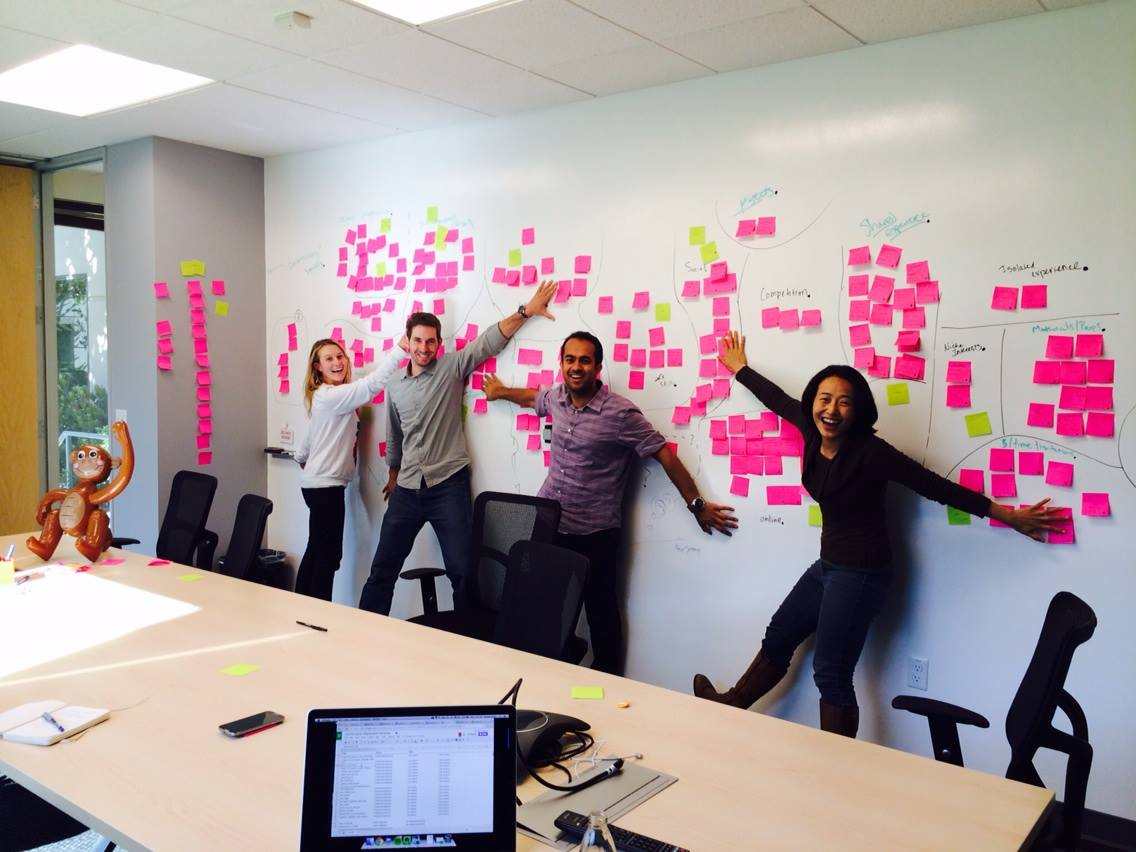
A snapshot of our early marketing team in 2014 having fun during a brainstorming session.
2015 – Learners embrace new ways to build job-ready skills
With the launch of Specializations in 2015, learners on Coursera had a new way to master topics, deepen their knowledge, and advance their careers. The first Specialization on Coursera was Johns Hopkins University’s Data Science Specialization. Benjamin Daniel was one of the earliest learners to enroll. As it would turn out, that was only the beginning of Benjamin’s Coursera journey!
“Coursera allowed me to make a foray into marketing analytics and data science. As I discovered more about data science, I realized it was the missing part of my career. Filling this void has allowed me to create more insightful, value-added solutions and develop an analytic belief system that has changed the way I see the world. Approximately two years after completing the Johns Hopkins Data Science Specialization, I decided to go back to graduate school for a Master of Science in Analytics at Georgia Tech. I worked full-time while pursuing this degree. I doubt that I could have tackled a rigorous graduate degree in analytics if I had not had the certificate training in data science, not to mention the experience of online learning, through the Coursera platform.” – Benjamin D.
2016 – A top university partners with Coursera to launch a groundbreaking new opportunity
In 2016, the University of Illinois partnered with Coursera to bring a world-class degree program online. The inaugural “iMBA” offered by the University of Illinois at Urbana Champaign Gies College of Business was designed to be a flexible, fully online MBA program where students could earn the exact same credential as their on-campus counterparts, and choose just what they need—whether it’s a full degree, a certificate, or courses for credit. More than 2,600 students have since graduated from this program, representing more than 90 countries and 48 states.
“People of all backgrounds and life histories deserve a chance to earn the education they need to succeed in their lives.” —Daphne Koller, co-founder, Coursera
Farhad is a learner from Afghanistan who enrolled in the iMBA, and as he describes below, access to this kind of program online was transformational for his life and career:
“In Afghanistan, where I’m from, there’s little opportunity to grow your skills at your workplace. As someone who’s been working in the development sector for over seven years, I’ve noticed that one of the biggest challenges in developing countries is access to quality education. Having a good quality education in Afghanistan is very, very hard. After I enrolled in the iMBA program, I was given the opportunity to contribute to important decision-making processes at the World Bank and the Asian Development Bank, where I applied my new leadership and business skills.
For me, the iMBA gave me freedom when I felt trapped—I was trapped in a locality in Afghanistan that didn’t allow me to get a quality education and advance in my career. Coursera and the University of Illinois mean a lot to me because they offered me that access. Applying for an international, on-campus degree required me to go through the visa process and the application process, and then still get rejected at the end. But the iMBA provided me with the key to quality education without any of those obstacles.”
Farhad sitting down for an interview with us.
2017 – Governments and businesses expand access to world-class learning for their communities and employees
With technological and economic change happening at an increasingly rapid pace, concern over widening skills gaps was growing. People had to build new skills if they were to succeed in the rapidly evolving digital economy, and companies were increasingly in need of skilled talent.
Governments were on the front lines trying to address these challenges, and with the launch of Coursera for Government, their communities had a new way to prepare for the jobs of the future.
Today, Coursera partners with governments in more than 25 US states and more than 100 countries worldwide. The Abu Dhabi School of Government is one of the partners who is providing employees with access to skill-building online courses:
“ADSG aims to embed a culture of continuous learning across all levels of the Abu Dhabi government. We seek to empower government employers to be curious, knowledge-seeking learners that understand how to interpret the data available to them and build the necessary skills in their sector.” – Her Excellency Alia Abdulla Al Mazrouei, Acting Director-General of the Abu Dhabi School of Government
Businesses have also been driving innovation by investing in their employees. Over 3,100 companies, including those like Adobe, are finding new ways to retain talent and equip them for the future with tailored learning programs through Coursera for Business:
“With a greater understanding of what AI can do through Coursera coursework, engineers can think of new ways to incorporate Adobe’s AI and machine learning technology into our products and bring new features to customers faster.” – Tim Converse, Sr. Director of Applied Machine Learning at Adobe
2018 – Google turns to Coursera to help expand access to real-world skills
According to Burning Glass, IT support roles have an average entry-level salary of $50,875, with 340,555 open roles in the US alone. To make these well-paying jobs within reach for more people, we partnered with Google to launch the Google IT Support Professional Certificate. In the Google Professional Certificate program, learners build real-world skills through hands-on labs designed by industry experts. Today, thousands of people around the globe are getting job-ready for in-demand, entry-level roles such as project manager, UX designer, data analyst, and more. Still, with over 840,000+ enrollments to date, the Google IT Support Professional Certificate remains not just the first, but also the most popular Professional Certificate program on Coursera.
Yvonne is one of many learners who discovered new possibilities for her life and career through the Google IT program. Her journey has been an incredible one, and while she’s always made the most of every opportunity, she’s also faced some daunting challenges along the way. These challenges include undergoing 23 surgeries and a permanent tracheostomy, all while caring for her five children and ensuring they receive college educations. After her children graduated, Yvonne decided to follow her passion for technology into a new career. Today, she’s working remotely as a Motion Planning Operation Specialist for an autonomous vehicle company. Read her full story.
2019 – More industry leaders like IBM and SAS expand access to job-ready skills with new Professional Certificates
Following the success of Google’s initial launch, we were able to expand our portfolio of Professional Certificate programs thanks to partners like IBM and SAS. Every Professional Certificate program is mapped to the key skills required for entry-level roles in that field, and learners complete hands-on projects to build confidence and gain real-world experience.
“Our mission at IBM Skills Network is to democratize in-demand technology skills. We aim to help learners become job-ready for a tremendous amount of opportunities in new collar professions, regardless of their backgrounds. It is fulfilling to be part of a team and Coursera community that makes learning accessible to everyone and enables learners all over the world to become job-ready for in-demand careers in fields like AI, Data Science, Machine Learning, Data Analytics, Software Development, and Data Engineering. As an instructor, I feel humbled to have a million learners on Coursera enrolled in my courses to develop competencies for starting and progressing their careers.” – Rav Ahuja, Global Program Director, IBM Skills Network
2020 – Colleges and universities quickly move online with the support of Coursera for Campus
As colleges and universities faced immense and unprecedented disruption in the wake of the COVID-19 pandemic, together with our partners, we launched the Campus Response Initiative to give students and faculty free access to Coursera for Campus during pandemic-related closures.
“Coursera helped us make a quick online pivot when the Duke Kunshan University campus closed due to the pandemic. Faculty benefited from access to high-quality courseware and students dove right into learning new skills on their own.” – Matthew Rascoff, Former Associate Vice Provost, Digital Education & Innovation at Duke University
Over 3,700 campuses and 3 million students continue to integrate online learning into the campus experience to provide world-class, job-relevant online learning for students, faculty, and staff like Dr. Rohit Ravi:
“I believe that learning should always be an ongoing process, which is why I took time during quarantine to finally tackle topics I’ve been interested in. I’m so happy to share that I have finished 6 courses … and the journey continues! Learning never ends … but excuses can! I thank the Manipal University of Higher Education for collaborating with Coursera to make this possible.” – Dr. Rohit Ravi
Dr. Rohit Ravi building new skills.
2021 – Committing to building a more just world
Confronting educational inequities brought on by COVID-19 required every part of our global community to come together to create opportunity through education.
In 2021, we expanded our partnerships with esteemed universities, including Morehouse, Howard, and IIM Kozhikode, and increased our selection of high-quality courses, certificates, and degrees. These credentials are creating a more inclusive education experience with affordable and flexible pathways for learners all over the world:
“As the field of education transforms dramatically in a post-pandemic world, the IIM Kozhikode and Coursera partnership will provide great value to our domestic and global audiences. Together, we will introduce learners to new and refreshing perspectives as we pursue our motto of globalizing Indian thought and nurturing value-driven, fair-minded individuals.” – Debashis Chatterjee, Director, Indian Institute of Management Kozhikode
Receiving B Corp certification in February represented the ongoing strength of our commitment to creating a world where anyone, anywhere has the power to transform their life through learning. As a public B Corp, we are using our resources to reduce barriers to world-class education so learners everywhere can collaborate, learn, and advance together. In March of 2021, we launched a new chapter in our story by becoming a publicly-traded company on the New York Stock Exchange.
As we enter our second decade, we are more energized than ever by our community, our opportunities ahead, and our shared future together.
2022 – Continuing to learn without limits
What the global Coursera community has achieved together over the previous ten years is nothing short of remarkable, yet even as we pause to look back, we know this journey is still in its early days. There are so many impactful opportunities ahead, and building a better and more equitable world will require us all to learn, collaborate, and grow together. From IBM and Google creating pathways to higher education for certificate learners through ACE®️ Credit Recommendation, to Amazon Web Services and higher education coming together to help students build job-ready skills, together, this community is bringing the best learning to every corner of the world.
We continue to be inspired by the stories you have shared—of second chances, new doors opening, and giving back to your communities with newfound skills. Thank you to everyone who continues to show us what it means to learn without limits.
Hi! I’m Currin Berdine, one of Coursera’s longest-tenured employees, and I’m thrilled to celebrate our 10th birthday with you.
Since 2014, I have witnessed our team’s incredible accomplishments: from offering hundreds of courses to thousands, expanding our partners to include industry giants and Historically Black Colleges, winning prestigious awards, passing 194 million enrollments, and growing our team from dozens in a tiny office in Mountain View, California to over a thousand employees connected around the world.
So many parts of Coursera remain steadfast. First is living our principles to always learn and grow, as instilled in us continually by our founders Daphne Koller and Andrew Ng. In the last eight years, I went from being the team’s first marketing hire to being the marketing team’s first full-time web and email developer. My managers have always encouraged me to grow and they’ve trusted me. I took courses on Coursera to build my skills, learning alongside the people I serve.
Another part of Coursera that remains unchanged is—as if by some magnetic force—our ability to attract the most caring and talented teammates. Every day, I am impressed by my colleagues’ beautiful work, impressive smarts, heart, and genuine kindness for each other. To any Courserian reading this: you are amazing, and I love working with you!
~
The most important value that has remained a bedrock: the tenet “Learners First.”
I remember, in my first couple of weeks at Coursera, I was in a meeting that became a heated debate over a product feature.
Ideas and opinions flew: “What about this way?” and “Hm, I like this other way.”
“Folks, let’s ask,” a manager paused the conversation, “which way provides the best learner experience? Whichever way is ‘Learners First’ is the answer.”
Since then, I’ve heard “Learners First” win the debate countless times, and it still always points us to the right answer.
I’m incredibly proud and grateful to work at Coursera, and I look forward to the years ahead, as we continue to fulfill our mission to deliver the world’s best education to everyone.
Now, a look back on the early days of Coursera!
My first official photo at Coursera, taken in December 2013, with managers Lila Ibrahim and Yin Lu. They invited me to the holiday party before I’d even started; I remember how incredibly warm, kind, and welcoming they were. I knew Coursera would be the right fit!
Meetings at our first office often ended up in some corner, on the floor, because we only had a few conference rooms available in our small startup space.
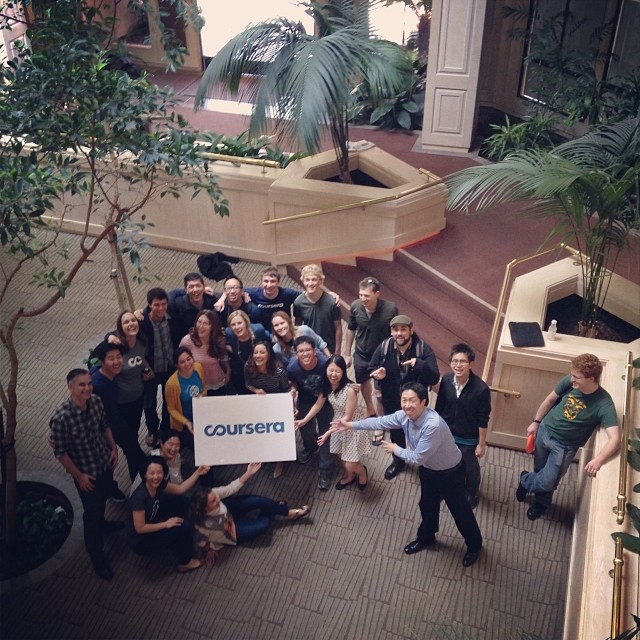
Team photo from the last day at our first office. A bittersweet goodbye, but we were very much looking forward to amenities like lots of conference rooms.
First day at the new office–construction was still in progress. The building was so big that I’d often get lost finding the meeting rooms.
Once we found the right conference room in our huge new office, the team (monkey included) would get to work brainstorming and prioritizing how we would make education accessible to everyone in the world.
If you missed a meeting (maybe because you got lost in the building), we’d follow up with the notes.
While our “technology” was humble, we had big goals!
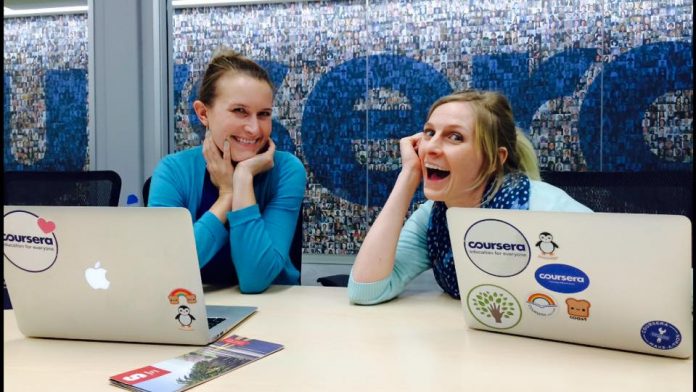
Working at Coursera was (and still is) so much fun and energizing. This picture is in front of the “Learner Wall,” a massive photo collage of our learners.
I can’t recall the topic of this meeting … but I’m sure it was important, whatever it was!
This was one of my favorite team activities. We were each given a white canvas, and on each canvas, there was a pencil outline of a portion of Coursera’s original infinity symbol logo. Our instructions were to paint the canvas, which is what we started doing. After a couple minutes, we were surprised with an instruction to shift to a neighbor’s canvas! This process continued until we’d all worked on each other’s pieces, at which point, we put them all together to create a new and collaborative expression of our logo!
It was a major accomplishment when the marketing team grew to 12 people. Now, we are hundreds strong!
This was back when we could fit the entire company into one close-up photo. If we took a photo of the company today, the photographer would need to move back a bit to fit in over 1,000 people.
For lots of social media influencers, creating content isn’t just a hobby — it’s a profession. Whether an influencer is sharing cooking videos or pictures of their outfit-of-the-day, there’s often a lot of strategy that goes into posting something that appeases the algorithm and shows up in people’s feeds.
While you don’t need to know how to write code to post a photo, understanding some basic coding skills can help influencers who treat their platform like a business, explains Maya Bello, a full-stack software engineer who makes TikToks and YouTube videos about coding and working in tech.
There are so many types of influencers out there — from TikTok beauty gurus to computer science content creators — but they’re all essentially marketers who have “the power to affect the buying habits or quantifiable actions of others,” as WIRED put it.
Of course, coding has plenty of other benefits that have nothing to do with making money or marketing yourself. “I feel like learning how to code has given me a lot of problem-solving skills that I use in all areas of my life,” Maya says. “So, if I’m having a problem with a certain [social media] platform, I think about all the different ways I could solve that problem.”
Here are some specific technical skills that social media influencers might want to learn to grow their audience and make more engaging content.
Data analytics
Influencers have to pay attention to the number of followers they have or the amount of likes and comments that a certain post gets. These stats affect how much money an influencer makes on a sponsored post, and the size of brands that they can attract. “Understanding your analytics is extremely important,” Maya says.
Maya uses YouTube’s built-in analytics tool to track granular information (like what keywords people type in the search bar to find her videos) and audience retention (which is how long people watch a video before leaving the page). “From there, you can make informed decisions on the type of content you could make,” she says.
For example, Maya discovered through her analytics that people really like to watch “Day In The Life” videos, so she started making more. “I love making those videos, so that’s kind of a win-win,” she says.
Getting comfortable reading and interpreting data opens tons of possibilities. There’s a whole field called data science that involves translating data into information of value using probability and statistics, software engineering, and domain knowledge. If you’re curious, Codecademy has lots of beginner-friendly data science courses to explore, like Learn SQL or Learn R.
Though influencers primarily use their social media profiles to promote themselves and share updates, lots of people also have a personal website, too. “Coding your own website could be fun,” Maya says.
Joanne Paquin is a social media associate at Codecademy, so she’s in charge of posting everything you see on Codecademy’s social media accounts. “Something I’ve found helpful is having some familiarity with HTML,” Joanne says.
For example, in other social media roles, Joanne recalls tweaking a website’s code in order to embed Facebook posts. “It was nice being able to make those adjustments without having to reach out to WordPress’ support center every time I wanted something to look a little bit different,” she says.
If you want to learn how to build a personal website, check out our pro skill path Build a Website with HTML, CSS, and Github Pages. Codecademy also has a Front-End Engineer career path that covers everything from how to build dynamic web apps to the fundamentals of UI/UX design, and gets you ready to apply for jobs.
No sweat if you’re not interested in coding a website from scratch; there are lots of drag-and-drop website builders that can do it for you, like Wix or Squarespace, Maya says. To master Wix and get hands-on practice making a resume website, try our course Create a Professional Website with Velo by Wix.
Design
Beyond having an eye for the most flattering Instagram filter to use on a photo, social media influencers can benefit from learning design principles. On YouTube, for example, creators often use custom banners on their channels and video thumbnails, Maya says. It’s a small tweak that can “help curate a beautiful feed” that looks cohesive and professional, she says.
Joanne agrees that design is big in social media: “I took a graphic design class in college for fun, and it ended up being one of the most helpful courses for my career,” she says.
If you have an understanding of HTML and CSS, but want to beef up your design knowledge, check out our Learn Color Design course. You’ll get plenty of practice using CSS and learn important color theory and accessibility principles. Our new course Introduction to UI and UX Design is another great beginner-friendly option if you’d like to learn how user interface and user experience affect development.