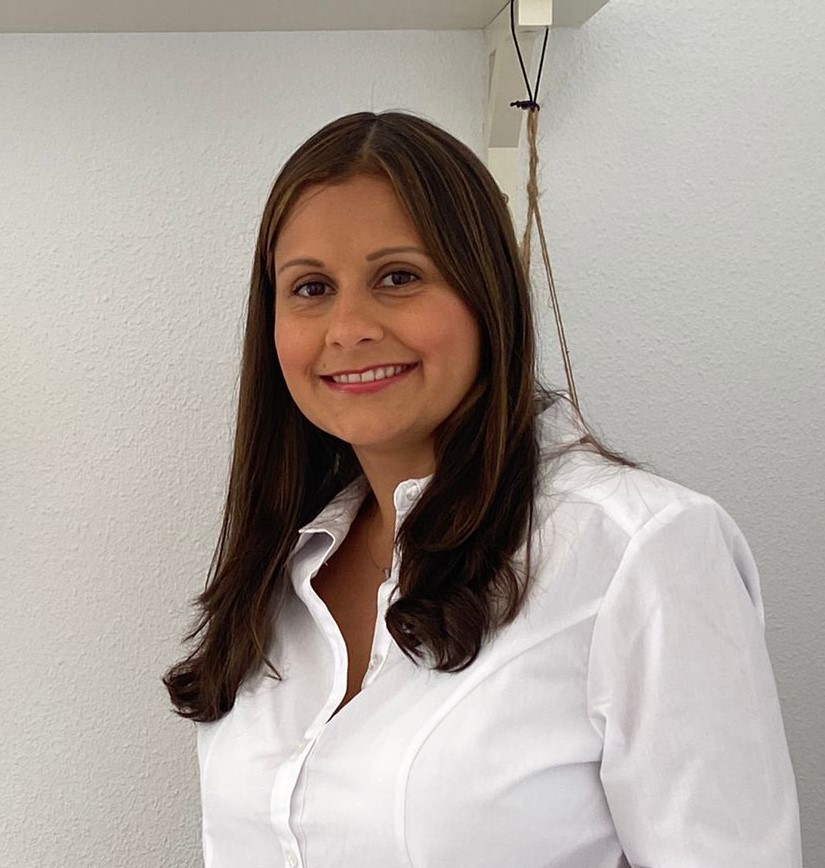
Today, we are excited to announce that Chris McCarthy, President/CEO of Showtime/Paramount Media Networks and MTV Entertainment Studios, has joined Coursera’s Board of Directors. Chris has produced some of the biggest shows on TV, using the power of content to shift perceptions and make a positive impact on important social issues such as mental health, civic engagement, and diversity. As an innovative leader known for building creative-led cultures and driving significant business results across media and entertainment, his insights will help us expand our global reach and better serve the needs of our learners and customers.
“For decades, Chris has helped brands sharpen their focus so that they can better deliver on their vision,” said Jeff Maggioncalda, CEO of Coursera. “As we position Coursera for long-term, sustainable growth, his operational excellence combined with his passion for creating social impact will help us scale and increase access to education across the globe.”
“As the first person in my family to go to college, I’m living proof of the power of education to dramatically alter lives and an individual’s sense of purpose,” said Chris. “This is why I’m honored to join the board of Coursera and partner with Jeff and his team to harness the power of technology to ensure that anyone, anywhere has the opportunity to receive a world-class education.”
Across Showtime/ParamountMedia, Chris manages a global network of media assets that reach over 1 billion people in more than 180 countries, including brands such as Showtime, MTV, Comedy Central, Paramount Network, Smithsonian Channel, and more. He earned an MBA from The Wharton School of Business at the University of Pennsylvania and a Bachelor of Science with Honors in Commerce and Engineering from Drexel University.
As we welcome Chris, we’d also like to thank John Doerr, General Partner of Kleiner Perkins, who is stepping down from Coursera’s board after 10 years of service. John’s guidance has been instrumental in helping the business scale and inspiring us to push the boundaries of what is possible in online learning. We are grateful for his leadership, and his legacy will continue to inform how we shape the future of education.
Over the last three years, Coursera has expanded its board with the appointments of Carmen Chang, Amanda Clark, Ted Mitchell, and Sabrina Simmons. Alongside Chris, these iconic leaders represent unique skill sets and perspectives that can help refine our long-term strategy and strengthen our commitment to serving the world through learning.
After Damar Hamlin’s on-field collapse on Monday, a Times Sports columnist writes that “we’re all complicit in the N.F.L.’s violent spectacle.” Do you agree?
Are you a new blogger or a seasoned Blogspot or WordPress.com blogger wanting to switch your blog over to self-hosted WordPress? Or are you wanting to build a website or blog? Then you’ve come to the right place. This post will show you how to start a blog or website in only a few minutes.
This tutorial will walk you through how to launch a self-hosted WordPress site on Bluehost (our preferred web host) in 3 simple steps.
Bluehost is one of the largest and most trusted web hosting providers. They have very affordable pricing, stellar customer service, are incredibly reliable, and they install WordPress automatically! Follow these four simple steps, and you’ll have a self-hosted WordPress site set up in a jiffy.
How to start a blog or website
Step 1 – Find a space for your new site
I like to think about a website (or a blog) as a house. If you want to build one, you must get a plot. For the website/blog, such a plot is called hosting. It is your piece of internet that you need to rent with a monthly or yearly fee.
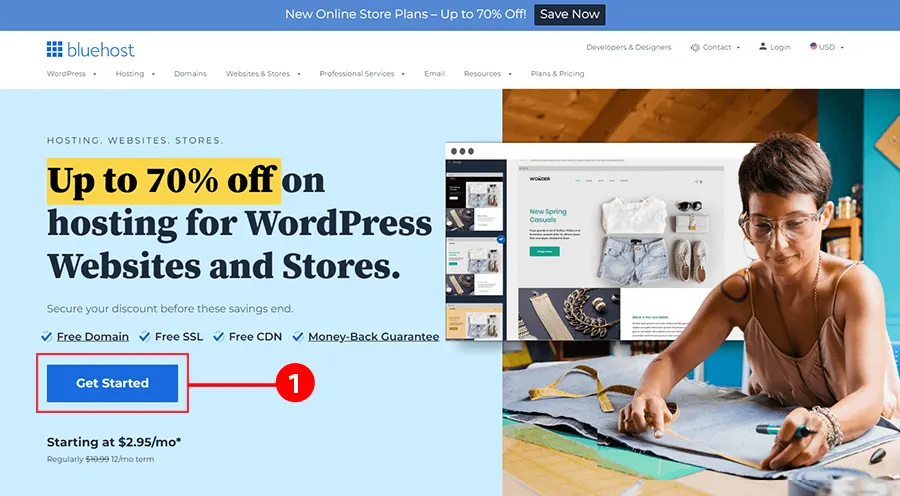
To get your hosting in place, head to Bluehost and click on that big blue button.
Note: receive exclusive pricing by signing up through this link.*
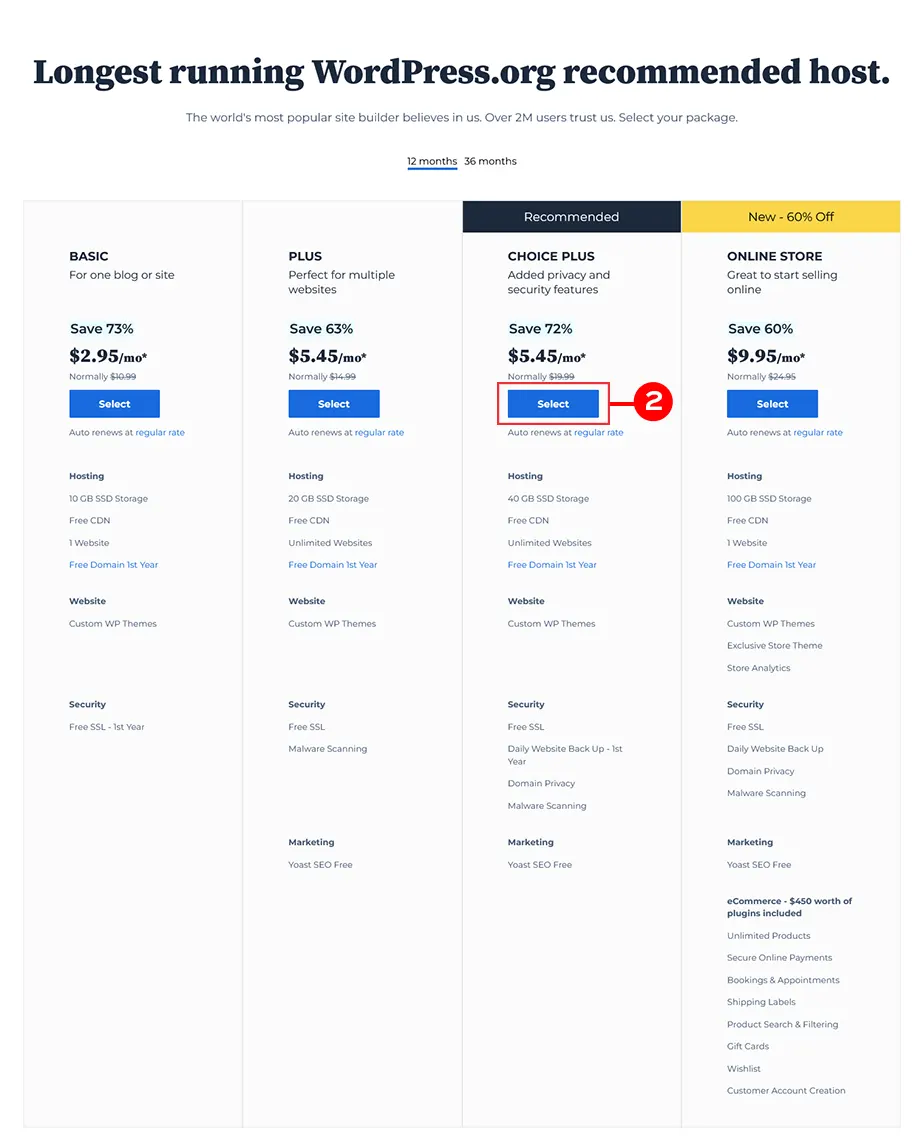
Select a plan
The “choice plus” plan is the most popular and really does give you the most bang for your buck, but if you want to start with the “basic” or “plus,” plans due to limited funds, know you can always upgrade in the future if needed.
If you haven’t thought about what you want to call your blog, now’s the time.
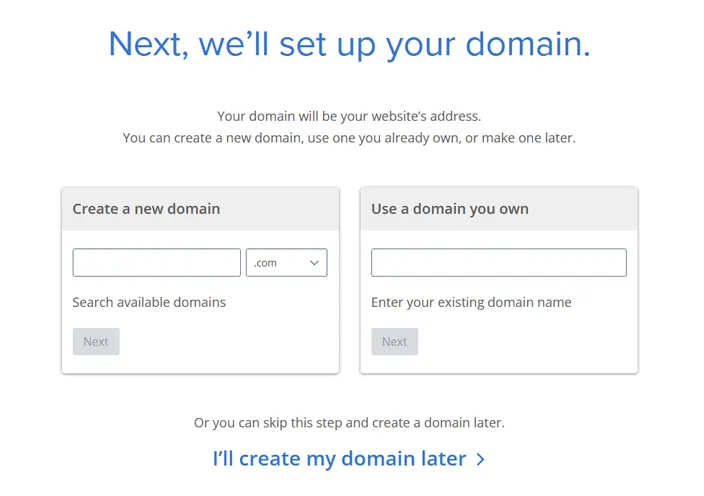
You will be asked to create or use (if you already own one) a domain. If you do not have one yet, you can compare it with a house address. People will use it to find your site and recognize it amongst
Try your best to match your domain to your blog’s title (e.g. our site name is Designer Blogs, so we chose the domain www.designerblogs.com).
If the domain you want isn’t available, try using different variations of your title (it will offer you some suggestions). If you already own a domain that you’d like to use, enter it in the area provided.
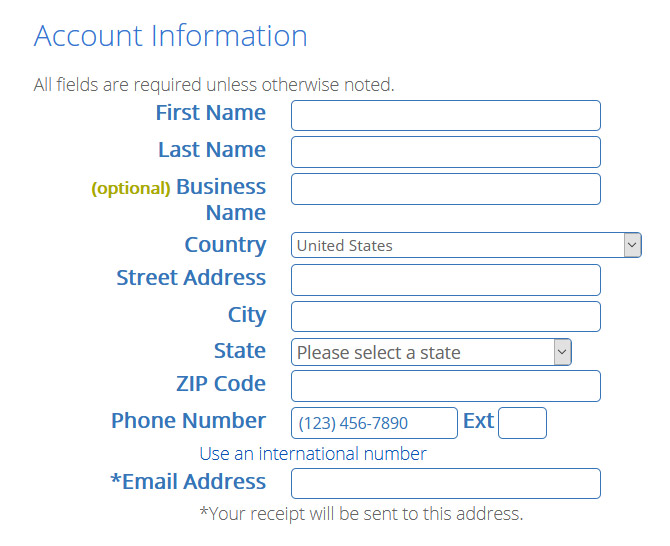
Follow the instructions and enter in your account information. Be sure to use a working email address because this is where your login info will be sent.
Now check your package details and add extras. You do not really need any of them if you starting your site so do not feel pressured to check all the boxes.
Finally, enter in your billing information, confirm that you’ve read the fine print, and hit the green submit button.
Your hosting account will now be in place.
Follow instructions on your screen to set up your Bluehost login details and install your new WordPress. Remember to note all the logins and passwords in a safe place as you will need them later!
Step 2 – Open WordPress
If you followed all steps, Bluehost had automatically installed WordPress for you and you can start working on your new blog right away.
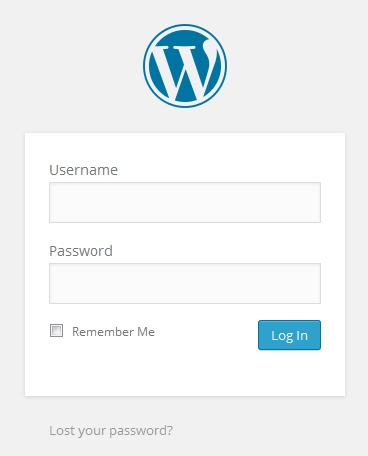
You can log into your site by going to:
www.yourdomain.com/wp-admin (“yourdomain.com” being your own personal domain).
This will bring you to the login area on the backend of your site. It’s a good idea to bookmark your login page so you can easily access it when you need to log in.
Enter in the login info you wrote down from the previous step and then click “Log In.”
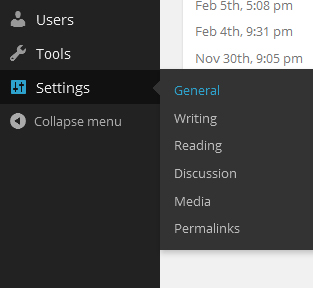
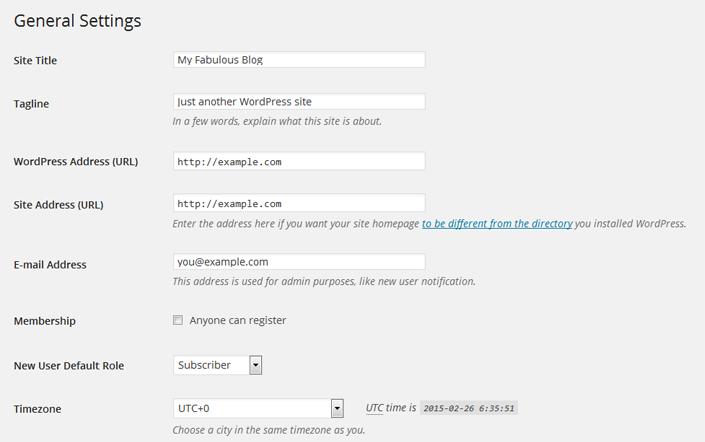
First, let’s get your basic settings in place, so in your dashboard go to “Settings” and then “General.”
Enter in your site title, tagline, url, email and the other information it asks for and click “Save Changes.”
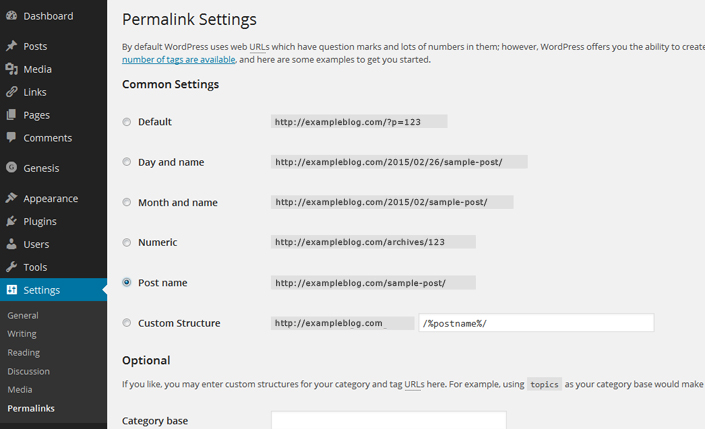
Now I highly recommend that you change your permalink settings for SEO purposes. To do this go to “Settings” and then “Permalinks” and then select the “Post name” option and click “Save Changes.”
I also recommend that you click through each of the options under “Settings” to get the additional options set up like you want.
You can also visit our WordPress Tutorials page for additional help in getting the other areas of your site set up.
Step 3 – Make it Gorgeous!
Now it’s time to get your blog looking fabulous! You have a few options when it comes to the look of your site:
Browser free designs
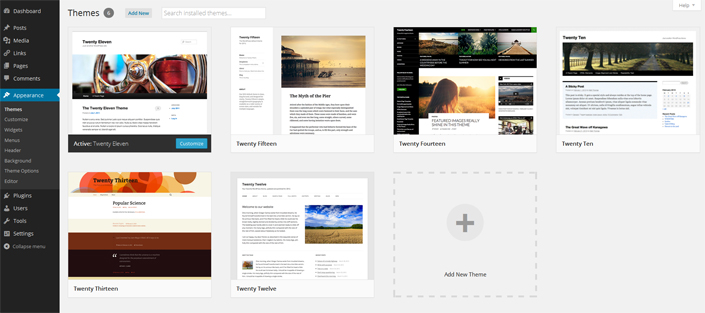
You can use one of the free generic themes that are included with your WordPress install. Go to “Appearance” and then “Themes” to find them. As you can see, they aren’t much to look at and there isn’t much variety, but if it’s not in your budget to spend money on a theme right now, then it’s a good place to start.
Get something more unique
You can hire a blog design company (like Designer Blogs!) to create a fabulous design for you. We offer very affordable WordPress Themes or if you want a one-of-a-kind blog design, you can request a quote for a custom design.
With either option, we take care of the design work (including install) so you don’t have to worry about a thing!
We hope you’ve found this tutorial helpful and by now you know exactly how to start a blog. If you have any questions, please leave a comment below and we’ll do our best to answer!
*Disclaimer: this post contains affiliate links, which means your clicks and purchases help support Designer Blogs at no extra cost to you. We only recommend products we absolutely love.
Currently, technological facilities allow great possibilities to start a business as an entrepreneur, even a solo one. The competitive advantages of No Code tools and Artificial Intelligence give a lot of room to dare to venture into new companies, even without staff.
If the idea of starting a business is something that catches your attention, we share this interesting fact: 90% of the new millionaires in the US have started a business on their own. Something to think about it.
First, we are going to break down the concepts: What is a solopreneur?
A solopreneur is a person who decides to venture out individually and run his own company, without the support of partners, co-founders, or employees.
In this way, a solopreneur must take care of:
Develop the offer
Study the market environment
Launch the offer to the market
Sale the product
Manage the client portfolio
Manage each of the stages of the business, including supplies, finances, customer service, and after-sales
Today, there are multiple tools that allow these risky entrepreneurs to achieve their goals, just to name a few, we can highlight by category:
Finance and Accounting
Holded: Control all the administrative needs of your business in a single application.
Wallet: Application with which you can keep your business expenses in an easy and intuitive way, in addition to generating reports and graphs to know at all times what your performance is.
FreshBooks: Most widely used accounting and billing software for mobile devices.
Square: Easily add card payment gateways to your website.
Paypal: Control your online payments in an easy and secure way.
Anfix: Reduce up to 80% of the time spent on billing and accounting.
Task organization
Notion: The application allows you from organizing all your tasks to have databases without knowing anything about programming.
toggl.com: Allows you to track your work time during the workday.
Timely: Automatically records the time you spend on your tasks.
Marketing and sales
Hubspot allows you to launch Inbound Marketing campaigns, organize clients, and the most interesting thing: automate the attraction of new clients through digital traffic.
Salesforce is considered the best CRM application in the world, with more than 25,000 employees behind it.
Ahrefs SEO tool that will help you increase traffic to your website.
Google Analytics Allows you to study the traffic of your sites and optimize the content.
Unbounce AI-powered website builder with features to create powerful marketing campaigns.
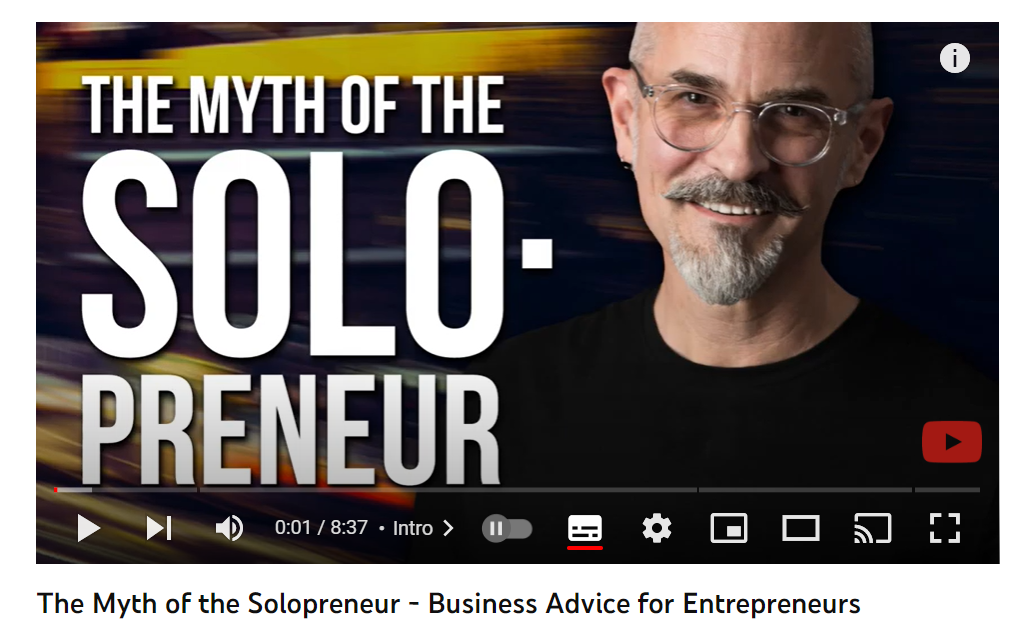
Does a solopreneur really work alone? Thanks to technology, although you work alone, many companies accompany you through their tools on this path. In the following video you will find an excellent reflection on it:
Another important point is that the profile of these solo entrepreneurs have certain common characteristics, among which we can highlight:
Curious people, who want to have ownership of their company.
Goal achievers. Go for their objectives, beyond money, to get their ideas off the ground.
Risks Takers. They are not very conservative in this regard.
Highly versatile individuals who handle a variety of tasks throughout the day.
Ingenious. They learn in a self-taught way and are able to assume different positions.
Strategist: They are the strategists who always think a few steps ahead, carefully planning the future of their company and their ever-growing role in the company.
If you decide to venture into founding your own company, these tips can be very useful:
Understand the business you want to build holistically, taking into account the market you want to enter and your financial possibilities.
Build your tribe. Working alone is not easy. Many moments of doubt and loneliness will come, so it is important to have a support network that allows you to learn and dispel doubts.
Strengthen your tech-savvy as it will be your new best friend and partner on this journey. Technology is the tool that allows you to obtain the necessary information to move your business forward. In addition, it allows you to automate many areas of your business, making your life easier.
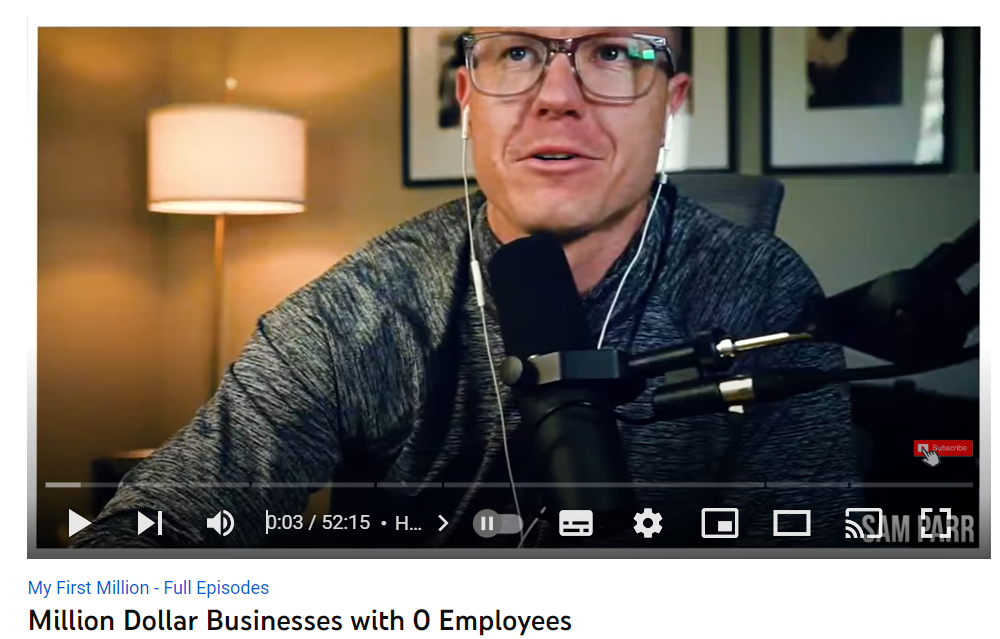
Many people have taken this path, achieving very good benefits. In the My First Million podcasts, you can learn about solopreneurs success stories, like the one you will see below.
If you are interested in this topic, you can read very interesting articles that will help you address your doubts:
People change careers at all stages of their career journey and for a range of reasons, from wanting a more flexible schedule and the ability to work from anywhere to craving new challenges and more fulfillment. Preparing for change will require some effort, but the payoff can be life-changing.
No matter what career you’re considering transitioning into, it’s important to plan carefully. We’re here to help and we can help you on your journey.
Get job-ready with professional-level training and a credential in a high-growth field. Not sure what career is right for you? Explore your options with Coursera Career Academy.