fbpx
Home Blog Page 1086

Teenagers in The Times: May 2022

0
Teenagers in The Times: May 2022

Here is the May edition of Teenagers in The Times, a roundup of the news and feature stories about young people that have recently appeared across sections of NYTimes.com. It is the final edition of this school year, but the feature will be back in the fall, and will publish on the first Thursday of every month.

For ideas about how to use Teenagers in The Times with your students, please see our lesson plan and special activity sheet, both of which can be used with this or any other edition.

My College Students Are Not OK

“Late assignments, failed tests, sleeping in class: Welcome to the pandemic-era university,” writes the author of this Opinion essay, a professor of first-year writing at a university in Texas.

Accused of Cheating by an Algorithm, and a Professor She Had Never Met

The student, 17, was flagged for “acting suspiciously” during an exam in February.

Students Protest Covid Lockdowns at Elite Beijing University

Authorities moved quickly to censor videos and photos that showed students at Peking University demonstrating.

How a Debut Graphic Memoir Became the Most Banned Book in the Country

Maia Kobabe’s book “Gender Queer,” about coming out as nonbinary, landed the author at the center of a battle over which books belong in schools, and who gets to make that decision.

Summer Camp for All

“It’s hard to imagine a more ideal escape for young people living through an extraordinary time of grief, loneliness and upheaval,” writes the author of this Opinion essay.

Are the Next Global Tennis Stars Among These Tweens?

The search for elite players is so competitive that IMG, the agency that once ruled tennis, is cultivating preteens to find the next prodigy, giving them access to representatives from the pro tours and Nike.

A New Class of Campus Satire

With shows like “The Chair,” a fresh group of storytellers are using college life to explore — and lampoon — privilege and identity.

H.B.C.U.s Have a Spirit All Their Own. Pop Culture Is Paying Attention.

Thanks to Beyoncé, Ralph Lauren and hit shows like “All American: Homecoming,” depictions of Black campus life have moved from “A Different World” to center stage.

My Plea for a Sixth Love Language

The winner of our college essay contest explores how for her Syrian family, scattered by war, a WhatsApp group chat — rife with silly videos and often regrettable photos — is everything.

Kid Krono Wrote Music for Kanye West Between Classes

Konrad Birgisson, a teenager from New York, messaged his favorite music producers on Instagram.

Review: ‘Belfast Girls’ Set Sail, but This Isn’t a Pleasure Cruise

A historical drama revisits a 19th-century scheme in which Irish girls of “good character” were encouraged to immigrate to Australia.

Colin Kaepernick to Publish a Young Adult Memoir

“Colin Kaepernick: Change the Game,” an illustrated book, follows a young athlete choosing between baseball, which seems like a sure path, and football, where he feels he can be himself.

This ‘Cats’ Adaptation Has the Kids Singing

J.J. Pearce High School in Texas staged one of the country’s first school productions of “Cats: Young Actors Edition,” a new one-hour version of the Andrew Lloyd Webber musical.

The Cornerstone Acquisition

0
The Cornerstone Acquisition

There are a lot of pundits out there. Top that with analysts, then individuals with their own takes, and you can read or listen to a lot of perspectives. Whether it is crypto or inflation or whether greenhouse tomatoes taste better than those found on a street corner, there are a lot of people with lots of thoughts. It is the same way with learning systems, and yes, e-learning. Remember the talk around EdTech with the Pandemic? The doomsday machine was going full tilt. Those that couldn’t wait to pronounce it and object failure, pushed the narrative that it was. Sure in some cases it did poorly, but it wasn’t because the idea wasn’t sound, it was due to the way the learning was presented.

The LMS market takes a beating all the time. Every few years, the death knell is announced. A pundit says this or that. An analyst jumps on board and now the doom of the LMS is here. Yet, over and over again, nothing is farther from the truth. The LMS market still has the largest share in the learning system space, many are in the last five years, they range from innovative to just eech.

I bring this up, because after it was announced that Cornerstone will be acquiring SumTotal, the pundits went out and espoused some very interesting ideas. The end of the LMS was a common theme, the impact of L&D will never be the same made the rounds (I guess training is okay then?). The L&D ripple effect with the LMS, a combo delight for some, showed up too.

One article I read, saw the acquisition as the end of innovation in the LMS market. Granted it was noted that the market has changed, but that statement really stuck out, and another one did as well. The idea that companies no longer wanted their LMS to be “an employee-facing system”.

I respectfully disagree.

I never put innovation and SumTotal in the same sentence. SumTotal was never innovative. They were not the first ones with a mobile app. Nor the first with a machine learning algorithm or curation or visual marketplace with one-click capability, nor modern UI/UX, nor, well the list goes on.

I did like the SumTotal app for Support, I thought that was clever, but it was more about a stigma that SumTotal had/has poor support. By showing “here is the data and updates around support information”, it helped or ideally helped alleviate the concerns from some of their customers.

As for the acquisition being the end of innovation in the LMS space, let’s not forget that there are a lot of LMSs out there, and many are continuing to be innovative. Thus, I am not seeing the end of innovation, over this acquistion. Nor do I see that companies no longer want their LMS to be an employee-facing system. Do some companies follow that mantra? Absolutely, but there are plenty who do not. I have a client as we speak, who is seeking a learning system that is only for their employees. Will the system end up being an LMS? Sure. Just as it may end up being a learning platform or a combo of LMS with LXP. As with anything related to the learning system space, it is what the client – the customer wants to use the system for, and not necessarily what the LMS vendor (in this case) is pushing.

Cornerstone LMS still is overall an employee-facing system. That is their core audience. Their feature sets push this narrative quite hard. Can I use it for customer-education? Sure, but that isn’t it’s main focus. Access LMS is for the FS space – and employee-focused. Peoplefluent is an LMS, which is employee-focused. Schoox is an LMS that is employee-focused, that yes, you can use for customer-education, but the whole feature set angles around employees. Ethena is an LMS that pushes compliance heavily, that is employee-focused. BlueVolt is trying to re-invent themselves as customer education, but the system is heavy still around employees. And the list goes on.

Part of the challenge comes down to how you define an employee-focused system versus one whose feature sets align strongly with employees, but offers some capabilities or markets themselves as ideal for corporate training or L&D, or customer education. I refer to these as combo systems, and depending on the vendor, the percentage of audiences can sway back and forth. Then you have vendors who call themselves something other than an LMS, even though they have the standard features of an LMS. Plenty of them out there are employee-focused systems. One I think off the bat is Learn Amp. Great, great system. However, they are heavily an employee-focused system.

When folks reach out to me on the term “learning systems”, I explain I use the term as the umbrella term, because there are vendors – who really are an LMS – but choose to call themselves something else. Learning Platform. Employee Engagement Platform. Employee Experience Platform (the assumption here is that they are an LXP or LXP with some LMS functionality – fun fact, unless they have the six standards of an LXP, it is a stretch). A few vendors refer to themselves as a training management system, ignoring the fact, that a training management system is focused heavy around scheduling capabilities, and thus, they are not a training management system – Rise by Articulate is one example. A legit training management system would be Training Orchestra.

On the skills side, it isn’t drop everything and focus only on skills. Some vendors do a far better job on it, then others – the best I’ve seen is Cornerstone LMS (using my Skills Template functionality as my scale). And I’d argue that some skill features existed before the rampage to adding it – they do, because the market demands it. Remember the rampage towards micro-learning? Super Hot, then hot, now, simmering. Every system, offers micro-learning, and they have since 2000. They just didn’t say “micro-learning”. When you bought an LMS back in the day, the whole power was to find out what your learner knew and did not know. And from the did not know, what courses could you provide to them, to close that gap – wait for it, skills and knowledge gap.

LMSs were not created specifically for compliance. Sure you could buy Cobent, that was a compliance only LMS, but the market as a whole, was across the map. The systems I purchased, were not compliance heavy. I didn’t want that, nor needed it. SumTotal, Cornerstone, Saba to name the big three legacy, and toss in Net Dimensions while you are at it, played heavy in the compliance side, but plenty of customers bought them for other reasons – and yes, all were heavy around employee-focused. In the early 2010’s, I remember talking to Saba, who told me privately they say themselves as a performance management system, while publicly pushing themselves as an LMS.

Which brings back the whole thing around “definitions” and specifically defining oneself. How a vendor defines themselves from a marketing standpoint and market standpoint, may not be the way they see themselves internally. Degreed pushes upskilling platform, never mentioning that they are an LXP, yet I recall one call, where a salesperson told me they were an LXP (at the same time, they were pushing the narrative of upskilling). Degreed BTW did not score as high, compared to Cornerstone LMS. Degreed to me is a TXP (Talent Development – as I define it (again, definitions variance) with LXP capabilities). If you want opportunities – which is employee-focused here, then you buy the add-on. The majority of folks who purchase Degreed are doing so for their employees, but the whole LXP thing gets batted in there.

EdCast offered LMS capabilities (they still do – but have a new name for it, and it is an add-on), and were strong in Skills, again, not as high as Cornerstone LMS. Comparing EdCast to Degreed just for skills, and EdCast scores higher for now. If you want technical skills only, then Pluralsight is the vendor you want, and still, Cornerstone LMS scored higher (using my template).

LXPs were supposed to be the end of the LMS or learning as we know it, according to some pundits, but that hasn’t happened. Part of the reasoning is that they targeted only L&D (ignoring training, which seems to be the ugly stepchild that the majority of vendors forget exists), and once L&D wanted assigned learning, tada – the LXPs added it. This ended the notion that the LXP is learner-centric, because once you assign learning, it isn’t learner-driven, it is you driving it – a far difference. I mean, when you decided to learn how to drive, I’m confident that whoever was assisting you in the passenger seat, wasn’t thinking, you are driver-centric, as the passenger assistant was gasping when you ran over the curb. My mom was the person who went in those car rides. My Dad? He lasted one outing and swore never again.

Another thing that happened to the LXPs is that they started to add LMS functionality. Not necessarily full blown by any stretch, but from the admin side, I find as a whole, they have nearly every feature – one does tend to stick out as missing. On the Learning Environment side, ditto. Again, not everyone, but plenty.

When the LXP market appeared their main focus was to be a bolt-on or add-on to an existing LMS (or any learning system for that matter). Sure, some wanted to be the main system, but they were new to the space. Nowadays, there are LXPs that are the main system. And that is fine, it is how the market evolves.

So much so, that there are learning systems out there who say they have an LXP or they are a combo with LXP, but ignore the fact that they lack the six standard features. Who says marketing doesn’t work?

Remember when machine learning (vendors refer to it as AI) was the rage? Everyone was rumbling around adding it. Or how about video? Or curation? Or the “Netflix” look? Or playlists?

The point is that the market evolves and adapts. What is red hot now, may not be in say a year or two. Each time something hits the market hard based on demand, the industry as a whole, races to it, as lemmings (yes, I know the real story about the Disney Lemmings). It isn’t new, uh not the Disney thing, rather the whole this is new, we all see folks asking for it, rumble, rumble, rumble.

Advanced metrics with some BI twist is showing up more, and the latest item – which I believe will be hot by the end of 2023, is the ability to do your own connectors within the system (vendors who have it, offer it as an add-on). Docebo calls it Docebo Connect (and it popular not just with large companies – i.e. Enterprise and Large Enterprise, but also with smaller size businesses). EdCast offer is too – albeit I can’t recall the name. D2L is going to market, and I have talked with multiple vendors eyeing it too. The solution they are using, which is deeply integrated is Workato.

Speaking of that, the deep integration of other solutions into the learning system space, including those pesky LMSs is a popular trend within the industry. I recommend it, so that the vendor can focus on other areas. Anders Pink is the popular solution for scrubbing the net and bringing back free content. Bongo Learn, which just launched a standalone version too, is popular for the skills validation, digital coaching, role-playing and scenario-based components that show up in some systems (Bongo and Anders Pink continue to grow).

E-Learning marketplaces or marketplaces – those terms again, are appearing more and more in the learning system space. Some vendors just go with one aggregator, GO1 or Open Sesame which overs an extensive list of courses/content from a lot of different publishers.

All of this brings up two areas – market demand and early adopters. The latter group, whiffs quite a bit, who remembers the vendor who offered a smart TV app? However, they do hit home runs. Degreed was the first vendor who went heavy on the skills side for learning systems. The first with the playlist tied to machine learning. ExpertusOne was the first vendor to have geolocation with their mobile app. MediaCore who was eventually acquired by Workday (and was the core of WD Learning) was the first to be a true “video learning platform” with a YouTube experience. There is a vendor out there, who was the first to have an VR learning system, albeit you could access it without VR using a table, and seeing 3D, so uh, not sure VR was legit. Anyway, they are no longer.

I think one way we should look at the industry, is not necessarily the type of learning system – LMS, LXP, EXP, TXP, Learning Platform – rather what does it offer (functionality, capabilities) that meets your needs and learning/training requirements AND what audiences or industries they target (i.e. customer education, Employees, Combo). Hence the learning system umbrella term. If you want a system that offers QR codes tied to content, they exist. If you want one that captures external training sessions, they exist. If you want one that you buy the content in a marketplace, click and wham it goes into the system, well, they exist – BTW, Docebo was the first vendor to offer this, and we are going back at least several years.

Cornerstone LMS continues to be innovative – they score very high in my NexGen capabilities, far more so than a lot of newer systems on the market. The problem is they do a very poor job of messaging that out to the wider audience (i.e. folks looking for NexGen capabilities in a learning system, in this case LMS). They have the same problem with skill functionality. Messaging and Marketing drives this industry, and always has, which is why some vendors do a far better job at landing folks, and getting eyeballs, compared to others.

Even though a learning system, whether it is an LMS, Learning Platform or LXP may be a stronger and cutting-edge system.

As I wrote on LinkedIn this past week, Cornerstone following the acquisition of SumTotal is referring to themselves as a “united talent platform”. They are close to the edge of an HCM, but lack benefits and HRIS. SumTotal pitched themselves in some cases as an HCM, but lacked a couple of mods, like HRIS – which gets us all back to what we “define as” and “definitions”.

More vendors in the learning system space, those playing heavy on the employee side, are really going after the HR folks to purchase, on top of L&D (training, anyone?). With that, comes functionality that gets into the whole workforce development (on my template), but it is not universal. The way I see it, if the system in question – core is around learning/training, then they are in the learning system space. If the core is around performance or talent management, then, no you are not in the learning system space (definitions).

Bottom Line

The Cornerstone Acquisition of SumTotal and before that EdCast, and Saba doesn’t change a whole lot in the L&D or TRAINING space, not from the innovation level, or employee-focused level or the skills attitude or new learning technologies or even market trends and expansion.

We adapt. We evolve.

And we grow.

That said, if Amazon was to acquire a learning system vendor or jump into the market,

Then yes, you should be paying close attention – because it would be a Tsunami with lots of folks running around like Chicken Little (gets a bad rap).

But, and I strongly say But

Eventually the market will right itself, the LMS will still be there. The LXP, Learning Platform, EXP, Fred’s House of Learning and combo type of systems.

They may lose customers. Heck, some will be financially suffering,

Yet, here is a factoid, you may not realize.

The above already exists (customers leaving/adding, financially challenged with some vendors),

And the market

Is doing

Just Fine.

E-Learning 24/7

Final Note – I want to send my Condolences to David Patterson, whose wife, Amanda passed away recently. David, is an underrated analyst who is an amazing fellow, and has a real touch on the market. I hold him in high regard in this industry.

The Dangers of Stress and How To Manage It

0
The Dangers of Stress and How To Manage It

“It’s not stress that kills us; it is our reaction to it.” Hans Selye

Stress is an ordinary part of everyday life. Young or old. Male and female. Employed or unemployed. Students. We all experience stress to a certain degree. For most of us, we know stress as being “all bad” for us. While this is true, on the other hand, it forms an integral part of our survival. Read on to learn everything you need to know about stress, the types, causes and essential tips on how to manage it.

BONUS! We’ve also included some free courses to help you manage your stress levels better!

What Is Stress?

Stress is the feeling and reaction you experience to any physical, emotional, or psychological strain. Our bodies are naturally designed to deal with stress. Our bodies signal to us through various physical responses of issues that need to be addressed. 

When a work deadline is looming, positive stress can push you to perform and deliver the task. Away from work, the small bursts of stress serve as your body’s survival instinct kicking and helping avoid danger.

Prolonged bursts of stress can negatively impact the mind and body and can become chronic.

What Causes Stress?

We spend a third of our lives at work. That’s thousands of hours in a lifetime. Deadlines, difficult managers, team members, career switching, changing work environments and simply not having enough hours in the day can all contribute to stress. It’s exhausting. It’s overwhelming. The workplace can be taxing. But it’s not just work. There are many different factors that contribute to stress which can be both internal and external factors:

  •  Parenting challenges
  •  Studies
  •  Personal relationships
  •  Financial worries
  •  Work
  •  Major life changes

Each of these affect us differently and our ability to cope with ease differs.

Types Of Stress

Three main types of stress can be identified:

  • Acute stress: these stresses are a result of a traumatic experience like the death of a loved one, an accident, injury, or violation. Survivors often end up developing unhealthy coping techniques like using alcohol and emotional detachment. In worst-case scenarios, it can turn into PTSD (post-traumatic stress disorder) which can last for years.
  • Chronic stress: this a prolonged stress on an individual due to a recurring stressor. These stressors can be work-related or relational. It becomes chronic because they are long-lasting, are more difficult to manage and can end up causing chronic conditions like high blood pressure and anxiety.
  • Eustress: this is also known as the body’s “fight or flight” response to dangers and threats. It raises your awareness and the burst of adrenaline that comes with it prompts your body to either fight or run from the danger.

Effects Of Stress

Stress is mental and emotional, but its effects can be physical too. When we can’t find healthy ways to deal with stress, it can be debilitating on our bodies, affecting our health. Other effects of stress are:

  •  Anxiety in the workplace
  •  Insomnia
  •  Headaches, dizziness, migraines
  •  Digestive problems
  •  High blood pressure
  •  Lack of motivation, restlessness, lack of focus

For many of us, stress is manageable, however, for a vast number of people, their 9-5 and personal stressors are more than they can handle.

We can’t run from work nor the challenges, responsibilities, and realities of life. This means we must find healthy and productive ways to cope with stress in every area of our lives. Our course on stress management in the workplace provides you with the skills you need to know to deal with the different pressures we all face.

Tips To Manage Stress

  1. Exercise and relax.

This can’t be stressed enough. Taking time to relax mind, body and soul releases the tensions in the body. You can take a course that teaches and broadens your understanding of how the body’s soft matter can heal. With this course, you will also learn how to incorporate the different elements of the body to relax.

  1. Eat well

A healthy diet and lifestyle are the simple, easy-to-do solution to many of life’s problems. When you arm your body with the right nutrients, you arm it to fight some of the effects can have on your body. It also reduces lethargic feelings, giving you strength to face and fight the stresses that come your way with a fresh, clear mind and body.

  1. Create goals

Procrastination is the thief of time. When you leave things to the last minute, you create unnecessary stress on yourself. Set goals, get organised as much and as far as you are able and stick to them. It’s not always easy to do, but this means you’ll be able to adjust and adapt to unexpected life emergencies when they arise. You are better able to handle what falls on your plate because you have a working system that keeps things in check.

  1. Find balance

The body is designed to withstand and do a lot. It’s not however designed to keep going non-stop. Find a way to balance your work and home commitments. Give yourself a break.

  1. Seek help

Asking for help doesn’t mean you are weak. Don’t be afraid to seek and ask for help. We aren’t designed to do life alone. There is always someone who can lend a hand if you’re struggling. Talk therapy and in some instances, taking prescribed medication are viable solutions to help you where you fall short. 

We’ve put together a list several courses you can take to help you manage and beat stress:

Take a few minutes of your day to do a quick check in and take our Mental Wellbeing Assessment here.

Stress is an everyday reality for all of us. But there are courses available that will teach you stress management skills that you can use at both work and home will bring you much needed relief.

Alison Learner Spotlight: Meet Gloria Alado

0
Alison Learner Spotlight: Meet Gloria Alado

“The more that you read, the more things you will know. The more that you learn, the more places you will go.” – Dr Seuss

If we’re honest, studying is not always easy to do. There’s an aspect of fun, excitement, the adventure of learning something new, discovering new skills to win at something and challenging yourself to greater heights. On the other hand, the art of balancing work and studies can become a bit overwhelming and leave you wondering if you can do it. The good news is, Yes You Can! But we all need a little encouragement along the way and hear from those who’ve successfully done it to remind you that you can too. 

Today, we want to introduce you to one of Alison’s proud Alison graduates, Gloria Alado. We sat down one-on-one with her to find out about her learning experience with Alison, how it has grown her career and some words of wisdom for anyone looking to study further and achieve career success.

  1. What is your current role?

I work as a recruitment specialist.

  1. How did you find out about Alison?

I found Alison via LinkedIn.

  1. What made you choose to study with Alison?

Online learning is a lifeline to those who want to continue working and studying simultaneously. The “flexibility, clarity and in-depth explanations” of the courses are some of the reasons why I chose to study through Alison.

  1. What courses did you do?

Alison is a great online learning platform. Not just because of the flexibility it offers its students, but because of the range of courses available to choose from. She told us that she has completed several courses to help boost and draw her closer to her career goals. These include a Diploma in HR, Recruitment, The Recruitment and Onboarding Process and Modern Recruitment.

  1. How much time per week did you spend studying?

I dedicated four days per week to studying.

  1. How did the courses you completed prepare and help you in your career?

“It helped me advance and have mastery in my career. I got to understand other areas of recruiting and was able to apply the knowledge gained to my work.”

  1. What skills or knowledge did you learn throughout the program that you found most useful in your career?

Although the various courses were in the same field, each focused on a different aspect and thus produced learnings and skills. Teamwork, sourcing, and time management are some that come immediately to mind.

  1. Did you experience any challenges while completing the course?

For some, the switch from face-to-face learning to online learning can be daunting. But the structure, flexibility and ease of our courses didn’t pose any challenges for me.

  1. Are there any other courses you’d like to study through Alison?

Alison has over 4000+ courses and there’s always something new to learn, skills to develop and areas to grow in. My academic journey is not yet finished. I am still taking and will continue to take more courses.

  1. What advice can you give to prospective Alison learners?

“Start now. There are so many things to learn in order to become an expert in your career. So, start now and be AMAZING!”

  1. How do you stay motivated during studying?

“I put my learnings into immediate practice as I proceed” with the course material.

If you, like Gloria, are interested in pursuing a career in HR, our Fundamental of Human Resources course is a great place to start your journey. For the seasoned HR professional, a certificate in Strategic Human Resource Management and Development will teach you the essential skills to effectively improve productivity within your team and get the most out of each member.

Gloria has had an amazing development and self-empowerment journey with us. She recommends Alison as a learning platform to her trainees who are looking to break into the HR field and advance their careers. The courses she’s completed have helped her immensely in her career and they can do the same for you too.

We love hearing about all the positive ways studying is impacting lives and helping our students reach their goals. We are incredibly proud of Gloria’s dedication, and commitment to not only learning, but sharing the good news about Alison. 

If you would like to be featured as part of our Alison Learner Spotlight series, tell us how Alison has empowered you in the comment section below. Who knows, you might just be next!


How I Went From Working In Accounting To Becoming A React & Native Developer

0
How I Went From Working In Accounting To Becoming A React & Native Developer

Learning to code so that you can land a job in tech can feel daunting. That’s why we’re sharing inspiring stories from Codecademy’s community — to show how people like you (yes, you!) can embark on a learning journey and end up with a totally new career. We hope these stories serve as a reminder that there’s no single path to a more fulfilling work life.

Today’s story is from Doug Henderson, a 31-year-old React and Native Developer on contract at Reelay living in Asheville, NC. Read more stories from Codecademy learners here — and be sure to share your story here.

Why I chose to learn to code

“I wanted to solve problems, and I thought there would always be problems to solve in accounting. But it was just a lot of putting the numbers where they need to go, and it’s solved for you. I realized that I wanted to build stuff — like Legos. And then I started learning to code on my own, and it skyrocketed from there. I started with JavaScript because I did some research into hiring patterns and saw that JavaScript, Ruby, and Python were in the top three in-demand languages. So I dabbled in all three initially, but JavaScript spoke to me the loudest.”

How I made time to learn

“I had a Google calendar that I set up for myself and developed a pattern immediately where I would check my email every morning then go into the calendar to see what’s going on. I knew during my lunch breaks I could do 20 or 30 minutes; and sometimes I could learn before I left for work, if I had time. Also Codecademy had just updated their app, so I’d utilize that as well, and then I’d come home and really dig into projects. I did about 2 to 4 hours a day between Codecademy and YouTube videos. I think discipline and commitment are almost more important than motivation. If you have both, then it’s smooth sailing.”

How I saved up enough money to switch careers

“At one point, I did leave my job to study more because I was nearing the end. My partner — we’ve been together for about 5 years — was really the backbone. So she was the breadwinner, and also the ref and coach making sure I was motivated.”

How long it took me to land a job

“One year from when I started learning.”

How I got in the door

“A lot of data structures and algorithms practice. A lot of remembering how React component life cycles work. I really knew the fundamentals and went in completely honest that I’d never done this professionally before, but that I needed someone to give me a shot.”

How I nailed the interview

“The interview  process was really good. It was only three stages: one was the behavioral, the second was the technical, and the third was a one-on-one with the CEO. The team is super small, so it was really fun. It was a really great culture fit. I couldn’t actually solve the problem during the interview; I would have had to Google it. But I knew exactly where the problem was, and I was very transparent and told the CTO, ‘Hey, I know this isn’t working because this is here and this is wrong. Without Googling it, I can’t fix it, but I’m sure if I Googled it, I could fix it in 5 minutes.’ So then I walked through why it was wrong, what the behavior was, and what the behavior should be.”

How I evaluated the offer

“A big part of that for me was whether it was fully remote or not — and it was. That was a huge checkmark on the box! The second one was the culture, so getting to know the team and the company, and talking to them. The third thing was the actual product; the app is like if TikTok meets Rotten Tomatoes. I wanted something I’d be interested in, and I found that very interesting. And I love mobile development! Some of the other interviews were for front-end or back-end, but I really wanted mobile development.”

How day one & beyond went

“It was great. I spent a lot of time pair programming with the CTO at the time. We went through the roadmap and the bug report library. The first day was really getting your feet in and looking at the codebase.”

What I wish I knew before I started learning

“I wish I’d known how important data structures and algorithms are. You could build an entire full-stack project right now that is a complete clone of Facebook and have 10,000 users on it, but nobody really cares if you can’t reverse a linked list or invert a binary tree.*”

*Don’t know what that means? Don’t sweat it! This is something you’ll learn in our Linear Data Structures and Complex Data Structures courses.

Learn like Doug

See the courses and languages that helped them most.

Not sure where to start? Check out our personality quiz! We’ll help you find the best programming language to learn based on your strengths and interests.

Want to share your Codecademy learner story? Drop us a line here. And don’t forget to join the discussions in our community.


JavaScript Courses & Tutorials | Codecademy

JavaScript is a fun and flexible programming language. It’s one of the core technologies of web development and can be used on both the front-end and the back-end.

Announcing the Coursera Global Skills Report 2022

0
Announcing the Coursera Global Skills Report 2022

By Jeff Maggioncalda, Coursera CEO

Today, I’m excited to introduce the Coursera Global Skills Report 2022, an in-depth look at the state of skills globally. The Global Skills Report draws data from 100 million learners in more than 100 countries who have used Coursera to develop a new skill during the past year. The report benchmarks three of the most in-demand skill areas driving employment in the digital economy – business, technology, and data science. For the first time, this year’s report also highlights changes in ranking for each country, and state-specific data for the U.S. and India, where regional variations are notable. 

The 2022 Global Skills Report highlights how the acceleration of digital transformation, inflation, and global instability are driving increased demand for digital and human skills needed to thrive in the new economy. The Great Resignation and automation are mandating stronger investments in human capital, as institutions must prioritize developing the high-demand digital and human skills required to build a competitive and equitable workforce. Our data shows these skills are not equally distributed, and students and low-wage workers need access to flexible, affordable, and fast-tracked pathways to entry-level digital jobs that offer a foundation for a stronger and more inclusive economy. 

Understanding the Global Skills Ranking

In the Global Skills Report, over 100 countries are ranked against one another, with percentile rankings attributed to each skill proficiency. A country that shows 100% skills proficiency ranks at the top of the 100+ countries, and a country at 0% is at the bottom. Coursera breaks out each group’s percentile rankings into the following four categories based on quartiles: 

  • Cutting-edge (76% or above)
  • Competitive (51% – 75%)
  • Emerging (26%-50%)
  • Lagging (25% or below)

Global trends in the report include:

  • Entry-level or “gateway” certificate course enrollments among women reached 40% in 2021, up significantly from 25% in 2019. Certificates, such as Google IT Support and Google Data Analytics, provide a clear pathway to gain skills needed for high-demand, entry-level digital jobs. These courses require approximately 240 total learning hours, which can be completed in just six months at 10 hours per week. 
  • There is a strong correlation between skills proficiency, GDP, and broadband access. Wealthier countries scored higher in overall skills proficiency, matched by those with high levels of internet access.
  • Developed countries saw more learners acquiring human skills including change management and resilience. Learners in developing countries were more focused on digital skills through courses like supply chain systems and mobile architecture. 
  • The most popular business and technology skills globally in the last year were leadership and management, probability and statistics, and theoretical computer science. For the second year in a row, Switzerland had the highest-skilled learners followed by Denmark, Indonesia, and Belgium. 
  • Learners also focused on courses that develop the skills needed to understand the COVID-19 pandemic. Enrollment in courses that cover epidemiology and risk management is now four times higher than it was prior to the pandemic. 

Readers can also explore country specific insights. For example, key U.S. insights from the report include: 

  • The U.S. remained flat in overall skills proficiency at 29th, trailing countries in Asia & Europe. Business skills proficiency rose in the U.S., with key areas like leadership and management increasing from 40% in 2021 to 67% in 2022. However, technology skills proficiency overall dropped significantly from 69% in 2021 to 43% this year. Proficiency in data science also fell sharply from 73% last year to 54% in 2022.
  • U.S. learners in the Northeast, Upper Midwest, and along the Pacific Coast had the highest skills proficiency in business, while those in the South lagged behind. Three midwestern states including Illinois, Wisconsin, and Indiana ranked highest in business proficiency throughout the U.S. 
  • Idaho showed the highest levels of technology skills in the country, outpacing tech hubs like California and Massachusetts. Learners in the state also earned a perfect 100% proficiency for mobile development skills. This reflects a growth trend driven by the number of high-tech companies in the state increasing 61% in the last decade.
  • Learners in the U.S. increased focus on human skills amid rapid workforce changes. Workforce disruption caused by the pandemic and the pace of automation is forcing businesses to quickly adapt. Human skills like resilience, project management, decision making, planning, storytelling, and experiments were increasingly popular among U.S. business learners, as organizations worked to navigate change. 
  • The U.S. achieves greater gender parity in overall course enrollments but women still lag behind men in STEM. The online course enrollment rate for women reached its highest point (51%) in the last year, continuing a trend that started in 2020. Despite a rise in STEM enrollments from 35% in 2019 to 42% in 2022, women still trail men in the U.S.
  • The U.S. remains behind the curve in math skills. Proficiency in mathematics among U.S. learners dropped sharply from 56% in 2021 to 40% in 2022. This lags countries throughout Europe including Germany at 81% and the UK at 78% proficiency. Maine, Washington, and New Hampshire had the highest levels of math proficiency in the U.S., while Mississippi, Louisiana, and Tennessee finished in the bottom three.

With over 100 million learners, 7,000+ institutions, and more than 5,000 courses from 250 of the world’s leading universities and industry educators, Coursera has one of the largest data sets for identifying and measuring skill trends. 

To download the full report and explore insights unique to a country or region, visit here.

How To Network Using Social Media — & Still Be Professional About It

0
How To Network Using Social Media — & Still Be Professional About It

Using social media platforms like Twitter and TikTok as professional networking tools might sound unconventional, or maybe even a little taboo. But plenty of job-seekers have landed roles in part thanks to social media.

In tech, for example, people rely on social media platforms for things like building a network, fostering relationships, sharing recent work, or finding jobs that aren’t listed yet, explains Taylor Green, Product Designer at Codecademy. The reason? Social media is a touch less formal, and people tend to be on the platforms anyway, which makes it easier to keep track of and respond to messages.

Of course, networking on social media requires tact (commenting “plz hire me” on a recruiter’s personal Instagram is probably not the best way to leave an impression). Not sure how to do it? Here are some social media tips and strategies that will help you refine your personal brand, connect with people you want to work with, and hopefully find that dream job in tech.

Find people who inspire you

Follow people on social media whose careers and work you admire, Taylor says. Don’t limit yourself to just peers or people at your level — you can (and should!) follow leaders at companies where you’d potentially want to work someday. See what they’re working on, notice how they market themselves, and react to posts you find interesting.

Read the room

It’s important to respect that everyone has different boundaries when it comes to social media; some folks are very open with what they share, while others prefer to keep accounts private and siloed from their work life. Sending a work-related DM to someone’s private account could be seen as overstepping — so use your judgment.

Timing also matters, adds Stephen Song, Codecademy Product Designer. With so many people using social media to speak out about social justice issues and keep up with current events, it may not be appropriate to chime in trying to network on social channels. “Going on ‘design Twitter’ and ‘tech Twitter’ has been a really great way to keep up with the industry and meet a bunch of friends and peers,” he says. “Lately it’s been a bit tougher to connect because there’s so much going on in the world — and thus, social media — but I think it’s still a valuable resource.”

Ask questions

Some people are responsive to receiving DMs on social media because they’re more relaxed than, say, a work email. If someone has a public Instagram profile where they regularly post about their career and job, they’d probably be receptive to a DM asking for professional advice.

Once you determine that it’s appropriate to shoot your shot and send a DM, avoid sending a generic or open-ended message, which could easily come across as spam, and instead ask a specific question. “Try to ask them a question that they maybe don’t receive every day to catch their attention,” Taylor says. For example, If you could go back in time and take a class, what would you enroll in to prepare you for your career today? Or something like, Where do you turn for inspiration?

Name-drop a mutual connection

Social media makes it easy to see mutual friends or contacts that you share with a person. If you’re sending a cold LinkedIn message to someone who has a shared connection (whether it’s a friend, school, or organization), it helps to mention that common ground in your note. Research from LinkedIn found that referencing a mutual connection increases the likelihood that people will respond to messages by 51%.

Here’s an example of how someone might respectfully name-drop in a message asking for help with a portfolio: Hi [person’s name], I’m currently honing my skills in machine learning in hopes of starting a career in data science. I’m impressed by your career trajectory and [mutual contact’s name] said you were a great resource when they were building a portfolio. If your schedule allows it, I’d love to get your brief thoughts on my data science portfolio.

Follow company careers accounts

A lot of big tech companies have social media accounts that are specifically for sharing news about open positions and hiring updates. Take a look at Google’s @lifeatgoogle or Spotify’s @lifeatspotify to see how the companies promote job opportunities on Twitter. Following these careers accounts is a great way to keep tabs on who’s hiring and quickly see when new job listings are posted.

Organize your Twitter

Twitter is a surprisingly useful networking platform because it has features like advanced filtering and sorting that allow you to find people and narrow your focus, Taylor says.

For example, you can make a Twitter List, which is a curated list of accounts, for past coworkers or other developers who you want to keep in touch with. Or, you can follow affinity groups that promote tech opportunities, like Diversify Tech @diversifytechco and Women in Tech @WITwomen. Taylor also recommends checking out Twitter Spaces, which are live audio conversations, as a way to learn from thought leaders in your field.

Share professional updates

While “some personal news” tweets and melodramatic LinkedIn posts have a cringey reputation, it’s actually helpful to share your work or professional updates on your social media feeds. For example, maybe you just got a promotion or led a project that you’re proud of. Sharing these work updates on social media — particularly LinkedIn — isn’t bragging, it’s a way to stay on people’s radars and showcase your ongoing accomplishments.

Want more advice for finding your dream job in tech? Check out our Career Center for interview prep, code challenges, and tips from tech recruiters. Once you get in the door and start the formal application process, be sure to check out our Interview Prep courses that will help you master the technical interview.

Interview Prep Courses & Tutorials | Codecademy

Interviewing is an important step in your journey towards landing a job in tech. Technical interviews let you showcase your skills and knowledge, but practice is key. You’ll need to understand technical concepts and be prepared to talk through solutions with your interviewers.

Colorful Free Summer Bucket List Printable – Rainbow Edition

0
Colorful Free Summer Bucket List Printable – Rainbow Edition

Colorful Free Summer Bucket List Printable - Rainbow Edition

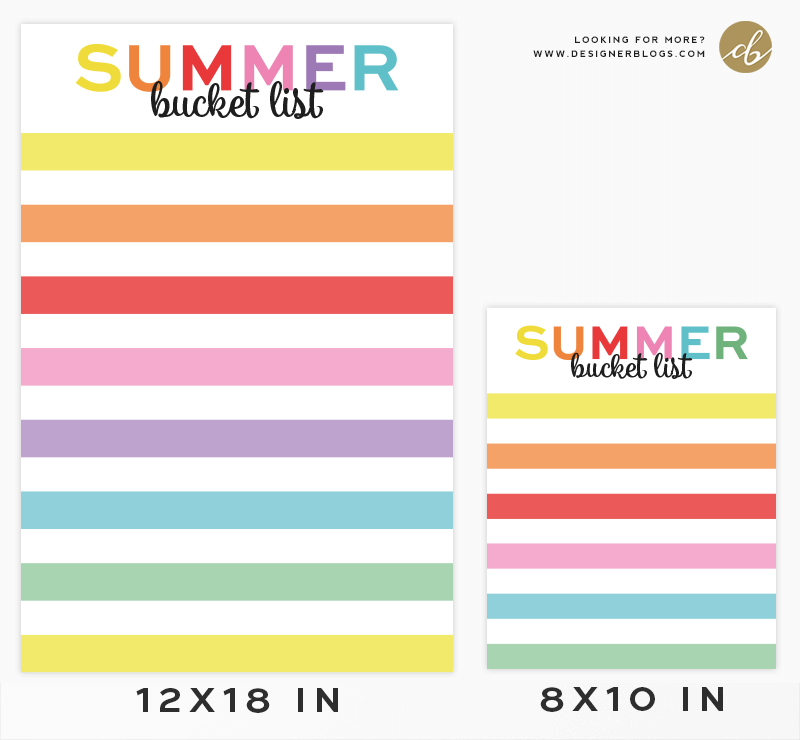
It is time to get the Summer bucket list ready so you can make the most of Summertime! You can still use our green version from last year (Perfect Free Summer Bucket List Printable), but I thought I’d put together one more color version for you. With this brightly colored, rainbow summer bucket list you’ll have two fun options to choose from.

Rainbow Summer Bucket List

Rainbow Summer Bucket LIst Free Printable in Two Sizes

You can either write your list directly on the printable or have it printed at a photo lab and place it in a frame behind glass. You can write with a permanent or wet erase marker directly on the glass. Wipe it off with a wet cloth when you’re ready to make a new list. The zip file contains both an 8×10 and 12×18 printable (you may need to trim them slightly to fit your frame).

For Personal Use Only.


Do you like bucket lists? What are your plans for summer? Share them in the comments below!


If you are looking for more Printable Freebies, make sure to check our free printables library


Looking for something specific?

If you have an idea for a printable, let us know in the comments! We are always looking for inspiration. If you decide to print today’s Rainbow Summer Bucket List Printable, make sure to share photos of your summer plans with us via Instagram or Twitter.

6 Details You Should Put On Your Professional Website To Get A Job In Tech

0
6 Details You Should Put On Your Professional Website To Get A Job In Tech

There was a time when paper business cards and printed resumes were the only way to network — but nowadays job-seekers have a whole slew of online tools to get discovered and hired. In addition to making profiles on sites like LinkedIn and Dribbble, having your own website is a smart way to showcase your personal brand and share your resume and experience with potential employers.

What you display on your resume website depends on your specialty and expertise within tech, explains Francesca Galbo, Codecademy Talent Director. For example, someone in the design field, like a UI/UX designer or a web designer, would want to have a stylistic website that’s easy to navigate and demonstrates their technical skills, she says. A data scientist, on the other hand, might want to include links to data visualizations and projects that they’ve created.

You should think of your resume website as a case study for recruiters or hiring managers who want to see a sample of your work, Francesca says. There are things you can communicate through your website that may not come across on a standard resume or CV. Here are the relevant details and helpful features that Francesca recommends including on a personal resume website.  

Projects you’ve built

If you’re applying to any type of technical position — from software developer to data analyst — you’ll need a professional portfolio that has examples of projects you’ve worked on.

How you organize your portfolio is up to you: Some folks might have a dedicated page for each project with details about what technology they used or their role in the project, while others prefer a list with links and a brief sentence about their contributions. “Having some sort of visual portfolio to connect to the work that you’ve done is exceedingly helpful,” Francesca says.

Still building out a portfolio that you can use to apply for jobs? We have lots of tips that will help you compile a portfolio that’s tailored to specific tech roles, like a game developer or web developer. Check out our career center for pre-planned projects that you can complete and include in your portfolio. With portfolio projects, you’ll also get a list of tasks and a Kanban board to keep you on track, plus lots of external resources and information you might need to complete it.

Including a link to your GitHub profile is an easy way for technical recruiters to see the open-source projects that you’ve contributed to, Francesca says. Your GitHub profile shows how comfortable you are writing and reading code, plus gives a glimpse into how you collaborate with other developers. Make sure your GitHub profile is updated and visible to potential employers.

The programming languages you know

Your resume website is a great place to list all the programming languages you’ve learned. Not sure how to organize all the skills in your arsenal? These guides explain what to put on a full-stack developer resume and how to list the most relevant developer skills.

A writing sample

Sometimes recruiters will ask candidates to share a writing sample as part of a job application. If writing isn’t your strongest suit, don’t stress — Francesca says writing samples are just meant to give people a sense of your communication style.

Examples of writing samples for job applications can be things like a bio, personal statement, blog post, article, or even research paper from a class or job, Francesca says. Just make sure to proofread your writing sample for any grammar or spelling errors before you post it on your website.

It might seem redundant to add a link to your LinkedIn on your resume website, but Francesca says it’s a must-have on any resume whether it’s on paper or digital.

Recruiters often operate within the LinkedIn platform when they’re gathering candidates for a position, Francesca says. “It’s so much easier when we can actually pull up a LinkedIn profile and save that person to a project or archive them,” she says. (FYI, this is also why a job application might require that you provide a link to your LinkedIn profile.)

To that end, if you want to make sure recruiters are seeing your professional website, it’s a good idea to add the link to your website somewhere on your LinkedIn profile — fish where the fish are, so to speak.

Make sure people who visit your website have a way to get in touch with you. Add a contact form or list your email address directly on the site, with some sort of instruction about ways you can work together.

Your resume website should contain enough information and evidence of your past accomplishments to tell your story and make yourself stand out as a candidate. To recap, you’ll want to include: past projects you’ve completed, links to open-source contributions, a list of the programming languages and frameworks you know, plus a writing sample and your contact information — including a link to your LinkedIn.

If you’re looking for a way to practice coding and also build out your own resume website, check out our Portfolio Project Portfolio Website. You’ll learn how to build a responsive and interactive resume website using HTML, CSS, and JavaScript. (Here’s an example of a resume website we imagined Ada Lovelace might have.) Want to see some examples of resume websites that other Codecademy learners have created? Check out this Codecademy forum post to see how fellow learners designed and organized their Portfolio Projects — you can even offer feedback if you’d like.

While you’re finessing your online presence, consider following these recruiter tips for making a LinkedIn profile that will make you stand out as a strong candidate. And for even more job-search advice, like interview prep practice and advice from recruiters, head to our career center.

Web Development Courses & Tutorials | Codecademy

Web Development is the practice of developing websites and web apps that live on the internet. Whether you’re interested in front-end, back-end, or going full-stack, the content in our Web Development domain will help you get there.

How To Answer The Interview Question: Why Do You Want To Work Here?

0
How To Answer The Interview Question: Why Do You Want To Work Here?
How To Talk About A Company’s Mission During A Job Interview

A key step when you’re preparing for a job interview is doing some internet sleuthing to learn about the company that could soon employ you. That includes Googling the people you’ll be meeting with, getting acquainted with the company’s product portfolio, and checking the brand’s social media channels for recent news.

In your research, don’t forget to read up on the company mission — because it will likely come up in your interview, explains Francesca Galbo, Codecademy Talent Director.

A “mission” is a concise description that explains why a company exists outside of making money. You can look up a mission statement on a company’s website, and sometimes it’s included right in a job listing.

Here are the mission statements for a handful of tech companies you’re probably familiar with:

  • Meta: “Give people the power to build community and bring the world closer together.”
  • Netflix: “At Netflix, we want to entertain the world.”
  • Google: “Google’s mission is to organize the world’s information and make it universally accessible and useful.”
  • Codecademy: “Codecademy’s mission is to empower inspiring careers in technology.”

So why do job-seekers need to be aware of a company’s mission before they even get hired? One of the first questions a recruiter or hiring manager will ask you during a job interview is: “Why do you want to work at this company?” That’s your chance to demonstrate how the company’s mission resonates with you personally, Francesca says.

The way you answer that question completely depends on the company and your own personal connection to it. You don’t have to prepare a monologue about the company, or make up a story for the sake of the interview, Francesca says. But think about a way you can tie in the mission to your work experience, life, or other interests.

For example, Francesca recalls applying for a position at an app that teaches kids to read. In the interview, she weaved in the fact that she was an English major and has loved literature since she was a young child.

“I brought that anecdote into that interview process and said, ‘This is something that is very, very important to me,’” Francesca recalls. “Not only was I able to anecdotally pull and connect with the mission, but I was able to prove that I know what the company does and why it’s so important.”

Candidates who understand and connect to the organization’s purpose and mission are typically the ones who stand out the most to recruiters, Francesca says. With so many people searching for new jobs these days, recruiters can quickly sniff out people who are just flinging their resume at any company that’s hiring, versus the ones who genuinely want to work there.

“We don’t want to hire people that want any job — we want people that want this job,” Francesca says. If you don’t feel passionately about a company’s mission, then maybe it’s a sign that you shouldn’t apply for the position, she says.

While talking about a company’s mission might seem like performative corporate gobbledygook, it’s a good exercise for anyone in the market for a new job to think about the types of places where they want to work. Research has shown that when employees feel that their purpose aligns with their organization’s, they’re happier, healthier, and tend to stay at an organization longer.

Ask yourself: What values are important to you? How do you want your work to contribute to society or impact the world? For example, you might be most interested in companies that are developing technology to mitigate the effects of climate change. Perhaps there’s a role at an organization that’s uplifting marginalized communities. Or maybe you want to work for a company that’s at the forefront of entertainment and pop culture.

There’s a lot to think about when you’re heading into a job interview. If you’re looking for more advice about how to showcase your technical skills and answer common interview questions, be sure to check out our interview prep courses. And if you’re looking for more ways to boost your confidence throughout the job search, check out these tips for developing the most important soft skills in tech and talking about salaries in interviews

Interview Prep Courses & Tutorials | Codecademy

Interviewing is an important step in your journey towards landing a job in tech. Technical interviews let you showcase your skills and knowledge, but practice is key. You’ll need to understand technical concepts and be prepared to talk through solutions with your interviewers.