By Betty Vandenbosch, Chief Content Officer at Coursera
We are pleased to announce a new Data Engineering Professional Certificate from IBM. The certificate is designed to equip learners of all backgrounds — no prior experience or degree is required — for an entry-level data engineering role in less than a year.
Data engineering continues to be a top trending job, especially in the tech industry, as more and more organizations rely on data to make insights-driven business decisions. The World Economic Forum projects data engineering roles will continue growing over the coming years, bringing opportunities for a broad cross-section of workers.
The new, 13-course certificate prepares learners for a data engineering role in about eight months and costs $45 per month. Through a variety of hands-on labs and projects, learners will learn how to work with tools and databases to design, deploy, and manage structured and unstructured data. They will also become familiar with Python, Linux, SQL, Hadoop, Spark, and other industry-standard programming tools. Upon completion, learners will receive a certificate they can display on LinkedIn or share with an employer.
The day-to-day of a data engineer varies depending on the organization, role, and specific project, but generally involves solving problems, creating systems, and programming. To learn more about launching a data career, watch an with IBM instructors and subject matter experts that explores industry trends and tips for getting started in data fields.
“We are thrilled to launch IBM’s latest Professional Certificate program on Coursera,” said Leon Katsnelson, Director and CTO, IBM Developer Skills Network. “Data Engineering is a very popular field and, we believe, a Data Engineering Professional Certificate from IBM will be a fantastic first step for a rewarding career in this top trending field.”
The new data engineering program builds on IBM’s portfolio of entry-level Professional Certificates on Coursera, which are designed to help learners of all backgrounds prepare for in-demand digital roles. With an expanding selection of job-relevant programs, IBM and Coursera are dedicated to helping anyone, anywhere develop the skills needed to enter these growing fields.
There are many resources on how to prepare for and land your first job as a Web Developer. But when it comes to starting a freelance career in the field, it’s harder to find reliable information. For that matter, it’s difficult to understand what people mean by “freelance” when it comes to the world of work.
The reality is there are many ways to work, and freelancing is just one of them. If you’ve heard the term tossed around and wondered what it means, or if you’re even cut out for the freelance Web Developer path, then this article will help to clear things up. We’ll explain what freelance work is, how it’s different from a traditional job, some factors you might want to consider before you jump in with both feet, and how you can get started as a freelance Web Developer.
If you’re looking for a particular topic, use the table of contents below to jump to a specific section.
What is freelance work?
When someone says they’re a freelance Web Developer, what they mean is that they can work for more than one company at a time. They aren’t bound by the normal employment contract with all the usual clauses about working exclusively for one company.
Freelance also means that the professional is self-employed and working on their own schedule, which usually deviates from the typical 9 to 5 workweek. Terms that freelancers use also include entrepreneur, contractor, and independent consultant.
The beauty of freelance work is that the professional can choose which projects to bid for and which projects or clients they’d rather avoid. Because freelancers are their own bosses, they can also set their own hours, rates, and work location.
Many people choose freelance web development as their next career because it’s flexible and offers many opportunities. As long as there’s access to the internet, most Web Developers can create and maintain web pages from anywhere.
Other Web Developers prefer the freelance lifestyle because it allows them to work on many different projects at once. They can work for companies or other entrepreneurs in various industries, which can be wonderful if they thrive on learning new things and finding creative solutions to various problems. On the other hand, they can turn down work that doesn’t excite them or line up with their skills. That’s one major difference between freelance workers and someone with a boss who dictates projects and responsibilities.
What’s the difference between freelance and full-time work?
One of the best ways to get a feel for what it would be like as a freelance Web Developer is to compare it with a traditional job working exclusively for one employer. As Pablo C., a member of our community, explains, working for yourself is quite different from working as part of a team:
“If you’re going to be a freelancer, most likely you’re going to be working by yourself, so you need to learn how to do everything required to successfully complete and maintain a project (you don’t want your customer to go away when you’re done).” — Pablo C., Software Engineering Manager
Aside from the lack of teammates to rely on, there are several other distinctions between freelance and traditional work, such as work schedules, location, and success metrics. Let’s take a closer look at some of these differences.
The 9 to 5 vs. anytime
In a typical job, you’ll have a set work schedule, where you’ll need to be available either online or in the office for a specified period. Traditionally, this has been 9AM to 5PM in an office setting so that teams could collaborate in person and in real-time. More companies are working remotely now than ever before, so while the location constraint might have been lifted, the work hours remain rigid.
Freelancers, on the other hand, can work whenever they like (with some exceptions). Provided the client’s project is delivered to them on time, it doesn’t matter whether a freelance Web Developer works 8 hours a day for 5 days a week or 4 hours a day for 7 days a week — no one is holding them to set work hours. They do, however, likely need to be online for client meetings during the typical workday (if their attendance is required).
As a Web Developer, you might actually need the time flexibility. Perhaps you work better at night, or you have young children who require your full attention during the day. There are many reasons to choose to work on your own schedule but keep in mind that you’ll likely be working more hours as a freelancer because of all the additional tasks you need to do, as Pablo mentioned.
Office-bound employee vs. digital nomad
Many Web Developers love their field because it allows them to work anywhere in the world, provided they have a laptop and a good internet connection. Freelancing means you don’t need to show up at an office. Instead, you can work from your patio, dining room table, or even on a beach somewhere.
Most jobs will require that employees show up in person to an office. As we mentioned above, that’s starting to change, but even if you don’t show up physically, you’re expected to show up online on a set schedule. Some companies require employees to be in the country they’re located within, even while working remotely.
Steady paycheck vs. variable income
With a full-time job, you collect a regular paycheck. You know exactly what you’ll be making, and you rely on your employer to make a living. For some developers, the security of steady pay makes traditional employment the better option.
Others are better suited to dealing with the ups and downs of a freelance Web Developer’s income. For example, you might have a busy month where you’re working on three different websites, and you can bill, for example, $2,000 for each. You’ve got enough money for expenses and savings this month, but then next month, you have a slower workload with only one small ongoing maintenance project for which you can bill $500. To be a freelance Web Developer, you’ll need to be excellent at managing cash flow and have the mental toughness to make it through those lighter months.
Working as a team vs. a team of one
In a full-time job, most people will have teammates to lean on and learn from. If you’re someone who loves to collaborate on your website designs, a team setting may be right for you. You can walk over to a colleague, bounce ideas off them, and ask for help. In general, the conversation and camaraderie of working with a team is definitely a plus when working for a company.
As a freelance Web Developer, you’re on your own for the most part. You may find more collaborative clients, but most of your work will be largely independent. Even on larger projects where you’ll go through code reviews or client review meetings, you’re the one on the hook for the deliverable. It can be intimidating at first, but freelancing could be the ticket if you work best by yourself.
Assigned work vs. choosing your own projects
When you have a boss, they decide what work you need to complete. It doesn’t matter if the website you’re developing excites you — completing the work assigned is all part of the job.
Freelance Web Developers, on the other hand, get to choose which projects they take on. If they don’t have a great experience with a particular client, they can move on and find a new one. There’s much more freedom in freelance work to find projects and companies that are interesting, challenging, or fun to work with.
Company code best practices vs. choosing your own
Working within a company means adopting its coding standards and styles. You’ll need to become familiar with how they expect code to be written, how code reviews are performed, and how to maintain documentation. You’ll also need to use the programming languages they specify and work within the systems and workflows they’ve established.
As a freelance Web Developer, you have the power to choose the right programming tools and formats for the job. Some clients will dictate the programming language or website host, but many will allow the freelancer to determine the best solution. There’s also more freedom in setting up your own best practices in how you write code.
Someone else’s goals vs. defining your own success
Being employed means being evaluated based on a company or manager’s metrics of success. Some employee performance reviews will be based on the number of programs you successfully created or the lines of code you wrote. Others will be based on reducing errors in a codebase or training new team members. As an employee, you don’t decide how you succeed or qualify for a bonus or promotion.
Freelance Web Developers get to choose what success means to them. It could be simply working from home and choosing the clients who make work enjoyable. It could be completing three websites each quarter. It might be a personal income goal or learning a new website platform. It’s your business, so you can decide when and how you succeed, which is quite powerful.
What skills are required to become a freelance Web Developer?
Like any Web Developer, you’ll need all the technical skills required to build websites. The specific programming languages, libraries, and frameworks you’ll use will depend on your specialization, but more on that later.
Web Developers need to be creative problem-solvers as well. They must consider end-users, design elements, accessibility, and client needs. Web Developers also need to stay on top of updates to programming languages and libraries, emerging website platforms, and new requirements for capturing data.
But when it comes to freelance Web Developers, they need to add an entire suite of skills, similar to what Pablo described for us above. Because freelance Web Developers don’t have a company behind them, they’ll need to develop the following skills or hire a professional who specializes in:
Basic bookkeeping and invoicing
Proposal writing
Sales calls and meetings with prospective clients
Marketing
Writing professional emails/reports for clients
Project planning
Project estimating and budgeting
Managing cash flow (both for business expenses and personal expenses)
The list goes on, but the last point deserves further discussion. Choosing the freelance Web Developer route means being comfortable with the income peaks and valleys. Some years will be more challenging than others. Freelancers must have an iron stomach when anticipating and adjusting their spending when business is slow. They’re creative people, both in terms of the work they do for clients and in terms of how they support themselves.
Marketing is also a non-trivial aspect of becoming a freelance Web Developer. They need to constantly look for the next client or contract to keep their pipeline of work full and their income flowing. For some freelance Web Developers, this happens naturally by word of mouth — but for many others, it means creating content for social media, paying for ads, and scouring freelance job postings.
If this sounds like an entire second job on top of web development, it is. Freelance web development can be extremely lucrative and flexible, but it’s also a tremendous amount of work and a lot of pressure for one set of shoulders. The bottom line is that each person needs to know themselves to determine if the switch to freelance work is the right move.
How to get started as a freelance Web Developer
Getting your freelance business off the ground is a much different task than learning new skills and applying for a traditional job. Both require the ability to develop a website, but in very different ways. As a freelance Web Developer, you’ll need to spend time setting up systems and processes yourself rather than using ones that a business has already established.
Develop your programming skills
If you’re new to web development, you’ll need to get familiar with its required tools. You don’t need a degree or years of experience. With the wealth of online programming courses available, you can learn all the skills you’ll need at your own pace. Anton, another member of our community, explains that clients are usually more interested in what you can do than what school you attended:
“It can take a while to build up a head of steam as a freelancer, but it’s entirely possible, and your clients won’t care if you have a degree, just that you solve their problem. Build up a little history and some demand, and you’re in control of your rates, after that you’re in control of what kind of people and organizations you’d like to work with.” — Anton, IT Professional
The programming languages you’ll need to learn to become a freelance Web Developer will depend on the specific role you choose to pursue. Generally, there are three types of Web Developers: Front-End Developers, Back-End Developers, and Full-Stack Developers.
Front-End Developers
Front-End Developers use languages like HTML, CSS, and JavaScript to create a web page’s interfaces and visual elements. Familiarity with libraries and frameworks that help speed up development (like jQuery and AngularJS) is a plus. To start learning any of these tools, check out the courses below:
Back-End Developers
Back-End Developers are the counterparts of Front-End Developers, using tools like SQL and Node.js to build the invisible systems and processes that keep web applications running. Take your first steps into back-end development with the following courses:
Full-Stack Developers
Commonly referred to as programming jacks-of-all-trades, Full-Stack Developers can perform both front-end and back-end development. Just as importantly, they also understand how front-end and back-end components interact with each other. In short, a Full-Stack Developer can use a mix of any of the tools listed above to create an entire application from the ground up.
Start marketing yourself to find your first client
Next, you’ll need to think about all the additional skills you’ll need to run your own business. At the very least, you’ll need your own website to promote yourself, and you’ll need to find your very first client. For new freelance Web Developers, that’s their first question: How and where do you find clients? There are many different places you can start:
Search job boards (like LinkedIn and Indeed) for “freelance Web Developer.”
Join professional networking groups for freelance Web Developers.
Be active in online programming communities where you’ll get to know other freelance Web Developers who might have overflow work or referrals for you.
Search for remote jobs or contractor roles where you work as part of a larger team.
There are many ways to find your first client, and it’s even easier when you’re in the company of other freelancers.
Set up business systems and documents
Freelancers need a way to bill for their services quickly and accurately. There’s no right way to do this, just what works best for the budget and person. But at the very least, you’ll need an invoice template in Word or Google Docs to use, along with a way to accept payment. You could use a PayPal account, Venmo, wire transfers, or e-transfers into your bank account.
You’ll also need a way to keep track of everything, from hours to project data to client conversations. It all sounds simple, but it can take up a lot of your time if you don’t have organized systems ready.
Analyze your data to make improvements
Recording every part of your workflow will help you improve and become more efficient. For example, you can look at how long it takes you to create a certain type of webpage and provide a more accurate quote for your services going forward. After you’ve written one proposal, you can just tweak it for the next.
Build a portfolio
As we said earlier, freelance Web Developers need to know how to market themselves, and building a portfolio is one of the best ways to do so. The right portfolio will help you illustrate both your technical skills with all the tools in your tech stack and your familiarity with the development process.
If you need help building a portfolio, check out our Career Paths. Each Path will teach you the skills you’ll need to launch your career in your preferred role and show you how to use them to create Portfolio Projects that’ll impress future clients. Use any of the links below to get started:
Lastly, don’t forget to keep track of what type of web development makes you happy — and makes you money, too. Some people call this finding your niche. Others call it working in the flow or finding your ideal clients.
The most important thing is to notice what you enjoy and what you do well. That’s the intersection where you want to spend more of your time. As you get busier, you can work on more of what you love and increase your rates to match the demand for your expertise.
Businesses today generate enormous amounts of data. And highly skilled Data Analysts are key to making sense of all that data and helping businesses make informed decisions. If you love solving problems, diving into data and spreadsheets, and formulating conclusions and insights, then a career in data analysis may be the right fit for you.
This article will show you what a Data Analyst does and how you can get started by learning the skills you need to succeed. Specifically, we’ll explain the best data analysis programming languages to learn if you’re just starting out, so you’ll know which skills to build.
What does a data analyst do?
You might be surprised to learn that quite a few businesses don’t know what to do with all the data they collect. From purchase records to website traffic to customer service logs, all the data collected can inform business decisions.
Data Analysts are the technical experts that know how to search through data, manipulate it, and analyze it for notable trends. They’re the ones who then create reports of their findings, which help business leaders make decisions based on hard data rather than gut feelings.
A Data Analyst can use specific programming languages to help them access and organize data to perform the necessary calculations.
The best data analysis programming languages
There are many programming languages out there, but if you are just starting out and have your heart set on a career as a data analyst, we recommend learning two languages to start: Python and SQL. And in our Data Analyst Career Path, you’ll learn both Python and SQL to equip you with the skills you’ll need to succeed in an entry-level position. If you’re already familiar with Python, then consider learning R for data analysis.
Of course, there will be additional languages and libraries you can learn to further your skills, but it’s a good idea to start with the basics and get familiar with these three first. And if you’re wondering about additional programming languages and skills, such as machine learning, a career in data science might be of interest to you. While there is a lot of overlap, Data Analysts and Data Scientists rely on different key skills to perform their tasks.
Python for data analysis
Both Python and R are programming languages frequently used for data analysis. Python is a multipurpose programming language that is compact and easy to read. The benefit of learning Python for data analysis is that you can then use the language for many other projects and purposes, like building websites, coding applications, and extracting information online.
When you learn to use Python for data analysis, you’ll also want to download libraries for that purpose. While Python is a beginner-friendly programming language, it does take some time to set it up correctly for data analysis. Here are the libraries you can look into for Python:
Pandas
NumPy
Matplotlib
Seaborn
SciPy
Statsmodels
If you’re not comfortable downloading libraries yet and aren’t sure where to start, you can begin with learning the latest version, Python 3. Then, you can ease into courses on how to use Python for data analysis. You can also remove the guesswork and use the Analyze Data with Python Skill Path.
R for data analysis
R, on the other hand, was built for data analysis. It’s rather easy to pick up and start using without the need to install so many additional libraries, like in the case of Python. R lets you find patterns and trends within your data. You can also build statistical models and produce stunning visualizations for your results.
You can also download libraries for R that will save you from writing additional pieces of code for your data analysis. If you decide to learn R, you’ll also want to check out the following libraries packages:
SQL is a programming language that lets you communicate with, search within, and extract data from relational databases. SQL is also easy to learn because it’s designed for a specific purpose, plus the syntax is intuitive. If you’re new to the language, you can take our online course in less than 10 hours.
For example, Jorge from dataPlor learned SQL with Codecademy in order to perform data analysis, even though it wasn’t part of his role at the time. He explains:
“I got started with SQL because I needed the ability to query my company’s database for sales sampling purposes. My initial goal was to swiftly pull useful data from our database using SQL. As I’ve developed more skills, I’ve created multiple, company-wide business intelligence dashboards, provided custom datasets for everyday operations, and assumed command of a variety of processes at the console level.”
Since then, Jorge has been promoted to a Data Analyst position, where he focuses on providing insights and intelligence from the masses of data stored in his company’s databases. If you’re considering a career as a Data Analyst, look into the Analyze data with SQL Skill Path.
Now that you know the best data analysis programming languages to learn before applying for your first position in the field, you should also know that learning these languages doesn’t have to be a chore. You don’t need to get a degree in mathematics or statistics to become a Data Analyst. Instead, you can learn Python, R, and SQL through online courses.
If you want a more well-rounded approach to gaining the data analysis skills you need for a new career, you can follow the Data Analyst Career Path. On top of learning Python and SQL, you’ll also learn about data acquisition, statistics, and data visualization, as well as starting your own portfolio. You’ll even earn a certificate for all your hard work, which you can include on your resume.
One study in 2008 was able to capture this: When given a word puzzle to solve, the participants who exercised defensive pessimism did better while under a “threat motivational state”: when they were made to imagine what could go wrong, or the consequences of doing poorly. And on the flip side, their performance actually worsened when the researchers prompted them to think more positively.
But if you just sit there and lament all the seeds to be sown that’ll inevitably get eaten by birds, or blown away, or otherwise never grow, you reap no rewards — simply complaining without acting isn’t an effective strategy. Make your pessimistic powers work for you: Expect the worst, then work to prevent or prepare for it.
However, we must remember that our mind-sets come as varied as we do, and rarely, if ever, are we entirely at either end of the positivity spectrum. But, if you do tend toward the negative, cheer up — or rather, don’t, because seeing the worst in everything could be better for you.
“We Need More Maestras on the Podium” By Abigail Soriano Cherith, age 17, North Hollywood High School, Los Angeles
In the midst of a quiet concert hall, all eyes shift to one musician. This musician has the power to breathe life into the notes on the page, and with a quick flick of the wrist, has the power to snuff it out. One who has so much control over the orchestra and choir is usually called the “maestro.” It so happens that this “maestro” is a woman, and this woman is my mother.
Because my mother is a conductor, growing up, watching a woman conduct was very normal for me. I cannot say the same for others though, and that is no surprise; there are significantly fewer female conductors than male conductors. According to the League of American Orchestras, of the 103 ensembles with the highest budgets, only 12 have female conductors.
The Master of Data Science (MDS) from the National Research University Higher School of Economics (HSE University) is the first fully online data science master’s program from a Russian university on Coursera. Students can take courses in contemporary data analysis, machine learning development, and research taught by experts at Russia’s leading technology companies, such as Yandex.
Because the program is entirely online, students can earn this MDS degree from a top-10 Russian university from around the world. Current students are located in more than 30 countries, including Russia, Belarus, Kazakhstan, India, the United States, Canada, China, Japan, Germany, Great Britain, Switzerland, and others.
We spoke with students Mehmet Namli, based in the United Arab Emirates (UAE), and Alexander Olekhnovich, based in Russia, to learn how they decided to become part of the global data scientist community and find out how their experience in the program has been so far.
Mehmet Namli (UAE) compares the Machine Learning revolution to the internet boom in the 1990s and believes the knowledge he’s building will help him develop his business.
How did you become interested in data science?
I’ve been working in finance and foreign exchange trading for the past 10 years. Before starting this program, I studied many different things to improve my skills. I’ve observed how modern trading is becoming more automated and focused on machine learning. Many companies are integrating machine learning into their processes — using artificial intelligence and machine learning algorithms for financial trading.
The knowledge I gained from the Master of Data Science program will be useful during the next 10–20 years in fintech or trading, as these industries have become automated and focused on machine learning. I believe we need to get insights from data and use them to inform business decisions—that’s why I’ve chosen data science for my future. Recently, my friends and I decided to start a company that applies machine learning techniques to portfolio management and trading. I’ll be focusing my HSE’s MDS thesis on our business project and use the findings for its benefit.
Why did you choose the online MDS program from HSE University? What attracted you the most?
I looked into many online programs provided by British and American universities and online courses from my own country. In my opinion, the HSE’s program is the most complete because of its emphasis on hands-on, project-based training. I also loved the deep focus on mathematics, programming, future professions, and projects. Most of the program is devoted to machine learning, which is very important for me. Unlike other programs, HSE’s MDS is flexible and offers three tracks based on types of roles: Researcher in Data Science, Machine Learning Engineer, and Data Scientist. Other programs often had only a single track. Overall, the curriculum of HSE’s program met my expectations.
I also considered HSE’s credentials worldwide and was satisfied by their performance in math and science. The global ranking of HSE is high, and so it played a role, too.
The admissions process is rather easy: students must have a bachelor’s degree and then fill out an application form. An online exam then tests your understanding of mathematics. Although I studied a lot of math at my former university and feel very confident in my math skills, I don’t necessarily have the requirements needed for programs at other universities since they often require a bachelor’s degree in engineering. However, for HSE’s MDS program, I was able to apply with my bachelor’s degree in economics.
Have you considered on-campus data science programs, and what prompted you to choose an online one?
I have a full work schedule and want to be able to spend time with my family, including my two kids. So traditional on-campus programs and relocation aren’t suitable for me. HSE MDS students can enroll in the program from anywhere in the world and complete the courses on their own schedule. Studying takes me about 15 hours a week, so sometimes I sleep a little less to catch up on everything. Not everything is like the campus programs, but I believe in life-long learning, and this online program makes it possible without changing my location or lifestyle.
In what practical projects and tasks were you involved in? What projects within the program did you find the most interesting?
I took part in several projects, mainly assignments as final exams that were connected with data-based predictions. We created a controller to collect data from the IMDb database and attempt to make classification models. I was involved with another project related to financial time series data analysis where I built statistical models and used machine learning techniques to compare results.
What did you find the most challenging during your studies?
Definitely time management! It was a real challenge to find enough time for studying between work and family. But somehow, everything worked out!
What wisdom can you provide to future students of the program?
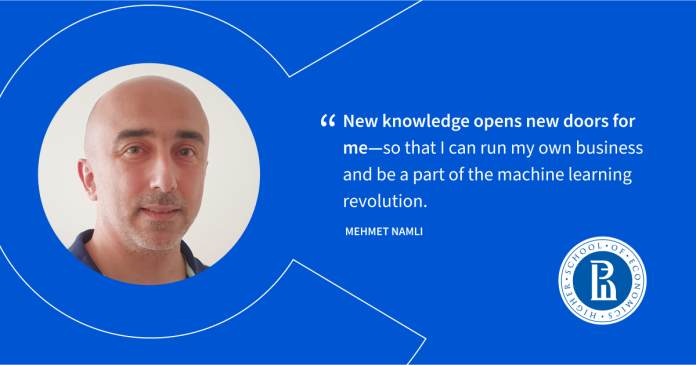
I’m excited about the impact that machine learning and artificial intelligence is having on our lives. These algorithms are already in use nearly everywhere, in every machine. We just need a bit more speed on the hardware. In the next 10 years, we’ll see big, new corporations like Amazon or Facebook utilize machine learning. Shortly, I’d like to call them the champions of the machine learning era. The machine learning revolution is as bright as the internet boom of the 1990s. And we’re at the beginning of a new era now. New knowledge opens new doors for me — so that I can run my own business and be a part of the machine learning revolution.
Alexander Olekhnovich (Russia), a 2019 graduate of the National Research Nuclear University MEPhI, was looking for a promising field that would help him become an in-demand expert today and for the future. With a mathematical background and some basic programming skills, he decided to become a data scientist and chose the MDS program.
Why was the HSE online program attractive to you?
I liked that the MDS online program is suitable for people from various fields. If you’re interested in data science and are willing to push yourself, you’ll be a great candidate for this program. A big advantage is that you receive a degree after completing the program rather than a certificate, which is what most continuing education platforms offer.
What has turned out to be the hardest part of your studies?
One of the reasons I finally decided to apply to MDS was the idea that studies would be easily combined with work and family, but—spoiler alert!—it’s not that easy. Time optimization proved to be the main problem. Sometimes, I plan every five minutes of my daily schedule so that no one and nothing is left unattended. But if you stay enthusiastic, you can do it.
What practical projects throughout your studies have you found the most interesting?
The data scraping project was pretty great and thrilling: we parsed data from IMDb and played the “Six Degrees of Kevin Bacon” game based on the six degrees of separation theory. The NaturalLanguage Processing project was also really cool; we made chatbots. I also keep remembering all my mathematics courses. And really, all of the courses I took will be useful for my development in fintech.
While studying, I started working at a bank, dealing with big data and data engineering. I’m now starting on a course in large-scale machine learning and look forward to it being helpful in my work. In the MDS program, I’ve learned how to find approaches to solving different tasks and master new knowledge faster.
Is it convenient to study online?
Yes, because the program uses several types of communication tools: Coursera forums, Zoom, Slack, and Telegram. During the last year during the lockdown especially, I think that everyone learned to communicate online better. And if we have any difficulties, the program tutors quickly help sort out everything.
Every year, 18th July is celebrated across the world as Mandela Day. Commemorating the life and work of Nelson Mandela, the day is about recognising his commitment to instilling equality, combating poverty and changing the world for the better.
For us at Alison, Mandela’s legacy of tirelessly working to improve the lives of his fellow South Africans stands as both example and encouragement for our work in empowering people around the world through education.
This year, we’ve chosen five free online courses to help inspire you to take action against poverty in your local area and implement positive social change in your community.
Community Development
Regardless of the issues facing your local community, before you can begin to tackle them together, you need to establish a strong sense of community spirit and solidarity. This sense of common project and identity is integral if your community is going to succeed in improving your shared situation. Alison offers a range of highly affecting courses in community building that will help you lay the groundwork for an energised and close-knit community that is ready to tackle challenges collectively.
Childcare
Childcare can be extremely expensive and quality services are in short supply. The lack of confidence in existing services, and the prohibitive prices of much good childcare, means that many parents’ professional lives suffer as they don’t have anyone to care for their children while they work. This means that their earning potential is limited and often results in both parents and children becoming caught in a poverty trap. Organising a Community Childcare Program can be an incredibly beneficial service that unlocks the full potential of your community and helps give families the tools they need to rise out of poverty.
Community Gardens
Whether your community is rural or urban, the benefits of setting up a community garden are exponential. From providing a social outlet for retirees, to offering young people a safe and productive outlet, a shared garden is a great way to engage all generations across the entire community. The mental health benefits of working with the earth are well documented. The project also has the potential to generate food for struggling families, while also providing a community industry in the form of a produce market, which results in both jobs and income.
Fundraising
Nobody knows your local community better than you do so the best tool you can have is one that puts resources at your disposal without any strings attached. Being able to raise your own funds so that you can direct them into the projects you know your community needs is a powerful asset for any community to have. Learning how to fundraise effectively will grant your community an independence that will be felt by all involved. It also helps emancipate struggling community members as it teaches them how best to generate their own funds collectively.
Community Health
Nothing is as integral to the success of a community as the health of its members. However community health can be a tricky subject to navigate, particularly when poverty can result in drastically different situations for different members. As ever, knowledge is the key to understanding and thus improving the situation. Alison offers a variety of courses aimed at explaining potentially divisive community health issues, from the opioid crisis to drugs in the workplace. A better understanding of these problems will result in a dialogue that can then seek to remedy these community health issues. Our course in CPR, defibrillators and First Aid is also required learning for all conscientious community members.
Full-Stack Developers make excellent salaries because they have a wide variety of skills that most companies need. Think about how essential websites and mobile applications are for just about every business these days. As programming jacks-of-all-trades, Full-Stack Developers’ careers are as lucrative as they are exciting.
In this article, we’ll briefly describe what a Full-Stack Developer does, what the average Full-Stack Developer salary is for varying degrees of experience, and how to become a Full-Stack Developer.
What does a Full-Stack Web Developer do?
A Full-Stack Developer, sometimes called a Full-Stack Web Developer, can program on both front-end and back-end systems. In other words, they can program across the full tech stack of a company. This also means they know how to build applications from the bottom up, including APIs, frameworks, and libraries using both front-end and back-end languages.
Essentially, a Full-Stack Web Developer can do all the things that a Front-End Developer and a Back-End Developer can do. But there’s even more to their job description because they need to understand how the front-end and back-end systems and applications communicate with one another.
We asked Taylor, a Full-Stack Developer at RightNow Media, what a day in the life of a Full-Stack Web Developer looks like. As she explains:
“A Full-Stack Developer is writing code not only for the user’s front-end web applications or mobile applications, but they’re also writing API code that sits in the middle. They’re writing server code that sits in the back, and they’re also connecting and communicating with databases.”
Full-Stack Developers have various skills, including technical programming skills and those that require a little more creativity. Taylor explained that she loves being a Full-Stack Developer, especially because the role allows her to be both artistic and analytical. When we asked her what she loved best about the front-end aspects of her job, she said:
“I enjoy thinking about how the user is best going to be engaged with the website I’m creating, and I like creating the colors and the styles and the different layouts that the user is going to interact with.”
But equally interesting to her was the ability to program in the back-end systems using databases, back-end languages, and data analysis:
“You will problem solve as a front-end developer, but there are some larger puzzle pieces that you get to work with and put into play when you start integrating with the back end.”
As you can probably guess from the skills Full-Stack Web Developers must have and the long list of tasks they must do, they are in high demand around the globe. This article will focus on salaries in the United States, but keep in mind, you can work as a Full-Stack Web Developer from anywhere. Especially now, as more companies have embraced a distributed workforce and remote work.
Junior Full-Stack Developer salary
Junior Full-Stack Developers with limited experience can still expect a competitive salary. Talent.com reports that a Junior Full-Stack Developer earns about $87,750 per year.
Note that salaries will also vary based on location and industry. If you have the means, you could take on an unpaid internship to build your portfolio and gain experience to eventually increase your Full-Stack Developer salary.
Average Full-Stack Developer salary
According to Talent.com, the average Full-Stack Developer’s salary is $107,487, based on 10,000 salaries across the country. This figure includes Full-Stack Developers from all over the United States, with experience levels that vary from less than a year to decades.
To verify the numbers at Talent.com, the U.S. Bureau of Labor Statistics provides salary data from 2020. Full-Stack Developers fall under the category of Software Developers, who earned an average salary of $110,140 per year, which is over 2% more than what Talent.com reported.
Senior Full-Stack Developer salary
Those with many years of experience as a Full-Stack Developer can earn well above six figures. Talent.com reports that the most experienced Full-Stack Developers earn up to $142,186 per year in the United States.
Along with their competitive salaries, there’s also quite a bit of job security for Full-Stack Developers. The U.S. Bureau of Labor Statistics expects that the field of software development will see a 22% increase in employment by 2029, and skilled Full-Stack Developers will be in high demand. Remember, their tech skills are needed just about everywhere, both in terms of industry and location.
How to become a Full-Stack Developer
Full-Stack Developers are experts in multiple areas, and as their salaries dictate, they’re paid quite well for their work. If you’re looking for a new career where you can use different technical and creative skills and work on both front and back-end systems in web development, then you might want to consider becoming a Full-Stack Developer.
You don’t need to worry about going back to school to get a formal degree before becoming a Full-Stack Developer. You can learn all the skills you’ll need by taking online programming courses. If you’re starting from square one, then you can check out our Full-Stack Software Engineer Career Path, which takes the guesswork out of which courses to take and skills to acquire.
If you already have a foundation in programming, a different Path might be right for you. For example, if you’re already a Front-End Developer, then our Back-End Engineer Career Path might be better for you. Similarly, if you’re already a Back-End Developer, try our Front-End Engineer Career Path. That’s the great thing about learning new skills today. You can learn online at your own pace, and you can customize your learning path to suit your current knowledge.
The days of needing a degree to make a decent salary in tech are coming to an end. Modern employers are often more interested in the skills and experience someone has than the school they graduated from. In other words, you can launch your career in development after taking a couple of online programming courses.
But how do you know which path to take? Which programming languages do you need to learn? To help you figure it out, we’ll explore six high-paying jobs you can get without a degree, what each job entails, and the skills you need to get started.
1. Front-End Web Developer
A Front-End Web Developer focuses on creating the interfaces users use to interact with an application. This often includes designing the layout and specific functions that users will engage with regularly. To do so, Front-End Developers need to have a strong understanding of user needs. They also understand basic design principles and the programming languages needed to build websites, like HTML, JavaScript, and CSS.
Even though a Front-End Developer may not use the languages involved in back-end programming, they still need to understand the capabilities of back-end structures and the essentials of how their technologies work. On average, Front-End Developers can expect an annual salary of $106,637 in the U.S.
2. Back-End Web Developer
A Back-End Web Developer uses tools like SQL and Node.js to design and implement the systems and resources that support the front end of an application. While much of their work may go “unseen,” effective back-end development is crucial to an optimal user experience.
Back-End Developers work on systems that enable parsing, scraping, processing, visualizing, and analyzing data. They also develop the databases that store an application’s information. In the U.S., the average salary for an experienced Back-End Developer is $122,445.
3. Full-Stack Web Developer
A Full-Stack Web Developer takes care of all elements of the development process. They have to be well-versed in both front-end and back-end development principles and tools. Clients or companies may call on Full-Stack Developers to design apps from scratch, either with the help of a team or on their own. Or, they may be asked to troubleshoot or improve an existing application.
At times, Full-Stack Developers help address vulnerabilities in web apps after a Cybersecurity Specialist discovers an issue. Like Front-End and Back-End Developers, experienced Full-Stack Developers can expect a six-figure salary, with an average of $108,089 in the U.S.
4. IT Manager
An IT Manager earns about $89,000 per year in the U.S. and performs various tasks, all of which involve ensuring the IT team accomplishes the organization’s goals. An IT Manager may report to the CIO of a company, and, as a result, they need to be able to keep high-level concepts clearly in mind as they manage their teams.
To fulfill their responsibilities, an IT Manager needs a solid background in the technologies and tools that drive the IT process. This allows them to develop actionable solutions to any issues that may come up.
5. Computer Software Engineer
A Computer Software Engineer makes around $106,000 a year in the U.S. and develops, builds, implements, and maintains software solutions for organizations. Unlike Web Developers, they’re often involved in the first phases of an application’s ideation, connecting the technologies available to the problems they have to solve. As a result, a Computer Software Engineer has to be comfortable interacting with management and other executives and working with a team in the development process.
Along with conceiving and managing projects, a Computer Software Engineer has to code solutions, ensuring they contribute to the project’s objectives or the organization’s goals. This requires knowledge of multiple coding languages and testing.
6. Cybersecurity Specialist
In the U.S., a Cybersecurity Specialist earns around $114,000 a year. They’re in charge of ensuring the safety of a company’s digital assets, including everything connected to its network, both on-premises and remotely.
A Cybersecurity Specialist needs to use multiple tools designed to bolster an organization’s defenses. Some of these tools include firewalls and anti-malware software.
Firewalls inspect the data coming into and flowing out of a network or device to see if it contains threats. Anti-malware software can detect and discard data packets and files that have malware. Along with the other tools in a Cybersecurity Specialist’s toolkit, firewalls and anti-malware help Cybersecurity Specialist’s keep their digital assets secure.
While a college degree can be helpful, finding high-paying jobs without a degree is no longer as hard as it once was. In any of the positions above, you can expect a decent income and exciting challenges.
If you find yourself drawn to web development after reading this article, check out our Career Paths. Each Path is designed to teach you the skills and knowledge you’ll need to land an entry-level position. We’ll even guide you through your job search by helping you build a portfolio, providing a certificate you can feature in your resume, and sharing tips for your future interviews. Ready to get started? Use any of the links below to take your first steps toward your new career.
But what if you’d rather be an IT Manager or Computer Software Engineer? Both roles require a solid understanding of programming, so our Computer Science Career Path might be right for you. We’ll teach you the fundamental concepts of programming, and you’ll also learn how to use Python — one of the most popular and versatile programming languages.
Lastly, if you love the idea of helping people and businesses protect their data, learn more about the field with our introduction to cybersecurity course.
According to a Pew Research Center survey, a full 71% of people who can do their jobs remotely say they are now doing most or all of their work from home. Working remotely has become the go-to option for millions of people worldwide, and jobs in the technical professions lend themselves nicely to remote working. But what are the different types of remote work, and how can you stay focused while working from home? Read on to learn more about the kind of work you can do outside the bounds of the office and how to get the most out of a remote work arrangement.
What is working remotely?
Working remotely means working outside of your employer’s office. There are several options for working remotely, and each comes with its advantages. Choosing the best one for you will likely depend on your personal and family circumstances. Read on to learn about some of the different ways people work remotely.
Working from home
Many workers got a taste of working from home starting in 2020 because of the Coronavirus pandemic. But although many offices are beginning to reopen, many employees are choosing to continue working from home.
Working from the comfort of your home is a convenient way to say goodbye to the daily commute and say hello to a comfortable working environment. In addition to saving on travel expenses, working from home provides you with a more stress-free productivity environment.
Or, if someone has to come by to repair something, do an installation, or make a delivery, you can be there to let them in, sign for an important package, or just be present for the sake of the security of your home.
However, it’s important to stay focused while working from home because there are many potential distractions. Here are some tips to help you keep your productivity high and your stress low while working from home.
Working in a co-working space
Co-working spaces allow you to set up your own productivity center that’s away from both your employer’s office and your home. In a co-working space, you share one or more floors of a building with other professionals, and they typically hail from a variety of business backgrounds. There are several advantages to using a co-working space as your solution for working remotely:
Distance from the distractions of home: At home, there’s often something unrelated to work that’s vying for your attention or time. In a co-working space, you get a healthy physical separation from those distractions.
Access to office materials: Just like when working in a company’s office, while in a co-working space, you don’t have to worry about getting ink for your printer, paper, staples, and the like because everything is typically there for you.
Spaces for events and meeting rooms: Many co-working spaces offer spaces to conduct professional meetings with others — often in a private, discreet setting.
Snacks, tea, and coffee: If you get the munchies or need a little pick-me-up, your co-working space may offer a few goodies and beverages to help you stay productive.
Working while traveling
One of the primary benefits of working remotely is you’re not tethered to a central location. If you like to travel, you can use this to your advantage, taking your work with you on the road. Working while traveling comes with a few unique advantages:
Work in a relaxing setting: For some folks, sitting on a beach with their laptop is a lot better than being hunched over a desk — even at home. The same can be said for working while in the woods or a comfortable hotel room or business center.
Remain productive while on the road: Remote workers who do their work while on the go can stay productive while on a bus, plane, or in the passenger seat while a friend or family member takes the wheel. You can check off several items on your to-do list and have time to chill when you reach your destination.
Tips for staying focused while working from home
Figure out when you are most productive
Some people do their best work in the morning, soon after getting out of bed or having breakfast. If that’s you, you may want to schedule your most important tasks for the earlier hours, such as between 9:00 a.m. and 12:00 p.m.
On the other hand, you may need a little time to get your brain and body going. If you feel like you’re not firing on all cylinders until a few hours after you get up, you may want to spend the mornings replying to emails, making your schedule for the next week, or performing other, more mundane tasks. In this way, you can stay focused and productive even when your brain may not be up to tackling more difficult tasks.
Set up a home office
An effective home office doesn’t have to have all the trimmings of a typical space provided by an employer, but even a modest setup can help you maintain your focus. Home office space can make it so:
All of your essential tools are in a central location, such as your computer, extra screens, mobile devices, device chargers, backup hard drives, pens, pencils, notebooks, your printer, and even an office phone if you need one.
Extra tools and equipment are in place for occasional use. This may include extra USB cables, Ethernet cables, extension cords, headphones, and other things that enhance your productivity.
You can get privacy away from family members or roommates. You may have space to designate an entire room as your home office. Even if that’s not feasible, you may be able to set up a modular cubicle wall to separate yourself from others. And for many at-home workers, a computer facing a corner provides adequate distance from the rest of the home.
Make a list of what you have to do
Lists help keep things in order, prioritize the most important tasks, and give you a tangible way of measuring progress. Using lists instead of merely keeping what you have to do in your head can make it easier to set up your day, stay focused, and accomplish everything on time. When making lists, you should keep a few things in mind:
Write your list when what you need to do is set firmly in your mind. For many people, it may be best to compose their list for the following day as the current day ends. This is particularly helpful if you had to stop working before you finished an important task or two. You can include these items at the top of your list for the next day.
Prioritize time-sensitive tasks. All items in a list are not created equal. You should put the most time-sensitive tasks — even if they’re relatively easy — higher in your list, so you address them first.
Don’t cheat. If you’re working from home and sometimes find yourself procrastinating a little, you should view your list as your boss. Every time you look at it, your “boss” is politely reminding you what has to get done for the day.
Set reasonable expectations for yourself. You may have some flexibility as to which tasks you have to complete each day, and if so, you should avoid the temptation to cram ten things into your list when you may only have time for seven. To avoid this, you may want to make lists for several days in a row — or even the entire week. This way, you can allow adequate time for each task instead of front-loading many into one day.
Set boundaries
In addition to the physical boundaries that come with a home office space, social boundaries can go a long way toward promoting productivity at home. This may involve a few strategic conversations with family members or roommates. Here are a few tips.
Be specific about when you will be working instead of simply mentioning a time period, such as “six hours every day.”
Schedule breaks where you can talk about important things or help out with things around the house.
If you have to work longer or start earlier than normal, let your family members or roommates know as far ahead of time as possible.
Be specific regarding how they can help you maintain your focus by limiting music, TV, and other ambient noises.
Tell them exactly what kinds of things distract you.
Set aside quality time and stick to it. This is especially important when it comes to family. When you follow through on your time commitments, they may understand that work isn’t more important than they are.
Limit your exposure to media
The waterfall of media distractions while in your house is one of the most significant drawbacks to working from home. At the office, you may worry about someone walking by and seeing you watching home improvement videos on YouTube or checking your favorite news outlet, but while at home, there’s no watchful eye peering over your shoulder.
Therefore, you have to do it for yourself. Here are some ways to make it easier to say no to media distractions:
Turn off phone notifications. You can silence your alerts according to their individual categories, such as alarms, texts, instant messages, and emails. Take a few minutes to set these up just right, minimizing your chances of getting distracted.
Put your phone on do-not-disturb mode. For most people, even if their phone is completely silent, they can still get the alerts they need to do their jobs on their computers.
Turn your phone upside down and put it out of sight, such as behind your laptop screen. Out of sight, out of mind.
Use a firewall or other web filter to cut off your access to YouTube and social media sites. In this way, you mimic what many companies do to limit distractions. This may seem extreme, but the time you save may be well worth it.
Dedicate specific times for media consumption. You may want to set aside a half hour to check and respond to texts or read the latest headlines or your favorite blogs. But when the time is done, you have to have the discipline you need to get back to work.
Make a work calendar
Whether you use a physical, paper calendar or dedicate space on an extra screen, you should use a calendar to schedule your work activities. If you opt to use a calendar app on your computer, you can often create a new calendar specifically for work. You can then customize the color of these events so they stand out from any other calendars you have.
Regardless of the kind of calendar you use, this will have to be the foundation of your schedule, and you will have to structure other activities around it.
Take frequent breaks
There’s nothing wrong with taking a breather every now and then. In fact, breaks may improve your productivity. Taking space away from a task can give your mind time to relax and refresh. It can also provide an opportunity for new ways of addressing a challenging problem to come to mind, saving you time and frustration.
Sometimes, getting completely out of your workspace makes your break even more fulfilling. You can take a quick walk, run an errand, or do some exercise for a little bit — all of which can create some healthy space between you and your work.
Jobs you can do remotely
Getting the tools needed for working remotely often begins — and ends — with a computer and the software you need to do your job. This means thousands of jobs can be done just as well out of the office as within it. Here are some of the top remote tech jobs.
Front-End Engineer
As a Front-End Engineer, you design the user interfaces and tools that end-users interact with within an app. This is an ideal remote job because you can do all of your work on a laptop. The software you use to develop user interfaces and connect them with the dependencies of apps is usually available online or within cloud-based development environments. To learn what you need to start your front-end engineer career from home, you can check out our Front-End Engineer Career Path.
Back-End Engineer
A Back-End Engineer designs the tools and systems that power the user’s experience within the app. These include databases, operating systems, and various libraries of tools that make for a seamless user experience. Similar to those used by Front-End Engineers, the tools back-end engineers depend on can either be downloaded or used within a cloud design ecosystem. To explore the possibilities of a career as a back-end engineer, you should look into our Back-End Engineer Career Path.
Data Scientist
A Data Scientist uses tools like Python and SQL to collect, query, analyze, and then visualize data. They often have the responsibility of both designing the databases people use and presenting their data-based discoveries to stakeholders. With online communication tools, all of this can be done remotely, including meetings with decision-makers and team members. To acquire the skills needed to be a Data Scientist, you can use our Data Scientist Career Path.
Full-Stack Engineer
A Full-Stack Engineer develops software solutions from top-to-bottom, handling both the front end and back end. They have to interface with decision-makers and other key stakeholders to ascertain the best solutions and how to use software to make them happen. One hundred percent of a Full-Stack Engineer’s job can be done remotely using software and presentation tools on their laptop or desktop. To dig into what it takes to be a Full-Stack Engineer, you can check out our Full-Stack Engineer Career Path.
Cybersecurity Engineer
A Cybersecurity Engineer develops ways to protect the networks and digital assets of an organization. They use a variety of tools, all of which can be either installed or configured remotely. Even though a lot of a cybersecurity professional’s job involves interfacing with the IT team and executives, these meetings can happen online and be just as — if not more — effective. Learn more about what it takes to be a Cybersecurity Engineer in our Introduction to Cybersecurity course.
Working remotely, whether from home, on the road, or in a co-working space, can be a comfortable and rewarding way to earn a living. Remember to cultivate self-discipline, communicate clearly with others in your home, and set up a controlled workspace to get the most from your remote environment. There are many jobs you can do remotely, especially in the tech fields. To learn more about the kinds of jobs suited for working remotely, you can check out our courses and get started for free today.
If you are new to programming, it can be hard to decide which language to learn. After all, there are so many, and, as a beginner, you may not know what each language is used for and why you would choose one language over another. In this article, we will take a look at the Ruby programming language and help you decide if it’s the language for you.
We’ll start by looking at why Ruby is a good choice for a beginner. After that, we’ll look at what Ruby is used for, how long it takes to learn, and more.
Why is Ruby a good choice for a beginner
Ruby is a free, open-source language, which means you can get started learning right now. It’s also a cross-platform programming language, which means that it doesn’t matter if your computer uses the Windows, Mac, or Linux operating system. You’ll be able to run Ruby code on your machine.
Many of the issues that beginners have with learning to program have to do with the “syntax” of the programming language. Many programming languages use special symbols and characters that you must remember for your code to run correctly. Ruby’s syntax is designed to be close to the English language, so you don’t have to spend much time memorizing what symbols mean to write code.
Ruby has a large community of developers who are willing to help beginners with questions. It is a popular programming language, and that means if you run into an issue and get stuck, there have been thousands of other programmers who have run into the same problem and can lend a hand at sites like Stack Overflow.
Ruby is also commonly used in startups because you can use it to build complete apps in a relatively short amount of time with a small team of developers. This translates into a lot of job opportunities if you know how to write Ruby code.
What is Ruby used for?
Ruby is a general-purpose programming language, which means that it can and has been used for many different types of coding projects. Here are a few of the places where it’s used:
Web development
Ruby is a popular language for web development because of a powerful web development framework called Ruby on Rails. Ruby on Rails was released in 2005 and was one of the most advanced web frameworks at the time. Since then, other frameworks have come out that emulate some of its features.
Ruby on Rails makes web development quicker and easier. It defines the structure of web applications so developers can get started coding right away instead of spending a lot of time setting things up. It comes with pre-built code libraries that you can use in coding projects to speed up development time. It also has code generators that will generate parts of your applications with simple commands.
Ruby on Rails’s rapid development process makes it a top choice for startups because a small team of developers can build full-scale apps in much less time than they could with other tools. Github, Shopify, Twitch, and Instacart all use Ruby on Rails.
DevOps
Ruby is also used in DevOps. Vagrant is a tool written in Ruby that allows developers to run another operating system when they are developing an app. Developers can create a Vagrant environment that matches the production environment you will deploy the app to. When they write code that runs in Vagrant on their machine, they can be sure it will work when it is released to production.
Chef and Puppet are two tools written in Ruby that configure a server or application with simple configuration files. Using these tools ensures that applications will run correctly wherever they are deployed.
Automation
Ruby is a handy scripting language that developers use to automate manual processes. Because it is concise and easy to write, simple scripts can be written quickly to save time and make work more efficient.
Web scraping and crawling
Another place you will find Ruby used is in web scrapers and crawlers. Ruby has libraries like Vessel that are used to crawl and download web pages quickly. Then, you can use libraries like Nokogiri to extract structured data from the HTML in the downloaded pages.
Data processing
The Ruby language is also well suited to data processing, cleaning, and filtering. There are several useful functions built into Ruby, including map, reduce, and select. These functions can effectively solve many problems related to data processing.
Can I learn Ruby by myself?
You can definitely learn Ruby on your own. In fact, many professional developers learned Ruby this way. After all, you don’t need a computer science degree to get a job as a programmer. You just need the skills.
Building your skills using Ruby on your own also lets you learn at your own pace. Our Learn Ruby course is designed for beginners. It will expose you to Ruby while also teaching the basic concepts of programming that will allow you to more easily learn to code in other languages as well.
How quickly can I learn Ruby?
How quickly you can learn a programming language depends on a variety of factors, including how much time you have to devote to learning and how much prior experience you have. With our Learn Ruby and Learn Ruby on Rails courses, it will take about 10 hours to get through the material. However, once you’re done, you’ll want to spend time practicing on your own and building projects to really master the language.
Get started with Ruby
Ready to start learning? Head over to our catalog to check out our Ruby courses and featured resources.