fbpx
Home Blog Page 1499

Lesson of the Day: ‘We Live in Zoom Now’

0
Lesson of the Day: ‘We Live in Zoom Now’

Find all our Lessons of the Day here.

Featured Article: “We Live in Zoom Now”

The coronavirus has changed how we work, play and learn: Schools are closing, sports leagues have been canceled, and many people have been asked to work from home.

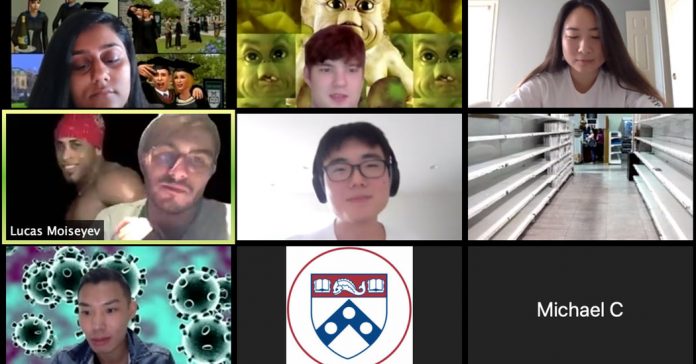
Overnight, Zoom has become a primary social platform for millions of people, a lot of them high school and college students, as those institutions move to online learning.

In this lesson, you will learn how, in a time of social distancing, Zoom is where we now work, go to school and party. In a Going Further activity, you will brainstorm ways that you can help less computer-literate members of your community learn how to successfully navigate the online world.

How has the coronavirus outbreak affected you, your family, school and community?

  • Are you and your family practicing any forms of social distancing, such as maintaining a distance between you and other people of at least six feet when you are in public; minimizing contact with people; limiting nonessential travel, working from home or skipping social gatherings?

  • How has the coronavirus affected your education? Has your school closed and moved to remote learning? If so, how effective has it been? What learning platforms are you using?

  • How are you staying connected to friends and family? How much of your life has moved online? What do you miss most about your social life before the coronavirus outbreak?

Read the article, then answer the following questions:

1. The article begins, “On Sunday afternoon, Eleanor Dolan celebrated her 17th birthday in Minnesota with 20 of her closest friends.” What was significant about Ms. Dolan’s birthday party? What does it illustrate about life during the coronavirus pandemic?

2. What is Zoom? What services does the company provide? And why has its iOS app become a top free download in Apple’s App Store?

3. How has Zoom been preparing for this moment since the new coronavirus began spreading in China in January? Why does Paul Condra, a technology analyst, believe that “this is a crisis tailor-made for Zoom”?

4. Why has Zoom caught on with Gen Z users? How have Gen Z’ers been adapting the platform for their own needs? Give three examples.

5. What changes to Zoom would younger users like to see, according to the article? If you currently use Zoom, what upgrades and features, if any, would you like to see?

6. What are some of the privacy concerns about Zoom, according to the article? Which, if any, concern you most?

7. The article concludes:

On Saturday night, Claire Tran, 22, hosted her first Zoom party after being holed up in her Washington, D.C., apartment for nearly a week. Twenty-one of her friends popped in throughout the four-hour event.

“Before we started the call I was like, this is cool, maybe we’ll do this once a month,” she said. “After it ended, I was like, I need this every weekend or I’ll go crazy.”

Have you ever participated in a Zoom party? Would you like to?

1) Share your opinion.

  • What in the article resonates with you most? How much did you live online before the coronavirus outbreak? How much of your life is online now?

  • Which learning apps and platforms do you use? Would you recommend any to other teenagers? Have you discovered any cool online activities, courses or tutorials you think others might enjoy — such as the daily “Lunch Doodles” with the children’s author Mo Willems or “Keeping a Notebook” by the children’s author and writing teacher Amy Ludwig VanDerwater?

  • What is the hardest part of moving your life online? How are you building and maintaining community during a time of isolation? What meaningful or creative non-computer-based activities have you been engaging in?

2) Create a meme for our moment.

The article describes the proliferation of social distancing memes to help make sense of and cope with these challenging times, including a Facebook group for young people trapped at home called Zoom Memes for Self Quaranteens,

Create a meme that illustrates how you are coping with social distancing. You might use a well-known meme or browse The Times’s coverage of the coronavirus to find an image that you can turn into one of your own.

3) Help someone — a family member, a teacher, an older adult — to better navigate the online world.

As work and school increasingly move online, many are left bewildered or frustrated. What can you do to help others who may be lacking in relevant computer, social media and online skills?

Reach out to friends, family members, teachers and neighbors and find out their online needs. Then, create a tutorial — a poster, YouTube video or something else — to help them master an essential online skill or tool. You might consider the following people as your audience:

  • Teachers who have never used an online learning platform and suddenly have to teach all of their classes this way.

  • A grandparent who is unsure how to use FaceTime to connect with family.

  • A parent who needs to work remotely but doesn’t know how to use Zoom.

COVID-19: The best resources for online teaching during coronavirus

0
COVID-19: The best resources for online teaching during coronavirus

Schools across the globe have already closed in the wake of the coronavirus pandemic – including those in the UK from Friday March 20th – and many more are expected to shutter over the next few weeks. 

As a result, teachers are suddenly faced with the challenge of how to continue their students’ education. While this might seem a daunting task, there are several ways teachers can utilise the technology and resources already available to support online learning and ensure students still receive a quality education. 

It’s important to note that there is no one size fits all when it comes to learning. Different groups have different priorities and the resources that should be used are context-dependent. There are also special considerations to think about for students with Special Educational Needs and Disabilities (SEND), and for students who might not have access to high-speed broadband.

However, teachers should take some comfort in the fact that there are hundreds of online resources to guide them as to how to teach online. We have rounded up some of the best here to help ease the transition from the classroom to the web.

Taking a step back

The main piece of advice to educators is to take a step back and focus on what matters most. This means that prioritising the creation of an open and clear channel of communication with both students and parents is an essential first step. 

As an initial resource, Mark Anderson, ICT Evangelist, has created this useful infographic to help teachers think about the first steps that need to be put in place during a potential school closure, to guide key decision making during the process:

This infographic is a great resource for teachers as it encourages them to take that step back and calmly plan and prepare for teaching online. The ISC Digital Strategy Group and Edtech UK have also published a Developing Digital Leadership Bulletin which includes advice and practical steps for schools in the event of closures.

Delivery and technology 

If your school needs to close down, there are several ways to move content and lessons online.

Many schools already use Microsoft Systems such as Office 365 or Google Apps such as Google Classroom, both of which are free for educational settings and can be downloaded or set up to use quickly and easily. Schools that already use these systems do not need to rush to new technology. In fact, now is the time to keep things simple and utilise the tools already embedded in your school. 

In light of the coronavirus, companies such as Microsoft and Google have opened up the availability of their remote learning tools to schools and are offering support to teachers and students to help them use their resources. 

Independent Thinking suggests that schools should consider remote learning via technology for students in Key Stage 2 and above. For those learners in Early Years and Key Stage 1, it is more appropriate to have a system in place to share learning activities and resources with parents. 

Engagement 

One of the biggest concerns for teachers is how they will continue to engage students and keep an eye on their progress from afar.

Fortunately, there are free online resources available from a number of organisations, including the British Council and BBC Bitesize, that offer interactive activities for students of all ages, to keep their brains active while also testing their ability. 

Additionally, online learning platform Sumdog offers a number of fun and challenging maths and literacy games for children aged 4-11. Through Sumdog, teachers can set homework challenges and track children’s progress. Also useful are websites for younger audiences, parents, and teachers to find homework and independent learning resources such as Primary Homework Help.

For older students, Seneca Learning provides free materials for students taking their GCSEs or A-Levels. Teachers can also utilise Microsoft Forms and Google Forms to create their own quizzes and test students. EdFuturists is sharing useful videos for teachers on its Twitter page on how to create engaging activities for students using Google Apps. 

Safeguarding 

With this increased focus on digital learning, more young people will be accessing content online. Therefore, the biggest priority for both teachers and parents is keeping students safe. One forward-thinking deputy headteacher from Dubai created an infographic with some great safeguarding questions schools should ask as they move to distance learning. 

National Online Safety also offers a free comprehensive guide on online safety tips for children which is well worth the read for both parents and teachers. The guide encourages teachers to be clear with learners and parents about how to interact online and recommends that teachers create consent forms that are shared with parents, particularly in the case of younger children. 

Offline options 

Something else for teachers to consider is that not all students have access to devices or even an internet connection. With this in mind, we would encourage schools to offer support, where feasible, with loans and access to technology. 

However, screen time for the entire length of the school day is neither stimulating nor healthy. In the case of younger children, World Health Organisation guidance says those aged 3-4 should only spend a maximum of an hour at a time in front of a screen. Pobble has created 25 ideas for non-screen activities for primary school children that can be done at home. 

Useful resources for parents 

Parents will be equally as concerned as teachers about school closures, and those with younger children will have a greater responsibility to help with keeping their studies up. 

To help parents with this, Twinkl, the online educational publishing house, has created a School Closure Home Learning Pack for parents of primary school children to help them maintain children’s learning during the coronavirus outbreak. 

Twinkl also has a Parents Hub that has a number of different guides designed for parents to support them with different curricular areas. Additionally, the School Closures website provides information for families during COVID-19 regarding school closures and even has a hotline that parents can call for more information or advice. 

There are several benefits to online learning and with the right knowledge, teachers and parents can embrace these possibilities.


If you want to join a community of teachers who are all finding their way forward and providing continuity for their students you can join FutureLearn’s newly-launched How To Teach Online: Providing Continuity for Students course, designed to connect teachers to one another to share, reuse and remix student-centred lesson plans through these challenging times.

You can browse all of our courses related to online teaching here.


Category Coronavirus, Current Issues

COVID-19: Free coronavirus course for front-line health professionals

0
COVID-19: Free coronavirus course for front-line health professionals

Health services around the world are straining to prepare their health systems and infrastructure for the impact of the coronavirus pandemic. 

Whilst the final impact of the outbreak cannot be predicted, the unprecedented influx of critical care patients expected to hit hospitals globally means healthcare professionals and services are scrambling to respond. 

St George’s University of London has created an online course, Managing COVID-19 in General Practice, specifically designed for front-line clinicians, healthcare workers and professionals who are or will be caring for the large volume of patients during the COVID-19 pandemic.

Those who join the course will be able to access up-to-date advice on keeping their primary care practice running safely.

The course outlines the epidemiology, clinical symptoms, and current management of COVID-19 as it stands and will follow the evolving situation in the UK.

Participants will learn how to complete a safe assessment of a suspected COVID-19 case and discover the best protocol to protect themselves and others going forward.

The course will be relevant to healthcare professionals around the globe but will be based around the evolving guidance of UK public health bodies.

The free course will be led by experts from St George’s University of London, including professor of general practice Pippa Oakeshott, academic clinical fellow in primary care Mohammad Razai, and paediatric infectious diseases and epidemiologist consultant Shamez Ladhani. 

With the amount of news and advice emerging on Covid-19 increasing every day, a factual, professional, up-to-date guide for healthcare responders is vital.

Dr Mohammad Razai explained that this course, “will take participants through the most useful and up-to-date research and guidance”. 

Dr Mohammad said that the university’s aim is to support professionals to take a “concise, practical and, where possible, evidence-based approach to dealing with Covid-19 in primary care.”

Teaching for Managing COVID-19 in General Practice starts 6 April. The course will run for two weeks and will require around 2 hours of study per week. 

At FutureLearn, we’re committed to supporting the public in any way we can slow and defeat the spread of this disease. 

As our Global Healthcare Lead, Helen Fuller, puts it, “Supporting those working within the NHS at this difficult and testing time is imperative”.

Our expert partners are working to ensure healthcare professionals have the necessary information and guidance they need to best treat patients whilst reducing the risks to themselves.

Join today.


Explore more commentary on coronavirus.

Learn the facts of the disease, and how to compares to other outbreaks. Discover how it’s affecting the sporting schedule, and its impact on the environment and the economy.

Category Coronavirus, Current Issues

Digest #142 (COVID-19 Edition): Online Teaching and Learning Resources

0
Digest #142 (COVID-19 Edition): Online Teaching and Learning Resources

In today’s digest, we would like to provide resources for teachers, students, and parents during the challenging COVID-19 quarantine. Learning and teaching is still going on, but mostly shifted online. In the past few days, we have all probably come across different resources to support this online learning experience and we thought it would be helpful to feature some of these here. If you come across a resource you want to share with us and our community, please feel free to do so here. We will collect all additional suggestions in this speadsheet. Thanks and stay healthy.

What’s Going On in This Graph? | March 25, 2020

0
What’s Going On in This Graph? | March 25, 2020

This graph shows a possible model for the number of coronavirus cases over time, with and without protective measures including social distancing. It appeared elsewhere in The New York Times.

By Friday morning, March 26, we will provide the “Reveal” — the graph’s free online link, additional background and questions, shout outs highlighting student comments and headlines, and Stat Nuggets.

After looking closely at the graph above (or at this full-size image), think about these three questions:

  • What do you notice? If you make a claim, tell us what you noticed that supports your claim.

  • What do you wonder? What are you curious about that comes from what you notice in the graph?

The questions are intended to build on one another, so try to answer them in order. Start with “I notice,” then “I wonder,” and end with a catchy headline.

2. Next, join the conversation by clicking on the comment button and posting in the box that opens on the right. (Students 13 and older are invited to comment online. Teachers of younger students are welcome to post what their students say.)

3. After you have posted, read what others have said, then respond to someone else by posting a comment. Use the “Reply” button or the @ symbol to address that student directly.

On Wednesday, March 25, our collaborator, the American Statistical Association, will facilitate this discussion from 9 a.m. to 2 p.m. Eastern time to help students’ understanding go deeper. You might use their responses as models for your own.

4. By Friday morning, March 26, we will reveal more information about the graph at the bottom of this post. Students, we encourage you to post an additional comment after reading the reveal. How does the original article and the moderators’ comments help you see the graph differently? Try to incorporate the statistical terms defined in the Stat Nuggets in your response.


  • Read our 2019-20 introductory post, which includes the archives of past releases by topic and graph type.

  • Learn more about the “Notice and Wonder” teaching strategy and how and why other teachers are using this feature from our on-demand webinar.

  • Sign up for our free weekly newsletter so you never miss a graph, and add our 2019-20 “What’s Going On in This Graph?” live-moderated discussion Wednesdays to your Google calendar (3/25, 4/1, 4/8). Graphs are always released by the Friday before to give teachers time to plan ahead.

  • Go to the A.S.A. K-12 website, which includes This is Statistics, resources, professional development, student competitions, curriculum, courses and careers.

Mascot

0
Mascot

What is your school’s mascot? Do you think it represents your school well?

Imagine you have the chance to select a new mascot for your school. What would you choose? Why would you choose it? How would this mascot be representative of the spirit, values, population or geography of your school?

Tell us in the comments, then read the related article to learn more about Blue IV, Butler University’s mascot in training.


Find many more ways to use our Picture Prompt feature in this lesson plan. You can find all our Picture Prompts in this column.

Word + Quiz: spurious

0
Word + Quiz: spurious

1. plausible but false

2. intended to deceive

3. born out of wedlock

_________

The word spurious has appeared in 40 articles on NYTimes.com in the past year, including on Feb. 27 in the theater review “In London, Contemporary Anxieties Take the Stage” by Matt Wolf:

Telling of a surveillance state in which our every move is monitored, the careering narrative devolves into a nasty revenge drama, by which point you’ve lost sympathy for both the hotshot intelligence expert Neil (Oliver Johnstone) and the emotionally damaged journalist, Cora (Rona Morison), on whom he alights first professionally and then romantically. She, for her part, gives scant respect to professional benchmarks like fact-checking and attribution.

It’s a measure of clunky dramaturgy when a play resorts to lapsing into direct address for no other reason but to impart information or gain a spurious relevance. At one point, we’re given a vivid recapitulation of recent terror attacks in London that only distracts from the tortured courtship at the play’s core. The play takes its title, you guessed it, from the proverbial image of a needle in a haystack, but at a running time of nearly three hours, “The Haystack” is at least one bale too many. Compression, not to mention more logical plotting, would seem to be the noninvasive remedy here.

_________

Lesson of the Day: ‘On the Trail of America’s First Women to Vote’

0
Lesson of the Day: ‘On the Trail of America’s First Women to Vote’

Find all our Lessons of the Day here.

Featured Article: “On the Trail of America’s First Women to Vote” by Jennifer Schuessler

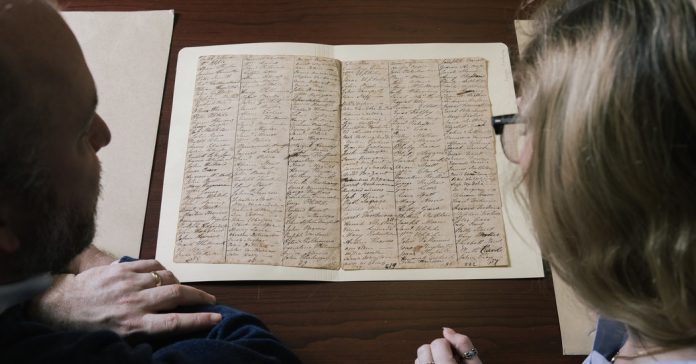
The year 2020 marks 100 years since the United States signed women’s suffrage into law with the 19th Amendment. In the featured article, you will learn about a time in early American history when women and free black people were allowed to vote in New Jersey. Then, you will engage in your own analysis of the historical events discussed in the article, or research the history of suffrage in your area using both primary and secondary sources.

What do you know about women’s suffrage? Where does your knowledge come from? When you think about women’s suffrage, do you picture a particular time period, key figures or narrative?

What is your reaction to hearing that women and free black people had the right to vote in the late 1700s in New Jersey? Is that information surprising? What more do you want to know about that history?

If it is helpful, you can record your thoughts on this K/W/L chart or discuss it with your classmates.

Teachers: If your students have limited background knowledge on women’s suffrage, we recommend watching this History Channel video:

As you watch, note what you are learning, and also your questions, in your K/W/L chart.

Read the article, then answer the following questions:

1. What is significant about the “New Jersey exception”? What different beliefs and theories do historians have as to the significance of that exception?

2. Philip Mead, the chief historian at the Museum of the American Revolution in Philadelphia, said that period of time was the “American democratic system in its primordial ooze.” What does Mr. Mead mean? What have you learned about the American Revolution that supports his statement?

3. How did New Jersey’s first state constitution and a subsequent 1797 statute allow women and free black people to vote? What are some of the things that are unique about the language used?

4. Have you ever conducted genealogy research or worked with primary sources? Why do you think it was so hard for researchers to find “hard evidence” of women who had voted in New Jersey in that time period?

5. The article states that the voter lists are not unusual, which Jane Kamensky, a historian at Harvard, thinks is significant. What conclusion does Dr. Kamensky draw about the women who were voting?

6. What are some of the different speculations that researchers have as to why women often voted together in groups? Do you agree with any of their theories, or do you have other speculations?

7. According to the article, what were some of the events that eventually led to the 1807 New Jersey law excluding women and black people from voting? Do you agree or disagree with Dr. Mead’s concluding statement, saying, “This is a story both about what we might have been, and about who we’ve become”?

The article demonstrates how historians and researchers must employ speculation to understand moments in history that have limited primary sources or documentation. Read the article again and highlight different instances when multiple historians present different perspectives about how or why something happened in the past.

An example of this from the article is, “the debate over whether the New Jersey story is a grim tale of rollback, or an inspiring first chapter of the struggle for women’s suffrage that began in earnest a half-century later.”

Now, employ some of your own speculative thought or supposition. What do you think? Do you believe that the history of suffrage in New Jersey shows regression in women’s rights, or does it emphasize that those struggles began earlier than most people think?

As you defend your position, be sure to use examples from the article to support your case. You should also use background knowledge that you have about the time period, about later examples of women’s suffrage or about women voting in other states or countries.

You can engage in a classroom discussion, or share your response with others in the comments section.

Begin to do some of your own research about women’s suffrage. You can focus your research on one of the two following tracks:

Local Suffrage: What do you know about the history of women’s suffrage in your state or country? Do you know when women legally got the right to vote? What do you know about the activism and organizing that led to their enfranchisement?

Intersectionality and Suffrage: Intersectionality is defined by the Times writer, Alina Tugend, as “the complex and cumulative way different forms of discrimination like racism, sexism and classism overlap and affect people.” How did intersectional identities affect who was given the right to vote in your state or country? Whose stories do you hear most often when learning about women’s suffrage? Were people of color included in your region’s history of suffrage?

To support your research, you may want to explore these sources:

Two March 18 Webinars: Quick Tips on Using Our Most Popular Features for Remote Learning

0
Two March 18 Webinars: Quick Tips on Using Our Most Popular Features for Remote Learning

Update: March 18:

We are using this post during today’s webinar to help people new to our site learn how to comment. Below, the question we’ll be asking listeners. If you need instructions on how to register and post comments beyond what we will share on the webinar, please consult this post.

Question for webinar participants: What has been helpful to you over the last several days and weeks in thinking about how to teach and learn from home?

You can include anything at all, whether reassuring advice or ideas from your friends, family, school, students or colleagues; websites or articles with useful information; social media posts that resonated; or just your own thinking as it has evolved since this crisis began.


Whether you are a teacher, a parent, or a student who is at least 13 years old, this webinar will help you get started in using The Learning Network’s free resources for remote learning. Select a time that works best for you and come with questions. We can’t wait to meet you.

We’ll be focusing on our writing prompts and our “What’s Going On in This Picture?” features, and we’ll walk you through how to sign on and use each of them — and explain how they can work flexibly for a variety of kinds of learners. And if you miss the webinar, don’t worry: It will be recorded, and we’ll post the link here.

If you would like to submit questions to us in advance, write to us at LNFeedback@nytimes.com. And bookmark this page, because we’ll be using it live during the webinar to demonstrate how to sign in to our site and comment.

Finally, if you’d like a bit more help, we’ve created this guide to show teachers, parents and students how to get started on their own.

How to choose a career

0
How to choose a career

Whether you’re young and at school, you’ve recently graduated, or you’ve been in the same job for some time, there’s the chance you haven’t quite yet got to where you want to be in terms of having your dream job. 

The issue for many is either how to get to their final destination, or perhaps even not knowing what their ideal career looks like.

This article lays out some of the questions you need to answer and the hurdles you need to cross before choosing your perfect career.


What would you love to do if money wasn’t a barrier?

Although this isn’t going to be the question that puts the entire issue to bed, working out what your dream job is, regardless of money, is a great step to finding out what exactly you want to do. 

Even if not the perfect guide to the job you’re likely to take, this is a quick and easy method of eliminating some types of work that you would entirely avoid if given the opportunity. Whilst a “money is no object” thought experiment won’t resolve the problem, it narrows it down to a smaller list of solutions that you can use to identify your next career move.

How can you make money and do something you love?

Once you have a shortlist of things you’d like to do from the above question, you can further narrow down your career options by seeing which of them could realistically provide you with a living in the near-term future. 

There might be some roles that require you to work voluntarily rather than as a paid position, and, whilst you might enjoy the role, they won’t help you pay the bills. 

By taking into account the monetary factor, you can work out what career gives you the chance to do what you love and live comfortably without having to worry about your cost of living.

What sort of environment are you comfortable working in?

If you’re really ill-suited to working in an office environment or wouldn’t enjoy working from home, you’ll need to factor this into your decision. Although it can be difficult to find a job that also allows you to work where you want, working in the wrong environment can have detrimental effects, including work-related stress. 

Working in the wrong environment, even in what you consider to be a dream job, could be harmful to your mental health, and even make you dislike your passion.

What’s stopping you from changing career now?

When you’re moving from one career to another, there are always going to be some bumps in the road. 

For some, this comes in the form of a sparse CV. In other cases, there’s a skills gap that needs to be filled in order to do the job right in the case that you do change careers. 

In both cases, or any others you might come across, if you don’t make sure that these roadblocks are out of the way, then moving to your dream job could prove to be impossible. Training in cutting-edge areas, boosting your CV and your skillset in the process, could be a big jump along the path to job satisfaction.

What is my first step to a new career?

To start moving towards your new career, you’ll need to make sure you have the skills to do the job. FutureLearn can provide you with the courses and training you need to get up to speed.

We use a variety of online learning modules, including free short courses, to improve your skills level and prepare individuals for the role of their dreams. All our courses are 100% online, which means you can retrain in your own time, at your own pace, with a global community of learners.

If you still don’t know what your dream career looks like, explore FutureLearn’s Career Mapper. This uses a series of detailed questions to help you narrow down what exactly you want your career to look like – starting today.