
Where do you draw the line between pushing yourself to do better and being overly self-critical?
Word of the Day: protagonist
This word has appeared in 517 articles on NYTimes.com in the past year. Can you use it in a sentence?
Free November 2025 Wallpaper – Pumpkin Spice


Free November 2025 wallpaper is here!
Happy November! This month is all about the deep, golden tones of late autumn. Our new wallpaper features a classic harvest scene, with warm sunlight streaming through the forest to illuminate a pair of perfect pumpkins. It’s the visual definition of cozy, and it’s here to brighten your desktops, tablets, and phones all month long.
Your November Free Wallpaper Package Includes:
- Standard Wallpaper
- Calendar Wallpaper
- Quote Wallpaper
Available in multiple sizes to fit your phone, tablet, and desktop. As an added bonus, I’ve included a social media-ready image featuring graphics from this month’s wallpaper and quote.
The Scent of the Season
This month’s featured text is a short, sweet phrase that instantly evokes the coziest feelings of the season. It’s the perfect summary for our wallpaper! The glowing pumpkins are the clear star of the show, while the “everything nice” is captured in that magical, sun-drenched forest light and the rich, warm-toned leaves. It’s a simple sentiment that perfectly matches the warm, comforting, and quintessentially autumn atmosphere of this month’s design.

Pumplin spice & everything nice
P.S. This image is included as a larger file in the download package below! Feel free to post it on your Instagram or Facebook.
What’s included?

Looking for more? Check our previous wallpapers!
With the free download, you get three different desktop options: one with a calendar, a plain one (without any text), and another with a quote. Additionally, there’s a wallpaper available for tablets and three phone options. You’ll also find a social media-ready size that features this month’s quote.
Free November 2025 Wallpaper download includes the following:
- Desktop wallpaper x3 (plain, with the calendar, and with a quote)
- Phone wallpaper x3 (plain, with the calendar and with a quote)
- Tablet wallpaper
- Instagram/Facebook ready quote

FOR PERSONAL USE ONLY.
NOTE: This wallpaper is available as a free download through November 30, 2025 only. After that, a $5 download fee applies.
Looking for more?
Browse all wallpapers from this series.
Design Your Digital Success
Just like a great wallpaper transforms a room, a stunning design can elevate your website or blog. A fresh, visually appealing look captures attention and keeps visitors engaged. Take a look at the designs below to find the perfect one to enhance your online presence!
Blogger templates
WordPress Themes
Your voice matters!
If you have your favorite quotes or lyrics and would like them to appear on the next free wallpaper, make sure to post them in the comments below or send us your ideas via email.
Enjoy!
Related posts:
Top 48 Learning Systems for 2025 Rankings

There is often a misnomer that being a learning system must mean only an LMS.
The reality is quite different.
The term Learning Systems is an umbrella term for numerous different types of systems that offer online learning/training, whether for employees, customers/partners/distributors/B2B or direct B2C, a combination of the two, associations, and so forth.
I list the following types of systems, because the fact is a vendor can call themselves whatever they want; however, they will slide into one of these categories
- LMS
- Talent Development Platform/System
- Learning Platform
- Knowledge Management
A vendor may say “skills-only.” That means a learning platform. Employee development or workforce development – either a learning platform or Talent Dev System.
AI-powered system – first, it is just marketing spin, but it could be a learning platform, LMS, KM, or TDS.
The list here includes all types of these systems. If a vendor says we are an LXP or have an LXP as a component, then they would slide under a learning platform, or an LMS. The combo piece is LMS, honestly, the direct LXP is a learning platform.
A vendor may say we are an LCMS – Learning Content Management System. Congrats, you are a learning platform.
I initially put a list together of 725 systems that aligned to various factors for consideration. From there, the list dropped to 250, 100, 89, 50 and well, 48.
These vendors noted below, in case of those curious, are up for “best in class” awards for 2025, Top 20, Top 10, and so on list for 2025.
Vendors who excel in learning technology are not on this list, but if they are best in class, then they are presented under Best in Class. Ditto for content provider.
A few house items, as they say
A vendor does not have to be in FindAnLMS (my learning system marketplace) to be considered for the top 48 or any of my lists. It has no bearing. As always mentioned, our goal is to have the best in the world there, and we strive for that. Nevertheless, I recognize that there are vendors who will demur—that is always their choice.
- A bonus to this year’s list, will be published below – I want to make it clear that those vendors who declined to be part of this program, that are in the Top 48, have no bearing on their final ranking. I just created this program for another reason(s), and thought it would be cool to have vendors involved if they so choose to.
As with anything, there is NEVER any pay for play here.
With the Bonus Program below, There is NO affiliate, referral, financial, or pay-for-play for the discounts to me. ZERO. I’m not making any money here – that isn’t the goal of the program. And if a vendor who is not on the Top 48 list wishes to be part of the program, they can by emailing me here.
The Twist – Bonus Program Time
Due to the current economic climate, significant challenges have arisen across the industry, characterized by organizational restructuring, workforce reductions, and budget constraints affecting Learning & Development, Training, and Human Resources departments.
In recognition of these circumstances, I have reached/and reaching out to the Top 47 vendors to establish this program that acknowledges these market realities.
The vendors have a choice to either offer a 15% (fifteen percent) discount on a three-year deal OR 20% off setup fees or decline to be involved in the program.
You will see a PROMO CODE below – you must use this PROMO CODE – when talking to any vendor who says they are in the program (see list below from Top 47) – which will indicate what type of discount they are offering.
Vendors not in the Top 47, and/or not a learning system, still are available to participate. They can contact me here.
The Promo Code
TWCG – Again, TWCG.
This is applicable when talking to a salesperson, if you say you are at DevLearn, or when talking on the phone or reaching out by e-mail.
If you run into this, contact me via email, with your information – name, email, phone, title, company, and I will reach out directly to the CRO/head of sales or my Point of Contact – senior exec – in some cases the CEO, and they will assist you – since they are aware and agreed to the process.
IMPORTANT – READ-FOR PROMO CODE INFO –
You will be provided with a promo code when you talk to the vendors; their salespeople will be aware of this. If you do not provide the promo code, there is no discount.
Additional FAQ on the Program Inititave – For the 48, and any other vendor – who wants to be part of this program, even if they are not a learning system, but are in e-learning.
Will this list be updated – i.e., the vendors on board?
Yes.
A comprehensive list of participating vendors will be maintained, including their specific discount offerings for sales engagement.
This directory will receive regular updates to reflect new participants and changes in vendor status. Updates will be made on a weekly basis. For folks reading this (i.e., not today – this post went out on Oct. 31st, 2025 – The PDF version available for download is Nov. 4th, 2025)
How do I know if the vendor has joined the program?
Next to their name, you will see the Response (Awaiting – which means we are awaiting a response/they are still being contacted, Yes – they are offering a discount, which you will see after the “Yes”; No – they declined to participate in the program).
Vendors, again, are under no obligation to be involved.
Any vendor who isn’t a learning 48 List.
The #1 vendor for content for 2025, for example, is under this section. Others I reached out to, awaiting a response.
The Top 48 List
Why 48?
Why not. I am an out of the box thinker – let’s go!
- It is in alphabetical order
- If the vendor has already been recognized as “Best in Class,” this will also be noted. The only one is “Best in Class” for “Compliance Training” as a learning system. You will see why in my Best in Class post, which debuts the first week of December.
- If the vendor is in FindAnLMS – i.e., they have an active listing, you will see (FAL). You can check them out there.
- For those curious of where I see the vendor under what type of learning system – you can find it on the document, simply because I wanted to refrain from having all these acronyms following to the system, especially those combo players i.e. employees and customers too – combo systems always skew one way, even if, that skew is the wrong way – based on percentage of their audience – yes, it’s weird. There are vendors – any talent development system that is for employees. And yes, vendors who are strictly customer training/partner/distributors, B2B, including associations, which I list as Customer-First. Oh, yeah, I see vendors in this latter category having more focused feature sets, as if they are employee-driven. Again, weird.
Final Note – It is extremely common to have a three-year contract when purchasing any learning system. I always recommend a three-year term, then you can renew if you choose. One year doesn’t give you enough time, and two years is a slow build. Three years is the average time for mass usage without forcing someone into assigned learning only.
The 48 – Let’s Begin (again in Alpha Order)
- Absorb LMS (FAL) (Combo) – LMS (Learning Suite). Awaiting Response
- Access Learning LMS Evo (L&D) – LMS. Awaiting Response.
- Acorn PLMS (FAL)(L&D) – Talent Dev System (I know they call themselves something else). Awaiting Response.
- Ansr TMS (L&D) – Training Management System – This is all about Training Scheduling at the hardcore level, a new entrant competitor against Training Orchestra. Awaiting Response.
- Archipel (FAL). (L&D) – Learning Platform. Awaiting Response.
- Ardoise (L&D) – Knowledge Management Platform that truly is 100% AI-driven. Response – Yes. 20% discount on setup fees (three-year deal). Brand new to the industry.
- Auzmor (L&D) – LMS. Awaiting Response
- Axonify (LD) – Learning Platform. Frontline Workers. Awaiting Response.
- Bealink (FAL) (L&D) – LMS (Learning Suite Options). Awaiting Response.
- BizLMS with Skills (FAL) (L&D). Response – Yes. 15% discount on a three-year deal.
- Blossom (FAL) (L&D). Awaiting Response.
- Capacity (L&D). Knowledge Management System. Best in Class Knowledge Management Platform for 2025. Response – Yes. 15% off a three-year deal.
- Centrical (L&D). LMS. Awaiting Response.
- Chronus (L&D). Mentoring Platform. Response – No.
- Clear Company (L&D). Talent Development System. Awaiting Response.
- Cornerstone Learn (FAL) (L&D). Talent Development System. Response – Yes. 15% discount on a three-year deal.
- Docebo (FAL) (Combo). LMS. Response – Yes. 15% discount on a three-year deal.
- D2L (FAL) (Combo) Learning Platform. Awaiting Response.
- Dispirz (L&D) – Learning Platform – LMS with Knowledge Management. Awaiting Response.
- eloomi (FAL) (L&D) – LMS. Awaiting Response.
- Enabley (FAL) – (L&D) – LMS. Frontline/Deskless Workers. Awaiting Response.
- eNet Enterprise (FAL) (L&D). LMS for Enterprise. Awaiting Response
- Eurekos (FAL) (Customer/Partner Training). Response – Yes. 20% discount on setup fees.
- ExpertusOne (L&D). LMS. Response – Yes. 15% discount on a three-year deal.
- Fuse
- Glean (L&D). Knowledge Management. Awaiting Response.
- Gyrus Aim (L&D). LMS for Compliance Training. Response – Yes. 15% discount on a three-year deal.
- HALIGHT (FAL). (Customer Training/Partner Training). Response – Yes. 15% discount on a three-year deal.
- IMC Learning Suite. (L&D). LMS. Awaiting Response.
- Learn Amp. (FAL) (L&D). Talent Development System (Refers to itself as Employee Development Platform. Response – Yes. 15% discount on a three-year deal (LearnAmp was #1 Learning System for 2024)
- LearnUpon (FAL) (Combo). LMS. Awaiting Response
- Joggle Learning – (L&D). Knowledge Management. Awaiting Response.
- JoySuite by Neovation – (L&D). LMS. Response – Yes. 15% discount on a three-year deal. – “Best in Class – New Learning System of the Year 2025.”
- Meridian KS (Customer/Partner Training) LMS. Awaiting Response
- MentorPlace (L&D) – Learning Platform – Mentoring only. Awaiting Response
- NetExam (FAL) (Partner and Customer Training). LMS. Response – Yes. 15% discount on a three-year deal.
- NovoEd. (L&D) Talent Development System/Platform (Learn+, Practice+, Mentor+) Response – No.
- Opus (L&D). LMS – Frontline Workers (aka Deskless Workers). Awaiting Response.
- Skillable (L&D). Learning Platform – IT Skills and Virtual Labs. Awaiting Response
- SkillJar by Gainsight. (Customer/Partner Training – some vendors refer to this as Customer Learning or Customer Education – it’s just semantics) (LMS). Awaiting Response
- simpleclub (Combo – skews towards employees) (LMS). Awaiting Response.
- skillcycle (L&D). Talent Development System. Awaiting Response
- SparkLearn (FAL) (L&D). LMS – Frontline Workers. Response – Yes. 15% discount on a three-year deal.
- Pluralsight (L&D). Learning Platform for IT Skills – includes virtual labs. Awaiting Response.
- talstack (L&D). Learning Platform. Awaiting Response
- Thought Industries. (Customer Training/Partner Training). Response – Yes. 15% discount on a three-year deal.
- Training Orchestra (FAL) (L&D) – Training Management System. Awaiting Response.
- Valamis (FAL) (Combo, skews employees). Learning Platform. Awaiting Response.
Content Provider
- Intellezy – #1 3rd party content provider for 2025. Outstanding AI content not just for tech skills first focus. Constantly updates. Big fan. 25% discount off of the content library (three-year deal required).
Bottom Line
There you go – The Top 47. I continue to reach out to vendors to be part of the program, and thus if you see your vendor is not in the program, but wants to be – have them reach out.
If you are on the 47 list and haven’t heard. Please note we are still reaching out.
In other words, you will.
E-Learning 24/7
Basketball Season
What players, teams and story lines are you excited about?
Can I Add Alison Certificates to My LinkedIn Profile?
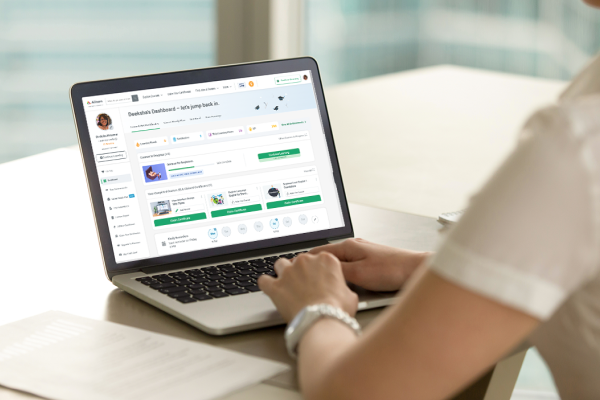
If you’ve completed an Alison course, you may be wondering if you can add it to your LinkedIn profile. The short answer? Yes, you can – and you absolutely should.
Including your Alison courses and Certificates on LinkedIn is a smart and simple way to showcase your skills, highlight your dedication to continuous learning, and catch the attention of potential employers or recruiters. In today’s competitive job market, demonstrating that you’re actively developing your knowledge and staying up to date can make a real difference.
In this article, we’ll show you how to add your Alison course to LinkedIn and explain why it’s a valuable addition to your professional profile.
Why Adding Alison Certificates to LinkedIn Matters
1. Employers and Recruiters Check LinkedIn Credentials
LinkedIn, among other social media platforms, is one of the first places recruiters go when researching candidates. They regularly check profiles to verify qualifications and micro-credentials. In fact, according to a study done by UK recruitment agency Robert Walters, 64% of employers have viewed applicants’ social profiles at some point during the hiring process. But it’s not only to see if you have the right skills for the job, recruiters also look at candidates’ social media profiles to see if they would be a good culture fit or not.
Adding your Alison course or Certificate to LinkedIn makes your learning visible and credible – helping you stand out and be taken seriously for the roles you want.
2. Certificates Demonstrate Continuous Learning
The talent pool is big – and it’s only getting bigger. So how do you stand out? One way is by showing that you’re actively learning and growing. Completing online courses proves you’re committed to developing your skills. And when you add them to your profile, it signals to employers that you’re serious about your career and know how to stay relevant at work.
3. Using A Trusted Online Platform Demonstrates To Employers That Your Certificate Holds Value
At Alison, every course undergoes a rigorous development process and is approved by CPD UK, a globally recognised body for continuing professional development. This means our courses meet high standards and offer real-world relevance across a wide range of subjects.
Adding an Alison Certificate to your LinkedIn profile highlights not only your dedication to learning but also the credibility of the platform behind your achievements. With over 10 million Graduates and Learners in 193 countries, Alison is recognised worldwide as a leader in free online education.
➡️ Gain skills recruiters are actually looking for. Choose from thousands of free online courses, learn in-demand skills and showcase your expertise on LinkedIn.
Step-by-Step Guide: How to Add Alison Certificates to LinkedIn
Once you have completed your course, you can easily add your Alison Certificate directly to your LinkedIn profile. Here’s how:
- Go to the Your Completed Courses & Claimed Certificates section on your Dashboard.
- Find the course you want to add to your LinkedIn profile
- Click on the three dots in the top right corner
- Click Add to LinkedIn Profile. This will open your LinkedIn profile, where a form with prepopulated details will appear.
- Review the details and click on Save
 Where to Showcase Alison Certificates on LinkedIn
1. Licenses & Certifications Section (Recommended)
This is the best place to showcase your Alison Certificates, as it’s where recruiters and employers expect to find verified credentials. Adding your certificate here makes it easy to spot and adds credibility to your profile.
2. About Section (To Highlight Major Achievements)
The “About” section is a great place to summarise your qualifications and micro-credentials, as well as highlight any significant achievements. If you’ve completed a course on Alison, you can briefly mention it here, adding a personal touch to your profile.
3. Featured Section (Link to Alison Certificate URL)
If you want to make your Alison Certificate stand out even more, consider adding it to the “Featured” section of your LinkedIn profile. You can upload the official PDF copy of your Certificate or provide a direct link to your Alison certification.
4. Experience or Skills Sections (When Directly Relevant to a Job)
If your Alison course is directly related to your current or previous job role, mention it in the “Experience” or “Skills” sections. You can link your Certificate to relevant job descriptions, making your LinkedIn profile more cohesive and comprehensive.
Best Practices for Making Alison Certificates Stand Out
Here are a few tips to ensure your Alison Certificates get noticed on LinkedIn:
1. Add Keywords in Your LinkedIn Headline
Use your headline to highlight what you’ve learned. For example: “Digital Marketing | Completed Online Training with Alison”. It’s a simple way to show commitment to growth and attract the right attention.
2. Be Specific with Course Titles
When adding your Alison Certificate or course, be sure to use the exact title. This makes it easier for people to understand your skill set at a glance.
3. Showcase Courses That Support Your Career Goals
Focus on adding Alison courses and Certificates that reflect the direction you want to grow in. These might be directly related to your target job, or they could show transferable skills that are valued in any workplace, such as leadership skills, digital literacy, or problem-solving. The key is to highlight learning that adds depth to your profile and supports your professional growth.
Add Your Certificate and Boost Your Eligibility
Adding Alison Certificates to LinkedIn is a great way to boost your profile. Not only does it increase your visibility and credibility, but it also highlights your commitment to continuous learning and professional growth. By following the simple steps above, you can effectively showcase your Alison achievements and attract potential employers or clients.
Take a free course with Alison, add it to your LinkedIn profile, and show employers you’re serious about your career. It’s a small step that could lead to your next big opportunity.x
Word of the Day: felicitous
This word has appeared in eight articles on NYTimes.com in the past year. Can you use it in a sentence?
Writing Prompt: How Scary Should Halloween Be?
Smiling jack-o’-lanterns and spooky ghosts are being upstaged by towering skeletons and dismembered bodies. Are you a fan of the trend toward bigger and scarier?
What’s Going On in This Graph? | Nov. 5, 2025
What do you notice about how much it costs the U.S. government to make a penny, nickel, dime and quarter? What questions does this graph raise for you?
What’s Going On in This Picture? | Nov. 3, 2025
Look closely at this image, stripped of its caption, and join the moderated conversation about what you and other students see.
