I’m excited to announce today the expansion of our Enterprise leadership team, a key step in accelerating our efforts to better serve institutions worldwide.
Karine Allouche is joining Coursera as Vice President and General Manager of Enterprise.Karine, based in France, brings over 20 years of international experience in the technology sector, managing diverse and distributed teams. She recently served as Vice President of Cloud and Data Services at NetApp and, before that, as the CEO of GlobalEnglish. Earlier in her career, Karine led Pearson English Business Solutions and had stints at Oracle and Microsoft. Her commitment to our mission and experience in leading public companies through rapid growth will be invaluable in shaping our next chapter and delivering more value to our institutional customers.
Nikolaz Foucaud is joining as our new Managing Director, for Europe, Middle East, and Africa (EMEA) Enterprise. Nikolaz, based in London, will lead EMEA through its next phase of growth. He recently served as EMEA Cloud and Partner Lead at NetApp, following a nearly 20-year stint at Microsoft where he scaled the company’s EMEA operations. Nikolaz will play a key role in shaping our investment and efforts in EMEA, a crucial region for Coursera with over 35 million learners and 2,000 institutions.
At Coursera, our customers are spread across the world, and we strive to build a diverse leadership team that is sensitive to the varied needs of our customers in different regions. Karine and Nikolaz, with their unique backgrounds and local expertise, will play an important role in expanding our mission and helping our customers better prepare for a fast-changing world.
By Marni Baker Stein, Chief Content Officer, Coursera
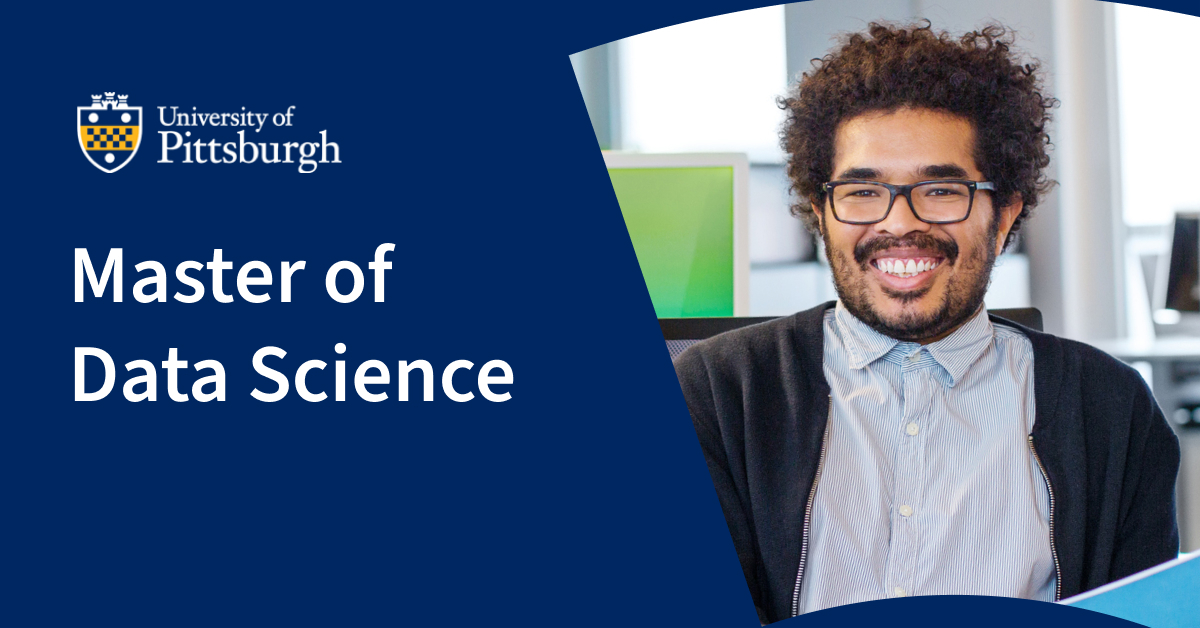
The University of Pittsburgh, one of the top 35 public U.S. universities, now offers a fully online Master of Data Science (MDS) on Coursera for $15,000, which is 38% more affordable than the average online master’s degree.
To expand access, Pitt is removing common admissions barriers, including an application, GRE scores, recommendation letters, and even a background in STEM. Anyone with a bachelor’s degree who earns a B or better in an introductory course on Coursera is automatically admitted, having already completed three credits.
Pitt is now the fifth university on Coursera in 2023 alone to adopt performance-based admissions, reflecting a growing trend of institutions reimagining how admissions can be more inclusive.
The MDS creates a path for anyone to become a data scientist, one of the fastest-growing careers in the U.S., with more than 17,000 new professionals needed annually over the next decade. This lucrative career, with an annual salary of $145,200* for those with a master’s, is also highly rewarding, offering flexibility and mobility.
“The incredible demand for data skills in today’s workforce underscores the significance of the MDS. This innovative program welcomes students, regardless of their data or computing backgrounds, to learn career-focused skills in data science through a curriculum offered by the school’s exceptional faculty and staff. We are excited to start the MDS in partnership with Coursera,” said Bruce Childers, Dean of The School of Computing and Information (SCI) at Pitt.
Built for working adults, this degree offers the flexibility to balance careers, families, and education. Students can watch lecture videos on their own time while engaging in optional live sessions with the same esteemed faculty who teach on campus at this R1 research institution. Within 20-36 months, this 10-course program teaches students:
Core computational, mathematical, statistical, and ethical concepts needed to responsibly collect, analyze, and mine large data sets.
Leadership skills and strategies to guide data-driven decision-making and collaborate cross-functionally with global teams.
Programming languages, including Python and R, for data analysis and machine learning.
How to design and query database systems using SQL and Neo4j.
The principles and best practices of supervised and unsupervised modeling systems.
Data exploration and visualization using Pandas, Seaborn (Python), and tidyverse (R).
Bayesian data analysis, deep learning, cloud computing, or computational text analysis, pending elective choices.
Students gain practical experience by working with large, real-world data sets throughout the program before completing a rigorous capstone project — resulting in a robust portfolio upon graduation. Pitt Career Services supports students’ job search with access to job boards, resume writing, interview prep, and salary negotiation training. Graduates of SCI programs have secured positions at Apple, IBM Research, Microsoft, and the National Security Agency.
We’re proud to partner with Pitt on this innovative degree. Graduates from diverse backgrounds can leverage their knowledge and unique perspectives to solve society’s most pressing challenges and transform lives, companies, and communities worldwide.
Explore Christmas gifts that your loved ones will not only appreciate but also use, thanks to Alison’s free online courses. Who hasn’t watched a loved one open a present and try to hide their confusion over the contents? Yes, they may have mentioned that they were going to take up fitness/painting/quantum physics in the new year, but what seemed like an excellent idea after a mulled wine under the fairy lights was simply a dream that was never going to survive the light of day – or was it?! With Alison’s free online courses, you can give that present and see your friend or family member learn how to enjoy it in no time at all! Here are seven Christmas gift ideas to help you get started.
1. Musical Maestro
Imagine the delight on your loved one’s face as they unwrap a musical instrument, be it a guitar, keyboard, or flute. After a few enthusiastic hours, the entire household may be relieved to see the beginner give up and put the instrument away. Skill development in any instrument takes time, practice and patience (on all sides). Alison’s free music courses cover a vast range of instruments and styles. Our expert tutors offer free teaching in classical or folk instruments right through to singing, creating electronic music and composing film scores. There are options for beginners through to advanced learners too. You can thank us later. Alison: Bringing harmony to your home.
2. Creative Crafting
For those who love to get creative, or who want to preserve a time-honoured skill, our free craft lessons, like all our courses, are completely flexible, so they can be picked up and set down as easily as a pair of knitting needles. Once your recipient has unwrapped your gift of equipment, our tutors can supply the creative ideas and know-how they need. Turn memories into artefacts to treasure through creating memory quilts or scrapbooks. Perhaps they’re into crochet, soap-making, or pottery? Alison’s courses guide beginners through the basics, like selecting the best materials, while more accomplished makers can master intricate processes and patterns.
3. Capturing Moments
Whether your gift is the latest camera or a software programme like Adobe Photoshop or Lightroom, the recipient can elevate their photography game with Alison’s help. You can aid them in turning what may have been a flash in the pan into a burning passion with online photography courses that cover everything from mastering their camera to advanced photo editing techniques. From composition to lighting, they’ll learn to tell stories through their lens and transform ordinary images into extraordinary works of art.
4. Riding High
Santa Claus has long ago lost count of the number of bicycles he has delivered for Christmas but if you think a bike might be wheeling its way towards your house this festive season, check out our free courses specially for cyclists. They can not only enhance their cycling skills, but also learn the nuts and bolts of bicycle maintenance. From bike safety to DIY repairs, Alison’s courses cover the spectrum of cycling-related topics. And if the biker in your life prefers their two wheels with an engine attached, why not save them some money by helping them master their own motorbike maintenance?
5. Stroke of Genius
You can’t go wrong with a gift of art supplies for the aspiring artist in your life, especially in a time of soaring costs. Our free painting and drawing courses will further open up a world of creative expression to them. Whether they are a budding artist or interested in further skill development, these courses provide the techniques and insights needed to create stunning visual art. The range on offer may surprise you – and them. Classical drawing? Of course. Tattoo art? Spot on! As for Japanese anime, character building is par for the course at Alison.
6. Fit for Life
It’s the same every year: The party season gives way to New Year’s resolutions to get fitter and eat healthily. If your gift shopping includes gymwear, workout equipment or juicing machines for the new year diet, direct the recipient to our health and fitness hub for lots of inspiration and training. From home workouts to holistic well-being, these courses cater to various fitness levels and goals. They can embrace a personalised fitness journey, learning from expert instructors and incorporating wellness practices into their daily routines. Why not enrol while you’re at it and get your new year off to a healthy start too!
7. Cooking up Treats
For those who love getting creative in the kitchen, our baking courses are the icing on the cake. While it is never a good idea to gift the person who does the work in your kitchen with equipment unless they have specifically asked for it, home bakers and those who enjoy tinkering with new cookery techniques usually have a wishlist tucked under their apron. Alison’s free online cooking and baking courses cover everything from basic bread-making to advanced culinary arts. They can even master cake decorating and show off that beautiful cakestand and decorative slice you bought them.
These are just a few suggestions to help you turn what might otherwise be a festive fad into a positive point of focus, and the list is by no means exhaustive. With courses in psychology, languages, academic subjects, DIY, writing, film-making and more, even Santa will be making a list and checking it twice. Explore endless learning opportunities with Alison and empower your loved ones this Christmas!
Have you ever wished that you could have the same teacher over again? Or do you look forward to getting a different teacher each year?
What if you found out that research shows that having the same teacher year after year might actually be good for you?
In North Carolina, economists examined data on several million elementary school students. They discovered a common pattern across about 7,000 classrooms that achieved significant gains in math and reading performance.
Those students didn’t have better teachers. They just happened to have the same teacher at least twice in different grades. A separate team of economists replicated the study with nearly a million elementary and middle schoolers in Indiana — and found the same results.
Every child has hidden potential. It’s easy to spot the ones who are already sparkling, but many students are uncut gems. When teachers stay with their students longer, they can see beyond the surface and recognize the brilliance beneath.
Instead of teaching a new cohort of students each year, teachers who practice “looping” move up a grade or more with their students. It can be a powerful tool. And unlike many other educational reforms, looping doesn’t cost a dime.
With more time to get to know each student personally, teachers gain a deeper grasp of the kids’ strengths and challenges. The teachers have more opportunities to tailor their instructional and emotional support to help all the students in the class reach their potential. They’re able to identify growth not only in peaks reached, but also in obstacles overcome. The nuanced knowledge they acquire about each student isn’t lost in the handoff to the next year’s teacher.
Finland and Estonia go even further. In both countries, it’s common for elementary schoolers to have the same teacher not just two years in a row but sometimes for up to six straight years. Instead of specializing just in their subjects, teachers also get to specialize in their students. Their role evolves from instructor to coach and mentor.
It didn’t occur to me until I read the research, but I was lucky to benefit from looping. My middle school piloted a program to keep students with the same two core teachers for all three years. When I struggled with spatial visualization in math, Mrs. Bohland didn’t question my aptitude. Having seen me ace a year of algebra, she knew I was an abstract thinker and taught me to use equations to identify the dimensions of shapes before drawing them in 3-D. And after a few years of observing what fired me up in social studies and the humanities, Mrs. Minninger knew my interests well. She saw a common theme in my passions for analyzing character development in Greek mythology and anticipating counterarguments in mock trial — and suggested doing my year-end project on psychology. Thank you, Mama Minnie.
Most parents see the benefit of keeping their kids with the same coaches in sports and music for more than a year. Yet the American education system fails to do this with teachers, the most important coaches of all. Critics have long worried that following their students through a range of grades will prevent teachers from developing specialized skills appropriate to specific grade levels. Parents fret about rolling the dice on the same teacher more than once. What if my kid gets stuck with Mr. Snape or Miss Viola Swamp? But in the data, looping actually had the greatest upsides for less effective teachers — and lower-achieving students. Building an extended relationship gave them the opportunity to grow together.
Students 13 and older in the United States and Britain, and 16 and older elsewhere, are invited to comment. All comments are moderated by the Learning Network staff, but please keep in mind that once your comment is accepted, it will be made public and may appear in print.
Some people love Disney — its characters and movies — so much that they want to live in its fantasy world every day at home.
The Times reports on one such fan, Kelsey Hermanson, and her Disney-inspired house:
“You know how when you’re walking through a Disney park, and you have the option to go to Tomorrowland or to Fantasyland, and you have these different worlds that you get to sort of walk through and be in?” said Ms. Hermanson, 37. “That’s kind of how our house is.”
What do you think? Would you want to decorate your home in the style of Disney or another company, book, movie or television show? Why or why not?
Tell us in the comments, then read the related article to learn more about super fans who are turning their homes into Disneyland.
Students 13 and older in the United States and Britain, and 16 and older elsewhere, are invited to comment. All comments are moderated by the Learning Network staff, but please keep in mind that once your comment is accepted, it will be made public and may appear in print.
The word desalination has appeared in 54 articles on NYTimes.com in the past year, including on Nov. 18 in “Dubai’s Costly Water World” by Arielle Paul:
For a desert city, Dubai appears like a water wonderland. Visitors can scuba dive in the world’s deepest pool or ski inside a megamall where penguins play in freshly made snow. A fountain — billed as the world’s largest — sprays more than 22,000 gallons of water into the air, synchronized to music from surrounding speakers.
But to maintain its opulence, the city relies on fresh water it doesn’t have. So it turns to the sea, using energy-intensive desalination technologies to help hydrate a rapidly growing metropolis.
Daily Word Challenge
Can you correctly use the word desalination in a sentence?
Based on the definition and example provided, write a sentence using today’s Word of the Day and share it as a comment on this article. It is most important that your sentence makes sense and demonstrates that you understand the word’s definition, but we also encourage you to be creative and have fun.
Then, read some of the other sentences students have submitted and use the “Recommend” button to vote for two original sentences that stand out to you.
If you want a better idea of how desalination can be used in a sentence, read these usage examples on Vocabulary.com.
Students ages 13 and older in the United States and the United Kingdom, and 16 and older elsewhere, can comment. All comments are moderated by the Learning Network staff.
A few days ago, Brad Lightcap, in an interview with CNBC, stated, among other things, that “one of the most overhyped parts of artificial intelligence is that in one fell swoop, it can deliver substantive business change.” (The Verge OpenAI COO thinks AI for business is overhyped, Dec 4, 2023)
He added that companies are expecting generative AI to solve problems, cut costs, and bring back growth but that it is still in the infancy stage (he said “experimental growth”) and that there is “never one thing you can do with AI that solves the problem in full.” (The Verge, OpenAI COO thinks AI for business is overhyped, Dec 4, 2023)
There are many people in our industry, especially those in L&D and training, along with learning tech and system vendors, who think that generative AI will solve all their problems, even though it is at a tiny stage. Think of a flea because, in the grand scheme of things, that is where generative AI is—flea level.
I constantly receive inquiries and e-mails from readers unaware of where we are with generative AI. Equally, there are learning system and learning tech vendors (and likely other SaaS providers who have nothing to do with our industry) who have pushed or implied the notion that gen-AI is the secret sauce to unlocking everything for the administrator and learner right now – the wunderkind of learning and training.
I get it, because, as I have presented to companies’ L&D and Training departments, along with learning system vendors, gen AI has the potential and can do a wide variety of tasks today, which is true. But, equally recognize that where we are today, well, a year from now, will be far different. I often reference electric cars. Think of their capabilities and range a year go compared to where they are today. And then, think of where manufacturers of electric vehicles are pointing towards by the end of next year.
While products – and boy there are a lot of them for generative AI, and especially ChatGPT are available on a daily basis, the presumption is that they “rock” are suitable, in fact, ideal for a system. What I find however is that vendors as a whole, are looking at only a small sample, not a wide variance.
ChatGPT – Panacea?
Except for two vendors (who have multiple Gen-AI’s), every other system I have looked at that has Gen-AI uses a version of ChatGPT. The most popular one is ChatGPT 3.5 Turbo (the one available for free for folks is ChatGPT 3.5). Some vendors use a combo of Turbo and ChatGPT-4 (which has been rebranded as ChatGPT Plus). You might wonder why the combo or only the Turbo version?
It comes down to the wonderful fees – as in token fees. 3.5 Turbo is less expensive than ChatGPT-4. It is interesting to note, however, that the fees are not as high, regardless of which version – simply because, (excluding a couple of vendors), it is only for the administrators – including those who create content (whoever that may be). The others? It is skills tied to content, and so far two are in “build mode” and thus not yet live. The other vendor has demurred from showing it until 2024 (even though they heavily pushed it, but held it back during a recent demo), even though they showed their other generative AI capabilities in their system (I was a tad underwhelmed).
So far, I am seeing the same thing repeatedly – except for one vendor, who did something different, albeit it was one of the items I keep seeing repeatedly. What is that pray tell? Oh, let me share!
Content creator tool (aka course creator, built-in authoring tool) – This is the most popular, and I am already bored. I can’t figure out why nobody has punched this out of the park – okay, one vendor did – I will mention them shortly.
Assessment tool – Whipee! Again, same ol same. So much can be done, so much isn’t
Finding content – specific areas in the content, right to the line, and includes the page number (I liked this because not even Lucy.ai can do that). Plus it only shows the snippet you want and not the entire document/video, in case you want to see/read it (again, Lucy.ai can’t do this). The vendor who can do this? Learning Pool (oh, rated #6 in my learning systems for 2023-24).
On the content creator, the rockstar of impressiveness is CYPHER LEARNING (they cap their name). The content creator has a lot of capabilities that can go beyond just creating a simple or quick course. From synthetic audio to layers and much more. From a generative AI standpoint, they lead in that area.
What is missing with all the generative AI I have seen?
There are two parts here, first, only two vendors note it, the rest do not, and of the systems I have seen, including one well-known learning tech vendor, lack it. This latter part is befuddling – because it is the CRUCIAL ITEM you need for generative AI.
The first part is the key statement that the information/statements/results produced may provide fake or false information (known as hallucinations). Each vendor adds some additional info to be aware of, albeit CYPHER did the best job. However, they noted the fake and false information as “mistakes,” which seems trivial and is not. If someone said mistakes compared to fake information, I would see it as no big deal on the mistakes side, whereas it is a big deal.
As I recall, each of them tells you to review the information before publishing it or accepting it. This is essential, as with any generative AI capability, a human element – is essential, crucial in fact.
The Context Window (often referred to by folks as the prompt window. However, the actual term is context window)
Okay, I use generative AI to produce my questions for my test/assessment, create content, create a learning path with sub-chapters or modules, or tied to content, and so on. Seems easy. If I do not believe it is correct, I can edit it in some cases (not every vendor even offers this). Again, simple.
One major problem, though. Generative AI learns from itself – as in the continuous training of it. If the information it produces is wrong and you edit it, the AI doesn’t know if it is wrong.
This is because you didn’t select a thumbs up or down (the most popular way to do it, although a Yes or No – with the words is this correct?, is an option too). Nor did you change the information in the context window next to it – i.e. the total results of the output.
And why, you may ask, can’t you do that? Because of the systems I have seen, not one vendor has it. Not one. Think about that. The most essential piece for generative AI to learn what is correct and incorrect – and thus reduce those hallucinations is missing. Baffling? You bet. You could say, “Well, that isn’t something well known,” and I would say, “Go and check out ChatGPT or any other Gen-AI LLM offering that you can use,” and it is there. For example, Perplexity.ai shows a “flag.” The freebie ChatGPT 3.5? Let’s take a gander.
While vendors can do something like this on the admin side when it comes to the learner side, which will happen for at least one vendor by the end of 2024 (I surmise many more than that), that little context window is crucial. It will require some training video/materials to be produced by you – yes the person who is overseeing the learning system. Do not rely on the vendor to explain how to do this, nor create materials/videos for your learners – because right now, I can’t think of one who does any of this for any other capability on the learner side. Generative AI thus becomes your problem – i.e., the person overseeing the system – and I mean the department/division head. If you are unaware of nor explain how this works – the fake/false information that can be produced (hallucinations), what odds will learner X know?
Another item that vendors have yet to provide information to anyone overseeing the system, and thus, the usage of said, is a little thing called prompt leaking. The companies I have met with and presented insight are unaware of it; thus, they could be in for a surprise.
I can’t guarantee this, but I would be shocked if there isn’t an employee at many businesses that by the end 2024 will try to hack a prompt,. Yes, they can bounce over to Reddit to see what is doable or search the web, but those are already dated, so let’s see – I am bored, and so I wonder if I can get the generative AI to share some of the company’s information with me.
It happens. There was the grandmother hack, the poem and company hacks, and the list continues. In the latter, researchers are getting information on some random person – identifiable information. On the latter – i.e., the last one, it is from generative AI that scraped the internet. While generative AI vendors will fix the patch, on at least one occasion, a journalist was able to do the same prompt leak, even after the generative AI vendor (OpenAI) stated that the patch was fixed.
Other researchers created a prompt hack that provided the privacy information of the company (the one they tested it on), which included financial statements.
Is a vendor responsible for letting folks know about prompt leaking? It is debatable, however, that they should provide the buyer with information covering such items as prompt leaking, hallucinations, guardrails, AI bias, etc. They should not be just into the let’s add this; rather, they should constantly learn what is taking place and present it to their buyers. Or contact someone who can provide such information (yes, shameless plug).
The LLM
Of all the vendors I spoke with, only two, as mentioned higher up, have multiple LLMs. The vendor the rest are using? OpenAI – the folks behind ChatGPT. A couple are using Azure AI, which is from OpenAI. This even though the majority of the industry is on AWS.
I was surprised, and continue to be so, by how many vendors told me they searched around and found OpenAI to be the best provider. I say surprised because there are well over 100 LLMs out there. Thus, just like some buyers of a learning system, I surmise the sample size they explored wasn’t that large. Google Cloud is one vendor a few folks mentioned, but that says nothing. They could have chosen Vertex AI (machine learning), then rumbled into Model Garden (Model as a Service) and selected a lot of LLMs (including such as Llama 2 from Meta, Falcon LLM, and soon-to-be Anthropic Claude2) out there, not just those made by Google. AWS has Bedrock (Model as a Service). And yes, there are a few others out there. The advantage of going with a MaaS is that if LLM X gets dated or the vendor is not happy with it, they can swap it out for another one in the MaaS, and in theory, it will work fine. In discussions with a couple of vendors, they implied they are using what is referred to as EaaS (Embedding as a Service) – although they didn’t say those exact words, what they said aligns with what EaaS is.
It’s my own content; thus no hallucinations
100% untrue. In an earlier post, I mentioned the name of one learning tech AI provider who told me their accuracy was around 98% when it was the buyer’s own content (and not from the internet). The term of only your content and no external access of the net and out links in this case, is Private. The fact, though, is that the accuracy percentage is far from clear. It may be 92% or 95% or less than that. Regardless of it being your own content going into any platform (any out there), including learning systems and learning tech, there is no such thing as 100% accurate. There will be hallucinations, and potential AI bias, to name just two. Do vendors in our space let folks know about the fallacy of 100% accuracy? Not to my knowledge. And if they do private, do they let folks know that if they connect to a content provider or another learning tech offering, or an HRIS system or HCM or whatever other system out there, it eliminates the whole “private” your own content thing, and thus the accuracy can drop? No, they do not. As a couple of vendors told me, “That’s not our responsibility, that is on the client.” One, though should note that many, many people will not be aware of this. You decide to connect to LinkedIn – hello, outside source. You decide to scrape the internet – the system, that is – and bring back all that wonderful free content that learners can access, which is then tied over to your generative AI capability. So long, private.
I will readily admit that only a few vendors push the private-gen AI statement. Rather, they just say the client can add their own content and leave it at that (again, the content, once loaded, is tied into the gen AI capabilities).
Bottom Line
This is where the industry, our industry, is today. More than you might expect, offer Gen AI, and plenty more have it on their roadmap for 2024 (which is a smart move and something I totally respect).
Those that have it, well, it is the beginning, and beginnings mean exactly that. A starting point. It is not meant to be the fireworks or power you might expect, nor should you want it to be. Generative AI despite all the hoopla and fanfare has a long, long, long way to go.
Whether the vendor is in the starting point (as in, it’s live now) or bringing it into their systems before the end of 2024, they are all at least moving forward.
They are not limiting themselves to machine learning (another form of AI). Nor are they limiting themselves to doing nothing.
Those vendors, the latter of doing nothing, will not, in my book, be a system I would recommend or even buy.
But as a buyer, or someone who is watching the learning system and learning tech space in relation to generative AI, remember, where we are.
Ignore the heavy press releases or push that a vendor is the first AI blah blah (unlikely), or that they are doing things that would make monkeys fly in the air on broomsticks. They aren’t.
It’s the most wonderful time of the year and I’m thrilled to feature a color palette that captures the festive spirit of December. I’ve chosen the classic seasonal colors, with deep green and red shades that perfectly complement one another. To add some extra charm, I’ve also included shades of grey, beige, and softer red. You can’t go wrong with this Classic Christmas Color Palette.
Classic Christmas Color Palette
Combining dark green and red is a classic and stylish choice for Christmas decorations. Just picture a beautiful green Christmas tree adorned with red ornaments and twinkling white and cream lights. It’s sure to make your holiday season even more magical!
As always, I have put together a mood board with some inspiration. It is in perfect Pinterest format, so feel free to pin it for later.
See our collection of other gorgeous color palettes by visiting our color palette section.
What do you think about this Classic Christmas Color Palette? I’d love to see how you incorporate these colors into your designs! Don’t hesitate to share your creations in the comments or on social media. Let’s inspire each other!
Make sure you take a look at our blog post about the importance of using color in blog design. It’s a really interesting read and will show you just how big of a role colors can play in your projects.
Looking for more inspiration?
Browse other color palettes. There are so many beautiful combinations out there to choose from!
Do you like beige?
I have something perfect for you! Our classic version of 2024 for our famous planners.
If you create something using today’s color palette, don’t forget to share it with me!
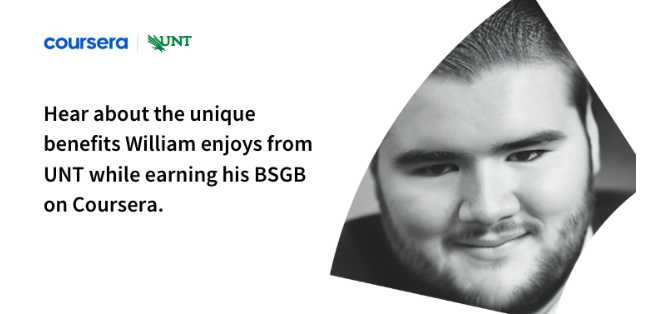
William’s first encounter with Coursera was through the employee training and development opportunities provided by his employer, The LEGO Group. Because of his company’s use of Coursera, William soon discovered that he could also separately explore transformational degree programs like the Bachelor of Science in General Business (BSGB) offered by the University of North Texas (UNT) on Coursera.
By looking at how William is now preparing for future success in the business world, you may be able to see how you too can pursue valuable business knowledge and new career dreams through the BSGB from UNT. Let’s go ahead and jump right into the many different elements William loves about this innovative program that blends theoretical concepts with practical skills.
Supportive From The Beginning
One of the things that sets UNT apart is its commitment to student support. From the moment William first reached out, he experienced UNT’s personalized attention and genuine care. Advisors were readily available to answer questions, address concerns, and guide him through processes and scenarios. The combination of UNT’s reputable faculty and caring support system convinced William that he had found the right institution for his business education. He says, “You can’t fail because you always have someone in [your] corner.”
Financial considerations also often play a significant role in one’s decision to pursue higher education. UNT understands this and offers a range of financial aid options and grants to support students, even those studying remotely from outside the state. UNT’s commitment to accessibility and affordability reaffirmed William’s choice to join the program.
Flexible and Practical Education
Another aspect that immediately appealed to William was the remarkable flexibility of the BSGB program. As a working professional, he appreciates being able to log in at his convenience, completing coursework in the morning before starting his daily job. Whether during busy periods at work or unforeseen circumstances, William has been able to effectively balance his studies with his professional commitments thanks to the program’s flexibility.
The program focuses on a practical education, with knowledge and skills students can directly apply to their professional lives. William has even already found practical applications for the concepts he’s studied, benefiting his work at The LEGO Group. He says, “I have learned so much already and I’ve only taken five classes.” Prioritizing management and marketing, the program aligns perfectly with his aspirations and as he equips himself for high-demand roles and responsibilities.
A Platform for Personal Growth
With the BSGB program from UNT in partnership with Coursera, William has tapped into a newfound passion for learning. Through engaging coursework, collaborative group projects, and real-world applications, he has expanded his knowledge and developed essential skills. Thanks to the program’s emphasis on practicality, William has transformed his mindset and is now considering the possibility of pursuing an MBA in the future.
William’s journey up to this point features the reliable support, flexible learning, practical skills, and personal growth you can expect with the BSGB. He says, “So far, I’ve just been blown away!” Still in the program, William continues to pursue his career aspirations while maintaining his professional commitments—and UNT’s strong reputation and caring nature remain big parts of his positive experience. If you’re seeking a similar business education, follow William’s path and discover the transformative power of the UNT BSGB on Coursera.
A search for higher education requires determination, resilience, and a program that fits your unique circumstances. It was a search like this that led Laura to the Bachelor of Science in General Business (BSGB) program offered by the University of North Texas (UNT) on Coursera. Let’s delve into Laura’s experience with the BSGB program, exploring the flexibility, affordability, and accessibility it offers, as well as the impact it has had on her personal and professional growth.
Laura’s path to the BSGB program began when her cousin, a former UNT graduate, suggested exploring the program. Laura was interested in the possibility of earning an online degree that met her needs and eager to gain a well-rounded understanding of various business areas in preparation for a successful career. The UNT BSGB program stood out because it combines theoretical concepts with practical applications across all aspects of business.
Key Difference Makers
As someone who works full-time and lives abroad in Germany, Laura needed a program that allowed flexibility without compromising her goals. The BSGB program’s structure, with two eight-week sessions per semester, provided her with the perfect balance. Laura appreciates the timely responses she receives from her instructors when seeking clarification and the overall thoroughness of the courses. The flexibility of the program allows her to manage her studies effectively while continuing her full-time job.
Laura considered affordability a crucial factor in her decision. The ability to pay her tuition out of pocket each semester significantly eased her financial burden. Additionally, the accessibility of course materials played a crucial role. While the cost of textbooks can be substantial, Laura was pleased to find that some courses included e-books in the tuition fees. These features made pursuing her degree more financially feasible, making UNT’s BSGB even more attractive.
Reaching a Decision
Laura was already familiar with Coursera’s free courses before discovering the partnership with UNT. The platform’s global presence and reputation for providing high-quality courses intrigued her. This partnership allows students worldwide to enroll in UNT’s programs, creating a diverse and engaging learning environment.
Laura made her decision to pursue the BSGB program quickly. “For me it was pretty easy. I did everything [to apply] remote from Germany. The Coursera enrollment coaches were very prompt in their response.” Within a week, she submitted her application, driven by the desire for self-growth and the chance to be the first in her family to graduate.
Strategies for Success
Managing multiple responsibilities can be challenging, but Laura has found strategies that work for her. She advises prospective students to start with part-time enrollment, gradually building up to full-time status. Taking breaks during the program for self-care and recharging is paramount for Laura. Moreover, having a support system or cheerleaders helps make the journey smoother in her experience. Laura emphasizes the importance of time management and, in some cases, prioritizing studies over social engagements to ensure assignments are completed effectively. She says, “Keep your time as your time, so you can manage school assignments and other expectations.”
Transformative Impact
The courses Laura has taken so far have already had a profound impact on her life. Her technical writing course, in particular, improved her communication skills and gained recognition from her supervisor. The knowledge acquired in the BSGB program has been invaluable, contributing to both her personal and professional growth.
Laura’s excitement for the future is palpable. Graduating from her bachelor’s program with honors and completing a master’s degree are her aspirations. She hopes to leverage her qualifications to explore advanced opportunities with her current employer, or even venture towards new horizons. Equipped with a strong educational foundation, Laura envisions a future filled with possibilities.
Laura’s experience with the BSGB program from UNT illustrates the power of flexible, affordable, and accessible learning. With an emphasis on practical skills and a rich learning experience brought by seasoned instructors, students can prepare to excel in various professional roles. Are you ready to embark on your own journey to a rewarding business education? Explore the BSGB program today and transform your future with UNT and Coursera.