fbpx
Home Blog Page 933

FLMS Interview with Gulf View Medical Centre

0
FLMS Interview with Gulf View Medical Centre

Skills development is a critical aspect for any individual or organisation that wants to stay in and ahead of the competitive marketplace. Many companies are taking it upon themselves to invest in the learning and development of their employees. We met with one of our valuable clients, Gulf View Medical Centre, who utilises our Free Learning Management System (LMS) for their staff and help them maintain and improve the necessary skills and knowledge for their industry.

Please tell us more about your company.

Established in 1993 by Dr S. David Ali and Mrs S. P. GVMC is a 33-bed multi-speciality full-service private hospital that provides a wide range of in-patient and out-patient services to the population of San Fernando and the surrounding areas.

The Hospital is staffed by an extensive team of highly skilled specialists, professional medical staff, and an infrastructure that features the latest advances in diagnostic testing. Our hospital employs approximately 200 employees.

At Gulf View Medical Centre Ltd, we are committed to providing our customers with affordable, high-quality healthcare services within a patient-friendly environment.

Our goal is to provide patients and their families with the highest level of comfort, respect, and confidence/peace of mind during their treatment with the aim of making GVMC their most trusted destination for quality healthcare

What are the biggest challenges facing organisations when it comes to upskilling their workforce?

The pace of technological change is a major factor. Rapid advancements in technology are creating new skill requirements, and organizations need to ensure that they are keeping up with these changes to remain competitive.

Ensuring that employees are engaged and motivated to participate in upskilling programs is another challenge. Employees may resist training if they feel that it is irrelevant to their job or that it may not have value beyond their current position.

Why is investing in skills development for your team and organisation important?

Investing in skills development for my team and organisation will pay off in increased productivity, employee satisfaction, and the likelihood of increased innovation and creativity making it a worthwhile investment. When people are properly equipped to do their jobs and feel confident about their success, this can only lead to more wins for the organisation.

What is your company’s learning and development philosophy?

We encourage and support employees to maintain ongoing efforts to develop new skills and knowledge. By promoting a culture of continuous learning, we are assured of a knowledgeable, skilled workforce, through which effective succession planning can lead to organizational sustainability. This is done via a robust performance assessment system that identifies and provides for closing detected gaps.

What are the benefits of LMS that you have reaped/are reaping?

Within the past 18 months, we have embarked on an aggressive campaign of digital transformation across the organisation. This has led to many changes in existing procedures and caused the development of new ones.

These endeavours have opened many skill areas that are lacking amongst our staff population. Alison LMS has allowed us to give our employees the option to study at their own pace in the areas that are most critical, thereby building their skills and abilities to do their job effectively.

How has your experience been in using the platform and monitoring your teams’ progress?

The LMS allows the Manager to view all employees who are enrolled in courses – even multiple courses – and to be able to see their progress, in terms of % completed.

This gives us the opportunity to converse with the employee if a course is taking too long to complete; what might be the challenges they are experiencing, or simply give them a timeline for completion.

Has the introduction of an LMS increased learning and development in your organisation?

Yes, it certainly increased L&D within the organisation. It gave employees the opportunity to study in their own time, using their phones, laptops, or tablets – whatever is available to them – rather than having to attend classes at a pre-set time which would create schedule conflicts.

This LMS allows them to gain their certification in their own time at a pace that they can manage individually, and that has resulted in a substantial increase in certifications and courses completed.

What problems did the LMS solve for you or your organisation?

The main problems solved were the ready availability of courses all in one place, the sheer variety of topics, and the ability to study at the employee’s own pace as opposed to pre-set classes at various institutions.

What key features of Alison’s FLMS did you find most attractive or beneficial to you?

The feature that allows the Manager to view each employee’s courses and the progress made on each course.

Alison’s Free LMS is quick and easy to set up. It allows you to keep track of your staff’s progress and because of the flexible and self-paced learning paths, it’s ideal for different learning styles.

The 5 Things Hiring Managers Want to See in an Entry-Level Tech Candidate

0
The 5 Things Hiring Managers Want to See in an Entry-Level Tech Candidate

If you’re applying for your first entry-level tech position, deciphering what a hiring manager really wants to see in your application or hear in an interview can feel like trying to read someone’s mind. “Getting a job in tech seems like a black box for anyone not in tech,” says Mariya Chekmarova, Senior UX Research Manager at Codecademy. 

Given how many of our Codecademy learners are vying for these entry-level positions, our UX Research team decided to go straight to the source: hiring managers. In a recent research study, we asked hiring managers exactly what they look for and prioritize in an entry-level candidate for an engineering position. The goal of this study was to get researched-backed insights about the current tech hiring process that we can use to help Codecademy learners (like you!) have a better chance of landing an entry-level job in tech.

Learn something new for free

Our UX researchers are always talking to our learners to better understand their needs, explains Sil Lavers, a UX Researcher at Codecademy. This specific study is considered “generative research,” a type of research that’s focused on developing a deeper understanding of users and defining the problem that you’ll address later on. (You can learn how to conduct generative research in our free course Learn User Research: Generative.) 

For context, a “hiring manager” in this study is anyone whose job includes hiring an entry-level technologist, with a focus on the last six months. “We did not speak to recruiters,” whose job it is to source potential candidates for a position, Sil says. “It was all hiring managers who will have the final say in hiring a person.” 

The hiring managers who the UX Research team interviewed for the study worked at companies with 100+ employees, including some folks at big-name FAANG (shorthand for Facebook, Apple, Amazon, Netflix, Google) companies. Curious what they had to say? Here are the main takeaways from the research study to keep in mind as an entry-level job candidate.

Your resume is the most important material in an application 

Of all your application materials — like your cover letter, portfolio, and GitHub profile — your resume matters the most to hiring managers. The writing style and format of your resume is just as important as the content of it, Sil says. “A poorly-written or typo-ridden resume could be a deal-breaker,” she says. Not only is your resume a summary of your experience and proof of your fundamental technical knowledge, but it’s also an opportunity to showcase your communication and presentation skills. (If writing isn’t your strongest suit, read this blog with tips about how to use ChatGPT when drafting resumes and cover letters.) 

You should include any additional work experience that you have on your resume, even if it’s not directly related to tech. Hiring managers see work experience as an indicator of soft skills, like verbal communication and problem-solving, Sil says. So while your part-time camp counselor gig might not seem directly applicable to a developer position, it shows that you understand how to lead a team and resolve conflicts.

Soft skills will get you the job

Your flawless resume and technical skills might get you in the door, but “soft skills get you the job,” Mariya says. During behavioral interviews and even technical assessments, hiring managers want to make sure that you can effectively communicate your process and ideas to any audience. You should be able to articulate how you approach a problem and collaborate with others in a team setting. 

Practicing how you’ll answer interview questions is a great way to get used to talking through your work. Our interview prep courses are specifically designed to help you develop and showcase your collaboration and problem-solving skills in a tech job interview.

You aren’t expected to know everything

Gauging whether you have what it takes to apply to a job can trigger feelings of impostor syndrome big time. But here’s the thing: Hiring managers don’t expect entry-level candidates to have a perfect technical skill set and know everything on day one. 

Someone in a senior-level position might hit the ground running and start contributing meaningful work to projects within a few weeks of starting a new role. Entry-level folks are usually granted a longer ramp-up period, because they require additional onboarding, training, and development, Sil says. 

So you can exhale a little bit knowing that you don’t have to be perfect to be successful in an entry-level job. That said, when an organization takes a chance on an entry-level employee, they’re also investing in your development. “They expect you to have a good attitude, and demonstrate that you’re willing to learn,” Mariya says. “That actually goes quite a long way.” 

In our learner stories on the blog, you can read how Codecademy learners handled the first day of their new tech careers.

Degrees and certifications are positives

Any designation that demonstrates your completion and mastery of something are positives to have in your job application. For example, professional certificates, awards, or a bachelor’s degree in any area of study (not just STEM-related fields). “Hiring managers view certificates as a positive signal, but not a deciding factor,” Sil says.

Like your work history, a bachelor’s degree can signal to a hiring manager that you have experience working on projects with others and presentation skills, Sil says. If you don’t have a college degree, there are other ways you can showcase your alternative qualifications, like including projects in your portfolio or highlighting practical experience that’s similar to what you’d get out of a bachelor’s program. If you have professional certifications that you’ve earned, it can’t hurt to include them on your resume: “Hiring managers view certificates as a positive signal, but not a deciding factor,” Sil says. 

If you’re someone who’s switching careers or lacks specific qualifications like a bachelor’s degree, do your research and consider the companies you’re targeting in your job search. For example, smaller companies like start-ups may put more emphasis on skills than traditional education requirements. For many organizations, college degree requirements are baked into their hiring policies, and aren’t necessarily a reflection of the actual job responsibilities. Fortunately, more and more companies are getting rid of these degree mandates altogether, leveling the playing field for folks from non-traditional backgrounds to break into tech.

Show that you’re serious about switching careers

When evaluating candidates who are switching careers, hiring managers in the study were looking for “proof of your commitment to changing careers,” Sil says. One way to do this could be highlighting projects you’ve completed, internships that you’ve done, or hackathons you’ve participated in. 

Really anything that demonstrates your dedication to pursuing the tech field is worth documenting — it doesn’t have to be prestigious to be relevant. For example, volunteering to assist a local charity with their database, building a website for a friend, or contributing to Docs. “What matters most is your initiative, your interest, your curiosity, and how you document and talk about that,” Mariya says. 

Need some ideas for projects that you can use to bolster your resume? Check out our catalog of projects you can use for practice, portfolio, inspiration, and more. 

How Have Your Friends Helped You?

0
How Have Your Friends Helped You?

When was the last time your friends helped you through something difficult? How did they show up for you? Did they check in regularly, write and deliver notes of encouragement, share a special treat at just the right time, or just sit quietly and listen to you vent? How did it feel to have someone you could depend on?

When was the last time you did something similar for one of your friends? How did it feel to be able to be there for them?

Though its context is the end of a marriage, Maggie Smith’s “During My Divorce, Close Friends Became a Parachute” describes the solace that friendships can give people of any age who experience difficult times. The article begins:

When my marriage ended a few years ago, I tried everything I could think of to get over it, to get back to myself. I started traditional talk therapy, then “cheated” on my regular therapist by seeing an intuitive ‌one — because if your life is painfully uncertain, the promise of a little foresight is comforting.

I also tried meditation, yoga, reiki‌ and acupuncture. I started running, though I’m not athletic, so that only lasted about a year. (I call this current phase of my life the “5K to Couch” era.) I soaked up every possible moment with my children. I fell in love again. I traveled. I wrote, and wrote and wrote.

These things helped, I felt more centered and whole. But nothing has been more healing than my friendships with women.

We don’t talk enough about how terrifying divorce can be. For years, it felt like I was skydiving in tandem with someone; we were “in it together.” Suddenly, I was in the clear blue sky, untethered, free falling alone.

My friends were a parachute. Because when you lose “your person,” it’s critical to have “your people.”

That first year, when I was sad and too thin and sleep-deprived, my people showed up. They made sure my life was more than stress and sadness; more than pulse-quickening emails and invoices from lawyers; more than parenting two children alone through grief and upheaval.

Thanks to my friends, there was roller skating in parking lots and vinyl-only dance parties at a local concert venue. There were happy hours and countless meals (“Yes, we want to see the dessert menu, thank you”), and loud, unselfconscious laughter.

  • How have your friends “shown up” for you when you have experienced a challenge, such as disappointment, stress, grief, confusion or heartbreak? How have you shown up for your friends in tough times?

  • Which of Ms. Smith’s friends’ actions make the biggest impression on you? What can you learn from the examples she includes about how to help a friend who is going through a difficult time?

  • Ms. Smith says, “My friends were a parachute.” What does that mean to you? Have you ever experienced a similar feeling?

  • In reflecting on her friends’ roles in her life, Ms. Smith writes, “They give me something I can’t give myself.” How would you describe the role friendship plays in your life? What do your friends bring to your life that wouldn’t be possible without them, and what do you bring to theirs? Does the article inspire you to lean on your friends more?

  • Ms. Smith writes, “We’re often socialized to focus on our romantic partnerships and to let our friendships fizzle‌.” Do you agree that society often sees friendship as secondary to romantic relationships? Have you ever felt as if you or your friends were more concerned with dating than with maintaining your friendship? What advice would you give to someone who wants to stay better connected to their friends in this situation?

  • Word of the Day: mantra

    0
    Word of the Day: mantra

    The word mantra has appeared in 215 articles on NYTimes.com in the past year, including on Feb. 21 in “Greenland Wants You to Visit. But Not All at Once” by Gabriel Leigh:

    Greenland is still a place where “the weather decides” can be a liberating mantra — once we accept that we’re powerless to do anything about the weather, we can give up control. And when we do, anything can happen.

    For me, a delayed flight turned into an expedition onto a mountain. And then in Nuuk, with my packed schedule of outings wiped clean, I was free to wander, ducking into a pub that seemed straight out of old Denmark, dining on a plate of surprisingly affordable giant snow crab legs, and visiting the national museum to learn how Indigenous Greenlanders thrived in the harsh conditions a thousand years ago, long before the kind of heat I had in that igloo.

    It wasn’t exactly the Greenlandic experience I’d planned, but it was the kind of adventure that endures.

    Can you correctly use the word mantra in a sentence?

    Based on the definition and example provided, write a sentence using today’s Word of the Day and share it as a comment on this article. It is most important that your sentence makes sense and demonstrates that you understand the word’s definition, but we also encourage you to be creative and have fun.

    Then, read some of the other sentences students have submitted and use the “Recommend” button to vote for two original sentences that stand out to you.

    If you want a better idea of how mantra can be used in a sentence, read these usage examples on Vocabulary.com.


    Students ages 13 and older in the United States and the United Kingdom, and 16 and older elsewhere, can comment. All comments are moderated by the Learning Network staff.

    The Word of the Day is provided by Vocabulary.com. Learn more and see usage examples across a range of subjects in the Vocabulary.com Dictionary. See every Word of the Day in this column.

    What’s Going On in This Picture? | May 22, 2023

    0
    What’s Going On in This Picture? | May 22, 2023

    Note: This is our last “What’s Going On in This Picture?” for the 2022-23 school year. The feature will resume in September.


    1. After looking closely at the image above (or at the full-size image), think about these three questions:

    2. Next, join the conversation by clicking on the comment button and posting in the box that opens on the right. (Students 13 and older are invited to comment, although teachers of younger students are welcome to post what their students have to say.)

    3. After you have posted, try reading back to see what others have said, then respond to someone else by posting another comment. Use the “Reply” button or the @ symbol to address that student directly.

    Each Monday, our collaborator, Visual Thinking Strategies, will facilitate a discussion from 9 a.m. to 2 p.m. Eastern time by paraphrasing comments and linking to responses to help students’ understanding go deeper. You might use their responses as models for your own.

    4. On Thursday afternoons, we will reveal at the bottom of this post more information about the photo. How does reading the caption and learning its back story help you see the image differently?

    We’ll post more information here on Thursday afternoon. Stay tuned!


    More?

    • See all images in this series or slide shows of 40 of our favorite images — or 40 more.

    • Learn more about this feature in this video, and discover how and why other teachers are using it in their classrooms in our on-demand webinar.

    • Find out how teachers can be trained in the Visual Thinking Strategies facilitation method.

    Students 13 and older in the United States and the Britain, and 16 and older elsewhere, are invited to comment. All comments are moderated by the Learning Network staff, but please keep in mind that once your comment is accepted, it will be made public.

    7 Non-Coding Hobbies That Keep Programmers Motivated & Inspired

    0
    7 Non-Coding Hobbies That Keep Programmers Motivated & Inspired

    Programmers are often stereotyped as being workaholics who spend all their time in front of a computer. And hey, when you’re passionate about programming you might genuinely enjoy learning about new technology, listening to tech podcasts, and immersing yourself in developer communities. But one of the secrets to having a sustainable, fulfilling career could be stepping away from the keyboard and picking up a hobby that’s got nothing to do with coding. 

    You might be thinking: Who has time for hobbies when you’re in the middle of a sprint?! When your day is spent working long hours on complicated projects, it’s important to balance it out with something else that can give you a sense of accomplishment. Though knitting a hat or planting a veggie garden might not seem “productive,” you may be surprised how a hobby can shift your perspective or rejuvenate you after a tiring day. 

    In fact, there’s some solid science supporting the fact that hobbies are good for your mental health. Studies show that making time for leisurely just-for-fun activities can reduce stress levels, ease symptoms of depression, and boost your confidence. So for Mental Health Awareness Month this May, we asked folks in the Codecademy community to share their go-to non-technical hobbies that keep them motivated, inspired, and grounded. 

    Sculpture 

    “One of my hobbies is to sculpt. I like it because it is very different from my work. It is more intuitive and less rational. It works out the kinesthetic and spatial parts of my mind.” – Judah Anthony, Codecademy Director of Engineering 

    Jigsaw puzzles

    “I love doing big jigsaw puzzles. It’s time away from staring at a screen, but there’s still the puzzle-solving aspect that I love about both.” – Mariel Frank, Codecademy Software Engineer II

    Modular synthesis

    “I have a niche hobby called modular synthesis. Basically, I have a case that I fill with different synthesizer modules that are made by a bunch of different companies, and I wire them all together into one cohesive electronic music-making machine. I have a YouTube channel. I love it because it’s a very tactile way to make electronic music that doesn’t involve using a laptop at all. It’s also a very satisfying cross-section of left-brain technical wave-science stuff with right-brain creative musical compositional stuff.” – John Rood, Codecademy Senior Software Engineer

    Rock climbing

    “Rock climbing, but half the people at the rock climbing gym are programmers.” – Maxwell Goldbas, Data Engineer, in response to an invitation from Codecademy for people to share their personal experiences on Twitter

    Chess and word games

    “I play chess (I’m very mediocre at it, but I enjoy it) and word games (hurdle is my current favorite). I also read a lot about tech-ethics-philosophy-politics, and am currently reading Artificial Intelligence, A Guide for Thinking Humans by Melanie Mitchell. I am also learning how to swim at the local rec center at the moment.” – Nitya Mandyam, Codecademy Senior Curriculum Developer

    Farming

    “I have a ‘hobby farm’ and keep bees, chickens, turkeys, goats and horses. It is my ‘mental floss’ when I take a break from writing code and managing the IT enterprise at work. I find that hobbies which are perpendicular to my work trajectory helps me to keep my 63-year-old brain frosty.” – Bob Minteer, Chief Software Architect, in response to an invitation from Codecademy for people to share their personal experiences on Facebook

    Music

    “I love playing music! I play the violin, but also love dabbling on the piano (which I don’t really know how to play) or picking things out on my mandolin (which is tuned the same as a violin, so it has been a fun extension for me to pick up since I impulse bought one during 2020 lockdown). 

    When I play music I get into a flow state. It clears my mind and fills up my spirit. If I’m by myself I love it as a meditative/creative outlet where I can choose if I want to challenge myself, comfort myself, experiment with something new, or just dig down on technical drills and feel like I’m improving myself. If I’m playing with other people, it’s basically the most magical thing in the world! Making music together is something humans are just meant to do!” – Eva Sibinga, Codecademy Senior Curriculum Developer

    If you don’t have a hobby like this, that’s totally fine. (Remember: These are supposed to relieve stress, not generate it.) Think about what you enjoy doing in your free time: Do you like to be active? Do you prefer to be creative? Do you like to read and learn new things? The most important thing is to find an activity that you are passionate about and doesn’t feel like a chore. When you’re doing something that you love, it’ll be more likely to stick with you in the long run. And who knows? Your hobby could give you an idea for your next coding project.

    How Project Managers Conquer Challenges & Deliver Results

    0
    How Project Managers Conquer Challenges & Deliver Results

    There are a lot of different roles in software development, and not all of them are technical. In Agile teams, Product Managers oversee the development of software products, and Project Managers are responsible for specific aspects or elements of those products. While technical skills can come in handy, these roles are mainly responsible for ensuring software functions as it should and provides value for its users — which requires a blend of leadership, communication, collaboration, and other soft skills. 

    Ahead we’ll break down the traits and skills that make a successful Project Manager. If you want to start learning the key project management frameworks and organizational strategies, check out our Introduction to Project Management course.

    What is a project manager?

    In the video below, Web Developer Pat DePuydt breaks down a Project Manager’s role.

    As he explains, Project Managers have three main focuses:

    • Translating priorities into day-to-day tasks
    • Managing resources
    • Maintaining a project’s momentum

    These can apply to a variety of elements, like managing dev teams, marshaling resources, and helping Product Managers and corporate executives set and track reasonable deadlines and goals.

    Day-to-day

    Project Managers take high-level objectives and break them into smaller, achievable tasks to be completed by the project’s deadline. This involves bringing elements of the software from “epic” stage to “story” stage in Agile development terms.

    Epics are higher-level tasks with general end goals, while stories are subsets of epics that get more specific about the steps required to build the product.

    To set the stage for day-to-day tasks, Project Managers first perform “priority translation” — turning high-level directions from Product Managers into step-by-step instructions for developers, designers, and engineers to follow. The results of priority translation should fit into Agile development cycles which typically last between one week to one month.

    Managing resources

    This aspect of project management includes time, development staff, and design resources. The Project Manager breaks down the work into parts, then figures out what’s most important and urgent. This helps their team decide which foundational parts of the software to build first first and ensure that “urgent” parts are ready by their deadline. Everyone involved in a software project needs the important things to get done, while urgent items might be priorities for specific team departments or stakeholders.

    A project’s deadline can vary, depending on factors like:

    •  The marketing department could have an announcement planned concerning the software launch.
    • There could be a trade show where the company wants to showcase the new software.
    • The company could be trying to get more funding to continue development, and needs for example, a beta version, to show investors that there is progress.

    Teams face these kinds of situations all the time, so they often face tight deadlines. Project Managers help keep the ship running smoothly by organizing tasks into iterations that make as progress as possible when time and other resources are limited.

    Momentum

    Project Manager’s are also responsible for a project’s momentum. There are two levers they can use to harness momentum: blocking and unblocking.

    Blocking means deciding that team members should stop their specific work to wait for the completion of elements. These elements may be built by other teams to support or interact with other elements in the overall product. A Project Manager may need to block a process so that parallel processes can be completed and fed into the next process or element — or linked together in the software.

    Unblocking refers to freeing up resources or securing new resources for the dev team. This might include asking a senior team member to help their colleague work through a difficult problem or finish a task by its deadline.

    Working with project teams

    Along with these overall focus areas, Project Managers also lead scrums — Agile frameworks dev teams use to check progress — and manage stakeholders expectations.

    Scrums

    Scrums are a hallmark feature of Agile development. In scrums (or “daily standups”) team members share what they’re working on and any blocks they’ve encountered that need to be removed. When blockers arise, Project Managers have to know how to resolve them.

    In short, scrums help Project Managers keep track of a project’s progress.

    Managing expectations

    Project Managers need to keep Product Managers and other stakeholders informed of their team’s progress. Sometimes, this might involve asking for more time or resources. 

    Product and Project Managers work closely together to keep product development on course and respond appropriately if any issues arise. But it’s not all bad. Along with any challenges or budget for those concerns, Project Managers also share team accomplishments — like when someone finds an innovative solution or finishes a task ahead of schedule.

    Making customers happier

    Project Managers can also get involved on the ground level by working with users to learn more about their needs and preferences. This can involve:

    • Determining common pain points
    • Identifying new features (or improvements to existing features)
    • Delegating builds of relevant features to the team members who can construct them.

    The Project Manager documents these items and to whom they’re assigned using “story tickets,” which refer to specific parts of the software to be built. In other words, Project Managers take their understanding of why a user is dissatisfied and respond with a plan to address those issues, complete with actionable steps.

    What is a project manager’s role?

    Now that we’ve covered some of a Project Manager’s basic responsibilities, let’s learn more about the specifics of their role.

    Leader, liaison, mentor

    A Project Manager for software development plays multiple roles. They must be a leader, liaison, and mentor all at once.

    As a leader, a Project Manager directs the team by setting out roles and expectations to team members. They also need to ensure their teams are well-trained and up to the task at hand.

    At the same time, Project Managers also act as liaisons between their teams and other stakeholders. This involves keeping everyone informed of the project’s goals and progress with regular updates. 

    Lastly, a Project Manager serves as a mentor to their teams. The best way to ensure the success of a project is to ensure everyone is well-equipped to complete their assigned goals and tasks.

    What a Project Manager does all day

    Planning usually starts long before development officially begins. Within their day-to-day focus, Project Managers have several tasks:

    • Scope definitions: Defining the user, the need the software addresses, and the operational requirements.
    • Activity schedules: The lists of jobs that need to be done, who they’re assigned to, and the tasks within each job.
    • Gantt charts: Time frames to complete the tasks included in the activity schedules.
    • Reacting to risks: Emergencies often arise, whether something breaks or the client asks for a significant change, and Project Managers need to be prepared for anything. They also need to mitigate the risks caused by incorrect cost estimates, disputes between team members, and unexpected delays.

    Along with monitoring these day-in, day-out items, Project Managers also set goals for the project, manage the time of all the team members, set budgets, and keep everything running on schedule.

    How to become a Project Manager

    Project Managers have a ton of responsibility, and leadership skills are a must as they need to manage various teams and stakeholders. They also require an instinct for risk management, professional interpersonal relationship skills, aptitude for gauging the pace of a project, and creative thinking to overcome issues. And while they’re not required, many Project Managers for software teams also have some technical skills. (You can learn the basics of programming in our Code Foundations skill path). 

    Some Project Managers get certifications to prove they’ve got the right skills. The Project Management Institute offers the PMP certification globally, and in the U.K., there’s the PRINCE2 certification.

    Soft skills you need to be a successful Project Manager

    Scott Stiner, founder of UM Technologies and a general manager for Albireo Energy, a building automation and energy services company, led software development teams as a Project Manager. He developed management principles that go beyond the roles and tasks previously described.

    • Cover non-development work: A Project Manager with coding experience can write tests to allow their teams to focus on development.
    • Use successes to motivate others: Share successes that team members have had with the rest of the team.
    • Don’t alter tasks mid-stream. Changing the work after it’s already been assigned undermines the team’s confidence.
    • Create your strategy early. Have a plan in place and goals for the project before assigning any work to the team.
    • Preach organization. Set an example by making sure you are well organized. This includes knowing specifications, goals, deadlines, and short and long-range tasks.
    • Master delegation. Identify your teams’ interests and passions, and assign parts of the project accordingly, if possible.
    • Promote time management. Break down tasks and work into daily lists.

    Melissa Keenan, formerly a Project Manager for Unosquare, a Belfast-based Agile software engineering company, cites qualifications, planning, and risk management as key elements for success in a software Project Manager role.

    Planning

    Keenan says that Project Managers should sit down with all stakeholders to define the scope of their project and the requirements for success. The project’s sponsors, team, and Project Manager should all sign off on project documentation that everyone has agreed upon. Success could mean launching the software in an app store, or it could be defined by a milestone like reaching a certain number of software downloads. A strategy should be agreed upon before work starts.

    Planning is important, but the flexibility to manage changes as work progresses is necessary.

    “Not all projects are the same,” Keenan writes. “You cannot use the same management style for every project, and you need to be flexible.” A Project Manager who has a good understanding of their stakeholders needs can adjust processes on the fly to keep the original project timeline.

    Risk Management

    Before starting a software project, a Project Manager needs to identify any risks that may arise and create contingency plans to deal with them. Then, they can proactively mitigate those risks instead of waiting for them to happen.

    Risk management skills tend to improve with experience. If a Project Manager has already encountered an issue before, they’re likely to understand how to better respond when a similar problem arises.

    Communication

    Project Managers need to keep relevant stakeholders included in the ongoing discussion. These stakeholders often include other departments, like marketing, finance, and customer support, along with higher-ups like Product Managers, Chief Marketing Officers, and Chief Technologists. That means they need great interpersonal communication skills, as well as the ability to filter relevant information up and down the chain of command.

    Project Managers are the glue that helps keep the development team (and the company as a whole) together and cohesive. Being the closest to the development team’s work, they have a deep understanding of their teams’ challenges and how to overcome them.

    How Kubernetes Helps Manage Containerized Applications

    0
    How Kubernetes Helps Manage Containerized Applications

    If you’re a Back-End Developer or Full-Stack Developer, you may already be familiar with containerized applications. For those who aren’t: Containerized apps come with all the code, files, and packages they need to run properly on any device, and they’re especially popular with Agile and DevOps teams.

    But how can an application run on hundreds or thousands of containers without causing problems? And when one container fails, why doesn’t the whole program crash?

    The answer is Kubernetes. If you haven’t heard of it before, no problem. Ahead, we’ll walk you through the basics of what Kubernetes is and how it helps developers seamlessly manage huge containerized applications.

    Learn something new for free

    What is Kubernetes?

    Kubernetes (pronounced koo-ber-NEH-tees) is an open-source container orchestration platform that helps Software Developers deploy, manage, and scale containers. It was developed by Google in 2014, but now it’s managed by the Cloud Native Computing Foundation (CNCF) — an organization whose founding members include Google, Docker, Twitter, Red Hat, Huawei, Intel, and IBM.

    Kubernetes is often written as K8s (a ‘K,’ followed by eight letters, followed by an ‘s’), and it comes from the Greek word that means “helmsman,” “pilot,” or “governor” — an appropriate name for a platform that directs how software containers run together.

    What’s a software container?

    A software container contains all the source code, libraries, plug-ins, and other dependencies needed to run an application. This makes it easy to move the software from one computer to another along with everything the software needs to run.

    In an Agile or DevOps environment, developers often divide a larger application into smaller, independently run software units called microservices. When each development team is finished with their microservice, they package it into a container to be run and managed separately from the other microservice containers.

    Containerized applications have become extremely popular over the last few years, and it’s common to see software running on multiple containers or even containers packaged within containers.

    What does Kubernetes do?

    If you only need to run a few containers on your computer or a local machine, then there’s nothing to worry about. They probably don’t require a lot of system resources, and you can easily troubleshoot issues like a container shutting down unexpectedly.

    But what if your software relies on 50 containers spread out over different computers and servers? Or 500? Or two billion? (That’s the number of containers Google runs each week.)

    Kubernetes was created to manage many containers hosted across different servers. If you want to deploy containerized software at a massive scale, then Kubernetes is one of several CAAS (containers as a service) tools that can be leveraged to manage these resources.

    Kubernetes is a container orchestration system — it helps automate managing large groups of containers that work together to run a single process or application. That includes:

    • Managing resources for specific containers or container groups
    • Deploying replicas of containers to improve efficiency
    • Restarting containers that unexpectedly shut down
    • Scheduling requests and container deployment to specific servers

    Kubernetes functions almost like the conductor of an orchestra. Each container is a musician — they come with their own instrument, talent, sheet music, and everything else they need to make great music on their own. But it’s Kubernetes that decides how many flutes are needed, who gets to play the big solo, how loudly the violins should play, and when to start and stop the music. When it’s time for a quartet to perform, Kubernetes dismisses the other musicians that aren’t needed. And when there’s a need for a big symphony, Kubernetes calls in extra instruments to help out.

    Kubernetes architecture and terms to know

    If you want to understand the Kubernetes architecture, you’ll need to learn some new words and some new definitions for words you already know.

    Kubernetes pods

    Pods are the smallest and simplest units of the Kubernetes architecture. Kubernetes technically doesn’t manage containers directly. Instead, it manages pods.

    A pod is a group of containers that shares resources such as IP address, memory, CPU, and storage. Containers within a pod are treated as a single application, similar to running a small group of containers on your computer.

    A pod can also consist of a single container, which is quite common. The advantage of grouping several containers into a pod is that it allows the containers to easily share the same data. Without Kubernetes, you would need to manually set up shared resources between containers on your own.

    Deployment

    A Kubernetes deployment helps define the scale at which you run your application by managing pod replicas. The larger the scale, the more pod replicas you’ll need, so your application can run smoothly by distributing requests among multiple pods that perform the same functions.

    Kubernetes also tracks pod health and can automatically add or remove pods as needed to help your application run at scale without wasting resources.

    Services

    Kubernetes pods aren’t always reliable. Pods and containers run into issues, change IP addresses, and shut down all the time. When that happens, Kubernetes can quickly detect the problem and replace the pod so that the application can keep running.

    When Kubernetes sets up new pods, the new pod names and IP addresses might be different from the old ones. The Kubernetes services act as an abstraction, or mask, for the application — automatically mapping a single name and IP address to each pod. That way, the application only needs to work with one set of information.

    In other words, the Kubernetes services provide a consistent interface to the outside network, even as pods are continually restarted, renamed, and reassigned IP addresses.

    Kubernetes nodes

    A Kubernetes node is the physical or virtual machine that runs the pods. Nodes come with all the computer resources needed to run the pod.

    Control plane

    Kubernetes nodes have limited resources. The control plane helps manage node resources by automating pod scheduling and deployment.

    Kubernetes cluster

    When all of the components above are set up together as a unit, they create a Kubernetes cluster. A cluster typically contains several nodes to run a containerized application.

    minikube

    While Kubernetes is designed to manage multiple nodes spread across different services, sometimes it’s helpful to use a scaled-down version of Kubernetes. That’s where minikube (pronounced mini-koob), a tool that lets developers run Kubernetes locally, comes in. A minikube sets up a single-node Kubernetes cluster that you can run on a personal computer for daily development work.

    kubectl

    When developers want to directly interact with Kubernetes, they use kubectl (pronounced koob control), a command-line Kubernetes tool. Developers use kubectl to monitor cluster resources, view logs, and manually deploy applications.

    Secret

    Most applications rely on sensitive data such as passwords and keys to run properly. If this type of data were directly included in a pod specification or container, then anyone who can view or edit the pod would have access to the sensitive data.

    A Kubernetes Secret is an object that’s created independently of the pods that use them. That way, there’s no need to include sensitive data in the application source code. Since Secrets are separate objects, Kubernetes and cluster applications can also set special rules for them — for example, ensuring that the data contained in a Secret isn’t permanently recorded.

    Operator

    Operators help extend Kubernetes’ functionality by linking it with the additional tools and resources needed to run a specific application. For example, a database operator allows developers to use Kubernetes to manage and deploy databases without having to come up with a custom workaround or extension.

    Kubernetes node components

    Kubernetes nodes are made up of three main components: a Kubelet, a container runtime, and a Kube proxy.

    Kubelet

    A Kubernetes Kubelet (pronounced KOOB-let) constantly tracks the health of a pod and makes sure that all the containers within the pod are running properly. Every few seconds, the Kubelet sends an update to the control plane. If it stops sending messages, then the control plane considers the node to be unhealthy and will attempt to restart or replace the pod.

    Kubelets work from a set of instructions, or PodSpecs, that indicate which containers should be running within a Pod at any given time.

    Container runtime

    Kubernetes doesn’t directly run containers. Instead, it relies on a container runtime, which is the software that runs the containers. Popular container runtimes supported by Kubernetes include:

    • Docker
    • containerd
    • runC
    • Windows Containers

    Kubernetes tells the container runtime which containers to run as well as when to run them.

    Kube proxy

    A Kube (pronounced koob) proxy is an example of a network proxy. It manages communications to and from a node. When a node receives a work request from another node, it sends the request to the appropriate containers. Kube proxies also manage network rules for communication between pods, such as requests for resources.

    Kubernetes and containerized applications are the future

    Containerized applications and microservice architecture aren’t going away. So, if you’re interested in becoming a Back-End Developer or Full-Stack Developer, you’ll want to learn everything you can about Kubernetes and other important containerization tools like Docker. That way, you’ll be prepared if you face any interview questions about Kubernetes.

    Not sure what to learn next after Kubernetes? Our developer career paths will help you figure out which online programming courses you should focus on to quickly get you started in your new career.

    What Is the Most Wholesome Thing You’ve Seen Lately?

    0
    What Is the Most Wholesome Thing You’ve Seen Lately?

    “Wholesome.” What do you think of when you see that word? What does it mean to you? Do you and your friends use it often? If so, what for? What are some things you would describe as wholesome?

    In “When Did ‘Wholesome’ Become a Gen Z Compliment?,” Sadiba Hasan writes about how young people are using the word today:

    When Celeste Scott sees “things that are unscathed by the bad things in the world,” she says she can’t help but blurt out: “That’s so wholesome.”

    Examples: Two people on opposite sides of a foggy window playing tic-tac-toe with their fingers. A monkey riding on a piglet’s back. And Pedro Pascal.

    It’s a Gen Z compliment, used to describe anything that is sincere, nice or cute, and, according to Ms. Scott, 26, it evokes a specific reaction. “People are like, ‘Aww,’” she said.

    What’s not wholesome? “Love Is Blind.” “When I watch that, my heart rate is up. I’m annoyed at the contestants because they’re being dumb,” Ms. Scott said.

    Wholesome Memes has three million followers on Twitter. Wholesome Games has 328,000 followers on TikTok. Data from Google Trends shows that “wholesome” started getting popular in 2018 and peaked in September 2020.

    Enzo Luna, a 22-year-old communications consultant, recalls first using “wholesome” in everyday language around 2019. “I think it caught on a lot because it’s just a word that sounds cool,” he said. “It’s such a strong and simple word.”

    The article continues, quoting Michèle Lamont, a sociology professor at Harvard:

    There are also oodles of wholesome meme accounts, which Gen Z prefers over the satirical millennial memes of the early 2010s that were coated with dark humor and doused in irony.

    “Sometimes those ironic and satirical memes are too heavy-handed, and they go into things that, at a certain point, it’s not really a joke anymore,” Mr. Luna said. He said he appreciated wholesome content instead. Watching cat videos is one of his favorite pastimes. “I really enjoy seeing that type of content as opposed to people making fun of others,” he said.

    And it’s not just wholesome content that Gen Z-ers prefer. Many of them prefer wholesome people, like Harry Styles; wholesome pastimes, like playing board games; and a wholesome lifestyle consisting of “healing eras” and “protecting your peace.” Wholesomeness is not just a compliment, then. It’s a generational value.

    In a 2022 study, Dr. Lamont worked with two students, Shira Zilberstein and Mari Sanchez, who interviewed 80 college undergraduates and found that there was an overall sentiment among Gen Z of valuing optimism and contributing to social change.

    “This is the cohort that came of age under Covid, the first people born with a phone in their hands,” Dr. Lamont said. She said the focus on positivity was a way to move forward from the hardships.

    Students, read the entire article and then tell us:

    • Does this article reflect your experience? Have you noticed that positive and sincere content is becoming more popular among your generation? Do you and your friends use the word “wholesome” to describe things that are sweet, nice or cute?

    • What is the most wholesome thing you have seen or experienced lately? How did it make you feel?

    • Are you someone who seeks out wholesomeness? If so, what content do you like to consume to find it? What activities do you participate in? Whom do you follow or admire because of how positive or genuine they are? What do these things add to your life?

    • If this wholesomeness trend is not for you, why not? Do you prefer things that are more dark, satirical or ironic? Do you find this kind of positivity corny or uncool?

    • Ms. Hasan writes that wholesomeness is a generational value. Do you agree? Why do you think Gen Z is drawn toward optimism and sincerity?


    Students 13 and older in the United States and Britain, and 16 and older elsewhere, are invited to comment. All comments are moderated by the Learning Network staff, but please keep in mind that once your comment is accepted, it will be made public and may appear in print.

    Find more Student Opinion questions here. Teachers, check out this guide to learn how you can incorporate these prompts into your classroom.

    Typing

    0
    Typing

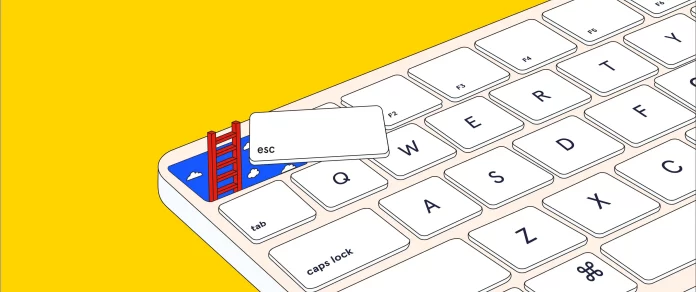
    Use your imagination to write the opening of a short story or poem inspired by this illustration or, tell us about a memory from your own life that this image makes you think of.

    Tell us in the comments, then read the related article to learn more.


    Students 13 and older in the United States and Britain, and 16 and older elsewhere, are invited to comment. All comments are moderated by the Learning Network staff, but please keep in mind that once your comment is accepted, it will be made public and may appear in print.

    Find more Picture Prompts here.