“Arks of the Apocalypse,” by Malia Wollan, focuses on Svalbard Global Seed Vault, a storage facility dug into the side of a mountain on an island near the North Pole. Ms. Wollan writes, “We build banks to better understand, but also perhaps to save, our disappearing world. The plan is to study these specimens now but also to deliver them to the future, when scientists will presumably be more advanced than we are, technologically — and hopefully smarter.” The article continues:
The seed vault is perhaps the best-known project in a growing global campaign to cache endangered phenomena for safekeeping. Fortunately — the leak snafu notwithstanding — scientists, governments and even private companies have become quite good over the last decade at these efforts to bank nature. The San Diego Zoo’s Frozen Zoo cryogenically preserves living cell cultures, sperm, eggs and embryos for some 1,000 species in liquid nitrogen. Inside the National Ice Core Laboratory, in Lakewood, Colo., a massive freezer contains roughly 62,000 feet’s worth of rods of ice from rapidly melting glaciers and ice sheets in Antarctica, Greenland and North America. The Smithsonian’s National Zoo in Washington maintains the world’s largest collection of frozen exotic-animal milk, from mammals large (orcas) and small (critically endangered fruit bats), in order to help researchers figure out how to nourish the most vulnerable members of any species: babies. An international project called Amphibian Ark engages in ex situ conservation by relocating amphibians, the most endangered class of animal, indoors for safekeeping and sperm collection.
In “For the Navajo Nation, a Fight for Better Food Gains New Urgency,” Amelia Nierenberg writes about Summer Brown, an enrolled member of the Navajo Nation, who moved back to her childhood home in Cornfields, Ariz., only to find it difficult to find healthy food for her family. To address her family’s needs, Ms. Brown collected seeds from Indigenous seed banks and researched Indigenous methods.
Her backyard garden isn’t meant just to replace a trip to the grocery store. Ms. Brown is part of a movement for food sovereignty, a global effort to give people control of their food supply and nutrition. It is a public health endeavor, an economic reclamation, an environmental protest and for many, a spiritual quest. Gardeners aim to grow healthy foods that are connected to their traditions, and to revive old methods of cultivation.
“I want to show the whole Navajo Nation, and even off the reservation, that you can live with the earth and you don’t have to rely so much on the outside to feed yourself,” Ms. Brown said. “We have all this land. We should be able to just go outside and get our food.”
The small gardens and cornfields rising across the Nation (which the Diné call the Dinétah) are attempts to correct legacies of historical wrongs. Once, the Diné (what the Navajo call themselves) were prosperous gardeners, hunters and stewards of the land. Then the United States government colonized the land and displaced the Diné in the mid-1800s, during what is now known as the Long Walk, to an internment camp at Fort Sumner, N.M. Livestock were killed off. Fields were trampled. And some orchards were lost forever.
After reading the two excerpts, choose one article to read in its entirety. Then, respond to these questions:
What are three things you learned about the seed storage project?
What are two connections you can make between the second seed storage project you read about and the one at Michigan State University?
What is one question that you still have about seed storage?
Option 2: Try a seed storage project
If you have more time, try out one of these experiments related to seed storage or seed germination.
Seed Storage Study from Education.com In this experiment, you will store seeds in different conditions: in the freezer, next to a stove, and at room temperature. Then, after a month, you will try to grow them.
Seed Banks Lesson Plan from Kids Gardening In this lesson, you will place seeds in a freezer at three-, two- and one-month intervals. Then you will try to germinate the three sets of frozen seeds and one set of seeds that was never frozen.
Ask a Biologist: Pocket Seed Experiment from Arizona State University In this experiment, you will compare the growth of seeds that were soaked and some that were not soaked, in different conditions, such as in light or darkness.
You can share the results of your experiment in the comments section of the article. How did conducting an experiment related to seeds deepen or change your understanding of the topics explored in the featured article?
About Lesson of the Day
• Find all our Lessons of the Day in this column. • Teachers, watch our on-demand webinar to learn how to use this feature in your classroom.
After a year with a marked increase indiscrimination and harassment aimed at Asian-Americans across the country, the past few months have been particularly shocking, in both the frequency and violence ofattacks.
A powerful way to fight racism is education. Conversations about prejudice with your children starting at a young age go a long way toward building empathy and acceptance, and books can be a great tool for sendingimportant messages. Thislist of 10 fiction, nonfiction and comic books will help kids of all backgrounds understand and combat this wave of anti-Asian hate and bullying, and provide more context to America’s history of discrimination.
Children’s Books
“My Footprints,” by Bao Phi; illustrated by Basia Tran In this snowy yet colorful picture book, little Thuy uses her imagination to recover from a bullying incident at school, with help from her two mothers. Ages 4 to 7.
“My Name is Bilal,” by Asma Mobin-Uddin; illustrated by Barbara Kiwak Bilal tries to hide his Muslim identity at his new school while his sister, Ayesha, is harassed for wearing a head scarf. A book, persuades Bilal to embrace his faith publicly and gives him the courage to stand up to the school bully. Ages 6 to 9.
“Inside Out & Back Again,” by Thanhha Lai This novel in verse spends a year with 10-year-old Ha and her family as they flee war-torn Saigon and start a new life in Alabama. Ha weathers bullying from classmates for her appearance and limited English skills until she pushes back. Ages 9 to 12.
“Count Me In,” by Varsha Bajaj Karina and Chris have been neighbors for years, yet their families have never spoken until Karina’s Indian-American grandfather volunteers to tutor Chris in math. When the grandfather is attacked by a stranger while walking, the students work together to heal and overcome the hate. Ages 9 to 12.
“Fred Korematsu Speaks Up,” by Laura Atkins and Stan Yogi; illustrated by Yutaka Houlette The story of the civil rights activist Fred Korematsu is told in poems chronicling his experiences of racism as a child and his long fight for justice. This biography includes passages about the country’s history of discrimination, the impact it had on Japanese-Americans and resources for young activists. Ages 9 to 12.
Teenage Nonfiction Books
“They Called Us Enemy,” by George Takei, Justin Eisinger and Steven Scott; illustrated by Harmony Becker In this graphic memoir, the “Star Trek” actor and activist George Takei recounts his harrowing childhood and his family’s traumatic experience being uprooted from Los Angeles and being taken to three World War II internment camps. Ages 12 and up.
“From a Whisper to a Rallying Cry: The Killing of Vincent Chin and the Trial that Galvanized the Asian American Movement,” by Paula Yoo In 1982, Vincent Chin was celebrating his bachelor party at a bar when an argument with two white men turned fatal. Chin’s death and the light criminal sentences his killers received incited national protests and a federal trial. Yoo’s comprehensive account sheds new light on the tragedy and its legacy. Ages 13 and up.
Teenage Graphic Novels
“Displacement,” by Kiku Hughes
In this science-fiction story inspired by her family, the teenage Kiku Hughes time-travels to the 1940s and finds herself trapped in the same World War II internment camp as her grandmother. There, Kiku gets a life-altering history lesson. Ages 12 and up.
“Superman Smashes the Klan,” by Gene Luen Yang, art by Gurihiru
Based on a 1946 Superman radio series, two Metropolis teenagers experience racism and attacks from the Ku Klux Klan when their family moves from Chinatown to the suburbs. Ages 12 and up.
“Flamer,” by Mike Curato
Boy Scout summer camp is fraught with anxiety for the teenager Aiden Navarro when he is bullied for his Filipino heritage, while questioning his religion and sexuality. This graphic novel is a moving story about self-discovery and survival. Ages 14 and up.
At its core, accessibility is all about inclusion. Accessibility means designing your products so that they can be used by everybody, at any time, and in all situations.
When we’re creating a new application or program, it’s vital to consider the many different ways users will access and interact with it. In this article, we’ll discuss why accessibility is so important, its many forms, and the various ways you can ensure maximum accessibility.
In 1990, the Americans with Disabilities Act (ADA) guaranteed access to public and private spaces — including digital spaces— for people with sensory, cognitive, and physical impairments.
Developers need to include additional support for users with disabilities and impairments, not just because it’s legally required but because it’s the right thing to do. Everyone deserves to have full access to digital products, whether for communication, work, or recreation.
Designing for accessibility is also great for your business. Expanding your user base through accessibility can help maximize your customers and profits — not to mention your community, which will make it easier for people to hear about your product through word-of-mouth. Plus, with a large and diverse customer base, you’ll receive more feedback about how to further improve accessibility in future products.
What does accessibility mean in different situations?
As we said at the beginning of this article, accessibility means designing for all situations and all types of users. But what does that mean in practice? How do you know if you’re designing or programming to be as inclusive as possible? We’ll show you how with the following tips.
Support for all devices
Accessibility means that your product is available and functional on all devices, from laptops and desktops to tablets and smartphones. It also means that your product works on multiple operating systems, like iOS and Android.
Designers need to keep the varying screen sizes of different devices in mind when building an application. Applications should accommodate these different sizes without sacrificing performance or optimal user experience.
One way to ensure your application supports all devices is through responsiveness. Responsiveness allows applications to automatically adjust to a user’s environment, such as screen size, platform, orientation, and more. Most programming languages automatically determine what type of device a user is on, making it easy to establish responsiveness. Wanna learn more? Check out our module on responsive design.
Designers also need to keep in mind the different ways users interact with applications across different devices. For example, we use a mouse to scroll through a website on a desktop, but on a smartphone, we use our fingers. It’s important to make sure that the actions available to users are the same across these devices. In other words, a mouse click should be the same as a tap of a finger.
But what happens when certain actions are only available on specific devices? Say your application features a tooltip users can hover their cursor over on a desktop for more information. You can’t hover on a smartphone, so you’d want to include an icon mobile users can tap to view the information. Making up for differences across devices helps designers ensure a consistent experience. Learn how in our lesson on browser compatibility.
Support for disabilities
Accessibility also involves supporting users with disabilities. The most common disabilities are:
Visual impairments
Hearing impairments
Mobility impairments
Cognitive impairments
Support for each of these disabilities is an important consideration that will affect the specifications of an application, website, or product’s design. Here are some ways that you can start designing for people with disabilities.
Visual impairments
There are several steps you can take to make your application more accessible for people with visual impairments. Consider adjusting your color scheme or including additional icons for those who are colorblind. Colors play a significant role in making web pages more accessible — check out our accessibility module for more information.
You can also make sure the HTML on your website is parsable by screen readers. Screen readers are software applications that work with a device’s operating system to translate text, icons, dialogue boxes, and images into speech or braille.
Hearing Impairments
Adding captions to your video content helps ensure accessibility for users with impaired hearing. If your application relies on sound for notifications or other outputs, consider adding visual cues as well.
Mobility impairments
There are several ways we can support people with impaired mobility, precision or fine motor skills. For example, increasing the click radius of your application’s icons and spreading them out across the page makes navigation easier for these users and helps ensure accessibility.
You can also design an application to be keyboard accessible. Some users may have difficulty using a mouse, so navigation could be done by allowing them to tab through the page.
Cognitive impairments
There is a wide range of cognitive impairments, but sticking to good design practices helps ensure our websites are easy to navigate and accessible to all. Examples of good design practices include:
Keeping user flows simple
Maintaining consistent navigation menu location
Keeping content organized the same across pages
Maximizing accessibility
We can all make an effort to program and design products that are accessible to all. Check out the Web Content Accessibility Guidelines (WCAG) for more information and great examples of how you can maximize accessibility. Then, put your knowledge to practice by completing the accessibility module in our Learn Intermediate CSS course.
You may have heard the phrases “no-code” and “low-code” being used in reference to building software. If you’re new to the world of no-code/low-code, you might be wondering what these terms actually mean.
At a high level, “no-code” is all about building software without writing any code. “Low-code” involves writing some code, usually when adding custom elements to a no-code project.
Here at Codecademy, we’re excited about what’s possible with no-code/low-code technology. After all, our mission is not unlike that of the no-code movement. That is, we want to empower people to build something meaningful with technology — whether it’s with no-code, a little bit of code, or code that’s written entirely from the ground up.
In this article, we’ll look at the differences between no-code and low-code in more detail. Plus, we’ll share some tools and resources to help you decide where to get started, with help from the team at Makerpad.
What is no-code development?
No-code development lets you build entire applications without writing a single line of code. Instead of working with code, you work with templates and drag-and-drop elements to create fully-functioning software.
“No-code is the first, most accessible, step of web and software development. It allows anyone to create software, visually, without writing code,” says Ben Tossell, the Founder of Makerpad, a no-code community.
If you’re new to programming, no-code tools can be a great place to start. Working with no-code can help you get a sense for how software is built — that there’s a front end, back end, and application programming interfaces (APIs) that talk to external apps, to name a few things. Getting that high-level understanding can be really helpful before diving into a specific programming language.
No-code tools also help software developers get projects off the ground quickly. Instead of building routine applications from scratch, no-code tools can be used, leaving developers with more time to tackle the interesting and challenging problems.
No-code tools
What tools are used in no-code development? Here are some tools that show what’s possible with no-code:
Zapier links web applications together to create automated workflows. For example, you can program Slack to notify you when you get an important email, or when a calendar event is about to start. Zapier takes care of the communication between web APIs that make these integrations possible.
Airtable lets you work with databases, all while interacting with a spreadsheet. You can create databases to manage digital assets, track bugs, and schedule content. And you don’t need to know any SQL.
Webflow helps you get your website off the ground, with a visual editor that functions much like front-end coding. With some web development knowledge, you can mix and match HTML elements and add CSS styling, all without having to write any code. Webflow also lets you integrate CMS and ecommerce capabilities into your site.
Circle helps you create a community space for hosting discussions, sharing content, and creating unique membership experiences. You can host communities around your courses, products, coaching services, and more.
Gumroad sets artists and creators up with an e-commerce solution, taking care of things like payment processing, file hosting, and aspects of marketing and communications. Creators can put their work up for sale, including illustrations, music, games, films, ebooks, and much more.
Carrd lets you create simple one-page sites for pretty much anything. You can quickly build and launch profile sites, portfolios, landing pages, and forms, to name a few examples.
ConvertKit helps you automate emails and stay in touch with clients and customers. You can design your own email templates, and even program emails to go out based on actions taken in apps like Shopify, Teachable, and Crowdcast. ConvertKit also lets you build landing pages and sign-up forms to help grow your email list.
Obviously AI trains machine learning algorithms to help you make data predictions. You can bring data sources, such as PostgreSQL, MySQL, and Salesforce. And get predictions for revenue forecasts, inventory demands, customer behavior, and much more. All without having to work with Python, R, SQL, or other data science languages.
Glide helps you build mobile apps directly from a Google spreadsheet. You can build anything from an employee directly, to a conference app, to a habit tracker.
Landbot creates chatbots for your website. You can use it to greet visitors with fun GIFs and visuals, guide people through your site, and create forms designed as conversational prompts.
Bubble lets you create a variety of web applications, with powerful database and API features. You can build anything from analytics dashboards, to marketplaces for physical goods, to job boards.
Coda brings together your documents, spreadsheets, kanban boards, calendars, and more. It’s kind of like a central hub for teams, or individuals, to house their knowledge.
Niro helps you create multi-page web forms, called “clickflows.” You can turn forms into quizzes and questionnaires that help you identify potential customers, ask existing customers for feedback, or match site visitors with products that they might like.
Scapic helps you create 3D product visuals for your online store. Your customers can view the product on your site, or in their own space using augmented reality.
Voiceflow lets you build voice apps for Alexa and Google. You can easily create voice apps using drag-and-drop blocks that represent the logic and structure of your app.
Getting started with no code
Interested in learning more about no-code? Check out a these resources at Makerpad to learn more and get started:
Low-code development lets you build software with minimal coding. Working with low-code tools, you can build most of an application using templates and drag-and-drop elements. For features that are not readily available, you can add code snippets that bring these elements into your application. Unlike no-code, low-code development requires some basic understanding of programming.
“I think code, low-code, and no-code are all on the same spectrum of ‘software development.’ No-code is the first step — the lowest rung on the ladder. Traditional coding, as we all think about it today, is the very top rung of the ladder. And low-code sits in the middle,” Ben tells us.
What tools are used in low-code development? Many of these are no-code tools that let you take things to the next level with code snippets. Here are a few to check out:
Velo by Wix lets you add JavaScript to your Wix site. You can make your site elements more interactive, whether that’s programming a pop-up message or displaying information from a third-party API. You can also change how certain site elements look by adding custom CSS to the Wix Editor.
Code by Zapier lets you add snippets of JavaScript or Python code, for tons of custom functionality. You can add code snippets for extracting data from large amounts of text, or for limiting the number of times your automation runs per hour.
Airtable Developers helps you take a low-code approach to Airtable. With a bit of JavaScript, you can pull images from Unsplash, uncover insights across different tables, and automate repetitive tasks. You can even install pre-written code snippets using the Airtable Scripting App marketplace.
Retool lets you build internal tools for your team. With basic knowledge of SQL, you can bring in data from other places to build all sorts of apps, dashboards, admin panels, and more. Retool lets you connect to most databases or anything with a REST, GraphQL or gRPC API. And you can write JavaScript code to change how data appears in your custom tools.
8base helps you set up back-end infrastructure through what’s called backend-as-a-service. You can spin up servers, manage databases, store images and videos, safely authenticate users, and more. With knowledge of GraphQL, you can query your back end through a single API point. 8base is great for helping front-end developers build full-stack applications.
Autocode lets you build custom integrations between web applications like Discord, Strava, and Slack. Using an in-browser development environment, you can access an API library and generate code using features like autocomplete. Autocode is great for more complex workflows and integrations that are harder to create using purely no-code tools.
Getting started with low-code
Interested in learning more about low-code development? To find out what programming languages you can start learning to bridge the gap between no-code and low-code, check out Makerpad’s article on coding languages every no-coder needs.
Let us know what no-code/low-code tools you love to use in the comments below!
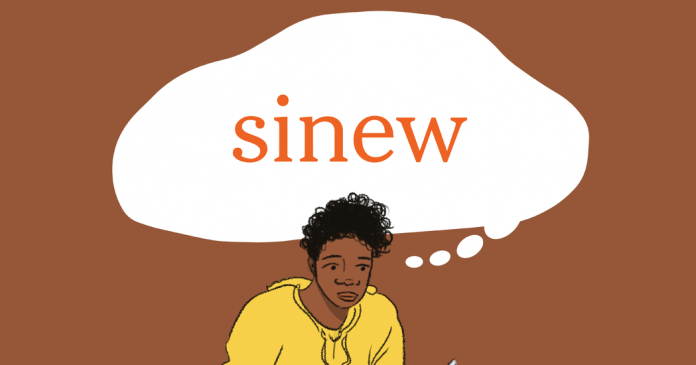
That first weekend, the players felt it. There was no wall of sound to greet them as they entered the field, no roar to urge them on after a setback, no delirium to greet a goal.
Empty stands seemed to sap games of their urgency and intimidating stadiums of their hostility. At least one player noted motivation — to strain that final sinew, to make that last burst — was more elusive in the silence. Many fans, watching on, seemed to detect the same lack of intensity.
Daily Word Challenge
Can you correctly use the word sinew in a sentence?
Based on the definition and example provided, write a sentence using today’s Word of the Day and share it as a comment on this article. It is most important that your sentence makes sense and demonstrates that you understand the word’s definition, but we also encourage you to be creative and have fun.
Then, read some of the other sentences students have submitted and use the “Recommend” button to vote for two original sentences that stand out to you.
If you want a better idea of how sinew can be used in a sentence, read these usage examples on Vocabulary.com.
Students ages 13 and older in the United States and the United Kingdom, and 16 and older elsewhere, can comment. All comments are moderated by the Learning Network staff.
How often do you spend time in nature? How closely do you observe your surroundings? Has the pandemic changed your relationship with the natural world in any way? If so, how?
In honor of Earth Day, we invite you to ponder these questions and tell us, too, about the coolest and most memorable things you’ve ever seen or experienced outside — whether on a camping trip in a remote place or in your own backyard.
To help, we’re excerpting two inspirational pieces. One, an Op-Ed essay by Margaret Renkl, “We Were Born to Be Wild,” points out how disconnected many of us are from the flora and fauna all around us:
Many people no longer feel a connection to the natural world because they no longer feel themselves to be a part of it. We’ve come to think of nature as something that exists a car ride away. We don’t even know the names of the trees in our own yards.
These encounters remind us that we are surrounded by creatures as unique in their own ways as we are in ours. And our delight in their antics tells us something about ourselves, too. We may believe we are insulated from the natural world by our structures and our vehicles and our poisons, but we are animals all the same.
Thursday is Earth Day, and even if you can’t observe it by planting trees or pulling trash out of nearby streams, this week is a good time to remember that it’s never too late to become a naturalist. And the first step is simply waking up to our own need for the very world we have tried to shut out so completely.
For we belong to one another — to the house finches and the climbing raccoons and the door-knocking turtles and the bathing bears. Recognizing that kinship will do more than keep our fellow creatures safer. It will also keep us safer, and make us happier, too.
Another article, this one by Michelle Nijhuis andheadlined “Plant a Love of Nature in Your Kids,” reminds us that, with an estimated one million species of plants and animals now at risk of extinction, the need for humans to coexist with other species is more critical than ever. It offers advice that anyone of any age might benefit from, including:
Show kids they can find refuge in the outdoors.
Almost every budding conservationist has discovered that plants and animals can be a source of comfort in difficult times. Rosalie Edge, who fought for the protection of hawks and eagles in the 1920s and 1930s, started bird watching in Central Park after the collapse of her marriage in 1921, reflecting that the sight of birds in flight “comes perhaps as a solace in sorrow and loneliness, or gives peace to some soul wracked with pain.”
Aimee Nezhukumatathil, a poet, essayist and author of “World of Wonders,” recalled that when she was growing up in Phoenix during the “stranger danger” panic of the 1980s, she felt as if the tall saguaro cactuses in her neighborhood watched protectively over her and her friends. Now, Dr. Sampson noted, the outdoors and its inhabitants can be a refuge from the stress and isolation of the pandemic.
“I think every single one of us — adult, teen, child — has been going through some kind of trauma or suffering over this past year,” he said. “We all need some rehab, and one of the easiest ways to do it is just to step outside.”
Enjoy other species in good company.
Conservation is about preserving relationships — among species, between species and their habitats, between humans and other species — so it’s fitting that conservationists often learn to care for plants, animals and habitats while in the company of friends and relatives. Emmanuel Frimpong, a professor at Virginia Tech who studies the ecology and conservation of freshwater fishes, attributed his love of streams to his childhood in Ghana, where he followed his father and uncles on long hikes to promising fishing holes.
Michael Soulé, the founder of the field of conservation biology, spent much of his adolescence roaming the Southern California desert with friends from the junior-naturalist program at the San Diego Natural History Museum. When exploring habitats with your kids, multiply their opportunities for wonder (and turn the experience into a party) by inviting their friends along, and allowing them to roam together.
Students, choose one of the two articles to read in its entirety, then tell us:
Is Margaret Renkl right? Do you no longer feel a connection to the natural world because you no longer feel a part of it? Is nature mostly a place you visit a car ride away? How would you describe your relationship with the natural world? Has it changed since you were a child?
Do you know the names of the trees and flowers, birds and animals in your backyard or local park? Have you, like many others, learned more about them during the pandemic? What is one thing you’ve noticed about nature in your own area recently? For instance, what is in flower right now? What birds are visiting your area this spring?
Think back, even if you have to go all the way to childhood: What are some of the most memorable moments you’ve had in nature? What have you observed that inspired awe or brought you joy? When have you ever felt true “kinship” with the natural world? Make a list if you can, the more specific the better. (If you’d like to be inspired, we asked a similar question back in 2013, and you can read the comments teenagers posted then.)
After thinking about some of your most memorable experiences, would you agree with the doctor quoted in Michelle Nijhuis’s article that, after the year we’ve all had, one of the easiest ways to “rehab” is to step outside? Do you find that going outside brings you the kind of solace and peace that many quoted in the article seem to feel?
One piece of advice in “Plant a Love of Nature in Your Kids” is to explore nature in the company of friends and relatives. Is there someone in your life who knows a great deal about the natural world and has taught you about it? What have you learned, and how? Do you have friends or relatives with whom it might be fun to plan a nature walk? Is there a park, garden, forest, pond, river or ocean near you, and, if so, are there volunteer opportunities to help care for it? In short, what plans can you make to get out into nature soon in a way that will be rewarding for you?
Students 13 and older in the United States and the United Kingdom, and 16 and older elsewhere, are invited to comment. All comments are moderated by the Learning Network staff, but please keep in mind that once your comment is accepted, it will be made public.
With much of the world still closed off to U.S. travelers, American tour companies are taking the opportunity to sell backyard travel to domestic customers, placing an emphasis on National Parks and other outdoor experiences that are sometimes overlooked.
Are there any “hidden gems” of nature near your home? What nearby outdoor places do you enjoy visiting, be it a local beach, a hidden waterfall, scenic exercise trail, state park or something else? Would these places appeal to vacationers or are they best appreciated by locals? Do you think Americans appreciate the diversity of natural beauty around them or take it for granted?
Tell us in the comments, then read the related article to learn more about vacation opportunities for nature-loving Americans.
Students 13 and older in the United States and the United Kingdom, and 16 and older elsewhere, are invited to comment. All comments are moderated by the Learning Network staff, but please keep in mind that once your comment is accepted, it will be made public.
Personal development is a widely used but rarely explained term.
In essence, it’s the lifelong process of investing in yourself. It’s about expanding your knowledge and skillsets so you can attain the goals you set yourself, both personally and professionally.
Personal development is about engaging proactively with life. Rather than waiting for good things to happen, you get out there and make things happen.
Committing to personal development is the first step in achieving both your personal and professional goals. While it might be “personal”, self-development isn’t something you do all on your own. Alison offers a wide range of tools that empower you to develop yourself and achieve your career goals. Here are five of the best.
When it comes to your professional life, understanding yourself better means being self-aware of your values, expertise and capabilities. When deliberating between possible career moves, understanding yourself better will enable you to make decisions that positively impact your life. Knowing what you want from your career and the type of work environment or culture you will thrive in goes a long way in helping you pursue the perfect career path. Taking a psychometric test is one of the simplest and most effective ways of understanding yourself professionally. Nowadays, psychometric testing is a common part of many interviews as employers seek to know if a candidate is likely to excel in a certain role or career. Employers run such tests to assess your intelligence, skills, and personality. The tests can also gauge your capacity to handle stress, your inductive reasoning, situational judgment, and how well you work with others.
Alison provides a free workplace personality assessment to help you identify where your strengths and weaknesses lie. These tests have been administered to some of the world’s top corporate enterprises and are backed by rigorous, scientific evaluation. This assessment is a great way to get a better sense of yourself professionally
The Career Guide – Navigating An Everchanging Job Landscape
The modern job market is constantly changing. The employment landscape as it exists today is vastly different from what it was even a few years ago. The workforce continues to change at a rapid pace and more than half of the jobs that will be available in 2030 do not even exist yet. Consider where we are now. The Covid-19 pandemic was completely unpredicted and resulted in millions of people losing their jobs, while at the same time, plenty of opportunities also emerged. With that in mind, it’s important to be able to constantly adapt when it comes to your career.
Alison’s Career Guide allows you to explore hundreds of potential alternative careers. This fantastic tool can be searched by Industry, Career Path or Occupation and offers vital information on the career in question. The Career Guide also links you to relevant courses related to that industry. The Alison Career Guide is the perfect tool for researching different careers and learning which skills you need to succeed
Craft the Perfect CV – Presenting Yourself
When it comes to the job-seeking process, one of the toughest challenges is writing a good CV. Crafting a professional and eye-catching CV is necessary to make you stand out from the other candidates, and help you secure that all-important interview.
The exact format and content of your CV depends on the industry you’re pursuing a career in. However, there are some universal constants to include when writing your CV. These key elements are all covered in this great course detailing the CV and cover letter writing process. It looks at how to design a professional header and layout, concisely outline your experience and the various formats you should use, depending on the career you’re pursuing.
Learning Hubs – Gaining Expertise
Without expertise knowledge on a particular subject or in a specific field, your career opportunities will be limited to jobs with a low skillset entry point. This confines you to applying for low paid work as the more specialised your job, the higher the salary you tend to earn. In order to get the best out of yourself and maximise your earning potential, it’s important to develop a unique and valuable set of skills, abilities and knowledge. A CV that marks you out as an expert in your chosen field will allow you to apply for more tailored roles that demand higher salaries.
To help you master your chosen subject or skill, Alison is launching a series of Learning Hubs. Learning Hubs are spaces where you can immerse yourself in a particular topic and access a range of courses that will both broaden and deepen your understanding of a subject. While there are many more Hubs to come, our debut offering is the Microsoft Learning Hub. Fluency in the full suite of Microsoft programs is an invaluable skillset and this Learning Hub is the perfect place to familiarise yourself with courses from Excel to PowerPoint. The Hubs also include Frequently Asked Questions and links to Alison Blog posts that will expand your knowledge on your chosen topic.
Interview Skills – Doing Yourself Justice
A job interview is your chance to show your potential employer that you are the right person for the job. It’s your chance to showcase the skills and expertise that you’ve worked hard to develop. If you’ve managed to get to the interview stage, then you have every reason to be confident that you’re fully qualified and deserving of the job in question. It’s crucial that you acknowledge and own that confidence during the interview itself. Don’t be modest about your accomplishments or your CV – show the organisation that they need you
Alison offers a series of interview-focused courses that cover all of the relevant topics to help you succeed in doing yourself, and your achievements, justice when it comes to the job interview. These courses includes all of the key soft and interpersonal skills necessary for making a great first impression, and also a lasting one. Also included are courses that will teach you about HR and hiring practices to give you a better idea of the techniques and lines of questioning you might encounter in the interview.
All across our community, learners are doing amazing things with code. From students assembling the skills they need for the future to workers making huge leaps into technical careers, we’re constantly blown away by the stories we hear.
Here are just a few of the things our learners have accomplished with code this past year. If you’re feeling inspired to start your own journey, check out our full catalog of courses to get started!
Finding meaningful work
When lockdown began in the UK, Bernard decided to make a career change. He started learning code, spending a few hours each day on Codecademy and completing a number of certifications. From there, he got accepted into a cloud engineering bootcamp, and shortly after started his career in technology.
Today, Bernard works as a junior software developer. His focus is back-end development, building cutting-edge technologies that ensure safe and efficient transportation across the UK train network.
Bernard continues to use Codecademy whenever he needs to learn a new skill, or get up to speed on a new technology. He tells us:
“Although my free trial of Codecademy Pro expired, and I have found meaningful employment in technology, I still have, and use, a Codecademy Pro account. There are a lot of technologies on the platform, and if I need to get used to the syntax of a new language, a short time on Codecademy is normally my first step. I genuinely enjoy how the topics are taught on the platform.”
Fighting crime with data
Jessica was a furloughed worker who made a unique and inspiring career change — she went from museum curator to crime analyst. Learning data analytics using Python and SQL allowed Jessica to build upon her existing research skills in anthropology and museum research.
Jessica advises setting clear goals for anyone that wants to learn code:
“My advice for anyone starting their coding journey or who have gone through something similar is to form a goal and learn with that in mind. I had a goal of becoming some sort of analyst, preferably a crime or intelligence analyst. I knew analysts needed to know code. And once I started learning, I began to see how code could be used. Believe you can take at least some power back into your life and don’t be afraid to share that you’re learning this with others.”
She also tells us: “I continue to learn and practice code in the custom queries I build or edit in my new job as a Crime Analyst!”
Making leaps in a marketing career
Caitlin is a digital content marketer, who took the opportunity to advance her career by learning to code. She used her time off as a furloughed worker to grow her technical skills in web development.
Confident in her technical knowledge, she landed a new marketing role, where she uses HTML and CSS on a daily basis to create email templates and web pages.
Caitlin shares with us: “Before, I didn’t believe in my technical abilities…Codecademy made me feel that with practice, I could not only learn the code necessary for web development, but make a career out of my knowledge.”
She also tells us how coding helped her become a more creative marketer:
“I think coding knowledge is always going to make someone an asset to the job market no matter what field, but on a personal level, it’s just fun. I have a more right-brain mind, so I assumed coding would be boring, but it’s allowed me to take my creativity to the next level.”
Growing a consulting business
Maggie is an actor who runs a web design and consulting business. When lockdown began and theaters closed, she decided to focus on learning web development. This meant she could grow her business by offering more services to her clients.
Maggie joined Codecademy Pro through a scholarship program for workers impacted by COVID-19. “The Codecademy scholarship allowed me to gain more skills in CSS and HTML, which allowed me to offer more and better services to my clients. My increased skill level gave me more confidence in taking on more complex and larger projects,” she tells us.
What’s Maggie’s advice on learning to code?
“Try not to let the intimidation of the word ‘coding’ stop you! I felt like I wasn’t ‘smart’ or ‘tech-y’ enough for coding for years and years, but after getting through that resistance I found that I really enjoy it! I love puzzles, and coding really exercises that part of my brain. Start slow, stay curious, and continue to practice to get more comfortable. Remember that millions of people have learned this before, so there’s no reason why you can’t as well!”
Taking a growth year to learn code
After graduating high school, Jacob decided to defer and take what he refers to as his “growth” year (instead of a gap year).
During that time, Jacob learned with Codecademy every day, completed the Data Science Career Path, and joined a data science bootcamp where he became a teaching assistant. He then landed a paid fellowship with the government doing software engineering, and has participated in and won several hackathons.
This year, he’ll be attending Rice University as a freshman. Jacob credits Codecademy for giving him the direction and opportunity to take a “growth year”and accomplish things he wouldn’t otherwise if he was a full-time student.
“Codecademy gave me the support I needed when I felt most vulnerable in my learning journey and that’s why I have continued coding throughout the year,” Jacob shares with us.
Thomas majored in music, but wasn’t sure what direction to take his career. He had taken a few computer science classes at his school. But he shares that coding didn’t click for him until he started learning with Codecademy.
Now he’s declared a CS minor, and feels like he has a leg up in his college courses based on what he learned with Codecademy. Thomas is graduating this semester, and in less than a year of getting serious about coding, has landed an entry-level job as a programming analyst.
Thomas describes the feeling of taking a new path:
“You can do hard things, especially if you’re interested in it. In my computer science classes, I feel like there are always people that are smarter than me. But just sticking to your own will, and trusting that you’re here, and that you’ve made it to this point — you’ll be able to look back at all your progress. I’ve done the work to get here, so it’s just about believing that you can do something difficult.”
Learning skills for a class project
Jacque, who is studying systems engineering in the Dominican Republic, decided to learn web development for a college project.
As a recipient of the student scholarship program, Jacque tells us: “It came on in a really good moment because I had to work in a Web project and I learned a lot of HTML and CSS that I needed right in the moment.”
He also tells us: “What I love the most about Codecademy is that there are many different ways to learn: reading, watching a video, watching pictures, listening to someone explaining it, practicing what you are learning…Codecademy literally has them all!”
Preparing for job interviews
Mathias was studying Communication Technology and Digital Security in Norway, when classes moved online. He had more free time on his hands, which he spent on Codecademy.
Through learning with Codecademy, Mathias was able to build his portfolio and prepare for job interviews. He applied his new skills in JavaScript and React to create a pathfinding visualizer project. Sharing his journey with employers helped Mathias make a positive impression:
“Using Codecademy to learn things I normally wouldn’t learn during my studies has really proved helpful, and it proves to those around me that I both have experience, but also am willing to put in the extra effort.”
Mathias shares that he is now making his way through the Learn TypeScript course, and looks forward to starting the Learn C++ course too.
Supporting bioinformatics research
As a high school senior, Ellie was planning to spend her summer doing research at a local lab. When the pandemic hit, her research focus turned instead to bioinformatics.
She applied for the student scholarship program — which awarded 100,000 student scholarships last year — to learn the programming skills she needed for her research. “Coming in with minimal programming experience, I used my Codecademy scholarship to learn R in the week leading up to my internship,” Ellie tells us.
Within a short time, Ellie was able to apply the skills she’s learned to analyze large publicly-available RNA-sequencing databases, run correlation analyses, and submit her findings to a bioinformatics conference. “Throughout the summer, I returned to Codecademy to brush up on concepts or learn specific skills that I needed to solve a problem in my code.”
“When I got back to my job, my employers were really surprised by how I could apply several programming skills on our projects. I ended up creating several VR and AR websites and remodeling the company’s website. Right now we are developing a few projects which use Machine Learning and Deep Learning,” Lucas says.
Currently, Lucas leads the Rio de Janeiro Codecademy Chapter, hosting virtual meetups for learners in his local community. His future plans include combining his programming skills with his interest in film to pursue a masters in Virtual Production.
“Right now I am looking for more opportunities and means to develop myself. In the meantime I’ll keep my day streak going! Just got past 200 the other day,” Lucas tells us.
Feeling inspired by these stories? Check out our full catalog of courses to get started on your own journey. To check out more inspiring stories — and to share your own — head over to the Codecademy Forums.
We’re excited to share some updates to our CSS content! First, we have a new Learn Intermediate CSS course for learners who want to explore the language’s more advanced features and capabilities. We’ve also made several adjustments to our existing Learn CSS course to make it more suitable for beginners.
Read on for more information about the updates to Learn CSS. Plus, learn more about the new Learn Intermediate CSS course and the skills you’ll gain from it.
Our new Learn Intermediate CSS course is available for all learners and is perfect for those who have mastered the basics of HTML and CSS and want to take their web development skills even further. The course includes lessons pulled from Learn CSS and our Responsive Design Skill Path and three all-new modules.
What skills will I take away from Learn Intermediate CSS?
After taking Learn Intermediate CSS, you’ll know how to create a more sophisticated design for web pages with the Flexbox and Grid layouts. You’ll also be able to create scalable stylesheets using variables and functions.
Learn Intermediate CSS also covers accessibility and browser compatibility. By learning how to ensure a website is accessible and functional across different browsers and devices, you’ll create a more consistent and inclusive experience for all users.
Learn CSS is one of our most popular courses related to web development. The course teaches you the basics of using CSS (Cascading Style Sheets) to style HTML web pages. However, the language has undergone several changes since Learn CSS was released, so we’ve reviewed its content to ensure everything is up-to-date.
While reviewing the Learn CSS syllabus, our Curriculum Developers realized that some of its lessons were better suited for a more advanced course. So, to keep it suitable for beginners, we’ve removed the advanced material from Learn CSS and added it to the new Learn Intermediate CSS course.
We’ve also added new content to Learn CSS. The course’s first lesson is now split into two parts: CSS Setup and Syntax and the new CSS Selectors, which includes four new exercises to help build your skills.
Lastly, we want to give a special shout-out to our learners whose feedback helped us identify and resolve bugs and errors to improve our users’ experience.
How will this affect learners who’ve already taken Learn CSS?
If you’ve already completed the course, don’t worry — your certificate and progress will remain unchanged.
Learners who are currently enrolled in Learn CSS may see an increase in their progress, along with some progress in Learn Intermediate CSS. However, you’ll want to go back and complete the new second half of the first lesson to achieve 100% completion.




 by Eddie Litonjua