fbpx
Home Blog Page 28

Why the Future of Learning Starts with Building

0

Coding has always served two purposes: the intrinsic drive to build something, and the practical path to a lucrative career. Even the most passionate code aficionados don’t dream of variables or syntax — they want to make a website, a tool, a game. For years, the career upside was impossible to ignore. You could land a stable SWE job, bootstrap your own app, or join a buzzy startup as a first hire.  

Generative AI flipped the script. AI now handles the repetitive tasks that used to define entry-level developer roles. At the same time, the barrier to entry for coding and building is lower than ever — you can spin up a working prototype with just an idea and a natural language prompt.  

This shift hasn’t eliminated the desire to code, but it’s changed what and who coding is for. If you’re not learning to land a junior dev role, you’re learning to build the thing you’ve been imagining, to add a technical skill to your existing career, or to understand the tools you’re already using at work. And here’s the catch: those goals all require understanding your code, not just having code that works. 

At Codecademy, all of these changes excite us about the future of learning to code. We’re introducing the AI Builder, a new project-based learning tool that flips the script by teaching you how to work with AI-generated code from the start. Our approach brings together the immediacy of modern AI tools and the rigor of real instructional design.

Why we created the AI Builder 

AI’s speed and efficiency often come with a tradeoff; you can get working code immediately, but you don’t really know what it’s giving you or why it’s built a certain way. Developers use the term “vibe coding” to describe this phenomenon — it’s fast, fun, but shallow; great for demos, less great for long-term skill-building.  

If your goal is to understand what you’re building, generic AI output alone won’t get you there. And the more you push these tools into real-world complexity, “the harder it is for them to give you exactly what you want,” says Zoe Bachman, Head of Learning at Codecademy.  

Switch to Learn for behind-the-scenes insights and your personalized roadmap.

With the AI Builder you get an education along with the AI output. In the workspace, you can toggle between two tabs: Build, where you work directly with a project and can modify and change code in real time; and Learn, where you get a personalized learning roadmap that’s based on your project.  

“We pair the experience of having a working app with a learning path that allows you to reverse engineer how it’s built, so you can deeply understand it and modify it confidently,” Zoe says. We’re calling our hybrid approach to learning-driven development “vibe learning” — it’s powered by AI guidance but rooted in learning science.  

Build first; learn continuously 

With AI Builder, you start with what you want to do: build the thing in your head. Whether that’s a habit tracker, a portfolio site, or the seed of a bigger idea, you don’t need to have prior coding knowledge to learn and build with the AI Builder. In other words, there are no pre-requisites for creation.  

You create a prototype by typing what you’d like to create in natural language. The AI chatbot will ask a few clarifying questions about your needs and overall goal before generating the project. Once the project is created, you can use the chat function to continue describing what you want. (You’re also welcome to go right into the code and start making changes if you already know your way around!)  

“It was fun to build something so quickly and be able to see the code and a learning plan for it,” says Grace Krishna, a Code Crew member who beta tested the AI Builder.   

When you need clarity on what’s going on behind the scenes in your code, or you hit a wall with AI, that’s a great time to flip over to the Learn tab.  

We’re calling our hybrid approach to learning-driven development ‘vibe learning’ — it’s powered by AI guidance but rooted in learning science.

Your project becomes the curriculum 

Rather than teaching concepts in the abstract and hoping learners translate them later, AI Builder removes that translation tax entirely. “We’re showing you specifically your code from your project and helping you understand it,” Zoe says.  

Rework your prototype in real time with the help of AI.

To build that personalized curriculum, the AI Builder breaks your project’s code into clear milestones and tasks. For each task, it generates an interactive learning loop, which is an activity designed to help you form a mental model of what your specific code is doing.  

These loops help you understand the logic behind each part of your project, so you can confidently apply the same thinking to other sections, or even future projects. This approach also ensures everything you learn is directly relevant to what you’re making — so you don’t have to guess when you’ll ever use this. 

Why this is vibe learning (not vibe coding) 

A key misconception about AI‑assisted development is that it makes learning superficial. AI Builder challenges that by grounding the entire experience in learning science rather than simple code generation. Our entire system is intentionally designed for you to retain knowledge. So, while it might not feel like you’re taking a course, you’re absorbing key concepts just by interacting with AI-generated code.  

A Socratic AI, not an answer-spitting chatbot 

Our educational AI chatbot is designed to guide you toward an answer through an in-depth questioning approach that’s based on the Socratic method of teaching. Instead of spitting out shortcuts or answers like AI typically does, you get strategic nudges, hints, and questions that build durable mental models.  

Research on AI in education shows that just providing an answer makes it harder for learners to retain the information on their own. Zoe compares the Socratic AI to “a personalized tutor, facilitating you acquiring more knowledge, so you’re not totally left on your own.” Our method encourages you to think critically so you really grasp the concepts and can continue to use them in the real world.  

Learning loops with real instructional design 

Behind the scenes, every learning loop in the Learn tab is built on proven frameworks like inductive learning and the 5E model, a popular STEM teaching framework that’s shorthand for engage, explore, explain, elaborate, and evaluate.

You’ll notice that the questions and exercises in the Learn tab feel different than the rest of our courses and paths, and that’s intentional. “The learning loops are designed very well — they get you there inductively,” Zoe says. They’re exploratory without being overwhelming, and evaluative without feeling like tests.  

Negar Vahid, a beta tester for the AI Builder appreciated the AI’s interactive question format. “The question-based learning feels engaging, and the starter project it builds is simple but useful,” she says.  

This structure ensures you don’t develop the wrong mental models — a known risk in fully constructivist or student-centered environments — while still giving you the freedom to explore.

Why learn when AI can build? 

There are some projects that are well-suited for simply vibe coding, like making a personal HTML website or a single-use script to automate a one-time task. Tools like Lovable and v0 are suited exactly for these types of projects.  

The longer your code needs to live, and the more complex your project becomes, the more you need to actually understand what you’re building. Joe Holmes, Codecademy Curriculum Developer in the AI and machine learning domain, uses the term “ignorance debt” to describe what happens when you don’t: 

“It’s like tech debt squared. It’s much, much worse,” Joe says. “You don’t know what kind of code is coming out. You just are only looking at: Does this kind of generally appear to be what I asked for? You don’t know if there are security flaws. You don’t know if there are performance flaws. You don’t know if you’re leaking sensitive information. You don’t know how to fix anything.” 

The tipping point comes down to two factors: complexity and time. If you’re developing software professionally, you’re legally responsible for the code you output. If you’re building something that will serve actual users, you need to be accountable for security, performance, and maintainability. And if your project will need updates or fixes over time (which most do) understanding your codebase becomes essential, not optional. 

The good news? Learning doesn’t have to feel like eating your vegetables. “Kids hate veggies and broccoli because we don’t cook it well enough to make it tasty when we first introduce it to them,” says Nhi Pham, Codecademy Curriculum Developer. The same is true for teaching AI: “If you do it well, you’re inspiring people to have these very hygienic practices when working with AI,” she says.  

That’s exactly what AI Builder is designed to do — make learning feel as immediate and rewarding as building, so you develop good habits from the start rather than building a lifelong aversion to understanding your own code. 

Get started with the AI Builder 

AI isn’t a replacement for learning, it’s a tool — and a powerful one when it comes to education. Our new AI Builder allows for “just‑in‑time learning that’s highly personalized,” Zoe says. Even the best teachers or bootcamps can’t deliver that for every learner, on every project, instantly. Perhaps the most exciting vision is how AI changes what a learning environment can be. 

Zoe described it beautifully: “I imagine the AI Builder as a workspace… like having all your resources around you and an AI tutor in the background.” 

That’s the shift: from learning before you build to learning while you build. We can’t wait to see what you create. 

Why the Future of Learning Starts with Building

0

Coding has always served two purposes: the intrinsic drive to build something, and the practical path to a lucrative career. Even the most passionate code aficionados don’t dream of variables or syntax — they want to make a website, a tool, a game. For years, the career upside was impossible to ignore. You could land a stable SWE job, bootstrap your own app, or join a buzzy startup as a first hire.  

Generative AI flipped the script. AI now handles the repetitive tasks that used to define entry-level developer roles. At the same time, the barrier to entry for coding and building is lower than ever — you can spin up a working prototype with just an idea and a natural language prompt.  

This shift hasn’t eliminated the desire to code, but it’s changed what and who coding is for. If you’re not learning to land a junior dev role, you’re learning to build the thing you’ve been imagining, to add a technical skill to your existing career, or to understand the tools you’re already using at work. And here’s the catch: those goals all require understanding your code, not just having code that works. 

At Codecademy, all of these changes excite us about the future of learning to code. We’re introducing the AI Builder, a new project-based learning tool that flips the script by teaching you how to work with AI-generated code from the start. Our approach brings together the immediacy of modern AI tools and the rigor of real instructional design.

Why we created the AI Builder 

AI’s speed and efficiency often come with a tradeoff; you can get working code immediately, but you don’t really know what it’s giving you or why it’s built a certain way. Developers use the term “vibe coding” to describe this phenomenon — it’s fast, fun, but shallow; great for demos, less great for long-term skill-building.  

If your goal is to understand what you’re building, generic AI output alone won’t get you there. And the more you push these tools into real-world complexity, “the harder it is for them to give you exactly what you want,” says Zoe Bachman, Head of Learning at Codecademy.  

Switch to Learn for behind-the-scenes insights and your personalized roadmap.

With the AI Builder you get an education along with the AI output. In the workspace, you can toggle between two tabs: Build, where you work directly with a project and can modify and change code in real time; and Learn, where you get a personalized learning roadmap that’s based on your project.  

“We pair the experience of having a working app with a learning path that allows you to reverse engineer how it’s built, so you can deeply understand it and modify it confidently,” Zoe says. We’re calling our hybrid approach to learning-driven development “vibe learning” — it’s powered by AI guidance but rooted in learning science.  

Build first; learn continuously 

With AI Builder, you start with what you want to do: build the thing in your head. Whether that’s a habit tracker, a portfolio site, or the seed of a bigger idea, you don’t need to have prior coding knowledge to learn and build with the AI Builder. In other words, there are no pre-requisites for creation.  

You create a prototype by typing what you’d like to create in natural language. The AI chatbot will ask a few clarifying questions about your needs and overall goal before generating the project. Once the project is created, you can use the chat function to continue describing what you want. (You’re also welcome to go right into the code and start making changes if you already know your way around!)  

“It was fun to build something so quickly and be able to see the code and a learning plan for it,” says Grace Krishna, a Code Crew member who beta tested the AI Builder.   

When you need clarity on what’s going on behind the scenes in your code, or you hit a wall with AI, that’s a great time to flip over to the Learn tab.  

We’re calling our hybrid approach to learning-driven development ‘vibe learning’ — it’s powered by AI guidance but rooted in learning science.

Your project becomes the curriculum 

Rather than teaching concepts in the abstract and hoping learners translate them later, AI Builder removes that translation tax entirely. “We’re showing you specifically your code from your project and helping you understand it,” Zoe says.  

Rework your prototype in real time with the help of AI.

To build that personalized curriculum, the AI Builder breaks your project’s code into clear milestones and tasks. For each task, it generates an interactive learning loop, which is an activity designed to help you form a mental model of what your specific code is doing.  

These loops help you understand the logic behind each part of your project, so you can confidently apply the same thinking to other sections, or even future projects. This approach also ensures everything you learn is directly relevant to what you’re making — so you don’t have to guess when you’ll ever use this. 

Why this is vibe learning (not vibe coding) 

A key misconception about AI‑assisted development is that it makes learning superficial. AI Builder challenges that by grounding the entire experience in learning science rather than simple code generation. Our entire system is intentionally designed for you to retain knowledge. So, while it might not feel like you’re taking a course, you’re absorbing key concepts just by interacting with AI-generated code.  

A Socratic AI, not an answer-spitting chatbot 

Our educational AI chatbot is designed to guide you toward an answer through an in-depth questioning approach that’s based on the Socratic method of teaching. Instead of spitting out shortcuts or answers like AI typically does, you get strategic nudges, hints, and questions that build durable mental models.  

Research on AI in education shows that just providing an answer makes it harder for learners to retain the information on their own. Zoe compares the Socratic AI to “a personalized tutor, facilitating you acquiring more knowledge, so you’re not totally left on your own.” Our method encourages you to think critically so you really grasp the concepts and can continue to use them in the real world.  

Learning loops with real instructional design 

Behind the scenes, every learning loop in the Learn tab is built on proven frameworks like inductive learning and the 5E model, a popular STEM teaching framework that’s shorthand for engage, explore, explain, elaborate, and evaluate.

You’ll notice that the questions and exercises in the Learn tab feel different than the rest of our courses and paths, and that’s intentional. “The learning loops are designed very well — they get you there inductively,” Zoe says. They’re exploratory without being overwhelming, and evaluative without feeling like tests.  

Negar Vahid, a beta tester for the AI Builder appreciated the AI’s interactive question format. “The question-based learning feels engaging, and the starter project it builds is simple but useful,” she says.  

This structure ensures you don’t develop the wrong mental models — a known risk in fully constructivist or student-centered environments — while still giving you the freedom to explore.

Why learn when AI can build? 

There are some projects that are well-suited for simply vibe coding, like making a personal HTML website or a single-use script to automate a one-time task. Tools like Lovable and v0 are suited exactly for these types of projects.  

The longer your code needs to live, and the more complex your project becomes, the more you need to actually understand what you’re building. Joe Holmes, Codecademy Curriculum Developer in the AI and machine learning domain, uses the term “ignorance debt” to describe what happens when you don’t: 

“It’s like tech debt squared. It’s much, much worse,” Joe says. “You don’t know what kind of code is coming out. You just are only looking at: Does this kind of generally appear to be what I asked for? You don’t know if there are security flaws. You don’t know if there are performance flaws. You don’t know if you’re leaking sensitive information. You don’t know how to fix anything.” 

The tipping point comes down to two factors: complexity and time. If you’re developing software professionally, you’re legally responsible for the code you output. If you’re building something that will serve actual users, you need to be accountable for security, performance, and maintainability. And if your project will need updates or fixes over time (which most do) understanding your codebase becomes essential, not optional. 

The good news? Learning doesn’t have to feel like eating your vegetables. “Kids hate veggies and broccoli because we don’t cook it well enough to make it tasty when we first introduce it to them,” says Nhi Pham, Codecademy Curriculum Developer. The same is true for teaching AI: “If you do it well, you’re inspiring people to have these very hygienic practices when working with AI,” she says.  

That’s exactly what AI Builder is designed to do — make learning feel as immediate and rewarding as building, so you develop good habits from the start rather than building a lifelong aversion to understanding your own code. 

Get started with the AI Builder 

AI isn’t a replacement for learning, it’s a tool — and a powerful one when it comes to education. Our new AI Builder allows for “just‑in‑time learning that’s highly personalized,” Zoe says. Even the best teachers or bootcamps can’t deliver that for every learner, on every project, instantly. Perhaps the most exciting vision is how AI changes what a learning environment can be. 

Zoe described it beautifully: “I imagine the AI Builder as a workspace… like having all your resources around you and an AI tutor in the background.” 

That’s the shift: from learning before you build to learning while you build. We can’t wait to see what you create. 

Why the Future of Learning Starts with Building

0

Coding has always served two purposes: the intrinsic drive to build something, and the practical path to a lucrative career. Even the most passionate code aficionados don’t dream of variables or syntax — they want to make a website, a tool, a game. For years, the career upside was impossible to ignore. You could land a stable SWE job, bootstrap your own app, or join a buzzy startup as a first hire.  

Generative AI flipped the script. AI now handles the repetitive tasks that used to define entry-level developer roles. At the same time, the barrier to entry for coding and building is lower than ever — you can spin up a working prototype with just an idea and a natural language prompt.  

This shift hasn’t eliminated the desire to code, but it’s changed what and who coding is for. If you’re not learning to land a junior dev role, you’re learning to build the thing you’ve been imagining, to add a technical skill to your existing career, or to understand the tools you’re already using at work. And here’s the catch: those goals all require understanding your code, not just having code that works. 

At Codecademy, all of these changes excite us about the future of learning to code. We’re introducing the AI Builder, a new project-based learning tool that flips the script by teaching you how to work with AI-generated code from the start. Our approach brings together the immediacy of modern AI tools and the rigor of real instructional design.

Why we created the AI Builder 

AI’s speed and efficiency often come with a tradeoff; you can get working code immediately, but you don’t really know what it’s giving you or why it’s built a certain way. Developers use the term “vibe coding” to describe this phenomenon — it’s fast, fun, but shallow; great for demos, less great for long-term skill-building.  

If your goal is to understand what you’re building, generic AI output alone won’t get you there. And the more you push these tools into real-world complexity, “the harder it is for them to give you exactly what you want,” says Zoe Bachman, Head of Learning at Codecademy.  

Switch to Learn for behind-the-scenes insights and your personalized roadmap.

With the AI Builder you get an education along with the AI output. In the workspace, you can toggle between two tabs: Build, where you work directly with a project and can modify and change code in real time; and Learn, where you get a personalized learning roadmap that’s based on your project.  

“We pair the experience of having a working app with a learning path that allows you to reverse engineer how it’s built, so you can deeply understand it and modify it confidently,” Zoe says. We’re calling our hybrid approach to learning-driven development “vibe learning” — it’s powered by AI guidance but rooted in learning science.  

Build first; learn continuously 

With AI Builder, you start with what you want to do: build the thing in your head. Whether that’s a habit tracker, a portfolio site, or the seed of a bigger idea, you don’t need to have prior coding knowledge to learn and build with the AI Builder. In other words, there are no pre-requisites for creation.  

You create a prototype by typing what you’d like to create in natural language. The AI chatbot will ask a few clarifying questions about your needs and overall goal before generating the project. Once the project is created, you can use the chat function to continue describing what you want. (You’re also welcome to go right into the code and start making changes if you already know your way around!)  

“It was fun to build something so quickly and be able to see the code and a learning plan for it,” says Grace Krishna, a Code Crew member who beta tested the AI Builder.   

When you need clarity on what’s going on behind the scenes in your code, or you hit a wall with AI, that’s a great time to flip over to the Learn tab.  

We’re calling our hybrid approach to learning-driven development ‘vibe learning’ — it’s powered by AI guidance but rooted in learning science.

Your project becomes the curriculum 

Rather than teaching concepts in the abstract and hoping learners translate them later, AI Builder removes that translation tax entirely. “We’re showing you specifically your code from your project and helping you understand it,” Zoe says.  

Rework your prototype in real time with the help of AI.

To build that personalized curriculum, the AI Builder breaks your project’s code into clear milestones and tasks. For each task, it generates an interactive learning loop, which is an activity designed to help you form a mental model of what your specific code is doing.  

These loops help you understand the logic behind each part of your project, so you can confidently apply the same thinking to other sections, or even future projects. This approach also ensures everything you learn is directly relevant to what you’re making — so you don’t have to guess when you’ll ever use this. 

Why this is vibe learning (not vibe coding) 

A key misconception about AI‑assisted development is that it makes learning superficial. AI Builder challenges that by grounding the entire experience in learning science rather than simple code generation. Our entire system is intentionally designed for you to retain knowledge. So, while it might not feel like you’re taking a course, you’re absorbing key concepts just by interacting with AI-generated code.  

A Socratic AI, not an answer-spitting chatbot 

Our educational AI chatbot is designed to guide you toward an answer through an in-depth questioning approach that’s based on the Socratic method of teaching. Instead of spitting out shortcuts or answers like AI typically does, you get strategic nudges, hints, and questions that build durable mental models.  

Research on AI in education shows that just providing an answer makes it harder for learners to retain the information on their own. Zoe compares the Socratic AI to “a personalized tutor, facilitating you acquiring more knowledge, so you’re not totally left on your own.” Our method encourages you to think critically so you really grasp the concepts and can continue to use them in the real world.  

Learning loops with real instructional design 

Behind the scenes, every learning loop in the Learn tab is built on proven frameworks like inductive learning and the 5E model, a popular STEM teaching framework that’s shorthand for engage, explore, explain, elaborate, and evaluate.

You’ll notice that the questions and exercises in the Learn tab feel different than the rest of our courses and paths, and that’s intentional. “The learning loops are designed very well — they get you there inductively,” Zoe says. They’re exploratory without being overwhelming, and evaluative without feeling like tests.  

Negar Vahid, a beta tester for the AI Builder appreciated the AI’s interactive question format. “The question-based learning feels engaging, and the starter project it builds is simple but useful,” she says.  

This structure ensures you don’t develop the wrong mental models — a known risk in fully constructivist or student-centered environments — while still giving you the freedom to explore.

Why learn when AI can build? 

There are some projects that are well-suited for simply vibe coding, like making a personal HTML website or a single-use script to automate a one-time task. Tools like Lovable and v0 are suited exactly for these types of projects.  

The longer your code needs to live, and the more complex your project becomes, the more you need to actually understand what you’re building. Joe Holmes, Codecademy Curriculum Developer in the AI and machine learning domain, uses the term “ignorance debt” to describe what happens when you don’t: 

“It’s like tech debt squared. It’s much, much worse,” Joe says. “You don’t know what kind of code is coming out. You just are only looking at: Does this kind of generally appear to be what I asked for? You don’t know if there are security flaws. You don’t know if there are performance flaws. You don’t know if you’re leaking sensitive information. You don’t know how to fix anything.” 

The tipping point comes down to two factors: complexity and time. If you’re developing software professionally, you’re legally responsible for the code you output. If you’re building something that will serve actual users, you need to be accountable for security, performance, and maintainability. And if your project will need updates or fixes over time (which most do) understanding your codebase becomes essential, not optional. 

The good news? Learning doesn’t have to feel like eating your vegetables. “Kids hate veggies and broccoli because we don’t cook it well enough to make it tasty when we first introduce it to them,” says Nhi Pham, Codecademy Curriculum Developer. The same is true for teaching AI: “If you do it well, you’re inspiring people to have these very hygienic practices when working with AI,” she says.  

That’s exactly what AI Builder is designed to do — make learning feel as immediate and rewarding as building, so you develop good habits from the start rather than building a lifelong aversion to understanding your own code. 

Get started with the AI Builder 

AI isn’t a replacement for learning, it’s a tool — and a powerful one when it comes to education. Our new AI Builder allows for “just‑in‑time learning that’s highly personalized,” Zoe says. Even the best teachers or bootcamps can’t deliver that for every learner, on every project, instantly. Perhaps the most exciting vision is how AI changes what a learning environment can be. 

Zoe described it beautifully: “I imagine the AI Builder as a workspace… like having all your resources around you and an AI tutor in the background.” 

That’s the shift: from learning before you build to learning while you build. We can’t wait to see what you create. 
Benefits of Exercise for Cognition

0
Benefits of Exercise for Cognition

Cover Image by Gustavo Fring from Pexels

By Althea Need Kaminske

Perhaps one of the more obvious pieces of advice that I give medical students about learning is to remember that our brains are in our bodies. Yes, I know that these are very smart, high achieving students who know quite a bit about anatomy and biology. But I also know that in an educational system and society that focuses so much on productivity, it can be easy to compartmentalize our lives. To become so focused on maximizing spaced retrieval practice (yay!) that we forget to prioritize sleep, nutrition, and exercise (boo!). In high-stress and fast-paced environments it can be difficult to remember that we are, ultimately, animals. Creatures that need sleep, a healthy diet, and daily walks. 

A recent meta-meta-analysis by Singh et al. (2025) examined the effectiveness of exercise for improving cognition (1). The analysis included 133 meta-analysis, which themselves comprised a total of 2,724 randomized control trials. I’ll break down the results, but the overall finding was pretty notable: exercise, even light intensity, benefits general cognition, memory, and executive function across all populations.

The meta-meta-analysis classified outcomes into three categories: general cognition, memory, and executive function. General cognition was measured by scales like the Mini-Mental State Examination, Montreal Cognitive Assessment, and the Alzheimer’s Disease Assessment Scale – Cognitive Subscale which are used in medical settings to assess overall cognitive functioning. Memory was measured by instruments like the Wechsler Memory Scale and Verbal Learning Test which measure short-term memory and episodic memory. Executive function was measured by tools like the Digit-Span Test, Digit Span-Backwards, Digit-Span Forwards, and Trail Making Test Part A and B which measure visual and verbal working memory and attention.

General Cognition and Exercise

There was a significant effect of exercise for improving general cognition. This effect was found across all age groups. The effect varied as a function of exercise type, with a moderate-to-large effect for exergames, and a small-to-moderate effect for aerobic, dance, mind-body, mixed mode, resistance exercise, and other. The effect of exercise on general cognition did not vary as a function of exercise intensity, however interventions that lasted for 1-3 months had the greatest effect on general cognition compared to interventions lasting 4-6 months or greater than 6 months. Finally, the beneficial effects of exercise on general cognition did not vary as a function of session frequency, session duration, or weekly duration. 

Memory and Exercise

There was a significant effect of exercise on memory. This effect was stronger in children/adolescents than in older adults (though benefits were still present in older adults). The effect also varied as a function of exercise type, with large effects for exergames, small-to-medium effects for aerobic, dance, mind-body, mixed mode, and resistance exercise. The effect of exercise on memory did not vary as a function of exercise intensity or intervention length. Further, the beneficial effect of exercise on memory did not vary as a function of session frequency or duration (there was an insufficient number of studies to draw conclusions about weekly duration).

Executive Function and Memory

There was a significant effect of exercise on executive function. This effect was stronger in children/adolescents than in older adults (though benefits were still present in older adults). The effect also varied as a function of exercise type with exercises categorized as “other” as having a greater effect compared to aerobic, dance, exergames, mind-body, mixed mode and resistance exercise. The effect of exercise on executive function did not vary as a function of exercise intensity or intervention length. Further the beneficial effects of exercise on executive function did not vary as a function of session frequency, session duration, or weekly duration.

Why does exercise benefit cognition?

The authors propose two potential ways that exercise improves cognition. First, there are several physiological mechanisms that might lead to cognitive improvement. The release of neurotrophic factors, increased vascularisation of the brain, greater dendritic spine density, enhanced synaptic plasticity, and reduced systemic inflammation (1). Your brain is in your body! Exercise improves overall brain health.

Second, the authors highlight the fact that exergames appear to be a particularly potent form of exercise. They suggest that this particular mode of exercise not only confers some of the physical benefits listed above, but may be particularly potent because of the challenging cognitive aspect of the exercise. Exergames require you to recall movements, recognize cues, and memorize steps. 

Exercise and ADHD

While there were benefits of exercise for all populations, the authors note that the benefit appears to be greater for those with ADHD. They highlight a few potential reasons for this. First, many of the studies examining exercise and ADHD involved children and adolescents, which is a population that was more responsive to exercise in general. Second, given that the hallmark of ADHD is struggles with executive function, they suggest that ADHDers simply had more room for improvement. Finally, they point out that one of the proposed mechanisms for working memory deficits in ADHD are altered neural activity in areas of the brain associated with working memory. Exercise may improve neural activity in these areas through enhanced blood flow and neuroplasticity. While further research is needed to test these theories, and to extend them to adult populations, this provides some initial evidence for a relatively low-cost tool for helping with the management of ADHD. 

Takeaways

Overall, I think the results of this meta-meta-analysis are really encouraging. Exercise – any exercise – can benefit cognition. Whether it’s a 20 minute walk after dinner, lifting weights, or breaking out the Nintendo Wii, adding movement into your routine can improve your cognition, memory, and focus. 

Why the Future of Learning Starts with Building

0

Coding has always served two purposes: the intrinsic drive to build something, and the practical path to a lucrative career. Even the most passionate code aficionados don’t dream of variables or syntax — they want to make a website, a tool, a game. For years, the career upside was impossible to ignore. You could land a stable SWE job, bootstrap your own app, or join a buzzy startup as a first hire.  

Generative AI flipped the script. AI now handles the repetitive tasks that used to define entry-level developer roles. At the same time, the barrier to entry for coding and building is lower than ever — you can spin up a working prototype with just an idea and a natural language prompt.  

This shift hasn’t eliminated the desire to code, but it’s changed what and who coding is for. If you’re not learning to land a junior dev role, you’re learning to build the thing you’ve been imagining, to add a technical skill to your existing career, or to understand the tools you’re already using at work. And here’s the catch: those goals all require understanding your code, not just having code that works. 

At Codecademy, all of these changes excite us about the future of learning to code. We’re introducing the AI Builder, a new project-based learning tool that flips the script by teaching you how to work with AI-generated code from the start. Our approach brings together the immediacy of modern AI tools and the rigor of real instructional design.

Why we created the AI Builder 

AI’s speed and efficiency often come with a tradeoff; you can get working code immediately, but you don’t really know what it’s giving you or why it’s built a certain way. Developers use the term “vibe coding” to describe this phenomenon — it’s fast, fun, but shallow; great for demos, less great for long-term skill-building.  

If your goal is to understand what you’re building, generic AI output alone won’t get you there. And the more you push these tools into real-world complexity, “the harder it is for them to give you exactly what you want,” says Zoe Bachman, Head of Learning at Codecademy.  

Switch to Learn for behind-the-scenes insights and your personalized roadmap.

With the AI Builder you get an education along with the AI output. In the workspace, you can toggle between two tabs: Build, where you work directly with a project and can modify and change code in real time; and Learn, where you get a personalized learning roadmap that’s based on your project.  

“We pair the experience of having a working app with a learning path that allows you to reverse engineer how it’s built, so you can deeply understand it and modify it confidently,” Zoe says. We’re calling our hybrid approach to learning-driven development “vibe learning” — it’s powered by AI guidance but rooted in learning science.  

Build first; learn continuously 

With AI Builder, you start with what you want to do: build the thing in your head. Whether that’s a habit tracker, a portfolio site, or the seed of a bigger idea, you don’t need to have prior coding knowledge to learn and build with the AI Builder. In other words, there are no pre-requisites for creation.  

You create a prototype by typing what you’d like to create in natural language. The AI chatbot will ask a few clarifying questions about your needs and overall goal before generating the project. Once the project is created, you can use the chat function to continue describing what you want. (You’re also welcome to go right into the code and start making changes if you already know your way around!)  

“It was fun to build something so quickly and be able to see the code and a learning plan for it,” says Grace Krishna, a Code Crew member who beta tested the AI Builder.   

When you need clarity on what’s going on behind the scenes in your code, or you hit a wall with AI, that’s a great time to flip over to the Learn tab.  

We’re calling our hybrid approach to learning-driven development ‘vibe learning’ — it’s powered by AI guidance but rooted in learning science.

Your project becomes the curriculum 

Rather than teaching concepts in the abstract and hoping learners translate them later, AI Builder removes that translation tax entirely. “We’re showing you specifically your code from your project and helping you understand it,” Zoe says.  

Rework your prototype in real time with the help of AI.

To build that personalized curriculum, the AI Builder breaks your project’s code into clear milestones and tasks. For each task, it generates an interactive learning loop, which is an activity designed to help you form a mental model of what your specific code is doing.  

These loops help you understand the logic behind each part of your project, so you can confidently apply the same thinking to other sections, or even future projects. This approach also ensures everything you learn is directly relevant to what you’re making — so you don’t have to guess when you’ll ever use this. 

Why this is vibe learning (not vibe coding) 

A key misconception about AI‑assisted development is that it makes learning superficial. AI Builder challenges that by grounding the entire experience in learning science rather than simple code generation. Our entire system is intentionally designed for you to retain knowledge. So, while it might not feel like you’re taking a course, you’re absorbing key concepts just by interacting with AI-generated code.  

A Socratic AI, not an answer-spitting chatbot 

Our educational AI chatbot is designed to guide you toward an answer through an in-depth questioning approach that’s based on the Socratic method of teaching. Instead of spitting out shortcuts or answers like AI typically does, you get strategic nudges, hints, and questions that build durable mental models.  

Research on AI in education shows that just providing an answer makes it harder for learners to retain the information on their own. Zoe compares the Socratic AI to “a personalized tutor, facilitating you acquiring more knowledge, so you’re not totally left on your own.” Our method encourages you to think critically so you really grasp the concepts and can continue to use them in the real world.  

Learning loops with real instructional design 

Behind the scenes, every learning loop in the Learn tab is built on proven frameworks like inductive learning and the 5E model, a popular STEM teaching framework that’s shorthand for engage, explore, explain, elaborate, and evaluate.

You’ll notice that the questions and exercises in the Learn tab feel different than the rest of our courses and paths, and that’s intentional. “The learning loops are designed very well — they get you there inductively,” Zoe says. They’re exploratory without being overwhelming, and evaluative without feeling like tests.  

Negar Vahid, a beta tester for the AI Builder appreciated the AI’s interactive question format. “The question-based learning feels engaging, and the starter project it builds is simple but useful,” she says.  

This structure ensures you don’t develop the wrong mental models — a known risk in fully constructivist or student-centered environments — while still giving you the freedom to explore.

Why learn when AI can build? 

There are some projects that are well-suited for simply vibe coding, like making a personal HTML website or a single-use script to automate a one-time task. Tools like Lovable and v0 are suited exactly for these types of projects.  

The longer your code needs to live, and the more complex your project becomes, the more you need to actually understand what you’re building. Joe Holmes, Codecademy Curriculum Developer in the AI and machine learning domain, uses the term “ignorance debt” to describe what happens when you don’t: 

“It’s like tech debt squared. It’s much, much worse,” Joe says. “You don’t know what kind of code is coming out. You just are only looking at: Does this kind of generally appear to be what I asked for? You don’t know if there are security flaws. You don’t know if there are performance flaws. You don’t know if you’re leaking sensitive information. You don’t know how to fix anything.” 

The tipping point comes down to two factors: complexity and time. If you’re developing software professionally, you’re legally responsible for the code you output. If you’re building something that will serve actual users, you need to be accountable for security, performance, and maintainability. And if your project will need updates or fixes over time (which most do) understanding your codebase becomes essential, not optional. 

The good news? Learning doesn’t have to feel like eating your vegetables. “Kids hate veggies and broccoli because we don’t cook it well enough to make it tasty when we first introduce it to them,” says Nhi Pham, Codecademy Curriculum Developer. The same is true for teaching AI: “If you do it well, you’re inspiring people to have these very hygienic practices when working with AI,” she says.  

That’s exactly what AI Builder is designed to do — make learning feel as immediate and rewarding as building, so you develop good habits from the start rather than building a lifelong aversion to understanding your own code. 

Get started with the AI Builder 

AI isn’t a replacement for learning, it’s a tool — and a powerful one when it comes to education. Our new AI Builder allows for “just‑in‑time learning that’s highly personalized,” Zoe says. Even the best teachers or bootcamps can’t deliver that for every learner, on every project, instantly. Perhaps the most exciting vision is how AI changes what a learning environment can be. 

Zoe described it beautifully: “I imagine the AI Builder as a workspace… like having all your resources around you and an AI tutor in the background.” 

That’s the shift: from learning before you build to learning while you build. We can’t wait to see what you create. 

What Are Your Superstitions?

0
What Are Your Superstitions?

Today is Friday the 13th, a day infamously associated with unlucky things. Not only that, it’s the third, and final, Friday the 13th of 2026. (That’s the most that can occur in a single year, and it won’t happen again until 2037.)

Does Friday the 13th strike you with fear and worry? Or is it just a normal day?

Are there other superstitions, rituals or beliefs that you practice — or avoid — to bring on the good, or ward off the bad in your life?

In “Don’t Be Afraid, but This Is the 3rd (and Last) Friday the 13th of 2026,” Sopan Deb writes about where our fear of Friday the 13th came from:

The origins of the Friday the 13th superstition are murky. It is believed to be a relatively recent Western phenomenon — bad luck is associated with the number 13 in Western culture, while in China, 13 is considered lucky. But that has not stopped people from looking to history or to scripture for clues.

In Christian lore, the apostle Judas, one of 13 people at the Last Supper, is said to have betrayed Jesus Christ on a Friday. Others look to the Knights Templar, the powerful Catholic military-religious order established to protect pilgrims heading to Jerusalem, whose leaders were arrested and tortured on the orders of King Philip IV of France on a Friday the 13th in 1307.

Part of the issue with 13 is that it follows 12 — an easily divisible number long associated with easily digestible things: 12 months in a year, for example, or 12 zodiac signs. Or a dozen doughnuts.

The date has long been a touchstone in American popular culture. “Friday the 13th” became a horror movie staple upon its release in 1980, and was followed by several sequels. But even decades earlier, the negative association with the day was prevalent in early 20th-century cinema, as in the 1916 silent film “Friday the 13th,” which was adapted from a 1907 novel by Thomas William Lawson.

Kendall R. Phillips, a professor in the department of communication and rhetorical studies at Syracuse University, said that early vaudeville sketches like “Superstitious Joe,” from 1913, were full of humorous references to the date. Fixating on Friday the 13th is “really our way of pretending we can control or predict a universe that is uncontrollable and unpredictable,” Dr. Phillips said. “So if you think about it, all the things we think are omens of bad luck — Friday the 13th, walking under a ladder, a black cat crossing your path — all those just become ways for us to try to make sense of the reality that is — stuff just happens.”

Students, read the entire article and then tell us:

  • What does Friday the 13th mean to you? Are there things that you avoid or do to ward off bad luck on a day like today? Or do you live your life normally?

  • Are you superstitious in general? Why or why not? What situations or events, if any, are most likely to bring out your superstitious side?

  • Tell us about a superstition of yours that isn’t rooted in science or fact, but that you feel the need to adhere to nonetheless. For example, do you have a good-luck charm that you wear or carry with you? A routine that you always perform before playing a big game or going onstage? A family folk tale whose inferences you make sure to follow? How did this habit start, and why do you stick with it?

  • Dr. Phillips said in the article that fixating on superstitions like Friday the 13th is “really our way of pretending we can control or predict a universe that is uncontrollable and unpredictable.” What do you think about that? Why do you think people might participate in rituals or beliefs that don’t necessarily make sense?


Student Opinion, produced by The Learning Network, invites teenagers to add their voices to the conversation around New York Times articles. Find a teaching guide here.

Students 13 and older in the United States and Britain, and 16 and older elsewhere, are invited to comment. All comments are moderated by the Learning Network staff, but please keep in mind that once your comment is accepted, it will be made public and may appear in print.

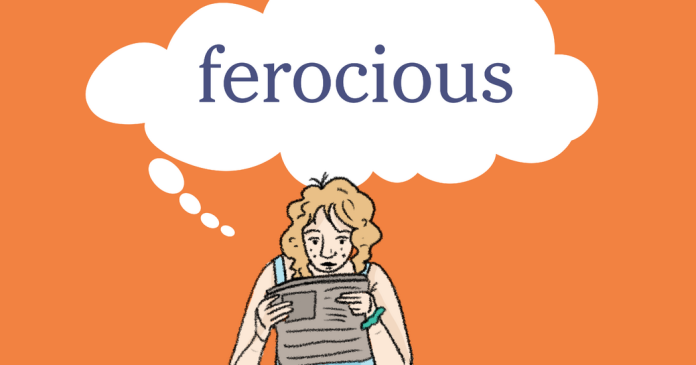
Word of the Day: ferocious

0
Word of the Day: ferocious

The word ferocious has appeared in 210 articles on NYTimes.com in the past year, including on Sept. 13 in “Along Himalayan Floods’ Path, Wiped Out Towns and Mounting Grief” by Mujib Mashal and Binod Ghimire:

When part of a Himalayan glacier near Nepal’s border with Tibet collapsed late last month, the ferocious water and debris that barreled through the gorge wiped out almost everything in their path for tens of miles.

Can you correctly use the word ferocious in a sentence?

Based on the definition and example provided, write a sentence using today’s Word of the Day and share it as a comment on this article. It is most important that your sentence makes sense and demonstrates that you understand the word’s definition, but we also encourage you to be creative and have fun.

If you want a better idea of how ferocious can be used in a sentence, read these usage examples on Vocabulary.com. You can also visit this guide to learn how to use IPA symbols to show how different words are pronounced.


Word of the Day, produced by The Learning Network, introduces a new vocabulary word from The New York Times every school day. Our words are provided by Vocabulary.com.

Students ages 13 and older in the United States and the United Kingdom, and 16 and older elsewhere, can comment. All comments are moderated by the Learning Network staff.

Why the Future of Learning Starts with Building

0

Coding has always served two purposes: the intrinsic drive to build something, and the practical path to a lucrative career. Even the most passionate code aficionados don’t dream of variables or syntax — they want to make a website, a tool, a game. For years, the career upside was impossible to ignore. You could land a stable SWE job, bootstrap your own app, or join a buzzy startup as a first hire.  

Generative AI flipped the script. AI now handles the repetitive tasks that used to define entry-level developer roles. At the same time, the barrier to entry for coding and building is lower than ever — you can spin up a working prototype with just an idea and a natural language prompt.  

This shift hasn’t eliminated the desire to code, but it’s changed what and who coding is for. If you’re not learning to land a junior dev role, you’re learning to build the thing you’ve been imagining, to add a technical skill to your existing career, or to understand the tools you’re already using at work. And here’s the catch: those goals all require understanding your code, not just having code that works. 

At Codecademy, all of these changes excite us about the future of learning to code. We’re introducing the AI Builder, a new project-based learning tool that flips the script by teaching you how to work with AI-generated code from the start. Our approach brings together the immediacy of modern AI tools and the rigor of real instructional design.

Why we created the AI Builder 

AI’s speed and efficiency often come with a tradeoff; you can get working code immediately, but you don’t really know what it’s giving you or why it’s built a certain way. Developers use the term “vibe coding” to describe this phenomenon — it’s fast, fun, but shallow; great for demos, less great for long-term skill-building.  

If your goal is to understand what you’re building, generic AI output alone won’t get you there. And the more you push these tools into real-world complexity, “the harder it is for them to give you exactly what you want,” says Zoe Bachman, Head of Learning at Codecademy.  

Switch to Learn for behind-the-scenes insights and your personalized roadmap.

With the AI Builder you get an education along with the AI output. In the workspace, you can toggle between two tabs: Build, where you work directly with a project and can modify and change code in real time; and Learn, where you get a personalized learning roadmap that’s based on your project.  

“We pair the experience of having a working app with a learning path that allows you to reverse engineer how it’s built, so you can deeply understand it and modify it confidently,” Zoe says. We’re calling our hybrid approach to learning-driven development “vibe learning” — it’s powered by AI guidance but rooted in learning science.  

Build first; learn continuously 

With AI Builder, you start with what you want to do: build the thing in your head. Whether that’s a habit tracker, a portfolio site, or the seed of a bigger idea, you don’t need to have prior coding knowledge to learn and build with the AI Builder. In other words, there are no pre-requisites for creation.  

You create a prototype by typing what you’d like to create in natural language. The AI chatbot will ask a few clarifying questions about your needs and overall goal before generating the project. Once the project is created, you can use the chat function to continue describing what you want. (You’re also welcome to go right into the code and start making changes if you already know your way around!)  

“It was fun to build something so quickly and be able to see the code and a learning plan for it,” says Grace Krishna, a Code Crew member who beta tested the AI Builder.   

When you need clarity on what’s going on behind the scenes in your code, or you hit a wall with AI, that’s a great time to flip over to the Learn tab.  

We’re calling our hybrid approach to learning-driven development ‘vibe learning’ — it’s powered by AI guidance but rooted in learning science.

Your project becomes the curriculum 

Rather than teaching concepts in the abstract and hoping learners translate them later, AI Builder removes that translation tax entirely. “We’re showing you specifically your code from your project and helping you understand it,” Zoe says.  

Rework your prototype in real time with the help of AI.

To build that personalized curriculum, the AI Builder breaks your project’s code into clear milestones and tasks. For each task, it generates an interactive learning loop, which is an activity designed to help you form a mental model of what your specific code is doing.  

These loops help you understand the logic behind each part of your project, so you can confidently apply the same thinking to other sections, or even future projects. This approach also ensures everything you learn is directly relevant to what you’re making — so you don’t have to guess when you’ll ever use this. 

Why this is vibe learning (not vibe coding) 

A key misconception about AI‑assisted development is that it makes learning superficial. AI Builder challenges that by grounding the entire experience in learning science rather than simple code generation. Our entire system is intentionally designed for you to retain knowledge. So, while it might not feel like you’re taking a course, you’re absorbing key concepts just by interacting with AI-generated code.  

A Socratic AI, not an answer-spitting chatbot 

Our educational AI chatbot is designed to guide you toward an answer through an in-depth questioning approach that’s based on the Socratic method of teaching. Instead of spitting out shortcuts or answers like AI typically does, you get strategic nudges, hints, and questions that build durable mental models.  

Research on AI in education shows that just providing an answer makes it harder for learners to retain the information on their own. Zoe compares the Socratic AI to “a personalized tutor, facilitating you acquiring more knowledge, so you’re not totally left on your own.” Our method encourages you to think critically so you really grasp the concepts and can continue to use them in the real world.  

Learning loops with real instructional design 

Behind the scenes, every learning loop in the Learn tab is built on proven frameworks like inductive learning and the 5E model, a popular STEM teaching framework that’s shorthand for engage, explore, explain, elaborate, and evaluate.

You’ll notice that the questions and exercises in the Learn tab feel different than the rest of our courses and paths, and that’s intentional. “The learning loops are designed very well — they get you there inductively,” Zoe says. They’re exploratory without being overwhelming, and evaluative without feeling like tests.  

Negar Vahid, a beta tester for the AI Builder appreciated the AI’s interactive question format. “The question-based learning feels engaging, and the starter project it builds is simple but useful,” she says.  

This structure ensures you don’t develop the wrong mental models — a known risk in fully constructivist or student-centered environments — while still giving you the freedom to explore.

Why learn when AI can build? 

There are some projects that are well-suited for simply vibe coding, like making a personal HTML website or a single-use script to automate a one-time task. Tools like Lovable and v0 are suited exactly for these types of projects.  

The longer your code needs to live, and the more complex your project becomes, the more you need to actually understand what you’re building. Joe Holmes, Codecademy Curriculum Developer in the AI and machine learning domain, uses the term “ignorance debt” to describe what happens when you don’t: 

“It’s like tech debt squared. It’s much, much worse,” Joe says. “You don’t know what kind of code is coming out. You just are only looking at: Does this kind of generally appear to be what I asked for? You don’t know if there are security flaws. You don’t know if there are performance flaws. You don’t know if you’re leaking sensitive information. You don’t know how to fix anything.” 

The tipping point comes down to two factors: complexity and time. If you’re developing software professionally, you’re legally responsible for the code you output. If you’re building something that will serve actual users, you need to be accountable for security, performance, and maintainability. And if your project will need updates or fixes over time (which most do) understanding your codebase becomes essential, not optional. 

The good news? Learning doesn’t have to feel like eating your vegetables. “Kids hate veggies and broccoli because we don’t cook it well enough to make it tasty when we first introduce it to them,” says Nhi Pham, Codecademy Curriculum Developer. The same is true for teaching AI: “If you do it well, you’re inspiring people to have these very hygienic practices when working with AI,” she says.  

That’s exactly what AI Builder is designed to do — make learning feel as immediate and rewarding as building, so you develop good habits from the start rather than building a lifelong aversion to understanding your own code. 

Get started with the AI Builder 

AI isn’t a replacement for learning, it’s a tool — and a powerful one when it comes to education. Our new AI Builder allows for “just‑in‑time learning that’s highly personalized,” Zoe says. Even the best teachers or bootcamps can’t deliver that for every learner, on every project, instantly. Perhaps the most exciting vision is how AI changes what a learning environment can be. 

Zoe described it beautifully: “I imagine the AI Builder as a workspace… like having all your resources around you and an AI tutor in the background.” 

That’s the shift: from learning before you build to learning while you build. We can’t wait to see what you create.