fbpx
Home Blog Page 791

The Winners of Our Teen Photo Essay Contest Depict Community and Why It Matters

0
The Winners of Our Teen Photo Essay Contest Depict Community and Why It Matters

Danna Ramirez, 17, Alisal High School, Salinas, Calif.: “Scorching Days and Aching Backs”

Derek Jin, 17, Noble and Greenough School, Dedham, Mass.: “Change the Game”

Dove Williams, 17, Ithaca High School, Ithaca, N.Y.: “ReUse: Experiments in a Circular Economy”

Elaine Wang, 13, and Elsa W., American School Hong Kong, Hong Kong: “The Stories Hidden in a Car Park”

Emma Pakola, 16, Tappan Zee High School, Orangeburg, N.Y.: “Together Down in the Pit”

Ivana Nguyen, 15, Marblehead High School, Marblehead, Mass.: “Nurturing Nature’s Palette: The Acorn Gallery School of Art”

Jane Wagle, 17, Elizabeth S., and Lana C., Lakewood High School, Lakewood, Ohio: “Burning for Roller Derby”

Kamya Ramachandran, 16, Podar International School, Mumbai, India: “In Mumbai, Sunday Church Visits Are an Oasis for These Au Pairs”

Solving Employee Productivity with Upskilling: The Alison Advantage

0
Solving Employee Productivity with Upskilling: The Alison Advantage

Most organisations today face a common challenge: how to keep their workforce productive, motivated, and equipped with the right skills. One effective solution often overlooked is upskilling, equipping employees with new skills and knowledge to improve their performance. 

The Power of Upskilling – Why It Matters

Upskilling isn’t just a buzzword; it’s a strategic imperative that can provide:

  • A competitive edge: Organisations that invest in upskilling gain a competitive edge. They adapt faster to industry changes, stay ahead of the curve, and outperform their competitors.
  • Employee retention: Employees appreciate growth opportunities. Investing in their development makes them more likely to stay loyal and engaged.
  • Productivity boost: Skilled employees are efficient employees. Upskilling enhances productivity by equipping your workforce with relevant knowledge and tools.

Common Challenges and Solutions for Starting an Upskilling Programme

Organisations frequently face time and budget constraints when implementing learning and development initiatives. Prioritising business metrics over vanity metrics and aligning training outcomes with key performance indicators (KPIs) can help address the problem. 

Business metrics are essential performance indicators directly linked to the organisation’s goals and objectives. Examples include revenue, profit margin, customer acquisition cost, and customer lifetime value. Vanity metrics may look impressive but don’t necessarily correlate with business success or contribute to strategic decisions. Examples include social media engagement, page views, and app downloads.

When your training programme is not tailored to your organisation’s specific needs and goals, there can be a disconnect between the skills being taught and those required for success. This lack of alignment can lead to a lack of motivation and engagement among employees, hampering the initiative’s effectiveness. Engaging employees in professional development conversations can expedite employee buy-in and ensure that everyone has equal access to upskilling opportunities that align with their career goals.

Traditional training methods, such as lectures and slide presentations, may not fully engage your employees or cater to their diverse learning needs and styles. One-size-fits-all approaches may not be effective in developing the required skills in your workforce. You should explore various delivery methods, including interactive workshops, simulations, and hands-on projects to enhance employee engagement in the upskilling initiatives favoured by your organisation.

Your employees may readily learn new skills through an upskilling programme. Still, the learning would serve no purpose without adequate opportunities to apply the skills in real-world scenarios. Readily accessible options to apply their newly acquired knowledge, such as projects, mentorship programmes, job rotations, or temporary assignments, can assure your employees of practical application and skill retention.

Traditional, in-person training methods may need to be more scalable, especially when resources such as time and budget are limited. Without scalability, training programmes may struggle to meet the needs of a growing workforce or expand operations, leading to inconsistent training experiences. Overcoming this challenge would require you to design training programmes with scalability in mind so all your employees can be confident they will have consistent and effective upskilling opportunities. 

Sometimes, upskilling isn’t a top priority for the organisational leadership. Emphasis on improved engagement, retention, and other long-term benefits of investing in employee development can turn the tide in favour of upskilling initiatives.

Alison’s Free LMS: Unleashing Potential

Enter our Free LMS, a comprehensive training platform that provides organisations with access to thousands of high-quality courses covering a broad spectrum of subjects. These range from business and technology to personal development and soft skills. Employers can use this valuable resource to tailor learning paths for their employees, directly addressing the specific skills and knowledge gaps that impact productivity.

Addressing Skill Gaps

A key advantage of using Alison’s Free LMS is its ability to help you identify skill gaps within your team. The platform’s comprehensive reporting and analytics features enable you to observe and assess these gaps effectively. The insights gained are crucial for developing tailored training programmes that ensure your staff acquires the necessary skills to excel in their roles. Eniola Adewale, Founder of Medical Nigeria, values how the system simplifies monitoring staff progress and obtaining certificates, enhancing their learning experience.

Boosting Employee Engagement

Employee training is multifaceted—it not only boosts productivity but also enhances employee engagement and promotes job satisfaction. Rialet Browning, HR Manager at Onyx Management Solutions, notes how Alison’s Free LMS has been instrumental in fostering a culture of continuous learning within their organisation. This commitment to professional development motivates employees, fostering a sense of loyalty and dedication. With Alison’s Free LMS, you can provide your team with a diverse array of learning opportunities, underscoring your investment in their consistent growth and development.

Increased Adaptability and Innovation

Adapting and innovating are critical to professional success in today’s rapidly changing business environment. Employers who encourage continuous learning in their organisations through Alison’s Free LMS can equip their employees with the skills and mindset necessary to navigate change and identify available opportunities. The resultant agility can increase productivity and a more competitive edge in the marketplace.

Cost-Effective Solution

One of the most significant advantages of our Free LMS is its affordability. As a free platform, it provides your organisation with a cost-effective way to invest in your employees’ development without straining your budget. No wonder it has become the obvious choice for businesses of all sizes, from small startups to large enterprises!

What Makes Alison’s LMS Stand Out?

  • Unlimited users, zero cost: Alison’s Free LMS is free, with no hidden fees or strings attached. Whether you have 10 employees or 10,000, you can rest assured everyone can benefit from Alison.
  • 5,000+ high-quality courses: From project management to coding, Alison offers a vast library of free courses. In addition, learners can purchase certificates that validate learning achievements.
  • Customised learning paths: Tailor learning experiences to your industry. You can take advantage of curated paths that align with your organisational goals.
  • CPD accreditation: Alison is a trusted CPD-accredited learning provider. Your employees gain valuable credentials that can be invaluable in their career advancement.
  • Easy setup: Your Free LMS will be up and running in under 5 minutes. There will be no IT headaches, just seamless implementation. Just ask Magie Hara, CEO of Filisian Educational & Social Services, who highlights the effortless setup process and responsive support.

Alison’s Free LMS isn’t just a tool for organisations like yours; it’s a catalyst for growth. By upskilling your team, you’re investing in your organisation’s future. You can address skill gaps, enhance employee engagement, and foster a culture of continuous learning and innovation—all while minimising the financial burden. 

Your quest for a more productive and agile workforce equipped to navigate the challenges of the modern workplace skillfully ends here.

Word of the Day: disparate

0
Word of the Day: disparate

The word disparate has appeared in 255 articles on NYTimes.com in the past year, including on May 22 in “The Algebra Problem: How Middle School Math Became a National Flashpoint” by Troy Closson:

“You have some kids who are ready for algebra in fourth grade, and they should not be denied it,” Mr. Noguera said. “Others are still struggling with arithmetic in high school, and they need support.”

Many schools are unequipped to teach children with disparate math skills in a single classroom. Some educators lack the training they need to help students who have fallen behind, while also challenging those working at grade level or beyond.

Can you correctly use the word disparate in a sentence?

Based on the definition and example provided, write a sentence using today’s Word of the Day and share it as a comment on this article. It is most important that your sentence makes sense and demonstrates that you understand the word’s definition, but we also encourage you to be creative and have fun.

If you want a better idea of how disparate can be used in a sentence, read these usage examples on Vocabulary.com. You can also visit this guide to learn how to use IPA symbols to show how different words are pronounced.

If you enjoy this daily challenge, try our vocabulary quizzes.


Students ages 13 and older in the United States and the United Kingdom, and 16 and older elsewhere, can comment. All comments are moderated by the Learning Network staff.

The Word of the Day is provided by Vocabulary.com. Learn more and see usage examples across a range of subjects in the Vocabulary.com Dictionary. See every Word of the Day in this column.

What is the Waterfall Model?

0
What is the Waterfall Model?

Developing software can be costly, and building the application itself is only a small step in the Software Development Life Cycle (aka SDLC). There are many steps that occur before and after, from planning to testing and releasing the app. The exact number of steps depends on which software development methodology a tech team uses, but many dev teams rely on the waterfall model.  

The video below provides a quick overview of the waterfall model and how it works. Read on to learn more details about when and how to use the waterfall model and how it compares to other software development methodologies.  

Waterfall phases 

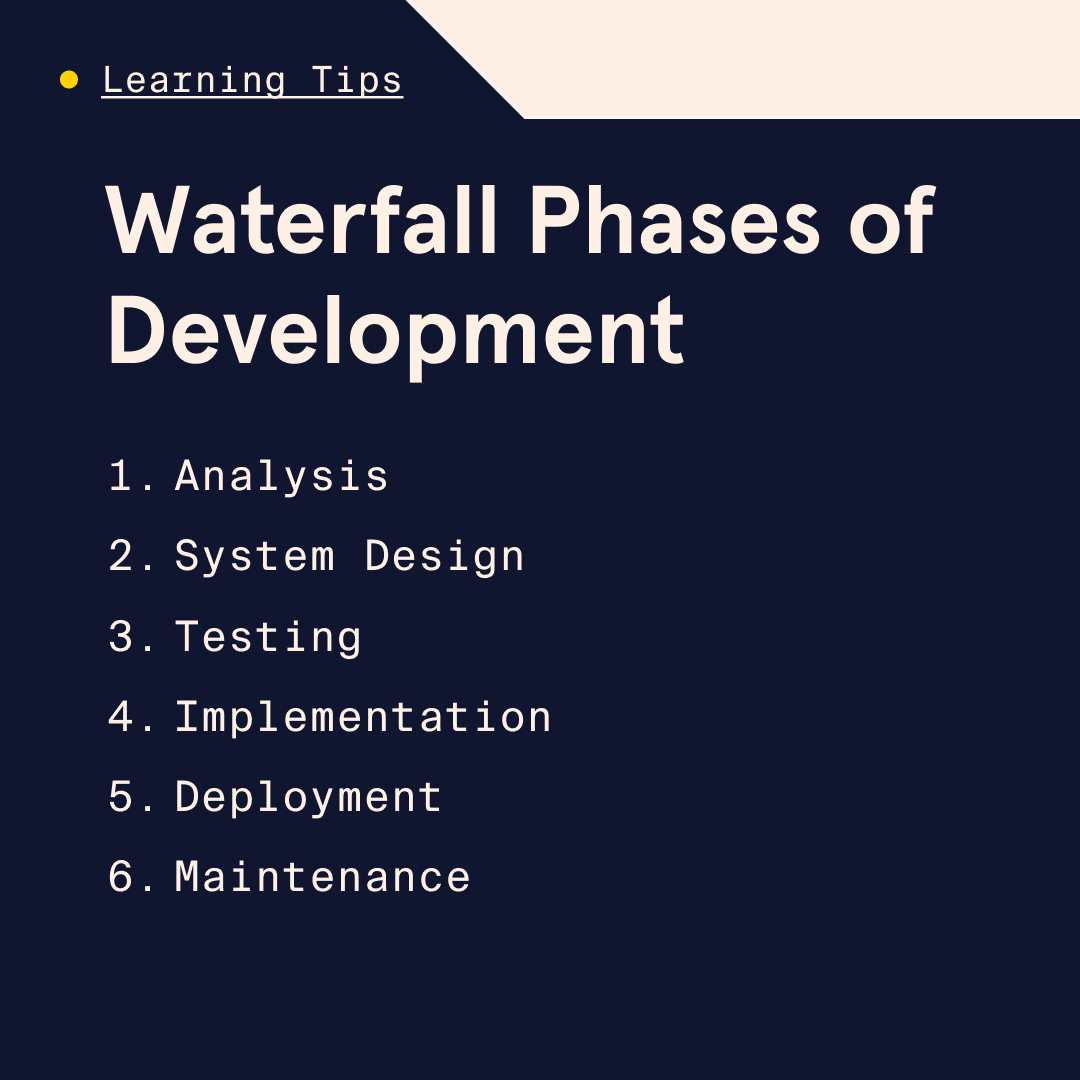
The goal of the waterfall model is to create a minimum viable product (aka MVP). T​​he waterfall model follows a linear sequential flow where each phase of development is completed and approved before the next begins. Each phase’s deliverables are used during later phases. This process helps reduce errors as a project progresses through these stages.  

  • Analysis. Requirements are discussed, resources are gathered, and a document is created to show each step in the process. 
  • System Design. The requirements from the first step are used to prepare the system design. The system design specifies system requirements, system hardware, and system architecture. 
  • Testing. Each unit is tested, then merged with the system. The system is then tested for possible failures. 
  • Implementation. System design is used to create programs named units, which will be used in the testing phase. Each unit is tested for operational integrity. 
  • Deployment. The software is done and handed over to the client or made available to other users in the marketplace (for example, the Apple Store). 
  • Maintenance. Patches, bug fixes, or updated versions of the software after its release. 

Learn something new for free

Waterfall & the SDLC 

The waterfall model aligns with the SDLC, which breaks development down into six phases: 

  • Requirement analysis 
  • Software design 
  • Planning 
  • Software development 
  • Deployment 
  • Testing 

The waterfall model adds to the SDLC methodology by adding the time and duration it takes to complete each step. 

When to use the waterfall model 

Different development models are used for different projects, and the waterfall model is best used when: 

  • You have a clear concept for a software project that doesn’t involve complicated procedures. 
  • You have a concrete, unchanging development plan and a clear understanding of requirements. 
  • There’s little room for error, so it’s unlikely you’ll have to repeat any phases. 
  • Costs are low and software requirements are uncomplicated and straightforward. 

Software engineers use the waterfall model as an attempt to “get it right on the first try” with a high level of quality and completeness. A waterfall-model-driven software project should be about predictability, load time, vulnerability, traffic, and compliance that is supported by robust testing and documentation. Waterfall tends to be more suitable for projects where the final product has to meet stringent quality standards and where changes can be costly and time-consuming, like in healthcare and banking clients.

Other software models 

Each model has its advantages and disadvantages, and sometimes you can even use different models in tandem. Some of the other popular development models include: 

  • Iterative (incremental) model. This model addresses some of the waterfall model’s shortcomings. It begins with planning and ends with deployment, but unlike with the waterfall model, cycles are repeated. Each cycle has a new set of requirements. As the software evolves, new iterations are built off the prior one. With this model, work can begin immediately, but resources are consumed quickly as processes are repeated. The iterative model poses risks due to all the changes, unknown costs, resource requirements, and uncertain deadlines. 
  • The V model. The “V” stands for validation or verification. This model expands on the ideas in the waterfall model. But instead of the work flowing in a linear progression, the V model flows down to the coding phase, then turns and ascends to form the V shape. This model involves more early-stage testing than the waterfall model. In fact, each stage involves extensive testing. This gives the development team the ability to find errors in the requirements, code, and architecture. Fixing those errors, though, can be costly as the path to repairing them exists outside this model. 
  • Spiral model. The spiral model requires team members working on a project to have strong risk assessment skills. There are four phases: planning, risk analysis, engineering, and evaluation. The number of loops in the spiral corresponds to the project itself. A spiral project usually takes around six months. It combines features of the waterfall and prototyping models with a focus on design. The customer reviews each cycle during development but has no input during engineering. 
  • Prototyping model. This model attempts to fulfill the user’s needs or wants in a software project by creating prototypes. A prototype is created to mirror the final product before it is built. The prototype is defined, tested, and refined from customer feedback and input. If the customer accepts it, then the team builds the final product. The developer spends lots of time building the prototype (there might be more than one). With that in mind, a cap is placed on the ​total ​number of iterations. Once in development, no more changes can be made. 
  • Scrum model (an ​A​gile methodology). ​T​​h​e Scrum model breaks the software development process into ”sprints.” These sprints last up to four weeks, during which time the previous sprint is assessed, new features are added, and the next sprint is planned. These sprints continue until all the new features are added and the product is released. Collaboration between teams, the organization, and the end user help reduce errors that can occur due to poor communication. This collaboration ​can help bring a product to​ market faster. 
  • Kanban model (an ​A​gile methodology). Unlike the other models discussed so far, the Kanban model allows for few, if any, iterations. And when sprints are used, they can be as short as a day as opposed to weeks in the Scrum model. Kanban is a board with sticky notes used to outline a project. It allows the team to focus on the specific details around a development project. 

Waterfall vs Agile 

Agile was created to improve on the waterfall model. The goal of the ​A​gile methodology is better software created effectively and efficiently with a focus on collaboration, communication, and constant change. As a result, there are several ​A​gile development models out there, but they all use the same elements: 

  • Teamwork 
  • Cross-functional collaboration 
  • Iterative development 
  • Early customer feedback 
  • Automation and speed 

While Agile emphasizes rapid iteration and flexibility, allowing for continuous feedback and quick adjustments, waterfall focuses on completeness and getting it right the first time. Agile tends to be better suited for projects like social media apps or online stores, where the ability to quickly adapt to user feedback and evolving requirements is more important than initial perfection.

Advantages and disadvantages of the waterfall model 

The waterfall model is one of the most popular software development methodologies because: 

  • It’s easy to manage due to specific deliverables and review process. 
  • It’s easy to understand and use. 
  • Phases are completed one at a time. 
  • It works well for small or large projects. 
  • It’s easy to understand milestones. 
  • The process from beginning to end is well documented. 

While all these points are important and ​suggest​ a software development model that doesn’t leave room for errors, there are disadvantages to using the waterfall model. The biggest is that it doesn’t allow for revisions or other changes once the software is in the testing phase. Here are some of the waterfall method’s other disadvantages: 

  • There’s only one cycle and that’s the end of the project. 
  • There are risks and uncertainties, especially if a step is missed or not documented. 
  • Project requirements may change. 
  • Progress can be slow and hard to measure. 
  • The scope of the project may cause it to end prematurely. 
  • Add-ons as the result of technology, business, or customer input happen toward the end of the project instead of early in the development, which may cause the software to fail once released. 

Learn more about software development methods 

The waterfall model is just one of the many choices engineers and developers have for a software development workflow. But it’s also the most popular. Whether you’re starting your first role on a technical team or choosing the right method to implement for your startup idea, understanding this industry-standard process will can help further your technical career. 

Want to learn more about how software is made? Check out our coding courses to learn first-hand. 

Learning System Failures – Recognize and Fix

0
  • SAP SuccessFactors – The other day, I was talking to a person running L&D, who is now working at a company, that is using SF. They mentioned how awful it is, and they wished they could leave and buy another system. I’ve equally heard people working at a subsidiary of a company, who is using SF for learning, and the subsidiary is forced to use it, even though they want another system.
  • Wisetail – Very nice folks but another system whose UI/UX isn’t good. The whole statement they have an LXP in their system is not accurate. They had a couple of items; they also were missing quite a bit – just like Taylor who can’t seem to hit a baseball. Yes, they have big name clients – and hey, I am happy for you – but to me, the UI/UX isn’t good.
  • Litmos – The back end is a bit long in the tooth as well. While they are adding new functionality, the equally have stated that they are going to do a revamp of the UI of the system. I respect recognizing that you have a problem. The metrics side – seriously, how could a system that when they rolled out was cutting edge and unique, turn into, well what it is today? According to a few folks at Litmos, the SAP ownership wasn’t good. The R&D investment really wasn’t there – hence the current challenges. They are owned now by another entity. Maybe they can turn it around, maybe not. The UI/UX is the first step.
  • Repeat. Wash Cycle. Repeat – The front end with the playlists – recommend, suggested, tied to your skills, job role, preferred. I do not personally have an issue with the playlist angle – my problem is that it is so dated. Where is the UI/UX wow factor? You could take a look at 30 learning systems, and at least 20 have the same design with how it appears. Some are static – which means you can’t move one playlist up or down – as the learner themselves. Others, the admin can do it by group, or entire system. Ho-hum. The first whereas the learner can do it – should be the #1 here – you pitch personalized – that is pretty personalized. I see the UI/UX on the front end with the playlists on mobile apps that appear far better. The content streams better, looks better in appearance.
  • Tear down the wallpaper. Why do bar charts still reign? Worse them and pie charts often have lots of tiny text squished together on the X and Y-lines. If you hover over the specific chart bar, sometimes you can see one data point. If you are going to stay with wallpaper from the late 90s (I was referring to 1890 – I kid), at least have it so that if I click that specific bar or pie slice it opens up another window for more details or say detailed tied solely to that one point. Vendors will retort that this is doable via a report. Fantastic, but I am not asking for it in a report, I’m asking for it visually on the screen whereas I can further ascertain what it all means. It’s called learning intelligence. Not learn by numbers or is that paint by numbers? I always forget.
  • Stoic Profiles – Is it just me or do we really need to know what department blah blah works in at the company, or their specific department or role? Why not add some interesting information – like interests, or level of expertise on some specific skill – which I see more and more, but even then, it is from my perspective – the person on the profile. I’d rather see interests – not just work related, but general. Add a mini calendar – that people can schedule times – if that profile person is defined as an expert or a coach or a mentor and offers folks the ability to see what time – sessions are available or when that person will meet provide a group session or something like that? Go beyond what is the same, same, same, every time. And leave the department to someone who still enjoys reading the yellow pages – the huge book. Uhh for you youngsters you can find them in a library – a building that houses these things called books, among other items. Dewey!
  • Fun – Fun – and engaging. Wait, Engaging? Attempting to tap into what is popular with audiences across the board in the consumer world? Yes, Tik Tok for now, Instagram still, FB for a few, LinkedIn, well you get my point. A lot of the world uses WhatsApp as their primary for calls, communicating – so why do I rarely see it as a way to connect via the learning system? Go on a site – heck even mine, and you will see under “Contact us” the green WhatsApp logo. I know of only a few vendors whereas you can send content with the WhatsApp option.
  • Systems at the university level and definitely corporate world – are museums – tread carefully, look the brand, be the brand (even if it is internal only). And you expect people to want and stay in the system, and do other things, then jump in, take their assigned course and leave? Oh, we will have VILT in there – see, they are staying! Ask yourself, would you want to stay around in the system – and try out different things? Be honest, and not based on you buying this and pitching it to others. I love that vendors add labs or as Pluralsight calls it, “Playgrounds”. Brilliant – you gain access to the playground to practice, whether it is tech skills (in their case) or could be any skill (not just tech in your playground) and so on. Even the terminology – playground elicits something far better and endearing I believe, than “sim”.

Does your homepage include those 6 important elements?

0
Does your homepage include those 6 important elements?

6 Essential Homepage Must Haves - Does your homepage include those 6 important elements?

When someone lands on your website, the first thing they’ll see is your homepage. So, it’s important to make it count and capture their attention within the first few seconds. That way, you can keep them engaged and interested in what you have to offer. Don’t worry, though—I’ve got your back! Here are the homepage must-haves that you need to know.

6 Homepage Must Haves

In this post, I’ll show you six elements that you should definitely include on your homepage for the best results. It is best to have them all however, even a few of them may improve your site conversion rate.


#1 Welcome section

When it comes to your website, the top section is the most important. This is the first thing visitors will see, so it’s crucial to make a great impression. Use this space to promote your awesome product or service, or to introduce yourself with a friendly hello! Remember to keep it short and sweet, and make it catchy so your visitors will be hooked right away. Large graphics or background videos are more than welcome here.

Welcome section example from Clara WordPress Theme

#2 Easy access to the important stuff

Let’s think about the three most important things you want your website visitors to see. It could be anything from your amazing products or services, to your latest blog posts, or even your social media pages. Just make sure that these items are placed at the top of your page, either as buttons or in their own dedicated section. This way, your visitors won’t miss out on what’s most important to you!


#3 Newsletter Opt-in

If you want to start building your mailing list immediately, it is advisable to include a newsletter opt-in on your homepage. To increase the number of people joining your list, it is recommended to offer a bonus for signing up.

You might want to check this out:


#4 Social Media

Don’t forget to promote your social media! It’s a great way to connect with your audience and grow your online presence. If you’re worried about your website looking too busy, just add some simple social media icons with your profile links. And if you’re feeling adventurous, why not try a social media widget, like the Instagram one? It’s a fun way to show off your latest posts and keep your visitors engaged!


#5 Recent posts or testimonials

If you’re looking to build trust with your website visitors, there are a couple of things you can do on your homepage. One of them is to showcase some testimonials from happy customers. Another is to keep your website fresh by featuring your recent blog posts or products.

Whether you’re a blogger, a business owner, or both, feel free to include both elements on your homepage. By doing so, you’ll show your visitors how you work and what you can offer them.


#6 Short bio or introduction

One last thing before we wrap up – make sure to introduce yourself! If you already did it in the welcome section, maybe add a little bit more to it and include a photo towards the end of your site. It’s always great to put a face to the name.


Need some help?

Did you know all 6 of those homepage must haves? Or maybe you are just starting building your dream we

If you ever need a hand with styling your homepage sections, just give me a shout! I’m always happy to help, whether it’s by creating custom designs or bringing your own ideas to life.

Contact me via social media or contact page for free design consultations!

Word of the Day: archaic

0
Word of the Day: archaic

The word archaic has appeared in 73 articles on NYTimes.com in the past year, including on Nov. 28 in the Opinion essay “Knowing When ‘They’ Means One” by John McWhorter:

Earlier English had “thou” for addressing one person, with “you” used only in the plural. (Actually, the subject form was “ye,” with “you” as the object form.) But by the 18th century, in standard English “thou” was relegated to the archaic, and “you” referred to both singular and plural. However, many speakers felt that saying “you were” to a single person — using the plural verb — was unnatural and therefore said “you was.”

Can you correctly use the word archaic in a sentence?

Based on the definition and example provided, write a sentence using today’s Word of the Day and share it as a comment on this article. It is most important that your sentence makes sense and demonstrates that you understand the word’s definition, but we also encourage you to be creative and have fun.

If you want a better idea of how archaic can be used in a sentence, read these usage examples on Vocabulary.com. You can also visit this guide to learn how to use IPA symbols to show how different words are pronounced.

If you enjoy this daily challenge, try our vocabulary quizzes.


Students ages 13 and older in the United States and the United Kingdom, and 16 and older elsewhere, can comment. All comments are moderated by the Learning Network staff.

The Word of the Day is provided by Vocabulary.com. Learn more and see usage examples across a range of subjects in the Vocabulary.com Dictionary. See every Word of the Day in this column.

Enhancing Learning Through Storytelling

0
Enhancing Learning Through Storytelling

By Carolina Kuepper-Tetzel

Imagine you are enrolled in a life sciences course and learning about stochastic molecular motion in biological systems (i.e., how molecules move in random ways within cells and other parts of living things). You are given the option to study the topic using either a) expository instruction which focuses on explaining the topic, b) a narrative instruction where the explanation of the topic is embedded into a story-like narrative that offers additional background information (e.g., about the lives of the researchers who discovered the phenomenon), or c) a narrative blurb that is then followed by expository instruction. Here are examples of the three options:

Expository instruction: “The thermal energy leads not only to rotations or vibrations, whereby covalently bonded atoms move back and forth relative to each other, but also to translational movements, which move molecules from one location to another. This allows molecules to move very efficiently through the cell. In addition, individual molecules collide with each other and constantly change their direction of travel. As a result, molecules embark on a random path through the cytosol that allows them to move quickly from one side of the cell to the other…”

Narrative instruction: “Maud quickly realized that the thermal motion of particles that Robert Brown had seen in his light microscope also resembled the random motion of molecules in cells. Although the interior of the cell is very densely packed, all the particles rotate, vibrate, and move continuously through the cell without a destination. With meticulous care, Maud prepared experiments in her lab in Berlin to study the interaction of enzymes and substrates. She worked day and night, and when she finally had her data, everything suddenly seemed so clear: products were formed more quickly when more substrate was present…”

Narrative prior to expository instruction: “Historical background: Maud quickly realized that the thermal motion of particles that Robert Brown had seen in his light microscope also resembled the random motion of molecules in cells. With meticulous care, Maud prepared experiments in her laboratory in Berlin to study the interaction of enzymes and substrates… Theoretical findings: Cells contain countless different enzymes and molecules, often in very small numbers. The enzymes are responsible for catalyzing thousands of reactions of substrate molecules per minute…”

A recent experiment by Tobler et al. (1) investigated the effects of these three instruction methods on transfer performance in students and whether the effects depended on students’ prior knowledge. The researchers also examined a variety of learning mechanisms such as cognitive load, situational interest, cognitive engagement, and self-efficacy. Before revealing the results, let’s take a look at the potential benefits and pitfalls of using narratives and storytelling methods for learning.

What is HTML? Common Uses & Defining Features

0
What is HTML? Common Uses & Defining Features

There’s a good chance you’ve heard the term HTML before — maybe you’ve even dabbled with the markup language as a means to edit your MySpace profile back in the day. HTML and CSS (Cascading Style Sheets) came on the scene in the late ’90s and are considered the backbone or “power couple” of the internet, because they enable developers to build and structure web content.

When people are just starting out learning how to code, HTML and CSS are typically the first languages that they start with. HTML has a simple, text-based structure that’s easy for beginners to learn and understand. But what does HTML actually mean? HTML is an acronym that stands for HyperText Markup Language. Markup languages are different from programming languages. Whereas programming languages help us modify data, we use markup languages to determine how elements are displayed on a webpage.

Here’s an example:


  Page Title


Heading

Content

So, what is HTML used for? Web Developers use it to organize, format, and display a web page’s content. Read on to learn more about how HTML works, how HTML5 improved its functionality, and the different careers that use it.

Learn something new for free

How does HTML work?

HTML is usually stored in files that use the .htm or .html extension. A website can include hundreds or even thousands of these HTML files kept in various directories.

When you visit a web page, its server sends its HTML files to your browser. Your browser then reads the HTML in the files and displays it. Some web applications don’t use static HTML but generate it in response to specific actions on their servers. In the free beginner course Learn HTML: Fundamentals, you’ll learn how HTML is used to create the structure and content of a web page and get to know the most important HTML elements.

We can also add other types of content, like CSS and JavaScript files, images, and videos, to add more features to a web page. CSS allows us to add stylistic elements (like colors) to a webpage. JavaScript enables interactivity. Together, these three languages form the foundation of web development.

Think of HTML elements as the building blocks of a web page. Elements are defined by their opening and closing tags and can be nested within other elements. Web developers use elements to structure a web page into sections, headings, and other content blocks. Here’s an example:

Heading

The main content

  • List item one
  • List item two

In the HTML example above, the first element we see is

, which wraps around the other elements. Div is one of the most common HTML elements and is a simple way to separate a page into sections. For example, if you wanted to create two columns on a web page, you could use div elements to define them.

Nested inside the div, we see an

element. H1 elements define the main heading of a web page. The text within a heading will usually be larger and bolder, depending on the styles applied to the page.

The

tag creates a paragraph element. There will usually be a margin after the element, again, depending on the styles.

Finally, we see a few sets of nested elements. The

    tag creates an unordered list, which does nothing until you nest at least one set of list elements (

  • ) within it. A browser would render these elements as something like this:

    • List item one
    • List item two

    The HTML elements listed above are some of the most common, but we can use others to add images, tables, and other elements to web pages.

    What is HTML5?

    HTML5 is the latest version of HTML. The update improved the language’s functionality, enabling the use of features that previously required additional software like browser plugins. It also added the ability to create applications using HTML that function offline. Here are some of the tags that HTML5 added to the language:

    • : The video tag allows developers to embed and stream video from a browser without needing a plugin like Flash or Silverlight
    • : The audio tag is similar to the video tag in that you can use it to embed and stream sound files from a web browser.
    • : The canvas tag defines a section in the HTML used to draw graphics using JavaScript. It can even handle 3D graphics and animation using WebGL.

    The features listed above are only some of the many brought about by HTML5. It was one of the biggest changes in the language’s definition and made way for today’s modern dynamic web pages.

    What is HTML used for?

    Now that we understand HTML’s tags and elements and the updates brought about by HTML5, let’s take a closer look at what the language can do.

    Structuring web pages

    With tags and elements, we can define the headings, paragraphs, and other contents of a web page. Browsers come with a built-in stylesheet that visually differentiates these elements. Content surrounded with

    tags will have a large, bolded font and its own line. Surrounding text with

    tags will make it bold and slightly smaller than the

    elements, and so on. Without these tags, the text on the web page would all look the same.

    Navigating the internet would be much harder without HTML. Imagine having to manually enter the URL of every web page you wanted to visit. This would be our reality without anchor tags. HTML’s anchor tags allow us to link pages to and from each other using the href attribute. Here’s an example:

    Google

    As you’ve probably guessed, the code snippet above creates a hyperlink to Google. You can also use hyperlinks to link to a specific section of a webpage.

    Embedding images and videos

    HTML also allows you to not only embed images into a webpage but also adjust their width, height, position, and even the way they’re rendered.

    In the past, developers would use Flash to embed videos into a webpage. But, with HTML5’s addition of the tag, that’s no longer necessary.

    Along with embedding videos, you can use other HTML attributes to adjust video controls, timestamps, thumbnails, autoplay, and more.

    Improving client-side data storage and offline capabilities

    HTML5 also improved the language’s offline capabilities. Websites use cookies to store data about users that can be retrieved later when they revisit the site. Cookies work well for small data like authentication tokens and usernames, but HTML5’s addition of localStorage and IndexDB enabled browsers to store more complex data.

    Plus, the application cache and cache manifest files you can reference from HTML allow users to browse a website while offline by retaining data on the user’s machine. This allows your web app to continue functioning even if a user’s connection drops.

    Game development

    While you can’t create video games purely with HTML, the element makes it possible to build video games in your browser using CSS and JavaScript. In the past, you could only do this with Flash or Silverlight. But with modern HTML, you can create both 2D and 3D games that run in your browser.

    Interacting with native APIs

    Another feature of HTML is that it can interact with your operating system, not just with your web browser. These features make it possible to drag files onto a web page to upload them, full-screen a video, and more.

    What careers use HTML?

    As the language of the internet, every aspiring web developer needs to know HTML. Front-End Engineers use HTML (along with other languages like CSS and JavaScript) to design the structure and layout of web pages and applications. Similarly, Mobile Developers use these languages with frameworks like Ionic and React Native to build mobile applications.

    Back-End Engineers also need to be proficient with HTML. Even though the other languages in their tech stacks may generate HTML for them, they still need to understand HTML structure to keep everything running smoothly.

    We also use HTML outside of the internet, like in intranets and internal applications. So, even if you’re coding for offline purposes, you should still learn HTML. It can even be beneficial for non-technical teams, as some marketers use it for blogs and emails.

    Learn more about HTML

    You can find out more about HTML and its many uses in our Learn HTML course. In this course, you’ll learn everything you need to know about HTML’s basic syntax while creating your first web page.

    If you’re interested in a career in web development, check out our Front-End Engineer Career Path. We’ll teach you how to build web applications using languages like HTML, CSS, and JavaScript, help you develop a portfolio, and prepare for future interviews.

    This blog was originally published in April 2021 and has been updated to include additional HTML courses.

Word of the Day: garner

0
Word of the Day: garner

The word garner has appeared in 314 articles on NYTimes.com in the past year, including on March 22 in “A Rock Fell From Space Into Sweden. Who Owns It on Earth?” by Christina Anderson:

The iron rock’s journey from the depths of space ended with a thud in a dense pine forest, about an hour north of Stockholm, around 10 on a November night four years ago.
Unusually, its trajectory was caught on several cameras in the region used to track meteoroids. That led to a weekslong hunt and an even longer court battle over an unusual question: Who owns an unearthly object that falls to Earth?

… In addition to their scientific value, meteorites are prized by collectors. In the global market of private collectors, one like this could garner tens of thousands of dollars, Dr. Holtstam said.

Can you correctly use the word garner in a sentence?

Based on the definition and example provided, write a sentence using today’s Word of the Day and share it as a comment on this article. It is most important that your sentence makes sense and demonstrates that you understand the word’s definition, but we also encourage you to be creative and have fun.

If you want a better idea of how garner can be used in a sentence, read these usage examples on Vocabulary.com. You can also visit this guide to learn how to use IPA symbols to show how different words are pronounced.

If you enjoy this daily challenge, try our vocabulary quizzes.


Students ages 13 and older in the United States and the United Kingdom, and 16 and older elsewhere, can comment. All comments are moderated by the Learning Network staff.

The Word of the Day is provided by Vocabulary.com. Learn more and see usage examples across a range of subjects in the Vocabulary.com Dictionary. See every Word of the Day in this column.