fbpx
Home Blog Page 1283

C# vs. C++: Which programming language should you choose?

0
C# vs. C++: Which programming language should you choose?

If you’re new to programming, it can be hard to decide where to start. There are just so many programming languages to choose from. Some are named so similarly that it is hard to know the difference between them, like C# and C++.

Learning a programming language takes some time and study, so it helps to know which one will work better for you before you start, although the knowledge you gain from learning one language will help you learn other languages more easily in the future. In this article, we will look at C++ and C# to help you determine which programming language is for you.

History of C++ and C#

C++ is older than C# by quite a few years. C++ was created as an extension of the C programming language in 1985 by Bjarne Stroustrup. He wanted to add features and object-oriented capabilities to the C language while retaining the speed and efficiency for which it was famous. Making the language object-oriented meant that code written in it would be more modular, less complex, and reusable. It would also save development time. The popularity of C++ took off, and it became the language of choice for applications where performance was a necessity.

C# is actually another extension of the C language. Microsoft released it to compete with the Java programming language in 2000 and designed it to run on Microsoft’s .NET framework. It is also an object-oriented language with all the benefits that it brings. For many years, it only ran on the Windows operating system and was one of the most popular programming languages on that platform. Now, C# can run on Windows, Mac, and Linux using the .NET core runtime, and it has become a popular language on all of these platforms.

How are C++ and C# similar?

Considering that both C++ and C# are extensions of the C programming language, there are some similarities between the two languages:

  • Based on the C programming language: This means that the syntax of both languages is similar. They both use brackets to divide code into blocks and require semicolons at the end of lines.
  • Object-oriented: Both of these languages are object-oriented. This means you can write code in both languages that are modular, flexible, and reusable.
  • Compiled: Both C++ and C# are compiled languages. This means that once you are done writing the code, you must run it through a compiler that turns it into an executable file that can run by itself on the platform it was compiled for. For example, you can create a .exe file in either language to run on Windows.

How is C# different from C++?

While there are a few similarities between C# and C++, there are also a lot of differences:

  • Performance: C++ code is much more performant than C# code. C++ applications are compiled to interact directly with the hardware in a specific operating system. C# applications are compiled for the .NET runtime, which can add more overhead and slow applications down because it adds a layer between your code and the hardware.
  • Compiler warnings: C++ will let you compile any code if the syntax is correct. But it is a low-level language, so it is possible to write code that can damage the operating system and hardware. C# provides compiler warnings that will notify you when you write code that can cause issues.
  • Garbage collection: C# handles your memory for you and automatically removes objects from memory when they are no longer needed. In C++, you must handle this memory management yourself and can easily create memory leaks if you are new to the language.
  • Binary size: Although both languages compile your code into a binary file, they do so differently. C++ applications are compiled for a specific platform and include only those libraries necessary for your code to run on that platform. C# is designed for use with the .NET framework. Much is included in the compiled binary, even if your specific code doesn’t need some of the framework, so C++ executables are smaller than C# executables.

Because of these differences, there are also differences in what type of applications each language is suited for. We will look at that next.

Which language should you use: C# or C++?

Usually, this decision comes down to whether you need high-performance software or a quicker, easier development process. If performance is your top priority, then C++ is the way to go. If performance doesn’t matter that much, you prefer not to get bogged down coding the details of everything, and you want the project done quickly, then you should go with C#.

Desktop applications

C# was originally designed for Windows, and it uses the .NET framework. This framework comes with all the pre-built tools you need to create the graphical user interface (GUI) for a desktop application. While it is possible to make desktop applications using C++, it involves a lot more time and complexity. You will have to use a third-party GUI library, which can be as complex as the programming language itself. For that reason, C# is usually the better choice for desktop software.

Game development

Video games are both processor- and memory-intensive, and 3D video games must interact with the GPU of the computer. The performance that C++ brings to applications makes it one of the most popular programming languages used in game development. You can use C# for game development with the Unity framework, but most of the top video games are written in C++.

Web development

While a website’s performance does matter, the speed that a language like C++ adds is not worth the time it would take to develop a web application using it. For web development, C# is one of the top choices for creating web applications on both the Windows and Linux platforms.

IoT devices

IoT devices include smartwatches, TVs, cars, appliances, medical devices, and more. These devices have limited computing resources because the hardware is embedded inside the device. C++ allows developers to control processes at the hardware level and, in most cases, is the only language you can use on these devices.

Learn more about C# and C++

If you want to learn a higher-level programming language that does some of the work — like memory management — for you and you lean towards building desktop applications, web applications, and server software for Linux or Windows, then C# may be for you. You can get started today with Learn C#.

If you want to learn a high-performance lower-level programming language used to program operating systems, video games, and all sorts of hardware, then you might want to go with C++ and our Learn C++ course. You can also read more about what C++ is used for on on our blog.

What did you decide? C# or C++? Of course, you can always learn both!

What is CSS used for?

0
What is CSS used for?

If you’re interested in web design or development, you have at some point probably asked yourself, “What is CSS used for?” This blog will answer that question and give you some background on why you might want to learn how to use it.

What is CSS used for and why do we need it?

Let’s start at the beginning. CSS stands for Cascading Style Sheets, and it’s used to add style to a web page by dictating how a site is displayed on a browser. CSS is unique in that it doesn’t create any new elements, like HTML or JavaScript. Instead, it’s a language used to style HTML elements.

CSS is responsible for the text style, size, positioning, color, and more on a website. It’s also what controls how a website’s style shifts between desktop and mobile versions. Without CSS, websites would look pretty boring.

Advantages of CSS

There are many reasons why you’ll want to use CSS in web design. First, CSS can save you time. Once you have a style sheet created, you can use it multiple times. The best practice for CSS is to save it as a .css file, separate from your .html file. The style sheet can then be linked to your HTML file. When you find a style that you like, you can apply it to as many pages as you’d like.

Second, CSS is efficient. Only a few lines of code are required to dictate the style on a webpage, which speeds up loading time and keeps files relatively lightweight. Lastly, it’s easy for users to learn and update, which makes global changes to style simple and quick.

Types of CSS

There are three types of CSS styling: internal, external, and inline. The types of CSS refer to how CSS is implemented. Internal CSS, which is also called embedded CSS, is the practice of inserting the CSS code in the section of the HTML document that defines a specific website. While an internal style sheet is a nice way to have all the code in one file, it makes that file rather large and doesn’t allow for style changes to be applied globally across different web pages. You can see that if you wanted to make a change to an element across a few pages, it would be easy to make a mistake when you use an internal style sheet.

The second type of CSS is external, where the style sheet is kept in a file separate from the HTML code. As we discussed earlier, this is the preferred type of CSS for many developers and companies. If you or your team is working on a large project or has a large company website, standardization of style will be important. Keeping the style separate from the structure means that global style changes can be done efficiently and more accurately than with an internal style sheet.

The final type, inline CSS, is where the CSS code is applied within the HTML code but is not globally applied to a particular element. Instead, the CSS code is used within the HTML code to alter a single element. Generally speaking, inline CSS isn’t recommended. But as you’re developing a web page, and you want to modify a single element, you could use inline CSS. In another scenario, if there’s a bug on a website and you need to fix it fast, inline CSS could be the ticket — that is, until you can go back in later and fix the issue more globally with external CSS.

How to learn CSS

We’d recommend you learn HTML first and then check out a course on learning CSS. Because CSS is used with HTML in various ways, a solid understanding of HTML is required before you can jump straight into altering HTML elements using CSS. If you’re just starting out with both CSS and HTML, you can even take a learning path tailored to both. HTML is used to structure the website, and then CSS is layered over top for style. With both skills, you’ll have the full suite required to get down to work designing and building websites.

If you’re interested in website design or looking to transition into a career as a front-end engineer, you may want to go a little more in-depth with your learning. For example, the front-end engineer career path includes an introduction to CSS and a separate course on transitions and animations using CSS.

Don’t forget that putting your new skills to work by building your own website or improving the one you’ve already created is a great way to learn. The CSS courses on Codecademy allow you to test out your new skills and apply what you’ve learned in a realistic setting. After all, you want to get down to designing and enjoying the creative process, both while you learn and in your career.

11 tips for overcoming impostor syndrome from the Codecademy team

0
11 tips for overcoming impostor syndrome from the Codecademy team

Do you find yourself doubting your abilities or having a hard time taking pride in your accomplishments? If so, you might be experiencing impostor syndrome. But, on the bright side, you’re not alone.

Impostor syndrome is incredibly prevalent. Research around the topic shows that up to 82% of people experience it at some point. For many, it’s more consistent, and they spend a good portion of their lives worrying about being “found out” as a fraud.

To help you get over your self-doubt, several members of the Codecademy team have shared their experiences with impostor syndrome. Below, we explore impostor syndrome in more detail and provide tips on how to overcome it.

What is impostor syndrome?

Impostor syndrome is characterized by feelings of self-doubt regarding your capabilities and achievements. You might find yourself dismissing recognition you received for your hard work as undeserved or believing that you’re less qualified or skilled than your peers.

Sarai G., one of our Senior Curriculum Developers, explains how impostor syndrome almost kept her from giving a presentation at a CSTA (Computer Science Teachers Association) conference:

“It felt like I was “faking” my expertise even after several years of successfully teaching engaging computer science classes. I felt like I was ‘too young’ and too new to the field for anyone to care what I had to say on the topic.”

Clearly, even experts can feel insecure about their knowledge. One of our Software Engineers, Zeb. G., explains how he experienced impostor syndrome while teaching a course on web development. He describes the feeling as:

“A sort of “analysis paralysis” where I tried to say as little as possible, to give very few opportunities for students to expose my fraud. I would lose feeling in my feet and hands, have trouble speaking, get dry mouth/throat (I drank a pint of water every 30-45 minutes). I also felt an urgent need for approval from my co-teacher that I haven’t felt since (at least nowhere near as intensely).”

How to overcome impostor syndrome

Impostor syndrome can be especially difficult for developers as there are always new tools, new concepts, and new functions to learn. People who switch to development later in their careers might also feel insecure about their lack of experience compared to their coworkers. Below, several members of the Codecademy team offer advice for developers with impostor syndrome.

1. Remember that you’re not alone

The next time you find yourself doubting your capabilities, remind yourself that it’s normal. Almost everyone you know is likely to have experienced it at some point. At our recent Women in Tech Panel event, one of our Curriculum Developers, Sophie S., speaks more on the subject:

“This feeling of being overwhelmed is really common in tech because there’s just so much that you can learn. So it’s really easy to feel like you don’t know enough. One thing I try to remember is that everybody is in the same boat. If you keep in mind that tech is changing so quickly, that everybody is going to have to keep learning, and everybody is not going to know the next new thing, then maybe that feels a little less overwhelming to try to keep up with.”

2. Welcome help from others

Some people with impostor syndrome have a hard time accepting help from other people, often believing that they should be completely self-reliant. But this isn’t the case. Collaboration is the key to our success. Our society wouldn’t be what it is today without people relying on each other.

If you’re feeling doubtful about your performance at work, ask a coworker or mentor for tips or guidance. Or, try reaching out to other learners on our forum.

3. Address your areas of opportunity

Impostor syndrome can intensify our fears and concerns, but that doesn’t mean they’re entirely unwarranted. If you find yourself obsessing over a gap in your knowledge or a skill you’ve yet to learn, fix it. Take a course. Read up on the issue.

Zeb, who we heard from earlier, shares several practices that helped him manage his impostor syndrome:

“Getting used to saying, “I don’t know,” and researching answers during breaks. LOTS of preparation, going through labs and lessons sometimes thrice before presenting anything. Refusing to lean on other people or online resources when I knew I could figure out the answer on my own.”

4. Stop comparing yourself to others

Other people’s successes aren’t your failures. Instead of wasting time and energy comparing yourself to others, focus on your strengths and capitalize on them.

5. Reflect on your achievements

When you next find yourself spiraling, force yourself to stop and take a look at your surroundings. Remember how far you’ve come and all the obstacles and challenges you’ve surmounted along the way. Go through any awards or certifications you might’ve earned. Try to remember any positive feedback you may have received.

Impostor syndrome causes us to doubt our own accomplishments and insists that whatever successes we’ve achieved arose from forces outside of our control. But that’s not true. Not entirely, anyway. Luck always plays a role, but your achievements were brought about mainly by your own efforts.

6. Accept failure as an option

Too often, we find ourselves paralyzed by the fear of failure. Imaginary ridicule and embarrassment stifle our ambitions before they even get off the ground. How many opportunities do we let slip through our hands because we’re too worried about a worst-case scenario? And the worst part about it is — failure isn’t even that bad.

Sarai explains how learning to cope with the idea of failure helped her overcome her impostor syndrome:

“One mental reframe I now use: If I try and fail, I’ll be in the same place I would have been if I didn’t try at all. At least, if I try, there’s a chance at success. Realizing that failure usually has the same exact result as not trying at all has helped trying and failure seem less ‘scary’ to me. After all, not trying isn’t scary, so why should failure be?”

7. Recognize your own bias

What we believe and what’s actually true are often two different things. Dane H., one of our Senior Software Engineers, recommends:

“Trust that the people around you want to see you succeed. That your judgment of yourself is only one perspective, one biased, clouded perspective, and it’s unlikely you’re right and everyone else is wrong.”

It’s okay to be nervous at your new job, but remind yourself that you earned it. Hiring managers don’t hire people out of pity. If they chose you, it’s because they recognized your capabilities and believe you can add value to their team. Prove them right.

8. Take pride in your skills

Many new programmers hesitate to call themselves developers, believing they fall short of some imagined criteria (e.g., knowing multiple programming languages, building full applications, etc.). This hesitance can be just as paralyzing as the fear of failure. It can keep you from applying to new jobs, taking on new projects, and more.

Zeb recommends taking the Am I a Real Developer? quiz when you’re feeling uncertain of your abilities. This quick quiz will help you determine whether or not you’re a developer, but to save you a bit of time — if you code, the answer’s yes. As Zeb explains:

“It’s the doing of some task that makes one a “developer,” “engineer,” “salesperson,” etc. — not some preconceived set of boxes to tick. So, to a new developer: Have you made, or are you currently making things with software? If so, you’re a developer. Don’t let anyone tell you otherwise.”

9. Be confident

You don’t need to know everything to be a valuable resource. Every member of a team has their own specialization, and while they can sometimes overlap, this diversity of skills allows us to support each other and collaborate effectively. Sarai recommends being confident in your own knowledge:

“Speak with confidence about the things that you know and ask questions about the things that you don’t. Even if you don’t always feel confident, practice speaking with confidence. This doesn’t mean pretending you know things when you don’t, it means speaking like you know your thoughts and opinions have value.”

Randal V., our VP of People, expresses a similar sentiment:

“Recognize that you know what you know, and whatever you know is valuable. Be honest, judge yourself on whether you did your best, and commit to learning when you get it wrong. And if you’ve done that, you have every right to be proud of yourself.”

10. Remember why you started coding

When you’re constantly worrying about whether or not your skills are up to par, it’s easy to lose sight of why you started programming in the first place. In our Women in Tech Panel, Shirley L., another of our Software Engineers, explains how reaffirming your passion for the field can help you manage your impostor syndrome:

“Imposter syndrome is something that is very common and it never goes away — I still feel it sometimes. For me, it’s really important to remember why you wanted to do this in the first place. Whether that’s taking a step back and just taking a break from it, or doing something that’s fun and that reminds you of why you love coding or why you want to become a software engineer — I think that’s really important.
Because it’s really easy to get burnt out when you’re trying to solve the same loop problem five times a day. It’s important to take a step back and remember the big picture. Remember why it’s fun, why you love it.”

11. Brush up on your skills

The best way to combat impostor syndrome is to make sure you’re well-prepared for any of the tasks you may undertake. To help ensure your skills are up to par, check out our Career Paths. Each Path is designed to teach you the knowledge and skills you’ll need to land an entry-level position in roles such as:

As you complete your Path, you’ll also build projects that’ll help illustrate your skills to potential employers (and yourself, when you’re feeling insecure about your abilities).

Hopefully, this article will help you identify and cope with your impostor syndrome. Have any tips you’d like to share? Leave them in a comment below.

How to list online courses on your resume

0
How to list online courses on your resume

You did it: you’ve finished up another online course to help you advance in your career as a developer. How can you share the work you’ve put in with your future employer?

A lot of our learners ask us for guidance on listing online courses on their resumes. That’s why we’ve put together this quick guide on why this is a great idea and how to do it.

Why you should list online courses on your resume

There are several reasons why you should list the online courses you’ve completed on your resume. We’ve rounded the up here.

It shows employers that you’re proactive

Today, most companies want to hire people who can work independently rather than waiting around to be told what to do. When you take a professional online course on your own initiative, it shows employers that you’re serious about advancing your career and have the discipline to follow through on your plans.

Online courses can fill career gaps

Employers don’t like to see long gaps in your resume. Whether you’ve been looking for a job for a while or you just wanted to take some time off, taking relevant online courses is one way to show that you’ve been keeping a foot in your professional field since your last job position.

Online courses validate your skills

Yes, it’s true that many professionals improve their skills and learn new ones in the workplace. And it’s completely valid to provide a list of these skills on your resume.

But think about it from the perspective of a future employer. Hundreds, maybe thousands of people submit resumes claiming the same skills. How is it possible to pick out who’s better?

Online courses can validate your skills and give companies an objective understanding of your professional knowledge.

5 tips on how to list online courses on your resume

While you can simply list all the online courses you’ve taken on your resume, that might not attract a potential employer. Here are some tips to help you list these courses in a way that will impress interviewers:

1. Have the job description in front of you

Read (or re-read) the job description to give yourself a clear idea of what kind of person the company is looking for. This is especially important if you’re applying to several jobs at once.

As you go through these other tips, keep referring to the job description as your guide to listing online courses on your resume.

2. Add courses that matter

Remember that most hiring managers take just a few seconds to look through each resume they get. If you list every online course you’ve taken, the reader will skip over the important parts of your resume.

This is why you should keep that job description handy. Take a look at the description. Then, as you add in online courses, ask yourself, “Did I learn a skill here that the company is looking for?” If so, then include it in your resume.

3. Make sure your list is easy to verify

Include the course provider in your list and write course names exactly as they appear on the course provider’s website.

You should also make sure you take courses from a reputable provider. Before starting a course, check that the provider has a strong online presence, good reviews, and works with well-known clients.

You’ll also want to download and organize certification documents and completion certificates so that you can quickly provide them to your future employer if requested.

4. Don’t forget to add the dates

Including the dates of your online courses helps employers understand how current your knowledge is. If you include the length of the course, either in weeks or hours, employers can also gauge how in-depth your knowledge is. If it’s been years since you’ve taken a course, you may want to look into taking a refresher course to show employers that you’re staying up to date.

If you’re still taking the course, it’s okay to write in “In Progress” or the expected completion date.

5. Briefly mention what you learned

It’s easy to sign up for a course, but what employers really want to know is what you took away from it. In particular, what did you learn during this course that would help you succeed in your new job? Take a look at the job description and write one or two bullet points that directly connect what you learned in the course with something in the job description.

Where to list your online courses

In most cases, you’ll want to have a separate “Professional Development” section in your resume that lists your online courses in order of completion date — the most recent courses should come first.

Don’t forget about your online profile

Your professional online presence is just as important as your CV. If you’re active on LinkedIn — and you should be — you can also share your certificates there. Hiring managers constantly use social media to find new talent, and having a certificate in your professional profile is another way to distinguish yourself.

Codecademy Pro members earn certificates each time they complete a course, Skill Path, or Career Path, and these certificates can be shared directly to LinkedIn.

Online courses can help make you the perfect candidate

We know how much effort and commitment you’ve put into your development career. And ideally, hiring managers would be able to learn everything about your skills and experience before deciding whether to move you to their interview list. Unfortunately, most of us only have a few seconds to grab someone’s attention. The online courses on your resume should help show that your entire professional history up to now has made you the perfect candidate for the job.

If there are any specific skills or languages you’re looking to brush up on before starting to apply for jobs, head over to our course catalog to find the right course to help your resume stand out.

How to become a data analyst

0
How to become a data analyst

Considering a career in data analytics? Great choice. With more and more companies making business decisions based on data, the demand for data analysts is skyrocketing. You can also expect a decent salary, as the average data analyst makes $77,923 a year before accounting for bonuses. But how do you enter the field? What skills do you need to become a data analyst?

Below, we’ll explore what data analysts do and the requirements for the role before showing you where to get started.

What do data analysts do?

A data analyst has several roles and responsibilities, including:

  • Collecting and interpreting data: As a data analyst, you need to be able to find the right kind of data to collect for your organization’s needs. Your objective is to gather data that can be used to derive insights that strengthen the organization as a whole.
  • Analyzing data: After data is collected, you’ll have to analyze it to see where the company stands, where they need to go, and how they can get there.
  • Locating patterns within data trends: Patterns within data are what lead to compelling insights. Finding and interpreting them is crucial to your role as a data analyst.
  • Reporting results to key stakeholders: After analyzing data for patterns and insights, data analysts share their findings with executives and other stakeholders to help them make strategic decisions.
  • Working side-by-side with other team members: Various departments rely on data-driven insights, so data analysts often meet with them to ascertain their needs.
  • Designing new ways to collect and use data: Data analysts use their data collection and manipulation skills to devise new systems that help companies meet their objectives.

Data analyst requirements and skills

To become a data analyst, you’ll need to combine a basic understanding of math and programming with the ability to apply insights to solve business problems. You’ll also need to be proficient with the tools required to collect, manipulate, and visualize data.

To start your career as a data analyst, you’ll need the following skills:

  • Programming languages: Data analysts use programming languages like SQL and Python to collect and manipulate the data stored in relational databases. These languages will also help you build databases from scratch, which is helpful when you’re trying to find the right data for your purposes. You’ll also need a basic understanding of common database protocols.
  • The ability to model, analyze, and interpret data: Along with the programming languages above, data analysts also use libraries and frameworks like pandas and NumPy to organize and visualize their data. You’ll also need to know how to analyze data to find solutions for your company’s objectives. For data analysts, data tells a valuable story, so you need to be able to see more than just figures on a spreadsheet — you need to see the narrative they convey.
  • Interpersonal skills: Data analysts have to share their findings and ideas with those who have the power to put them to use. In other words, you’ll have to convince your company’s stakeholders that your insights are worthy of action. Doing so requires the ability to interact with people in a meaningful way — even when under pressure.
  • Teamwork and collaboration: As a data analyst, you’ll likely be working as part of a team. Knowing how to delegate responsibility to others, accept tasks delegated to you, listen to others, and incorporate their ideas will be essential to your success as a data analyst.

Where can I learn data analytics for free?

If you’re set on becoming a data analyst, you’ll need to learn SQL. Our Learn SQL course will teach you the basics of SQL programming and show you how to use it to manage relational databases.

After learning SQL, you’ll want to learn programming languages like Python or R. R is especially useful as it was designed specifically for data science.

Once you’ve mastered these languages, explore their associated libraries and frameworks that help you collect, manipulate, and visualize your data. Check out any of the Skill Paths below to get started:

Finally, if you want to learn all the knowledge and skills you’ll need at once, try our Data Analyst Career Path. Not only will you learn all of the skills listed above (and more), but you’ll also use them to build complete projects that you can use to build a portfolio that showcases your ability in your future job search.

For more information about careers in data science, check out our data science career guide.

Knowledge Acquisition? Skill Develop? Go COP

0
Knowledge Acquisition? Skill Develop? Go COP

Routines. We all have them. It may be as simple as drinking coffee each morning, watching the news. Perhaps, it is having tea, reading the latest news on the Internet or in the newspaper. We can’t seem to break this routine. We may try to mix it up, and there are days where we can’t maintain our routine due to other commitments, but we really would prefer to follow our routine.

It’s simple, you know. It makes our day; we do not feel “alive,” if you will, without our routine. At work, whether you are 100% working from home, or about to go hybrid, or are 100% in the office, you likely follow a routine. Sure, you will have Zoom or similar types of meetings. You have work to do, but you may take lunch every day at a certain time. Back when everyone was in the office, you probably went over to the common area at a certain time. I remember my dad, years ago, telling me to have a routine before I started work. First, get a cup of coffee. Next, read the newspaper, then start the day.

It was comforting, to be all honest. Even now, I follow that same routine. I get a cup of coffee, drink a glass of water, and read the news, now through via the NY Times app or WSJ app. Then, I’m ready for the day.

I bring all of this up, because in the L&D and Training communities too many people follow a routine when it comes to learning and training. It’s a routine that we all have been through, over and over and over again. For some of us, more than 20 years. It is ingrained in us. We can’t shake it, we are told this is the way to learn, this is the way to retain, this is the way to recall, this is the way to participate.

What if though, it isn’t? What if we have been trained to think and follow a method that isn’t as effective as they have told us – in school, in research, in studies after studies? What if that method works only for this group, but not that group? What if people learn differently or retain knowledge differently?

Synchronous-based learning is what I am referring to here. We all have followed this modality since we entered first grade. For those who went on to grad school, the modality stayed the same. Sure, at grad level, you get projects or do quite a few independent studies with minimal interaction, or even a thesis, and at the doctorate level, a dissertation.

In a way it is unstructured.

Breaking free is one way to perceive it, and it also points to something that identifies whether or not you will like and succeed in e-learning. If you are truly an independent learner, you will prosper with e-learning. If you are not and thus prefer a structured approach, you will not.

This isn’t only about courses/content, but the entire process, from comprehension, retention, and synthesis, which can be applied in many ways with whatever learning system you are using or will. Actually, scratch one part of that – “whatever learning system,” because if your system follows or utilizes heavily Synchronous based learning, those two items, retention, and synthesis, won’t happen.

I’m not focused here on content/courses, solely here. I’m talking about knowledge acquisition, retention of said knowledge, synthesis of said knowledge, embracing and engaging in a whole new way with that knowledge, and then expounding it with real-life experiences and scenarios.

SBL (Synchronous-based learning) won’t’ make all this happen, it is inherently devised not to, but a COP, especially one that incorporates a Landscape approach, can.

Before diving into the newest version of COPs and how to tap them for this knowledge growth, one must understand what exactly is SBL, because I have found many vendors who use it, state it, yet actually do not know it. I’ve seen companies who some in the L&D and Training folks, embrace it as though this is the best way to learn.

What really is Synchronous Based Learning (SBL)?

When looking at SBL, you must focus on it from e-learning, online learning perspective. This is simply due to the fact, that we are talking about it from that mechanism.

The basics of SBL are as follow

  • The learner follows a structured path – think school – if you are in college, you receive a syllabus, topics, and subjects to be covered. There is no delineation. EdTech uses SBL; it is their main method of learning.
  • The content is static, in other words, dry paint. Engagement is minimal, if at all.
  • The learner is controlled. They learn at the instructor’s pace; they are often handed assignments that they must follow to a T. There are no exceptions.
  • Depending on the “class,” they may have due dates. If they need to turn in an assignment, is it a rigid process with due dates.
  • It follows the ILT methodology of being in the school/college classroom – the only difference is online.

If you are using a SBL focused system, some other items you will find include

  • Discussion board. You submit your thoughts, ideas, materials on the board. Then others read it and have to respond. Depending on the method, they may have to respond beyond “yes, this is great.” The instructor is supposed to review each discussion thread and respond. Often that isn’t the case.
  • Forum – Another way to encourage and supposedly foster knowledge and learning. Ignores true group communication dynamics. Participation is often “forced” under the guise of “encouraged.” Eventually, the same folks, the heavy users, will utilize it; others won’t. Everyone is placed in it – all the students because it is tied to that specific subject.

Re-active is in play here. Pro-active? Nope. 100% Participation – well, even forced, won’t get you long-term participation. I mean, we all are required to have PE in school, and everyone had to participate, even if they didn’t want to. Those that were not good in PE, will often be seen as ‘less than’ compared to others. I’m sure we can always recall certain kids being picked at the bottom, the last selections, for a specific reason – they were not good in that activity. If your school/college offers group activities, and students can pick teams, you will see the same mode – the smart kids are picked first, the kids who are middle of the road in the subject, second tier, the ones perceived as not knowing the subject or disliked – picked last.

That’s participation? That’s ensuring engagement? That is aspiring everyone to embrace?

SBL follows this mantra, sure it is not PE nor picking a team for a subject, but it relies on this notion that participation and retention are intertwined, and having an assigned only modality, works the best.

Adults want WIFM – What’s in it for them. They want real-life, real-world and scenarios. They want to communicate with others who are just like them. If they are working in a specific job role, they want to learn and acquire knowledge from those who truly understand what they are dealing with and are aligned. They do not want to be pushed into a one group fits all approach.

COPs – Communities of Practice

The use of COPs in the corporate space isn’t new.

Communities of practice started to appear as both standalone systems an within a system in the early 2000s.

By the mid 2000s COPs began to disappear in the industry. 

What replaced them was a different take in other words it was about having a community within itself.

The typical MO was having a community tide to the entire system or to a group say employees in this division versus employees in that division or to a piece of content slash course or a learning path.

Knowledge sharing varied based on the level of interest and engagement by the group members.

Discussion boards, forums and text chat were common.

If you look at a system today, this approach to a COP is widely used. 

Fine you might say, it works for us. 

But how well does it work for your learners? Some will be more engaged than others, some will start strong then fade, or if you make it required and moderate it, you get people involved who are more indifferent.

A Community is best when?

The current COP in the majority of systems, sees the system and all its functionalities as the core, with a COP being just one of those capabilities. It is a part of it, you go there for this or that, but nothing per se is really driven from that.

It reminds me in a way, of a group chat. You go into a chat room, communicate with one another, maybe share materials, maybe not. Then you go elsewhere.

It’s fine, but it is not a ferocious beast of knowledge acquisition, sharing, and expansion in the workplace, or even among your customers or members.

What if though?

What if the COP was the main component of the system with everything driven from within it. The learner logs in and goes right into their community. Playlists are found within that community. They still can pick content, whether it is a catalog for all or specific to that community. Learning paths, assigned to this or that group, social, gamification, everything that exists is within that community.

Vendors often espouse higher engagement around communities in a system, and I always found mixed results. Yes, as with anything, a COP is only as good as how the client, whoever is running the system – i.e., in L&D, Training, HR, etc. – is using it and supporting their own employees, customers, members, and so on.

Fuse is one such vendor that follows the above; everything is wrapped within the communities. I readily admit I had concerns on whether not this could be effective in the long run. There is no doubt that coming into a new workplace model, Hybrid or staying all remote, will be effective. Frontline workers can benefit. Blue-collar too. That is an additional plus because so many systems seem to ignore them and force them to align to how the system is built, to begin with, and capabilities.

A couple of weeks ago, I spoke with multiple vendors, each of whom mentioned Fuse and their community-first approach. Each of them was trying to figure out a way to utilize that with their system without having to rebuild the UI.

That is a definite change, and identifies to me, that other vendors are taking notice. When vendors start to take notice, then things really start to get going.

Let’s say you are not ready to redo your UI/UX whereas folks rumble first into their communities and then tap into everything the system has to offer.

You can still establish this level of communities, right off the main home learner page. From there, you are now offering your learners a journey of discovery.

Landscape COP

What people are not aware of even with the COP space, is that you can have different types of COPs. One such is Landscape.

Blue Volt offers a “network” for all its clients. This network is knowledge acquisition, expansion, and tapping into each other’s expertise. Every client on the Blue Volt system (not the end-users) can be within this ‘community of practice.’ It goes across all boundaries.

Data supports COPs

Multiple studies and research conducted in the last three years, specifically looking at the workplace and adults find that a COP has the potential to improve organizational performance. On top of that, COPs facilitate knowledge sharing among members in an effective manner.

COPs work when the members are similar to one another; however, there have been cases where a combination of new employees with experience employees showed a positive outcome. For example, one study found that firefighters consisting of new and experienced, using a COP, learned from each other.

Another study that appeared in the Journal of Workplace Learning found that “from an individual perspective, communities could be beneficial in developing professional skills, a stronger sense of identity, and finding of continuity even during discontinuity and change. ” (Manuti, A. et al. “Managing Social and Human Capital in Organizations: Communities of Practices as Strategic Tools for Individual and Organizational Development.” Journal of Workplace Learning 29 (2017): 217-234.)

Think about that.

What is coming in the workplace? Post-COVID? Change. Discontinuity with some workers at home, others in the office. Change definitely will take place, even more so, and while everyone will state that like change (especially when asked during an interview), reality says that isn’t the case.

With a COP, you could go in a lot of ways, from a mix of employees in the workplace, and those out of the workplace OR perhaps those who go into the office in one community to start, and those who work from home in another community to start.

COP Choices

Let’s go radical here. Content playlists are everywhere, but show me a community playlist? One that is based on the learner’s interests, job role, skills, and other variables? Over time, an algorithm could recommend other community playlists that align even further, and even within the community themselves, with AI scanning including contextual, the entire process within the community, not just the content alone, is pushed and delivered.

What if?

George works in marketing. He likes soccer and is interested in learning skills around graphics tied to a new software product. His role is marketing assistant, but he dreams one day of being a manager.

When George logs into the system he immediately goes into the general community. Everything can be done within the community, content, validations, scenarios, plus the true power of COP, tapping into the growth of professional, and job specific skills, along with personal development.

He sees a community catalog and looks at other communities he can join (or he is assigned them, plus he can join on his own). Within your system, he can join a community for soccer (after all it is other employees/customers who like soccer), he also joins a community for Photoshop with newbies and advanced, whereas within the community, learns from one another.

What you then have is a network of learning, knowledge acquistion that can tap into gamification, exploration, journeys and more. The days of “well, they never returned to my system,” starts to disappear, because they want that level of engagement. Content still exists, tied to personal and professional development for the various communities, sans the one that is of interest like soccer (in this example).

If I work frontline at a restaurant, I am in a community with folks who are just like me, at restaurants.

Now, you are thinking, is he talking about every client on the system, allowing their employees to intermingle with other employees from other clients in these types of communities?

Yes and No. You have the option (assuming your system offers it) to do this – and some vendors already offer this when it comes to content – and recommended or most popular. However, that said, this would be first and primary for your own employees, work staff, etc. – within your company, organization, etc.

It is a bit different for customers because the George scenario is the one you will follow, customers aligning to other customers, a community of advanced users of a software solution, or partners new and partners established. Communities around members and all those engaging, knowledge sharing, exploration, and empowerment are in full swing.

In all of the above, you do not have to rebuild your UI/UX from the standpoint of going immediately into a community approach, as Fuse does, rather you can adopt the above in some manner.

Bottom Line

There will be plenty who disagree about the effectiveness of a COP. There will be plenty who feel that SBL is still vastly superior or even slightly better than a COP. Then, you will have those espousing EdTech as proof that SBL works well.

And yes, you will have those who want both.

For those folks, absolutely is the choice here. After all, today, many learning systems have classroom management for ILT, vILT capabilities and feature sets, the ability to follow a linear approach with content/courses, and all the key elements and items you need for your SBL experience.

In fact, they are likely to have some type of a community or multiple communities.

But they are not fully integrated. Both are parts of the entire system.

Separate

Not Equal.

E-Learning 24/7

Bibliography

Brooks, James, et al. “Rethinking Situated Learning: Participation and Communities of Practice in the UK Fire and Rescue Service.” Work, Employment and Society, vol. 34, no. 6, Dec. 2020, pp. 1045–1061, doi:10.1177/0950017020913225.

Kasemsap, Kijpokin. (2016). Utilizing Communities of Practice to Facilitate Knowledge Sharing in the Digital Age. 10.4018/978-1-5225-0013-1.ch011.

Manuti, A. et al. “Managing Social and Human Capital in Organizations: Communities of Practices as Strategic Tools for Individual and Organizational Development.” Journal of Workplace Learning 29 (2017): 217-234.

Life, Learning, and Coursera Plus: What I learned while on parental leave

0
Life, Learning, and Coursera Plus: What I learned while on parental leave

Meet Bernard. He’s a data strategist at PwC and a committed lifelong learner. After earning his double master’s degree, he subscribed to Coursera Plus, and has continued to study topics such as artificial intelligence, design, and professional development. Today, he shares insights about his learning journey on Coursera after completing over 200 courses. You can also find his top study tips and note-taking advice on our blog. 

When my wife was pregnant with our first child, we decided that I’d take parental leave and she would take the time to focus on finding a new job. I got to spend quality time with my daughter for four months, and it was a wonderful experience in learning how to be a parent and a stay-at-home dad.

In preparation for four months of parental leave, I lined up non-parenting activities for myself to help make the most of this time. As someone who’s been a longtime learner on Coursera, and a proponent of lifelong learning in general, I started building a learning schedule. 

I decided to select and rank all the courses that might interest me on Coursera. I ended up creating seven different folders of course bookmarks (in topics like leadership, personal development, data science, philosophy, and more) with more than 90 courses and Specialization to complete for the coming year. An ambitious goal, I know!

To maximize my savings, I signed up for Coursera Plus, Coursera’s subscription package that gives you access to 3800+ courses for roughly $34 per month.  

I’d now like to share my learnings and thoughts about the platform and the subscription approach. Let’s dive right in!

I’ve learned many things on Coursera, but I also realize there is always more to learn, even when you think you know a subject. You also can’t always know when certain things you’ve learned might become useful, even later in your life. In addition to the specific skills I’ve built, here are some of the other things I’ve learned:

I’ve learned how to communicate efficiently with people from around the world. It’s been quite a challenge, but I’ve developed the ability to present clear and well-built assignments that can be understood by anyone anywhere in the world, and I’ve learned to explain my ideas in the right order and in a clear way.

I’ve learned how to improve my note-taking. This came as a result of eventually realizing that I wasn’t always understanding things instructors were saying—I would think I understood everything, but then I wouldn’t be able to explain what I’d learned to other people afterwards. 

As a learner on Coursera, I have access to a huge base of specialized and deep knowledge. But I can’t remember everything, so I have to synthesize the content. When you do this, you start to be able to build bridges between the courses you’ve taken. This creates a richer experience as a learner. For instance, by taking a lot of courses about leadership, I am now able to provide information about a wide range of leadership theories.

I’ve learned the importance of tests. The best way to be sure that you understand something is to be tested on it—this is possible on Coursera through quizzes and assessments. And, the best way to be sure that you master a subject is to have to explain it to others. This is made possible on Coursera too, through written assignments.

My experiences on Coursera have really helped me find the most efficient way to be sure that I understand something—I simply do a presentation about the topic to my friends, family or colleagues! 

I really want to emphasize the idea that you don’t create anything without practice, and I encourage you to do something with your new knowledge so it doesn’t vanish. I also encourage you to talk about what you’ve learned and share what you’ve discovered.

I believe that the most important thing I’ve gained from Coursera is knowledge. As long as I focus and understand the courses, and as long as I take proper notes, this knowledge can be used again and again, and it can help me grow.

I often use this knowledge in my daily work. I can educate my colleagues, do a quick presentation about a subject I’ve studied, introduce more recent methodologies or processes, or challenge mainstream thinking. I can also use this knowledge in my personal life by talking about what I’ve learned with my relatives or implementing changes in my life—for example, after taking a personal development course. The thing you have to remember is that after every course you take, you will have new insights to implement in your daily life—professional and personal.

Here are some other things I’ve gained:

I’ve gained the ability to be more agile and flexible. If I have to work on a new subject, I will always have a look on Coursera—just like I was checking Wikipedia a few years ago. It’s really a great way to deepen your knowledge of a subject. I also talk to my colleagues to be sure that I understand the subject, and then I use Coursera to improve my knowledge. Once, I even used Coursera before a job interview because I thought that I didn’t know enough about a specific subject. It helped me a lot!

I’ve broadened my mindset through working with so many people from different cultures. I feel that If the teachers are able to create courses that fit students around the world, I should be able to complete clear and well-explained assignments. When doing my written assignments, I now spend time specifically trying to be more empathetic.

I’ve gained new insights into how I learn. I am now more realistic about what I know, because I realize that we often only have “partial knowledge” about the things we talk about. We often have the right general idea, but then we forget details like names, dates, and so on. Thanks to Coursera, I’ve learned how to fight this knowledge erosion. I now put much more time and focus on the details. Learning How to Learn was actually my first course on Coursera, and its new version “Mindshift: Break Through Obstacles to Learning and Discover Your Hidden Potential” was my first course with Coursera Plus.

I’ve gained the ability to manage imposter syndrome. Once I realized how difficult it is to master a subject, I became much more affected by impostor syndrome, because I was realizing how much I didn’t know. In order to fight this feeling, I’ve learned to keep focused on the fact that I am constantly on a path to improvement. I understand that I am on a sort of a quest for knowledge, and that this is perfectly normal. As a consequence, the more I learn on Coursera, the more my answers are “I don’t know” or It’s complex.” Paradoxically, I feel more comfortable with my overall knowledge when I have this mindset.

There are over 77 million learners on Coursera. In general, I have found that the “student population” on Coursera is an educated group with the right mindset to learn and grow. I appreciated this particularly in the context of peer assignments and peer reviews. I enjoy being able to connect with a global community of learners.

One of the things I like most about Coursera is that the teachers and experts on the platform have experience, their subjects are deep and well-documented, and they share their knowledge in ways that are easy to understand. Coursera also makes it possible for experts with specialized knowledge to share their work and their discoveries with a broader audience. 

Having been learning on Coursera for years, I’ve seen the quality of content continue to level up, with the best teachers continuing to provide the best content. The platform allows for feedback from learners, which can help identify content issues. I continue to be really optimistic about the coming years on the platform. 

Coursera has also helped me to realize that one person with the right knowledge can change things for the better. In the past two years, outside my daily work in data management, I have been able to create a 4-hour e-learning course about data tools for my company that is now followed by more than 3000 people (about 85% of the company!), and it is quite a success. I also now give presentation skills training. I have trained more than 100 colleagues in just one month. 

I’ve also learned that there is no secret to success in life—improvement just comes from simply putting in effort day after day. I still have so much to do, to learn, to read, to build, and to accomplish. The funny thing with learning and improving, is that we don’t realize it while it’s happening. It’s only as I’ve looked and reflected on my journey that I am truly able to appreciate the role of learning in my life.

To conclude, what I would like to say to all current and future Coursera students is to remember that learning is good, but sharing is better. I would like to encourage you to be bearers of knowledge, because the world needs it. I would say you should always be ready to question yourself and what you know—the world needs this too. Finally, I want to remind you that you are the relayer of change, and this is something the world really needs.

1

Should I learn JavaScript?

0
Should I learn JavaScript?

If you’re thinking about getting into software development or want to add coding to your resume, the choices are endless. Even a quick search on the best coding languages to learn will turn up multiple answers, making it difficult to know where to begin. We know the feeling. Everyone starts as a beginner, and it can be hard to make heads or tails of all the technical blogs out there.

If you’re reading this article, you’re probably wondering whether or not you should learn JavaScript. Before we answer your question, we want to commend you for doing the research. It’s fun to learn new skills, and many people will jump right into a course. But, the most important step before you commit your time and energy to learning a new skill is making sure that it’ll support your goals.

Below, we’ll explain how learning JavaScript will help you reach your current goals. We’ll cover what type of work you can do with it, how long it takes to learn, where to get started, and more.

Why should I learn JavaScript?

JavaScript is one of the most popular coding languages, and together with HTML and CSS, it forms the base of modern web development. HTML codes the structure of a website, CSS dictates its style, and JavaScript enables its interactivity.

First and foremost, if you want to get into web development — both front-end and back-end engineering — JavaScript is a must. The language’s versatility means it can also be used for application design, animation, and game development. Plus, it’s easy to learn, so it’s a great choice as a first language. In another article, we take a closer look at what JavaScript is used for.

Another reason to learn JavaScript is that it opens you up to a giant community of developers that use the same language. If you have questions about a problem or need help debugging something, you’ll be able to collaborate with one of the largest groups of developers.

According to Stack Overflow’s 2020 Developer Survey, JavaScript was the most popular coding language for the eighth year in a row.

Is JavaScript the same as Java?

In short, no. JavaScript is the hugely popular web development language that is already installed on all common web browsers. It’s part of the reason why it’s so easy to get started with. You don’t need to configure or get familiar with an environment to code, unlike with Java. Java needs to be used within an environment that translates the code for the operating system (such as macOS, Windows, or Linux).

Java is a much more traditional coding language. It’s a class-based programming language and requires strict syntax to declare variables. Compared to JavaScript, it requires much more code to complete the same task. If you want to work in any of the following areas, Java will be a valuable addition to your repertoire:

As you can see, there’s some overlap between the applications of the two languages. For more information about how they’re distinct, learn about the differences between Java and JavaScript here.

How much does a JavaScript developer make?

As we explained earlier, JavaScript is commonly used for web development. Let’s take a look at the average salaries for web developers.

Front-End Developers

Front-End Developers create user interfaces and visual elements for web applications using JavaScript, CSS, and HTML. On average, Front-End Developers in the U.S. earn between $65k and $132k, depending on their experience.

Back-End Developers

Back-End Developers use JavaScript frameworks like Node.js and programming languages like SQL to manage an application’s servers and databases. Junior Back-End Developers in the U.S. average $78k, while more experienced Senior Back-End Developers earn around $120k.

Full-Stack Developers

Full-Stack Developers are proficient with both front-end and back-end development, and they can use any mix of the tools listed above. In the U.S., Full-Stack Developers can make anywhere between $79k and $130k.

How long does it take to learn JavaScript?

Most developers agree that it takes six to nine months to learn how to use JavaScript. Keep in mind that this is just an estimate, and everyone starts from a different level.

Learners who can commit themselves full-time to learning JavaScript may acquire proficiency faster than those with other responsibilities. Similarly, if you already have a solid coding background, you’ll pick up on the language quicker than someone new to programming.

Still, it’s not a race. Learning to code should be something you look forward to. You want to be able to approach your course with a positive outlook and a calm demeanor. Nothing makes it harder to debug a project and learn from your mistakes than being rushed or frustrated.

The six to nine-month timeframe relates to learning the basics of JavaScript. Other libraries use JavaScript as a base to create applications and webpages, including TypeScript, React, and Redux. Depending on the job you’re studying for or the new project you want to tackle, you may need to spend more time studying to be proficient with these libraries after you learn JavaScript.

Where can I learn JavaScript?

Once you’ve determined that JavaScript is the code you need to know, check out our Learn JavaScript course. We’ll teach you the language’s syntax and the basics of object-oriented programming.If you’re certain that you’d like to start training for a new career as a Front-End Developer, consider our Front-End Engineer Career Path. In addition to JavaScript, you’ll also learn programming languages like CSS and HTML and use them to build complete web applications.

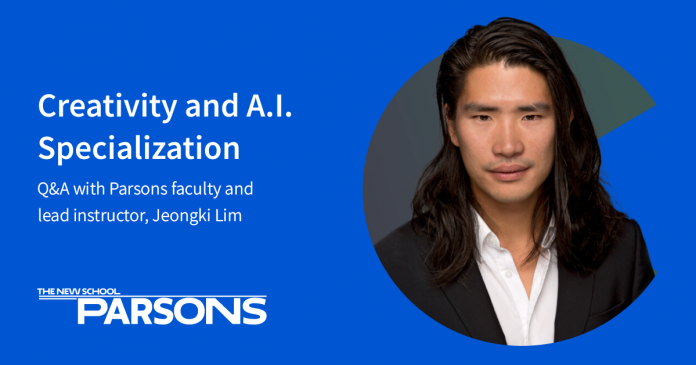
Can Machines be Creative? An Interview with Jeongki Lim: Instructor, Creativity and A.I. Specialization, Parsons School of Design, The New School

0
Can Machines be Creative? An Interview with Jeongki Lim: Instructor, Creativity and A.I. Specialization, Parsons School of Design, The New School

Jeongki Lim is an Assistant Professor of Strategic Design and Management, and the instructor for the new Creativity and A.I. Specialization from Parsons School of Design, The New School. In this intermediate-level, three-course Specialization, learners develop critical perspectives on creativity and machine learning through design research. Jeongki’s research focuses on computational creativity, complexity, and design-led research that can bring value to our understanding of human creativity and innovation.

Can you tell us about the new Creativity and AI Specialization and why you feel this topic is so relevant right now?

Look at the headlines these days. Every week, we hear more news stories about artificial intelligence (A.I.). Whether the stories are on the latest breakthrough in machine learning research or controversies surrounding how A.I. is misused in the real world, no one can deny that A.I. has entered the popular consciousness and is making a substantive impact beyond academia.

One of the most striking developments in this field is what we call “creative A.I.” Being creative is an attribute that we generally don’t give out to human-made artifacts like machines. However, the fidelity of machine-made artworks, from paintings to 3D projections to music, is getting increasingly better. The creative communities are embracing these developments with both excitement and apprehension. This Specialization seeks to address this topic from a design perspective.  

Who would you say can really benefit from this Specialization?

Design as a field is inherently multidisciplinary. This Specialization is ideal for those with technical backgrounds who are willing to look at things from a different perspective, those who work in the creative industries and want to better understand A.I. research, and those who want to learn and apply design thinking strategies in their creative practice and business strategies 

What were the goals in creating this Specialization?

There are many excellent courses on machine learning and computational creativity with varying levels of technical expertise. This Specialization is made to be as inclusive as possible and seeks to push learners to develop their own critical perspective on the topics through design research frameworks. Learners can get the tools they need to apply the theories of creativity and A.I. to projects in their own careers.

What can learners expect to achieve by completing this Specialization??

Learners will be able to communicate theories and techniques behind the A.I. research, creativity studies, and design strategies. They will be able to meaningfully apply these concepts on any project of their choice. 

Is there a specific topic in the course that particularly excites you?

Yes. Throughout the course, we push the boundaries of the idea of “creative artifacts.” The word often means things that humans make that they consider to be creative. The concept starts with the material outcomes from a creative activity, like paintings or musical compositions. Then, we venture out to examine other human-made systems like economic sectors and organizations in the framework of creative artifacts. 

What would you say is the real core focus of this program?

Design research is the critical component of this program. Taking time to reflect and engage in design research activities anchors the theoretical aspects of this course and makes them relevant and applicable. 

Anything else you’d like to share about this Specialization and why it’s so special?

The Specialization is designed to be different from the common linear online learning. It asks learners to be open to different approaches to familiar topics and be willing to try something unfamiliar. There is an emphasis on doing and applying in the real-world context. Design as a field is inherently in and of the world. The learners who understand this dynamic will benefit the most. 

Thank you Jeongki Lim, for sharing your insights and introducing the new Creativity and A.I. Specialization to the global Coursera Community. We’re so excited for learners to enroll and start discovering new possibilities at the intersection of creativity and technology!

1

How to become a full-stack developer

0
How to become a full-stack developer

Many web developers specialize in one type of development, either on the front end or the back end. They may even specialize in one type of web development framework. But full-stack developers do it all. Having full-stack development skills means you can build a complete web application from end to end, a skill that is always in high demand.

If you’re interested in a career in full-stack development but not sure where to start, we’ll break things down for you. If you’re ready to start learning, our Full-Stack Engineer Career Path will teach you what you need to prepare for an entry-level full-stack development job.

What does full-stack mean?

Before we get into what you’ll need to do to become a full-stack developer, let’s take a quick look at what full-stack development is.

A web application consists of two parts: front-end and back-end. The front-end part of a web app is the code the runs in a user’s browser. The backend part of the application is the code that runs on the webserver.

On the front-end, you would use HTML to structure web pages, CSS to style those pages and JavaScript as the programming language that adds dynamic features to the HTML. On the back-end, you can use a variety of programming languages to serve data when a web browser requests it. These back-end services may need to connect to databases, another back-end technology, to retrieve and update stored data.

The term “full-stack” applies to this whole process, from front-end to back-end. It is a lot to know, but that doesn’t mean you’re a know-it-all. Check out the video interview below to learn more about what a full-stack developer does.

Essential full-stack developer skills

As a full-stack developer, you can specialize in a variety of technologies. There are a lot of programming languages and frameworks to choose from. You don’t need to know all of them, but to call yourself a full-stack developer, you need the basics of front-end development, a back-end programming language, and the ability to write database queries.

Here are some of the skills you’ll want to develop if you’re on the path to becoming a full-stack developer.

Front-end

The bare minimum you need to know to work on the front-end application is HTML, CSS, and JavaScript, the building blocks of web pages. But learning these three technologies should be where you start.

jQuery may be a good thing to learn after that. It is one of the most widely used JavaScript libraries that interact with web pages and creates simpler dynamic effects. But modern front-end web development is usually done using one of many available JavaScript front-end frameworks. This will be where you should spend most of your time learning. React, Vue.js, and Angular.js are all popular in-demand frameworks. Learning one, to begin with, is all you need to do. There are plenty of jobs available using any one of these frameworks.

Any developer should also learn version control, and the most popular version control system is Git. Version control allows a team of developers to commit code to the same project without overwriting existing code.

Back-end

There are more choices when it comes to working on a back-end application. Here you will be writing APIs that the front-end part of a web application calls for data and writing SQL queries to connect to a relational database.

If you already know JavaScript from working on front-end code, the quickest way to learn back-end development is to learn Node.js. It is also written in JavaScript, so you won’t have to learn a new language. But you can learn to write back-end code in Python, Ruby, PHP, or C#. There are also web development frameworks for back-end code, and it definitely helps to know those also. For Node.js, learn Express.js. For Python, learn Django or Flask. And for Ruby, you will want to know Ruby on Rails.

Back-end applications connect to databases to store and retrieve data, so knowing how to write database queries using SQL is also an important skill that back-end developers should have. If you started learning front-end coding, you should already know version control, but you will have to learn if you are starting in the back-end.

If you have your eye on a job at a specific company, you can look into their job listings to see what languages and frameworks they use to help inform what you learn.

Getting a full-stack developer job

Once you have the skills to create a web application from front to back, you are a full-stack developer. But to become a professional full-stack developer, you need a job. To find a job, you need to let recruiters and businesses know that you have skills. Here’s what you’ll need to do to prepare.

Create a resume

One of the first things a recruiter will ask for when applying for a job is your resume. Your resume will be the first impression many of the people involved in the hiring process will see, so you should spend time creating one. A technical resume that gets you noticed will have your contact details, work experience, technical skills, projects you’ve worked on, and other information related to the job you are looking for. Full-stack developer certification, for example, would look very good on a resume.

Create a portfolio

You may also want to create a developer portfolio. Resumes are usually printed out by recruiters and hiring managers when you apply for a job. A portfolio is a lasting resource that displays the skills you have for anyone to see. Instead of a piece of paper with your skills listed on it, you give employers visibility into your skills by allowing them to test the actual code you wrote or view the source code in a public code repository.

Finding a development job

Once you have a resume and a portfolio, the next step is to look for a job. A great place to start is with your LinkedIn profile. First, make sure you have one and then flesh it out with your skills, projects, education, and work experience. When you are done, you can search for jobs with LinkedIn search and connect to recruiters. Other places you can look for a job include Stack Overflow Jobs and Indeed.

How long does it take to become a full-stack developer?

There are quite a few skills you need to learn to become a full-stack developer. But each skill you learn in technology builds on the last. In the beginning, you may not know what a variable is, but once you learn, it is a concept you can apply to write code for both the front-end and back-end of a web application. Our Full-Stack Engineer Career Path will teach you the skills you need to build full-stack web applications using Node.JS, Express.JS, React, and more — and takes about six months to complete.

Curious about learning more? Join the Codecademy community to connect with other learners, hear about their journeys, share your own experience, and ask questions.